
We have a Steam curator now. You should be following it. https://store.steampowered.com/curator/44994899-RPGHQ/

Realms Restored 4.2 — Baldur's Gate 3
Looking for the download?
This mod's files are on ModHQ.
Go to mod page
Moderator: Mod Janitor
-
Finarfin

- Connoisseur of Slop
- Posts: 5020
- Joined: May 20, '24
- Location: Tirion upon Túna
-
Geolocation
Adventurer's Guild


The next step is to use german.xml as the "old" file in the Localization Helper. For each of the three XML files listed under Translator's Resources, I would set them as the "new" file and then have the german.xml from "old" as the output file. Repeat 3 times with each xml. Right?
Steam code: 10514930
My Reviews:
El Matador RECOMMENDED
Dungeons of Sundaria NOT RECOMMENDED
VLADiK BRUTAL RECOMMENDED
Ultimate Zombie Defense 2 INFORMATIONAL
Deathless: The Hero Quest RECOMMENDED
Door Kickers 2 RECOMMENDED
Folklands INFORMATIONAL
My Reviews:
El Matador RECOMMENDED
Dungeons of Sundaria NOT RECOMMENDED
VLADiK BRUTAL RECOMMENDED
Ultimate Zombie Defense 2 INFORMATIONAL
Deathless: The Hero Quest RECOMMENDED
Door Kickers 2 RECOMMENDED
Folklands INFORMATIONAL
-
Tipfy

- Posts: 374
- Joined: Nov 16, '23
-
Geolocation
You can also extract my translations files if it can help you with a visual/example of how things are in it.Finarfin wrote: ↑ May 2nd, 2025, 18:36To ensure clarity and avoid errors, I'll document this process, as I'm unfamiliar with translation workflows like this.
I have the german.pak file and created a folder named Extracted PAK. Inside, there's a localization folder containing:
german.loca
german_M_to_X.loca
german_to_F.loca
Additionally, there's a Gender folder with two subfolders:
Female: Contains german.loca, german_F_to_X.loca, german_to_F.loca
Neutral: Contains german_X_to_F.loca, german_X_to_M.loca, german_X_to_X.loca
For my purposes, I only need the main german.loca and german_to_F.loca files. These can be converted to XML using LSlib by navigating to the Localization section.
Next, I use the Localization Helper. The XML file I just converted (german.xml) serves as the "old" XML file. Since I'm working on Realms Restored, I assume I need to process all three XML files listed under Translator's Resources. Is this correct or am I doing anything wrong?
We are the servants of ModHQ, weilders of the modding tools, the woke mind virus will not avail you, HR fodders !
-
orinEsque

- Posts: 4918
- Joined: Oct 9, '23
- Location: Dubai
- Gender: Potato
-
Geolocation
Ah yes it wasn't str it was set to 18 cons itemHumbaba wrote: ↑ May 2nd, 2025, 18:44Oh no no no, not with 8 CON you madwoman.orinEsque wrote: ↑ May 2nd, 2025, 18:42I'll have you know with a set to 18 strength belt on her she's a formidable backline and damage soaker for le mages too.

Victors clap when others succeed; Losers feel every spotlight as a personal bleed.
-
Romeo

- Posts: 59
- Joined: Apr 20, '25
-
Geolocation
I found that I may have not properly deleted the old version of Heads. When I reloaded BG3MM, it treated the updated version as a duplicate and when I removed it, I saw the old version still there. Going to remove it, then a save and export, and then re-adding the updated version of the mod again.
Last edited by Romeo on May 2nd, 2025, 18:48, edited 1 time in total.
-
orinEsque
- Posts: 4918
- Joined: Oct 9, '23
- Location: Dubai
- Gender: Potato
-
Geolocation
I suggest you set output file path to a new folder. You want to keep your vanilla german.xml unchanged.Finarfin wrote: ↑ May 2nd, 2025, 18:44The next step is to use german.xml as the "old" file in the Localization Helper. For each of the three XML files listed under Translator's Resources, I would set them as the "new" file and then have the german.xml from "old" as the output file. Repeat 3 times with each xml. Right?
Last edited by orinEsque on May 2nd, 2025, 18:48, edited 1 time in total.
Victors clap when others succeed; Losers feel every spotlight as a personal bleed.
-
Romeo
- Posts: 59
- Joined: Apr 20, '25
-
Geolocation
@loregamer, okay it turned out I didn't properly remove the mod and the BG3MM treated the updated version as a duplicate. Apologies for the false alarm.
You do not have the required permissions to view the files attached to this post.
Last edited by Romeo on May 2nd, 2025, 18:52, edited 1 time in total.
-
loregamer

- Site Moderator
- Posts: 5060
- Joined: Dec 3, '23
-
Geolocation


-
Finarfin
- Connoisseur of Slop
- Posts: 5020
- Joined: May 20, '24
- Location: Tirion upon Túna
-
Geolocation
Adventurer's Guild
Hmm. I used the unchanged vanilla xml and then the english.xml from the NPCnames resource and in a new folder but with the same name (german.xml) but it says "No new or modified content found."
Steam code: 10514930
My Reviews:
El Matador RECOMMENDED
Dungeons of Sundaria NOT RECOMMENDED
VLADiK BRUTAL RECOMMENDED
Ultimate Zombie Defense 2 INFORMATIONAL
Deathless: The Hero Quest RECOMMENDED
Door Kickers 2 RECOMMENDED
Folklands INFORMATIONAL
My Reviews:
El Matador RECOMMENDED
Dungeons of Sundaria NOT RECOMMENDED
VLADiK BRUTAL RECOMMENDED
Ultimate Zombie Defense 2 INFORMATIONAL
Deathless: The Hero Quest RECOMMENDED
Door Kickers 2 RECOMMENDED
Folklands INFORMATIONAL
-
orinEsque
- Posts: 4918
- Joined: Oct 9, '23
- Location: Dubai
- Gender: Potato
-
Geolocation
You are using german.xml file from the main folder, right?Finarfin wrote: ↑ May 2nd, 2025, 18:57Hmm. I used the unchanged vanilla xml and then the english.xml from the NPCnames resource and in a new folder but with the same name (german.xml) but it says "No new or modified content found."
Victors clap when others succeed; Losers feel every spotlight as a personal bleed.
-
Finarfin
- Connoisseur of Slop
- Posts: 5020
- Joined: May 20, '24
- Location: Tirion upon Túna
-
Geolocation
Adventurer's Guild
Yes, the one that I converted from the main folder, not from one of the subfolders.
Steam code: 10514930
My Reviews:
El Matador RECOMMENDED
Dungeons of Sundaria NOT RECOMMENDED
VLADiK BRUTAL RECOMMENDED
Ultimate Zombie Defense 2 INFORMATIONAL
Deathless: The Hero Quest RECOMMENDED
Door Kickers 2 RECOMMENDED
Folklands INFORMATIONAL
My Reviews:
El Matador RECOMMENDED
Dungeons of Sundaria NOT RECOMMENDED
VLADiK BRUTAL RECOMMENDED
Ultimate Zombie Defense 2 INFORMATIONAL
Deathless: The Hero Quest RECOMMENDED
Door Kickers 2 RECOMMENDED
Folklands INFORMATIONAL
-
orinEsque
- Posts: 4918
- Joined: Oct 9, '23
- Location: Dubai
- Gender: Potato
-
Geolocation
@Tipfy you encountered same issue?Finarfin wrote: ↑ May 2nd, 2025, 19:10Yes, the one that I converted from the main folder, not from one of the subfolders.
Victors clap when others succeed; Losers feel every spotlight as a personal bleed.
-
Tipfy
- Posts: 374
- Joined: Nov 16, '23
-
Geolocation
I'm a bit confused,Finarfin wrote: ↑ May 2nd, 2025, 18:57Hmm. I used the unchanged vanilla xml and then the english.xml from the NPCnames resource and in a new folder but with the same name (german.xml) but it says "No new or modified content found."
one way to do it would be to create your mod, with the folder etc, then put the english.xml from RR translation resources in it, but rename the folder and xml like the German ones.
Then open the xml and translate it, you can copy the lines codes and ctrl+f search them in the original german.xml & german_to_f.xml to compare / help.
The code is the long letter and number thing between the " in as in the example below
<content contentuid="h0714bca8gf58bg4c8ega1ebga0b553d82d9d" version="43">text text text</content>
Last edited by Tipfy on May 2nd, 2025, 19:30, edited 1 time in total.
We are the servants of ModHQ, weilders of the modding tools, the woke mind virus will not avail you, HR fodders !
-
Finarfin
- Connoisseur of Slop
- Posts: 5020
- Joined: May 20, '24
- Location: Tirion upon Túna
-
Geolocation
Adventurer's Guild
I'm getting slightly tired of this so I'll stop for tonight and try it out tomorrow again. Don't be ******** like me I suppose.
Steam code: 10514930
My Reviews:
El Matador RECOMMENDED
Dungeons of Sundaria NOT RECOMMENDED
VLADiK BRUTAL RECOMMENDED
Ultimate Zombie Defense 2 INFORMATIONAL
Deathless: The Hero Quest RECOMMENDED
Door Kickers 2 RECOMMENDED
Folklands INFORMATIONAL
My Reviews:
El Matador RECOMMENDED
Dungeons of Sundaria NOT RECOMMENDED
VLADiK BRUTAL RECOMMENDED
Ultimate Zombie Defense 2 INFORMATIONAL
Deathless: The Hero Quest RECOMMENDED
Door Kickers 2 RECOMMENDED
Folklands INFORMATIONAL
-
Tipfy
- Posts: 374
- Joined: Nov 16, '23
-
Geolocation
If you don't know, you don't know. Don't worry of it.
Try dissecting other people's translation.pak, and reproduce it/use it as a base. If you got question don't hesitate.Finarfin wrote: ↑ May 2nd, 2025, 19:41I'm getting slightly tired of this so I'll stop for tonight and try it out tomorrow again.

We are the servants of ModHQ, weilders of the modding tools, the woke mind virus will not avail you, HR fodders !
-
Finarfin
- Connoisseur of Slop
- Posts: 5020
- Joined: May 20, '24
- Location: Tirion upon Túna
-
Geolocation
Adventurer's Guild
As I said, I will try it again tomorrow, but for now I will install the mod and play.Tipfy wrote: ↑ May 2nd, 2025, 19:48If you don't know, you don't know. Don't worry of it.
Try dissecting other people's translation.pak, and reproduce it/use it as a base. If you got question don't hesitate.Finarfin wrote: ↑ May 2nd, 2025, 19:41I'm getting slightly tired of this so I'll stop for tonight and try it out tomorrow again.
Steam code: 10514930
My Reviews:
El Matador RECOMMENDED
Dungeons of Sundaria NOT RECOMMENDED
VLADiK BRUTAL RECOMMENDED
Ultimate Zombie Defense 2 INFORMATIONAL
Deathless: The Hero Quest RECOMMENDED
Door Kickers 2 RECOMMENDED
Folklands INFORMATIONAL
My Reviews:
El Matador RECOMMENDED
Dungeons of Sundaria NOT RECOMMENDED
VLADiK BRUTAL RECOMMENDED
Ultimate Zombie Defense 2 INFORMATIONAL
Deathless: The Hero Quest RECOMMENDED
Door Kickers 2 RECOMMENDED
Folklands INFORMATIONAL
-
orinEsque
- Posts: 4918
- Joined: Oct 9, '23
- Location: Dubai
- Gender: Potato
-
Geolocation
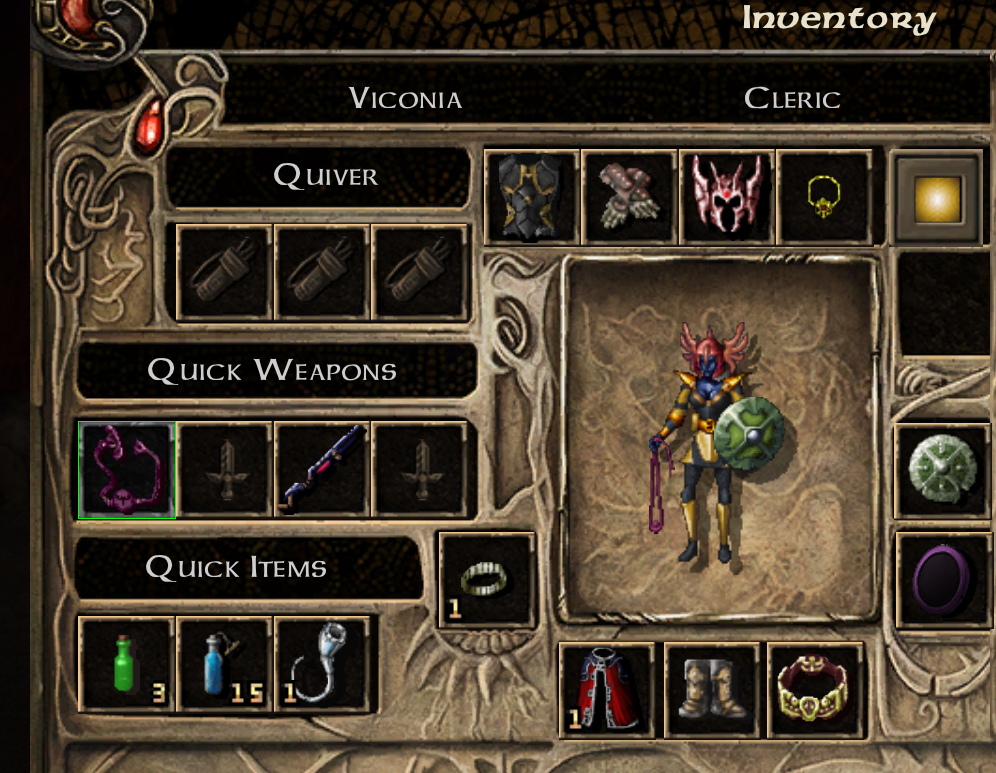
Alright I take it back. For big boss fights i def used her with slingHumbaba wrote: ↑ May 2nd, 2025, 18:25I am awaiting lore accurate fixes to the returning casts weaponry (club for Jaheira, sling for Viconia)
Victors clap when others succeed; Losers feel every spotlight as a personal bleed.
-
Finarfin
- Connoisseur of Slop
- Posts: 5020
- Joined: May 20, '24
- Location: Tirion upon Túna
-
Geolocation
Adventurer's Guild
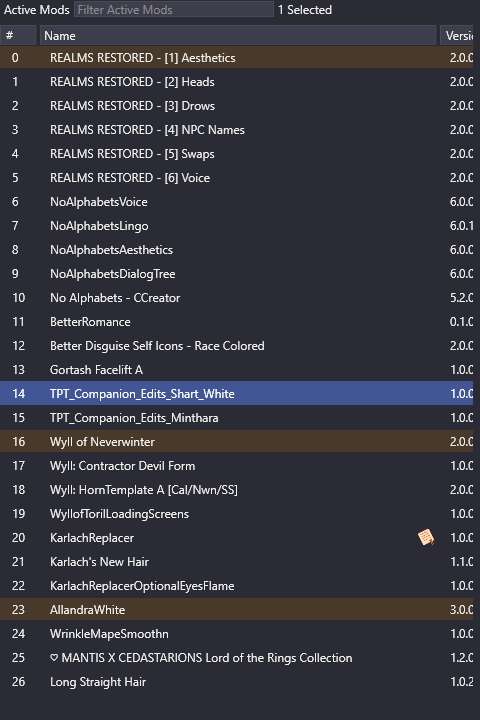
Any Idea if this will conflict or cause any problems?
Steam code: 10514930
My Reviews:
El Matador RECOMMENDED
Dungeons of Sundaria NOT RECOMMENDED
VLADiK BRUTAL RECOMMENDED
Ultimate Zombie Defense 2 INFORMATIONAL
Deathless: The Hero Quest RECOMMENDED
Door Kickers 2 RECOMMENDED
Folklands INFORMATIONAL
My Reviews:
El Matador RECOMMENDED
Dungeons of Sundaria NOT RECOMMENDED
VLADiK BRUTAL RECOMMENDED
Ultimate Zombie Defense 2 INFORMATIONAL
Deathless: The Hero Quest RECOMMENDED
Door Kickers 2 RECOMMENDED
Folklands INFORMATIONAL
-
Tipfy
- Posts: 374
- Joined: Nov 16, '23
-
Geolocation
Look fine to me, maybe the mantis mod could have some conflict if the head it adds are replacers and not new heads ?
We are the servants of ModHQ, weilders of the modding tools, the woke mind virus will not avail you, HR fodders !
-
Finarfin
- Connoisseur of Slop
- Posts: 5020
- Joined: May 20, '24
- Location: Tirion upon Túna
-
Geolocation
Adventurer's Guild
Ok, I seem to have the same problem someone else mentioned here. Soulless Husk is not there, instead it is "Custom" and Dark Urge is a dragonborn while his picture is the human version.
Steam code: 10514930
My Reviews:
El Matador RECOMMENDED
Dungeons of Sundaria NOT RECOMMENDED
VLADiK BRUTAL RECOMMENDED
Ultimate Zombie Defense 2 INFORMATIONAL
Deathless: The Hero Quest RECOMMENDED
Door Kickers 2 RECOMMENDED
Folklands INFORMATIONAL
My Reviews:
El Matador RECOMMENDED
Dungeons of Sundaria NOT RECOMMENDED
VLADiK BRUTAL RECOMMENDED
Ultimate Zombie Defense 2 INFORMATIONAL
Deathless: The Hero Quest RECOMMENDED
Door Kickers 2 RECOMMENDED
Folklands INFORMATIONAL
-
DoubleOO7

- Posts: 79
- Joined: May 2, '25
-
Geolocation
Its impressive how this mod and many others on this site has done extensive woke to remove all the woke retardation of bg3. But other seems to be lacking in the moding department, if anyone knows any other sites that have similar mods please do tell! (I know that loverslab has some good misogynistic mods for Skyrim and fallout 4)
-
Finarfin
- Connoisseur of Slop
- Posts: 5020
- Joined: May 20, '24
- Location: Tirion upon Túna
-
Geolocation
Adventurer's Guild
Seems like something is wrong. I use the Mod manager, admin mode, export order to game. I see the alternative loading screen and that durge has his human portrait but none of the mod changes are there. I still see disgusting faces in the CC.
Steam code: 10514930
My Reviews:
El Matador RECOMMENDED
Dungeons of Sundaria NOT RECOMMENDED
VLADiK BRUTAL RECOMMENDED
Ultimate Zombie Defense 2 INFORMATIONAL
Deathless: The Hero Quest RECOMMENDED
Door Kickers 2 RECOMMENDED
Folklands INFORMATIONAL
My Reviews:
El Matador RECOMMENDED
Dungeons of Sundaria NOT RECOMMENDED
VLADiK BRUTAL RECOMMENDED
Ultimate Zombie Defense 2 INFORMATIONAL
Deathless: The Hero Quest RECOMMENDED
Door Kickers 2 RECOMMENDED
Folklands INFORMATIONAL
-
loregamer
- Site Moderator
- Posts: 5060
- Joined: Dec 3, '23
-
Geolocation
I think that means the mod got turned off. The portrait shows since it's an asset overrideFinarfin wrote: ↑ May 2nd, 2025, 21:59Ok, I seem to have the same problem someone else mentioned here. Soulless Husk is not there, instead it is "Custom" and Dark Urge is a dragonborn while his picture is the human version.
Jingle Jangle Jingle
-
loregamer
- Site Moderator
- Posts: 5060
- Joined: Dec 3, '23
-
Geolocation
This "I just turned my **** on and it got randomly turned off" is why I made this plugin btw bros
Stealthy Mod Organizer 2 Plugin 0.3.1 — Baldur's Gate 3
Stealthy Mod Organizer 2 Plugin 0.3.1 — Baldur's Gate 3
Jingle Jangle Jingle
-
asdonas

- Posts: 4
- Joined: Mar 24, '24
-
Geolocation
Are the actual mods turned on? I found that I had to launch the game through steam rather than the mod manager. I had a similar deal with the loading screen being changed, but that might just be because its an inherent override rather than something that needed to be turned on.Finarfin wrote: ↑ May 2nd, 2025, 22:20Seems like something is wrong. I use the Mod manager, admin mode, export order to game. I see the alternative loading screen and that durge has his human portrait but none of the mod changes are there. I still see disgusting faces in the CC.
-
Finarfin
- Connoisseur of Slop
- Posts: 5020
- Joined: May 20, '24
- Location: Tirion upon Túna
-
Geolocation
Adventurer's Guild
But I am not connected to mod.io or even logged in with my larian account...
Steam code: 10514930
My Reviews:
El Matador RECOMMENDED
Dungeons of Sundaria NOT RECOMMENDED
VLADiK BRUTAL RECOMMENDED
Ultimate Zombie Defense 2 INFORMATIONAL
Deathless: The Hero Quest RECOMMENDED
Door Kickers 2 RECOMMENDED
Folklands INFORMATIONAL
My Reviews:
El Matador RECOMMENDED
Dungeons of Sundaria NOT RECOMMENDED
VLADiK BRUTAL RECOMMENDED
Ultimate Zombie Defense 2 INFORMATIONAL
Deathless: The Hero Quest RECOMMENDED
Door Kickers 2 RECOMMENDED
Folklands INFORMATIONAL
-
orinEsque
- Posts: 4918
- Joined: Oct 9, '23
- Location: Dubai
- Gender: Potato
-
Geolocation
That in-game mod manager is built into the game. Whether you can connect to online mods or not is completely beside the pointFinarfin wrote: ↑ May 2nd, 2025, 22:29But I am not connected to mod.io or even logged in with my larian account...
Victors clap when others succeed; Losers feel every spotlight as a personal bleed.
-
NotACat

- Posts: 36
- Joined: Feb 28, '24
-
Geolocation
I had the same problem with my game. The problem turned out to be Wylls of Toril. Specifically the alternate looks for him. I solved the problem by moving them to the inactive side of the screen. His looks were still changed in game. It might be worth trying.
https://drive.google.com/file/d/1_NFA73 ... sp=sharing
https://drive.google.com/file/d/1_NFA73 ... sp=sharing
-
Finarfin
- Connoisseur of Slop
- Posts: 5020
- Joined: May 20, '24
- Location: Tirion upon Túna
-
Geolocation
Adventurer's Guild
This actually fixed it.asdonas wrote: ↑ May 2nd, 2025, 22:28Are the actual mods turned on? I found that I had to launch the game through steam rather than the mod manager. I had a similar deal with the loading screen being changed, but that might just be because its an inherent override rather than something that needed to be turned on.Finarfin wrote: ↑ May 2nd, 2025, 22:20Seems like something is wrong. I use the Mod manager, admin mode, export order to game. I see the alternative loading screen and that durge has his human portrait but none of the mod changes are there. I still see disgusting faces in the CC.
Steam code: 10514930
My Reviews:
El Matador RECOMMENDED
Dungeons of Sundaria NOT RECOMMENDED
VLADiK BRUTAL RECOMMENDED
Ultimate Zombie Defense 2 INFORMATIONAL
Deathless: The Hero Quest RECOMMENDED
Door Kickers 2 RECOMMENDED
Folklands INFORMATIONAL
My Reviews:
El Matador RECOMMENDED
Dungeons of Sundaria NOT RECOMMENDED
VLADiK BRUTAL RECOMMENDED
Ultimate Zombie Defense 2 INFORMATIONAL
Deathless: The Hero Quest RECOMMENDED
Door Kickers 2 RECOMMENDED
Folklands INFORMATIONAL
-
Tipfy
- Posts: 374
- Joined: Nov 16, '23
-
Geolocation
All done.
We are the servants of ModHQ, weilders of the modding tools, the woke mind virus will not avail you, HR fodders !
-
Silver

- Posts: 471
- Joined: Dec 4, '23
-
Geolocation
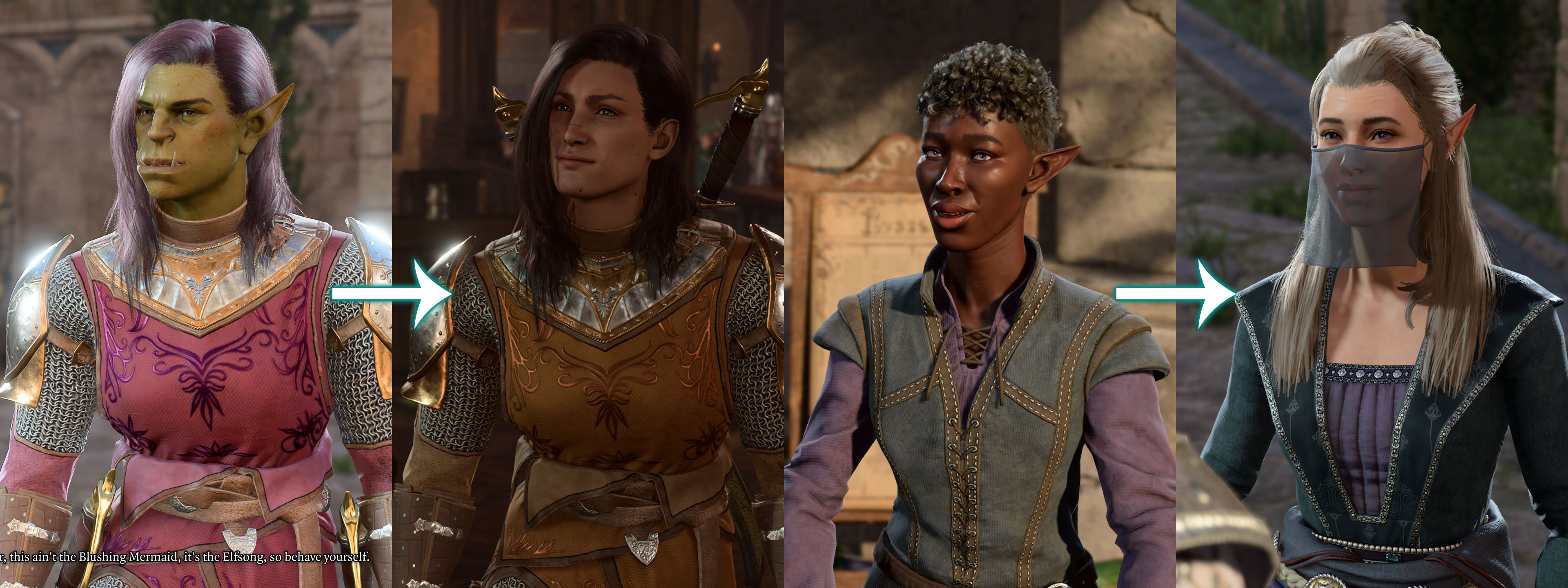
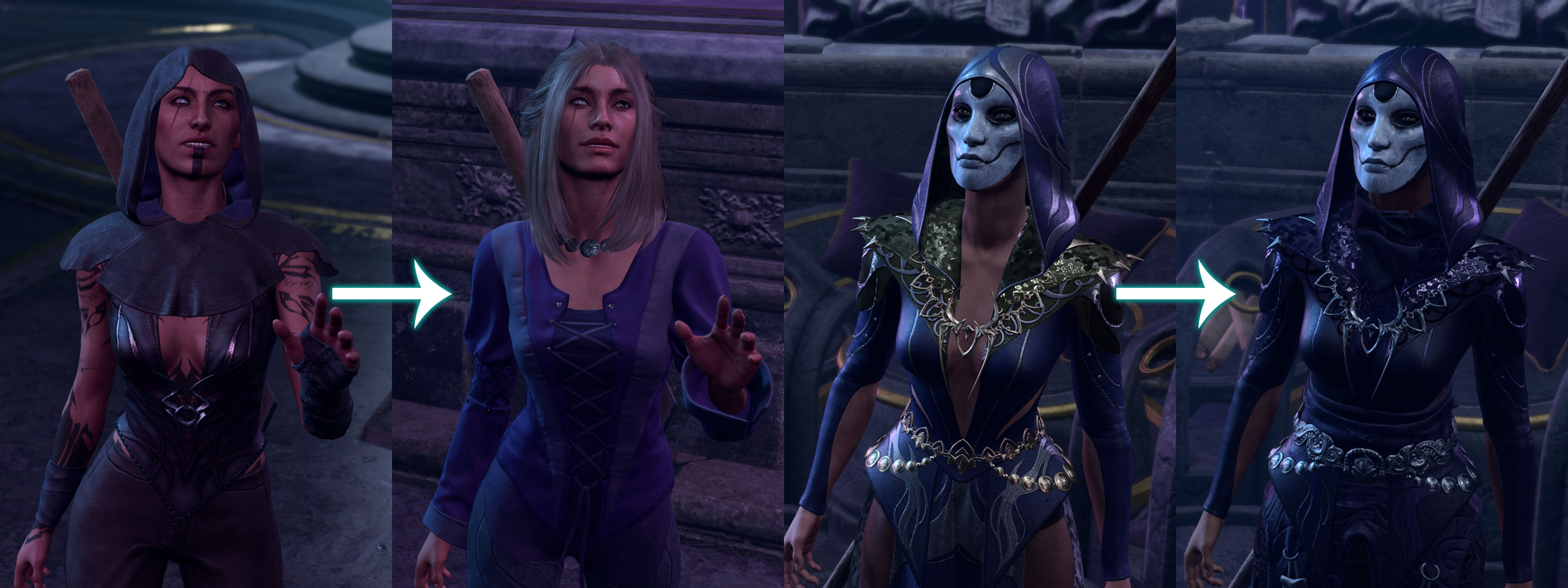
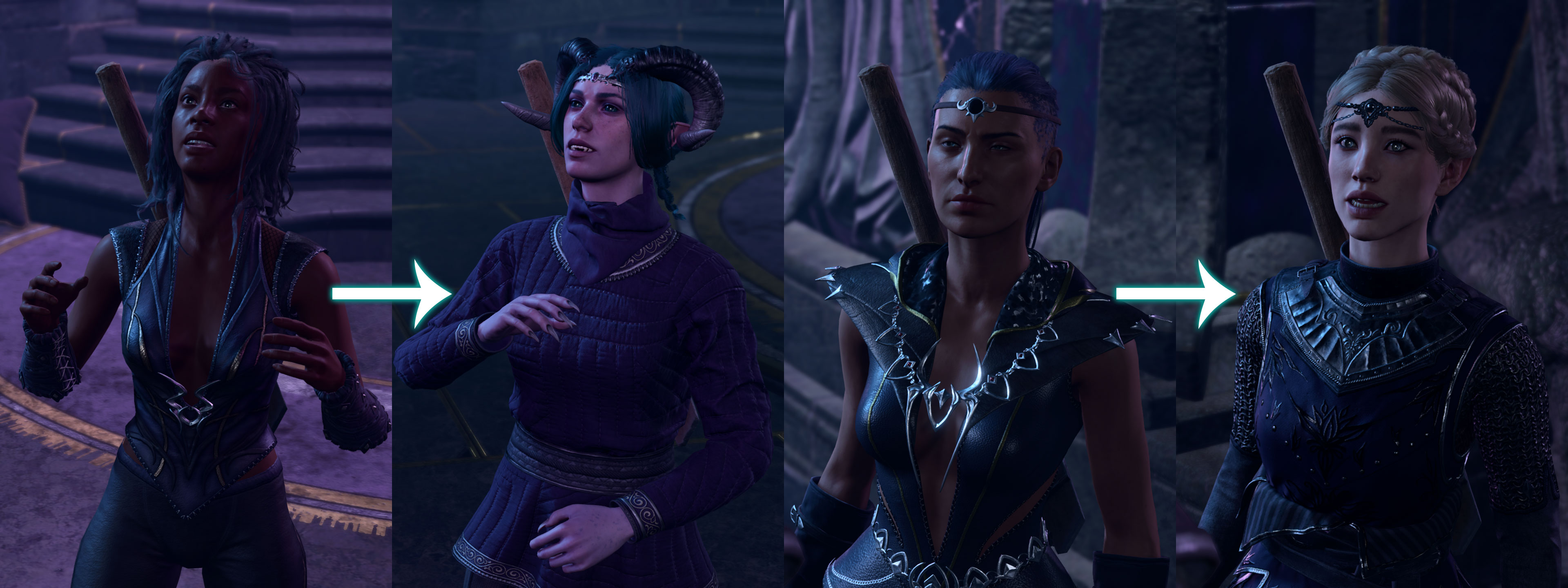
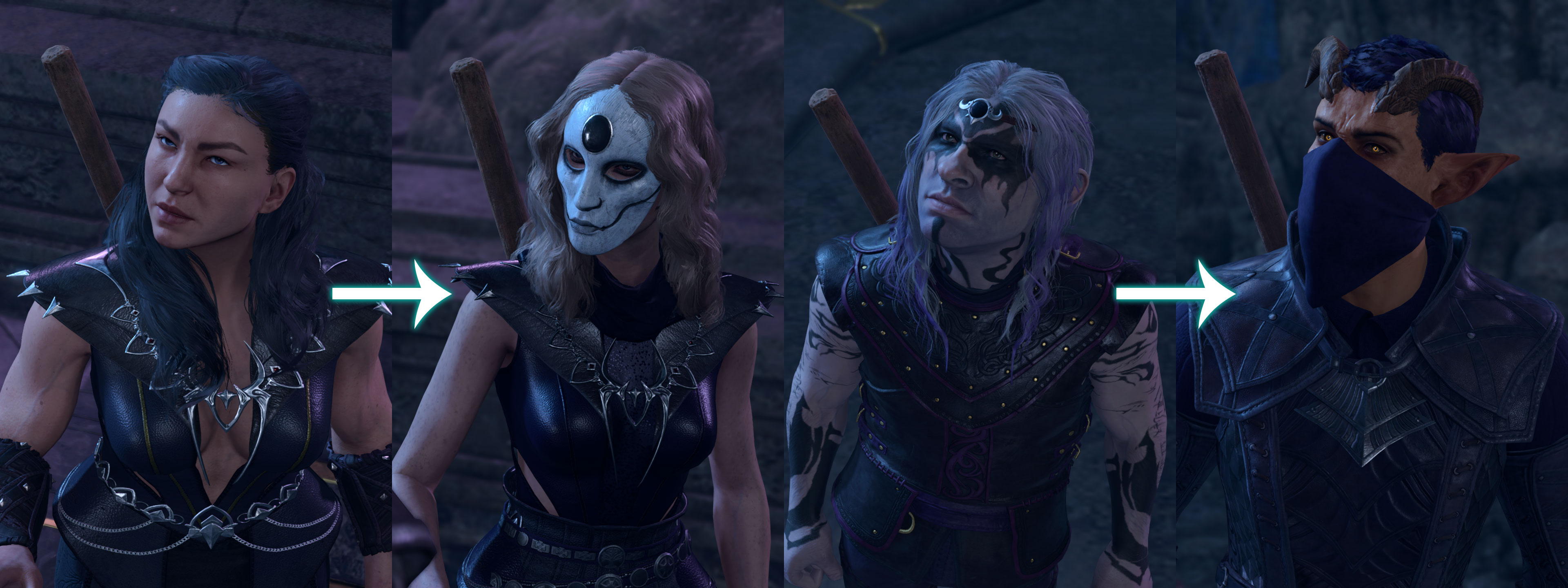
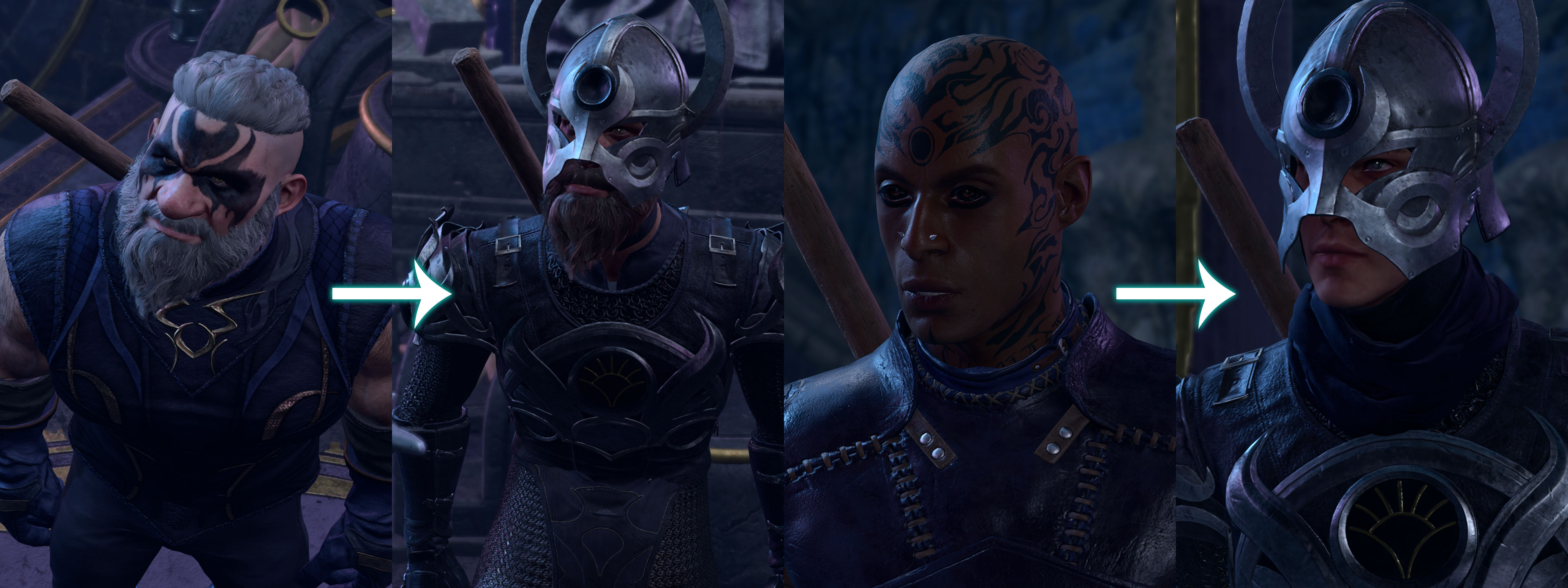
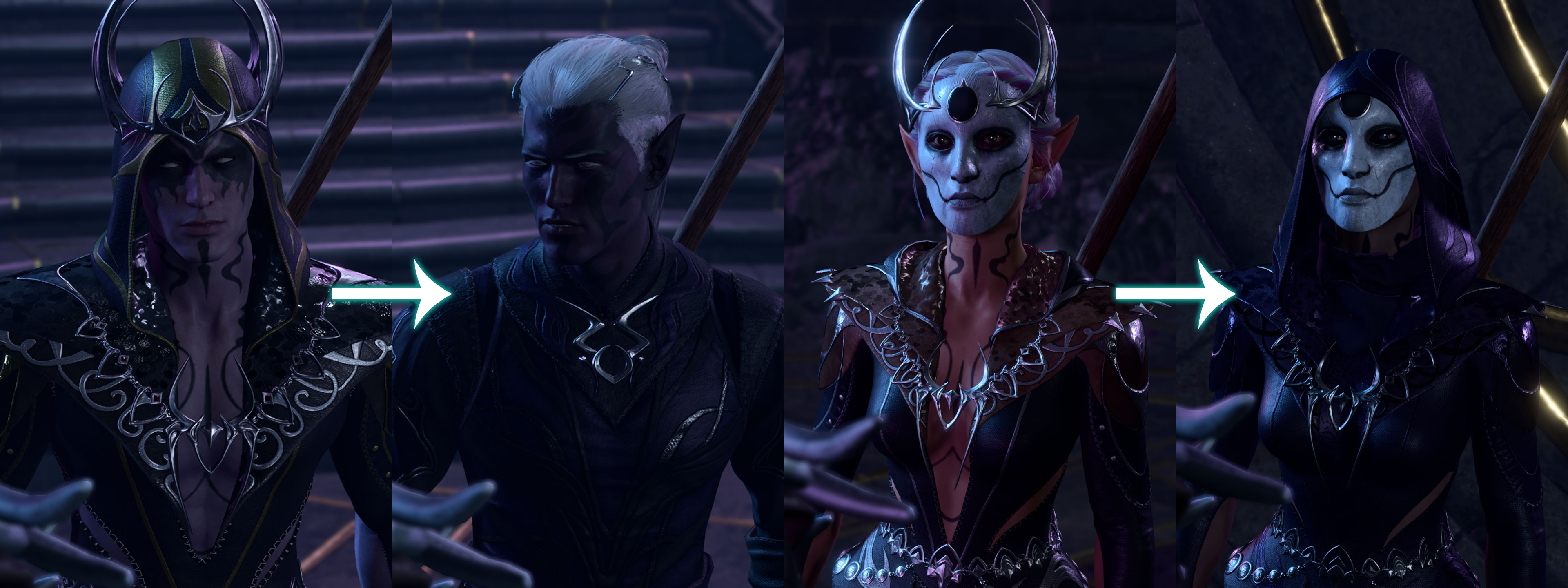
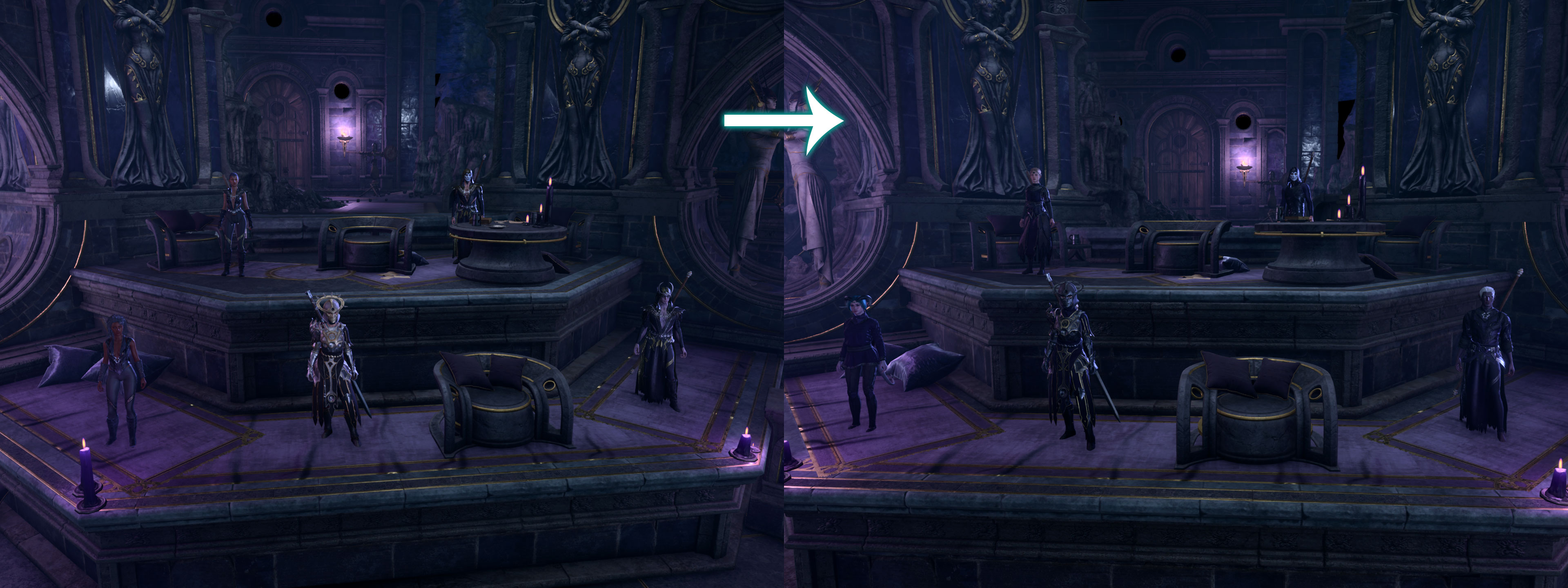
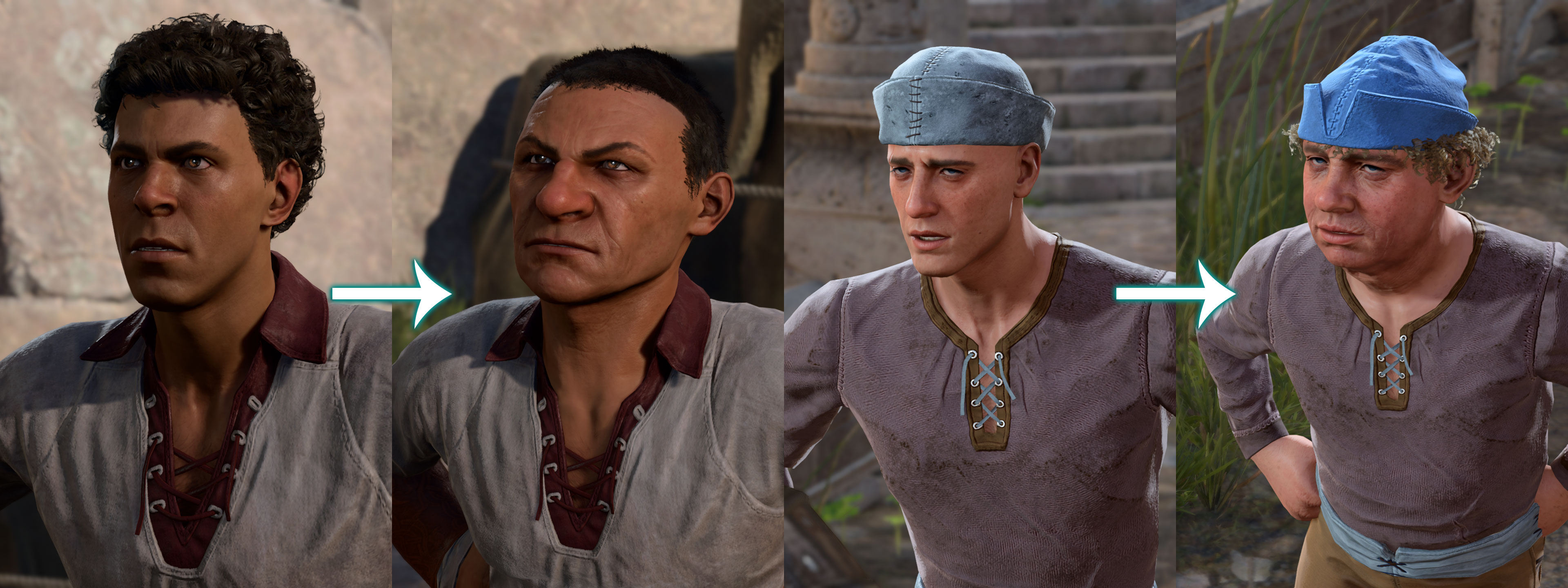
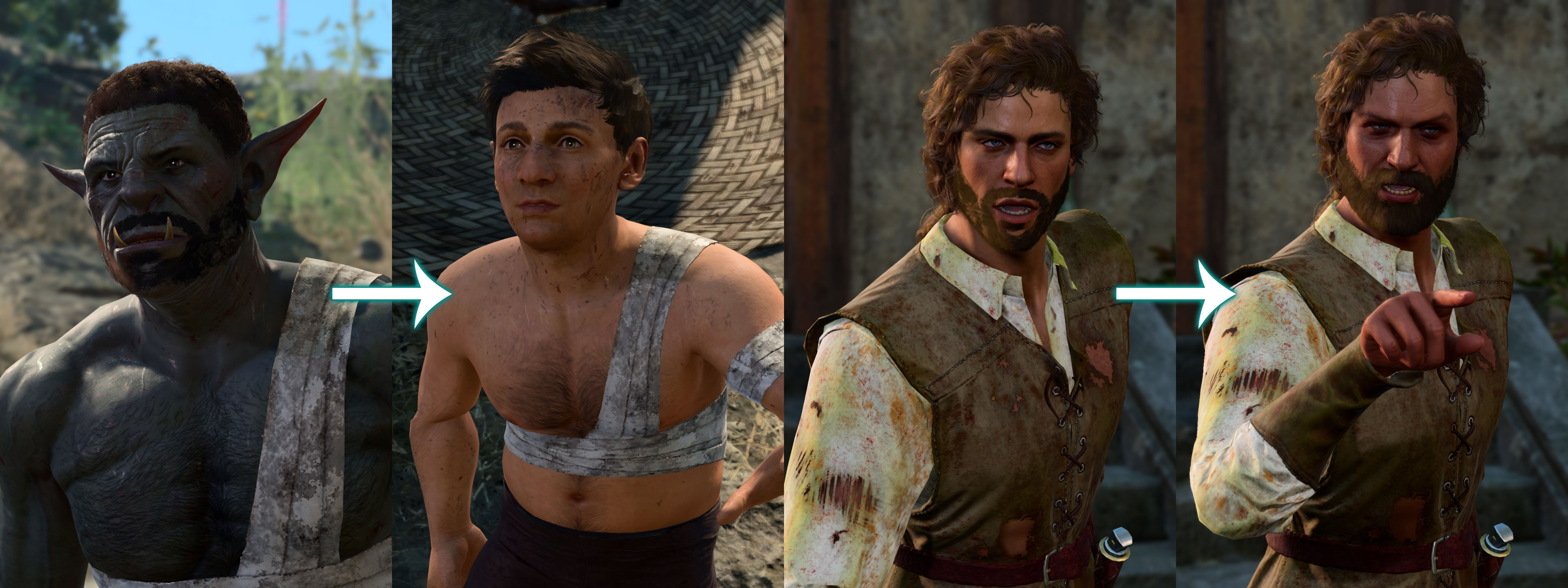
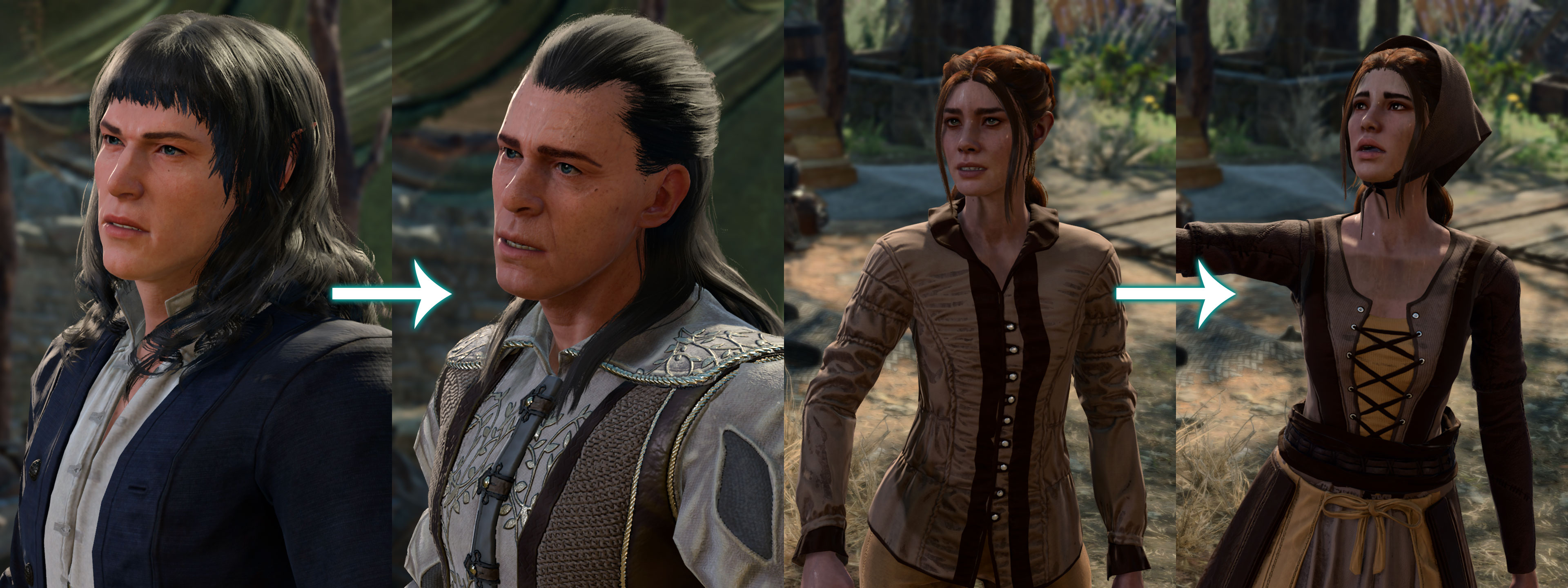
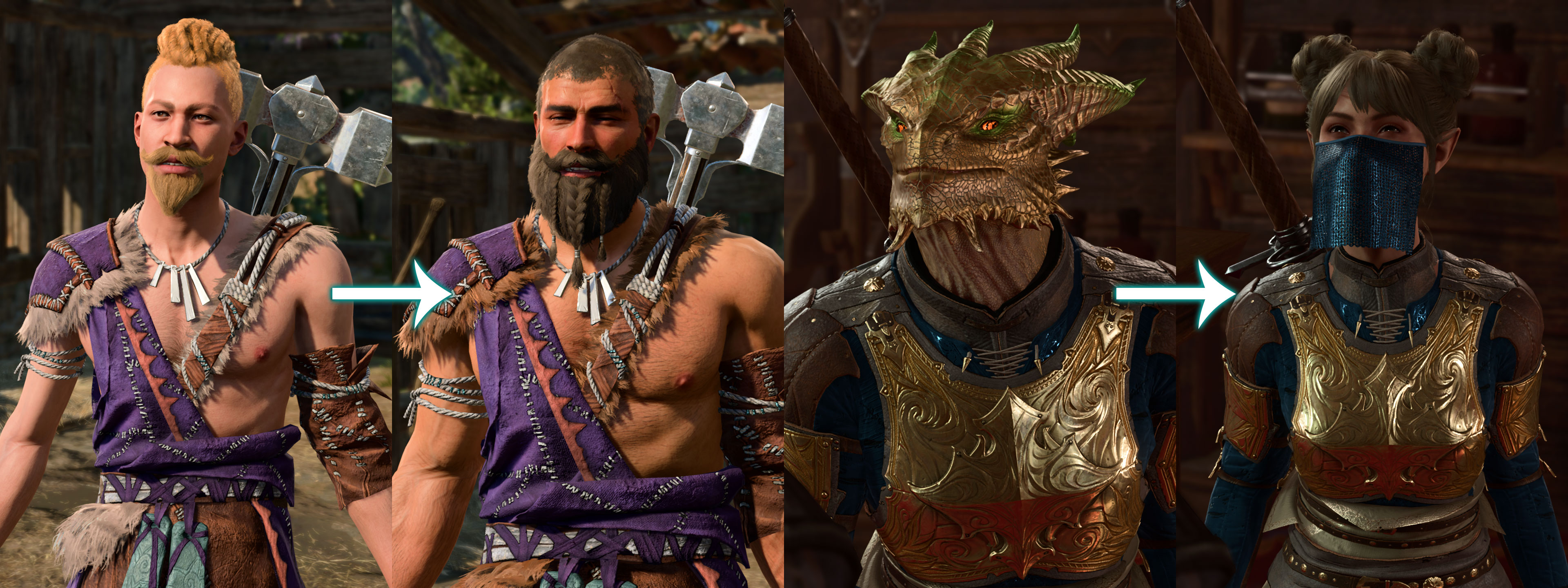
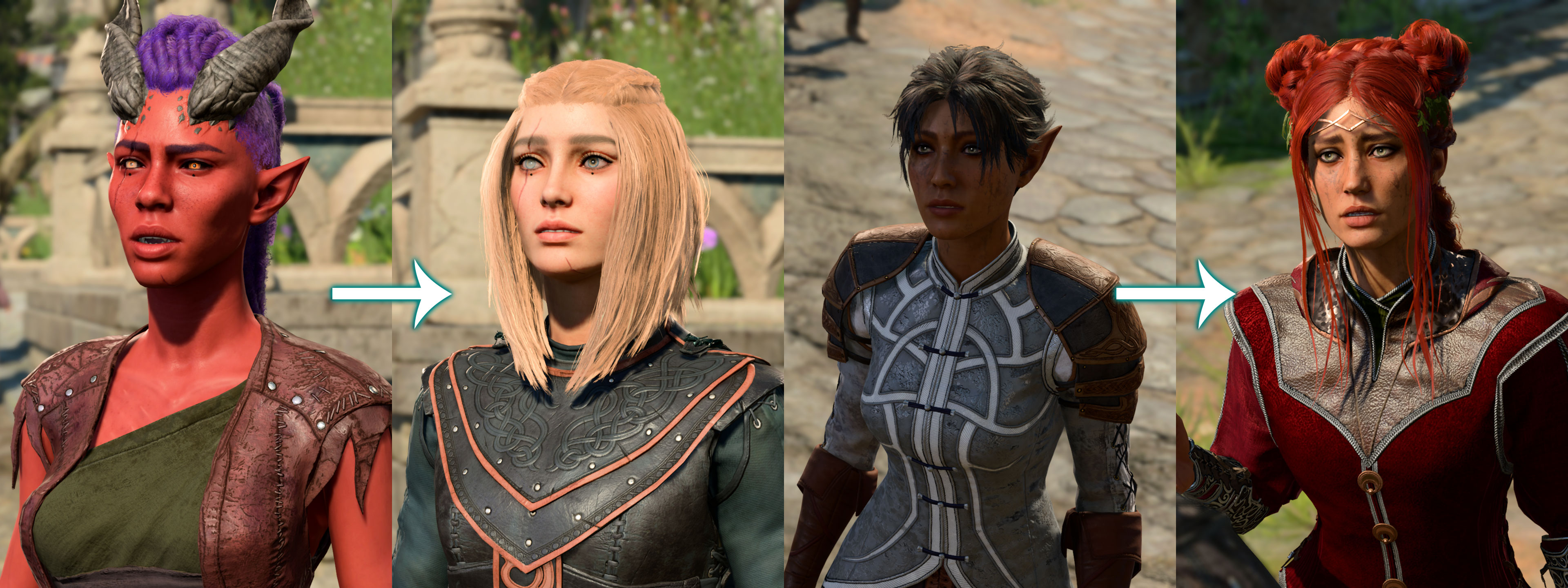
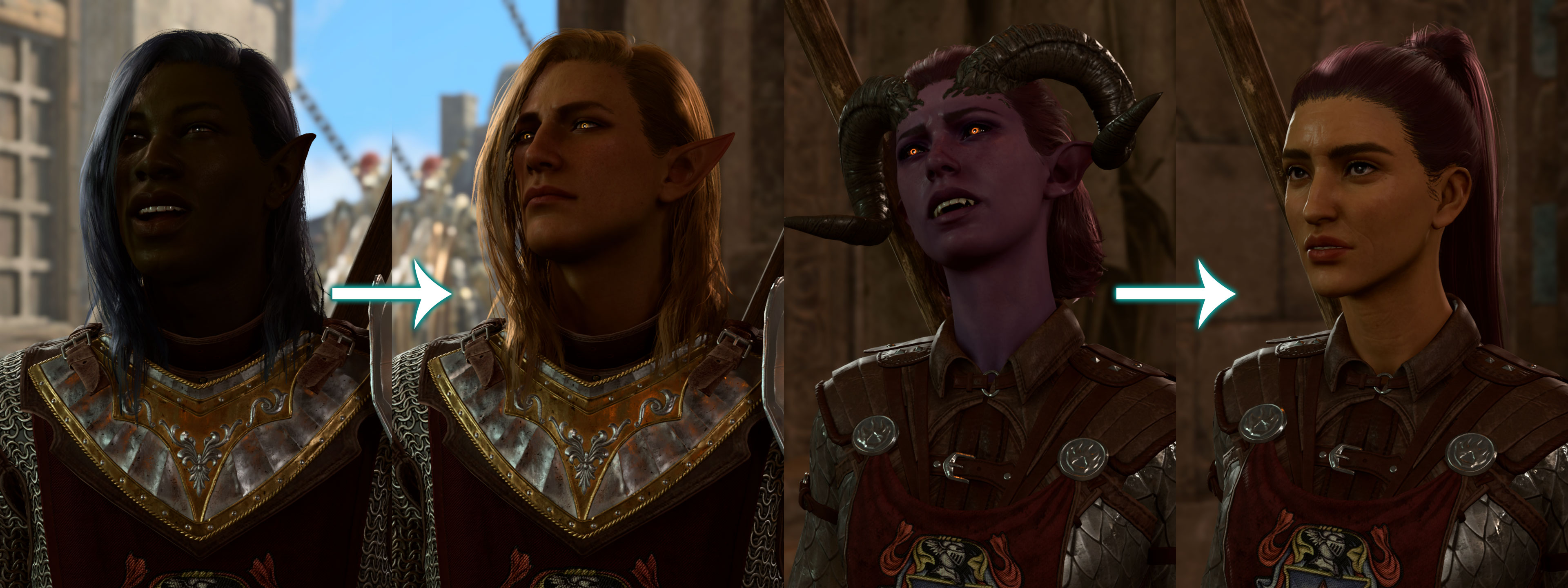
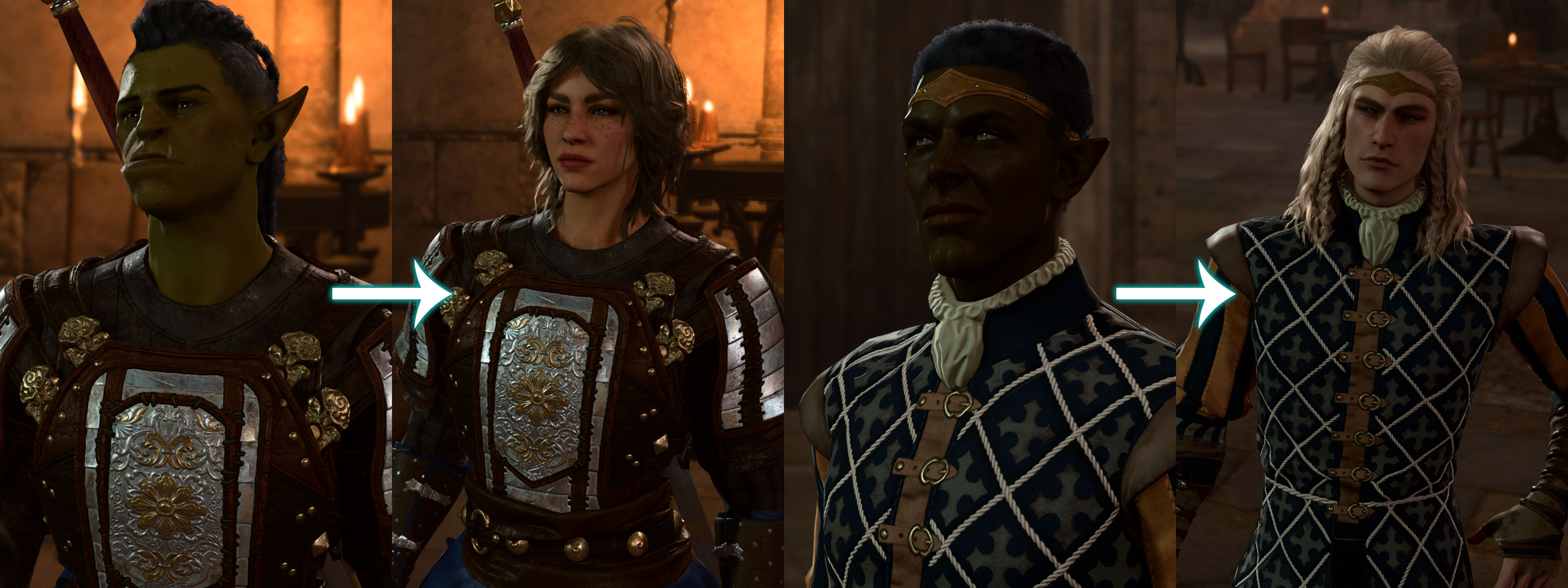
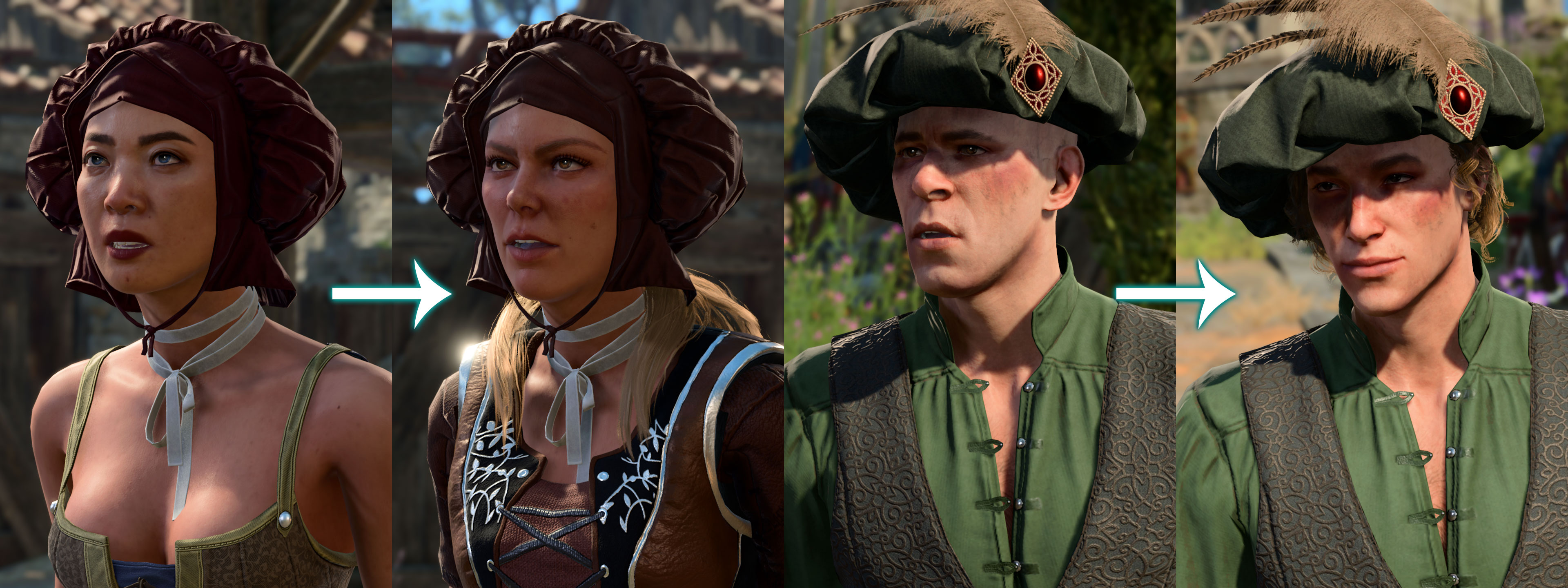
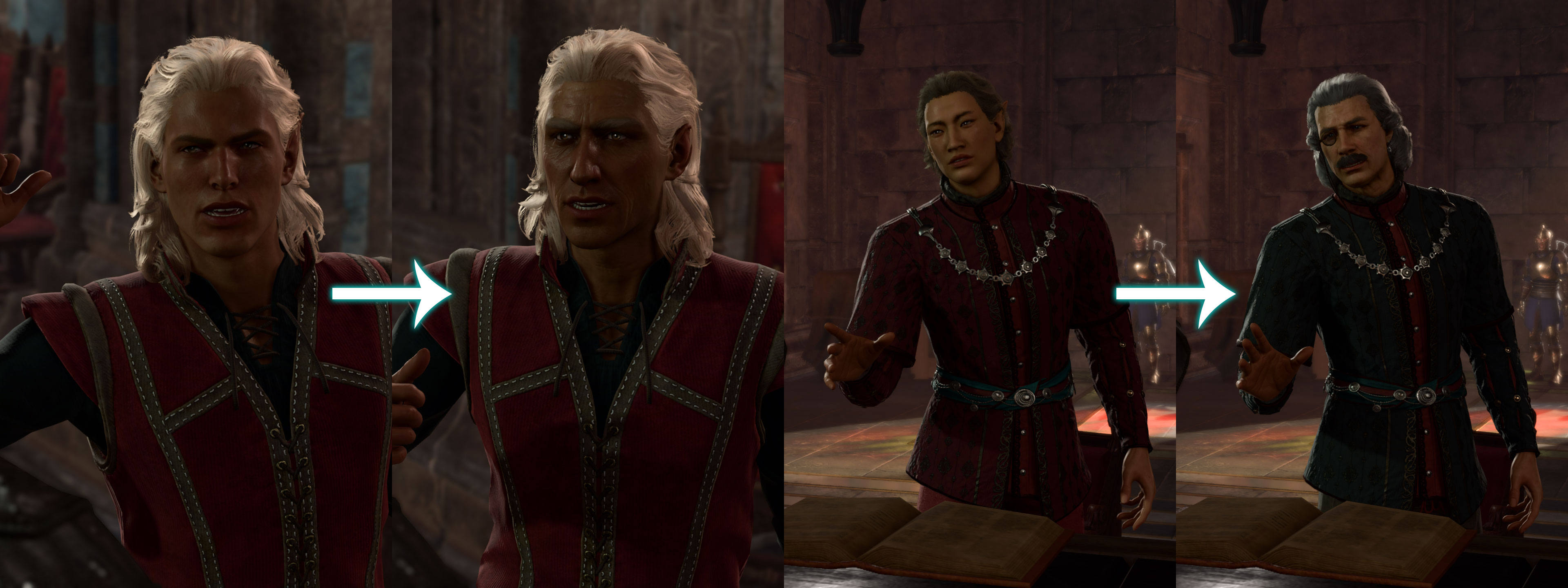
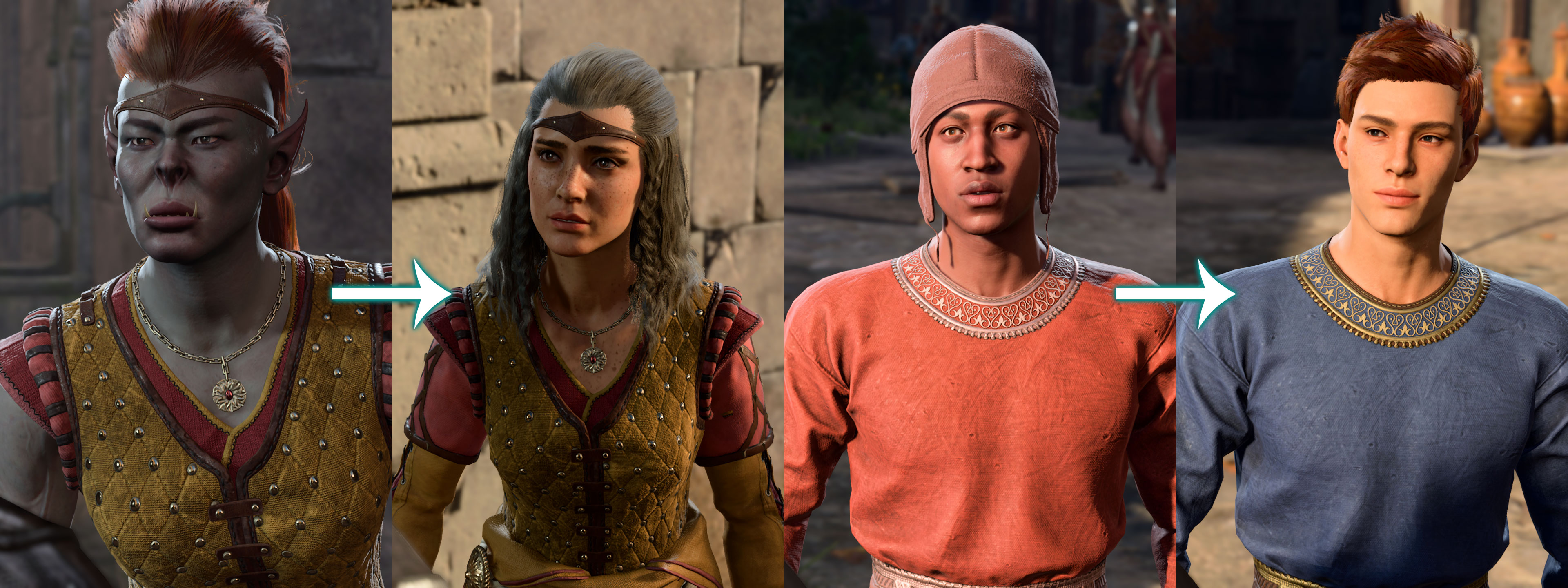
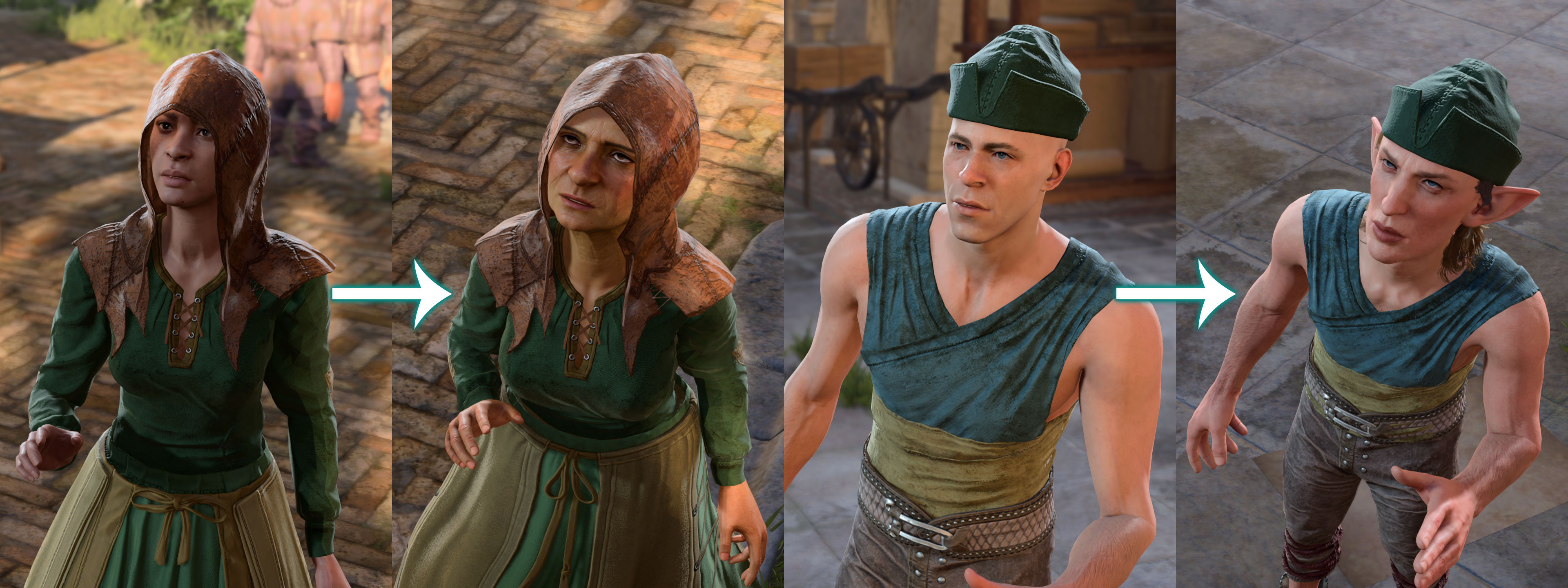
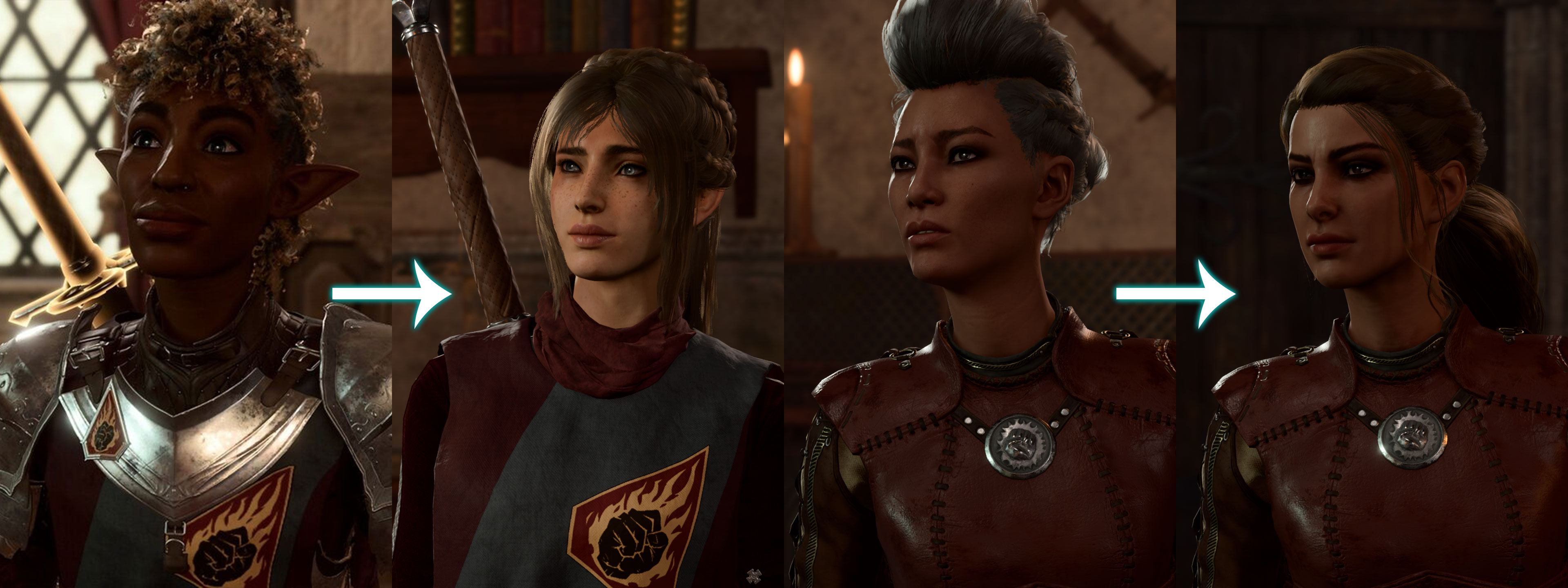
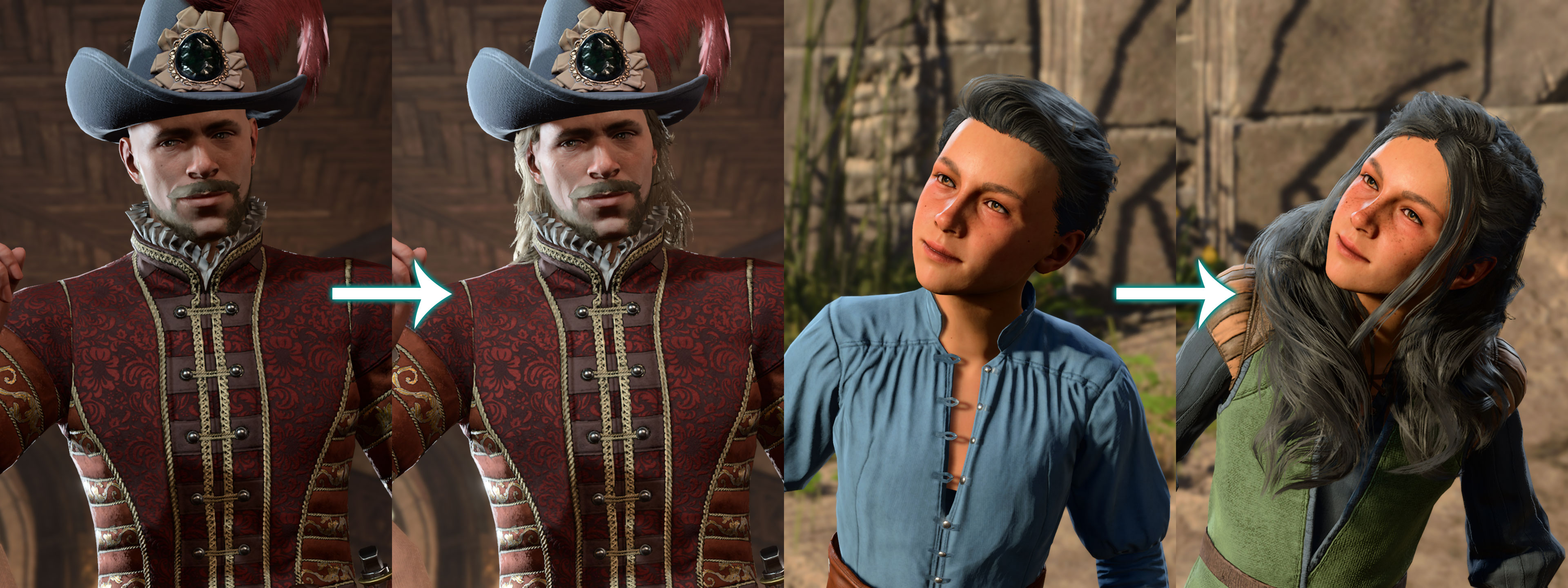
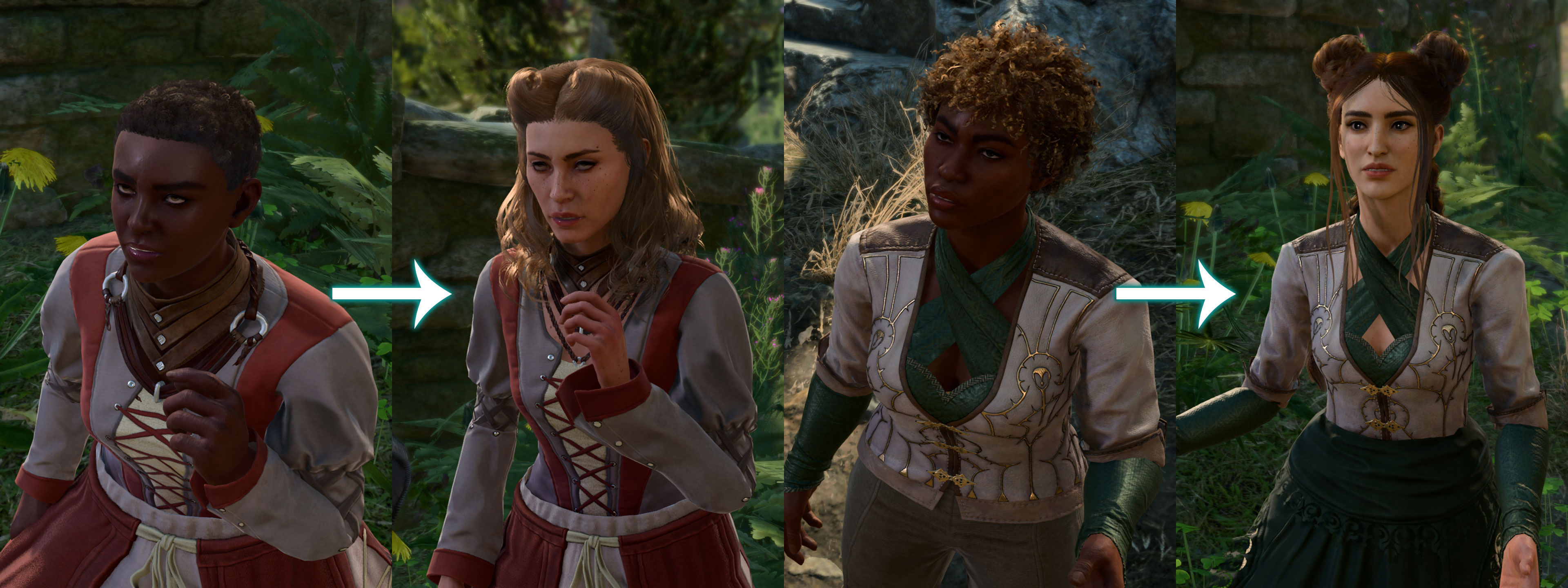
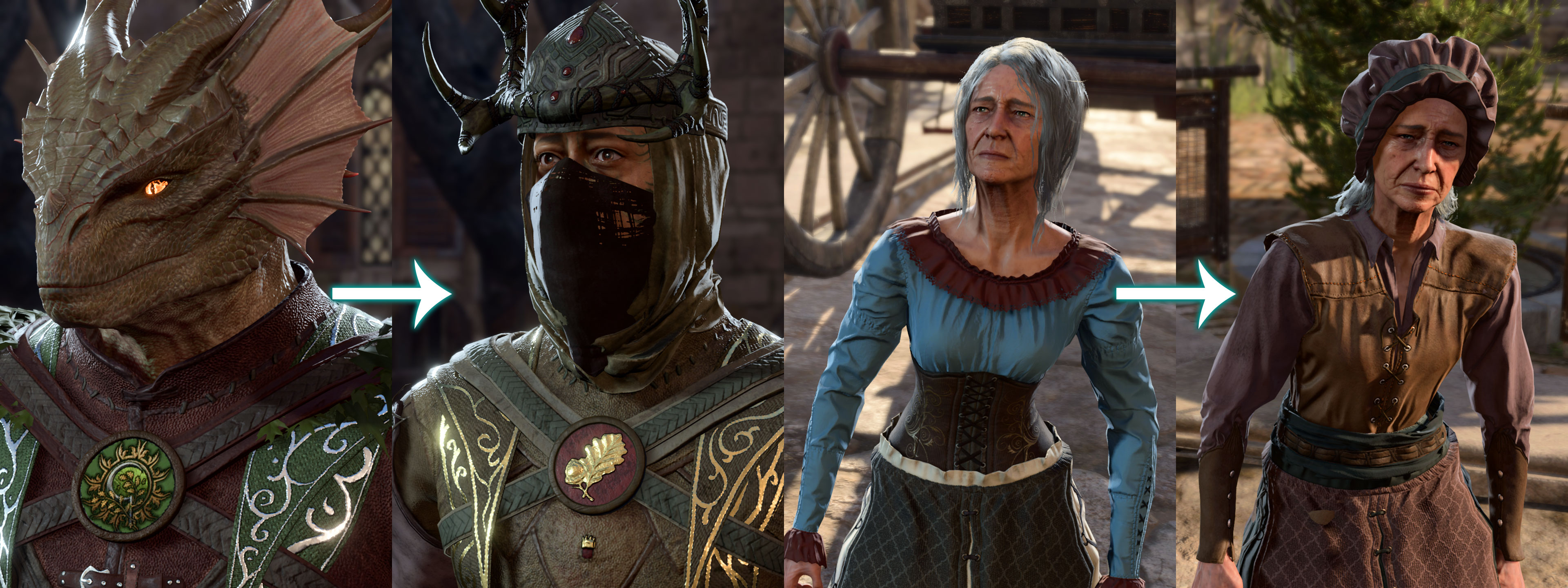
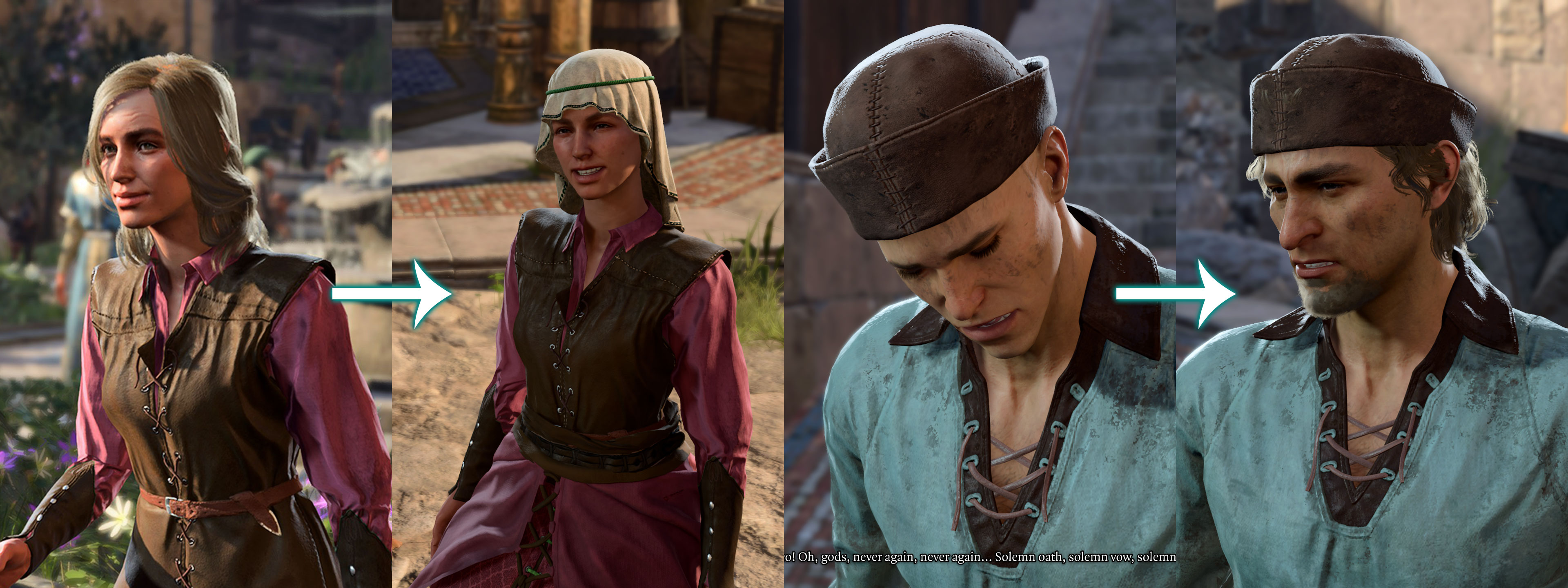
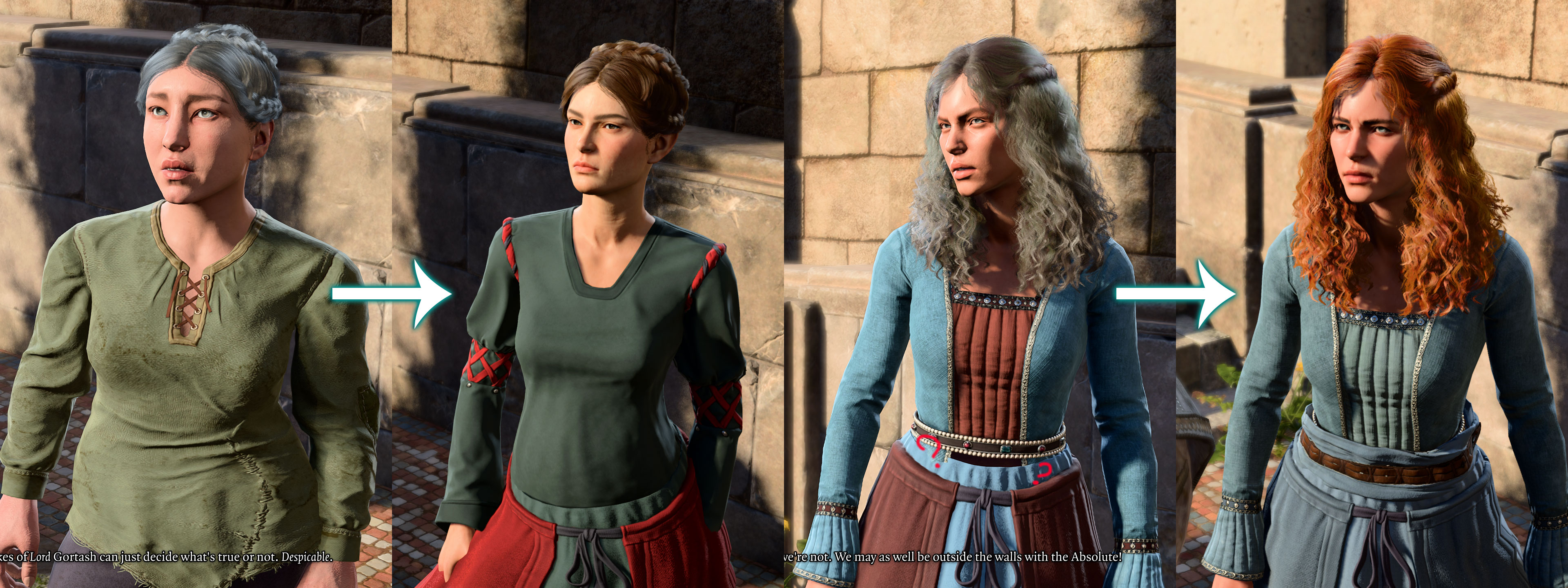
Screenshots arrived 

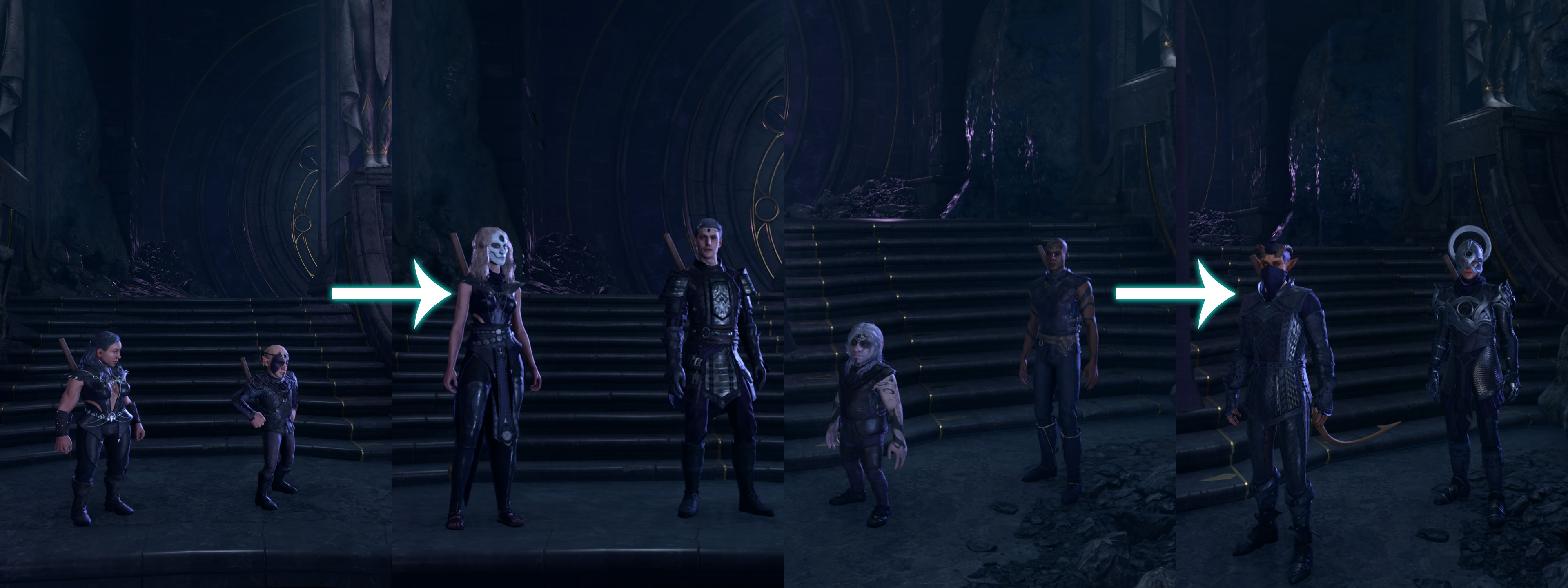
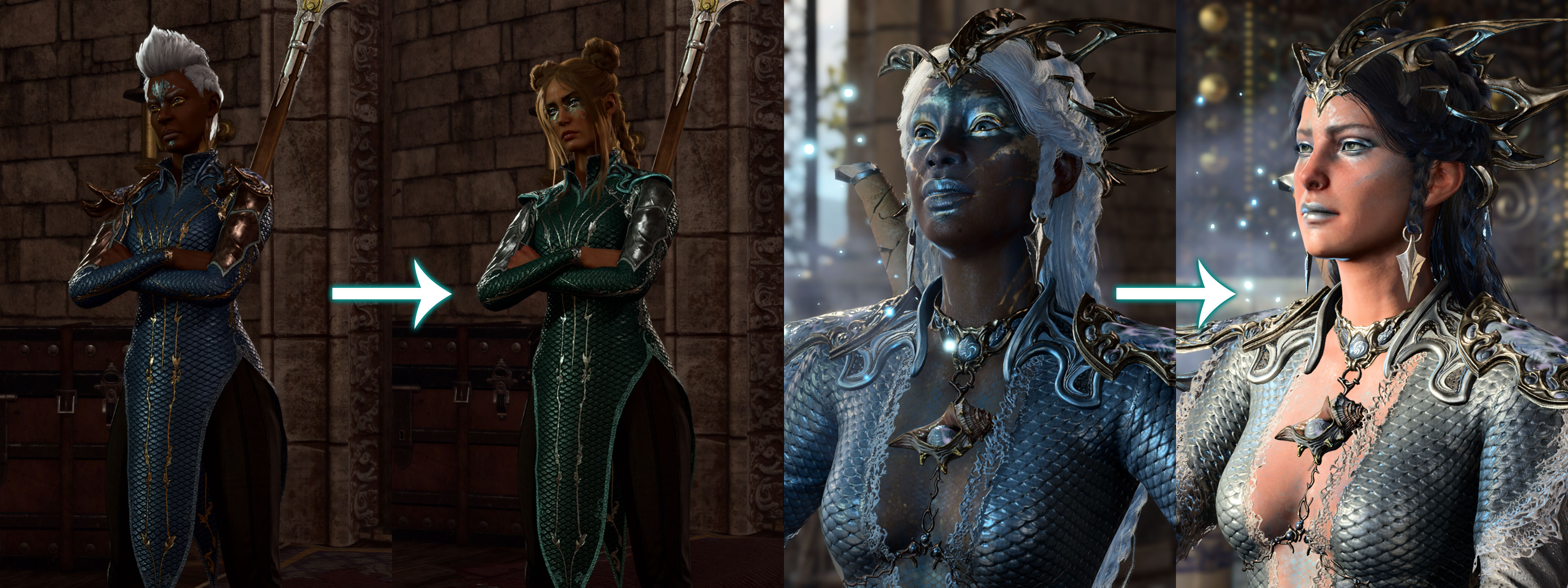
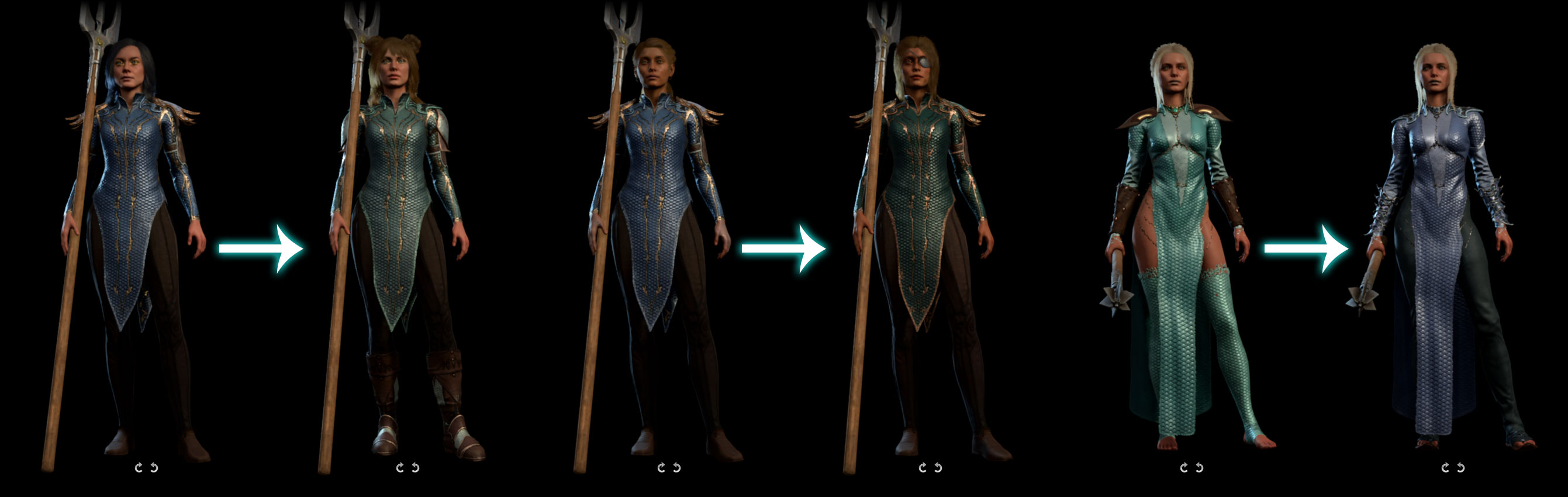
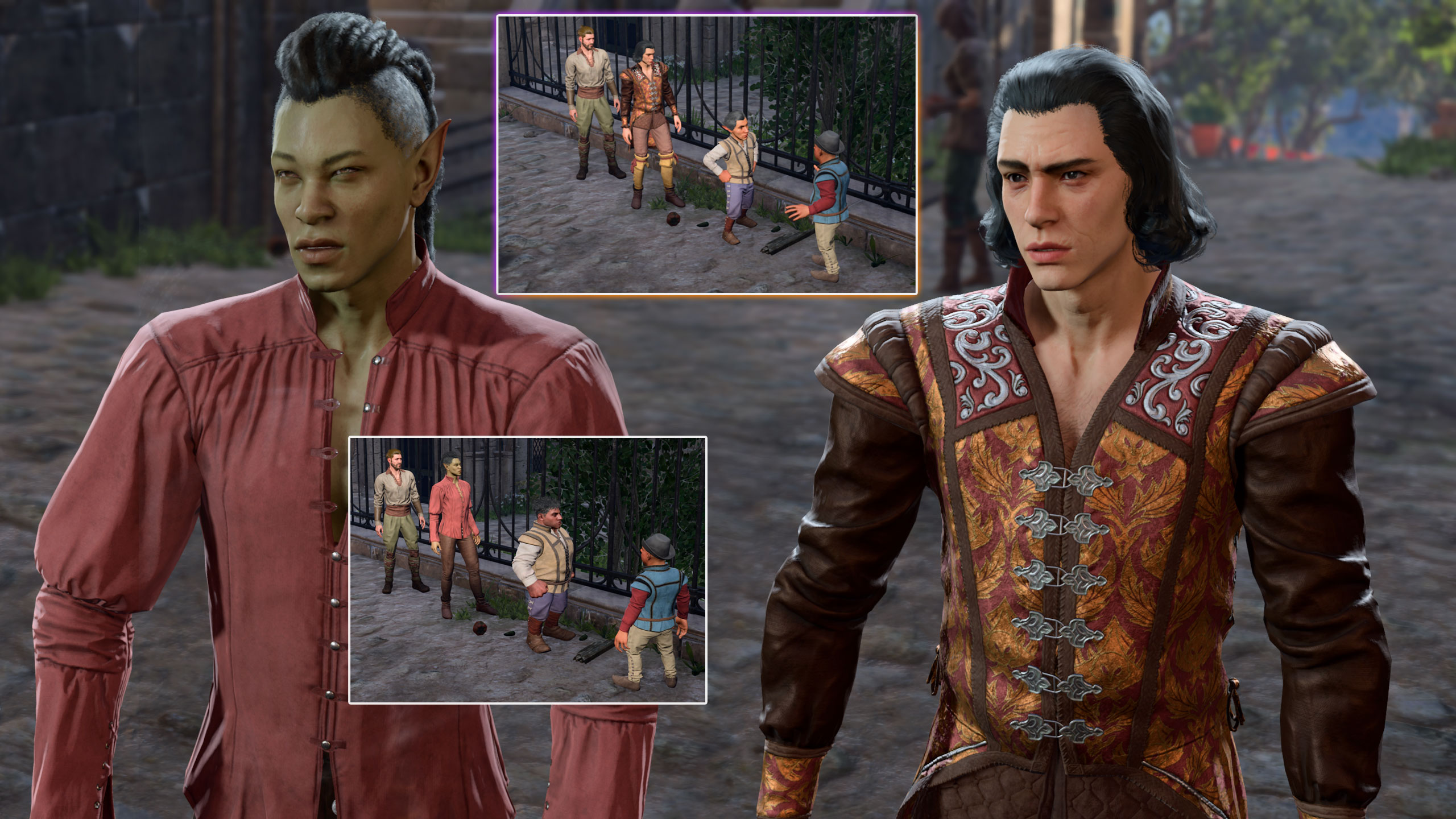
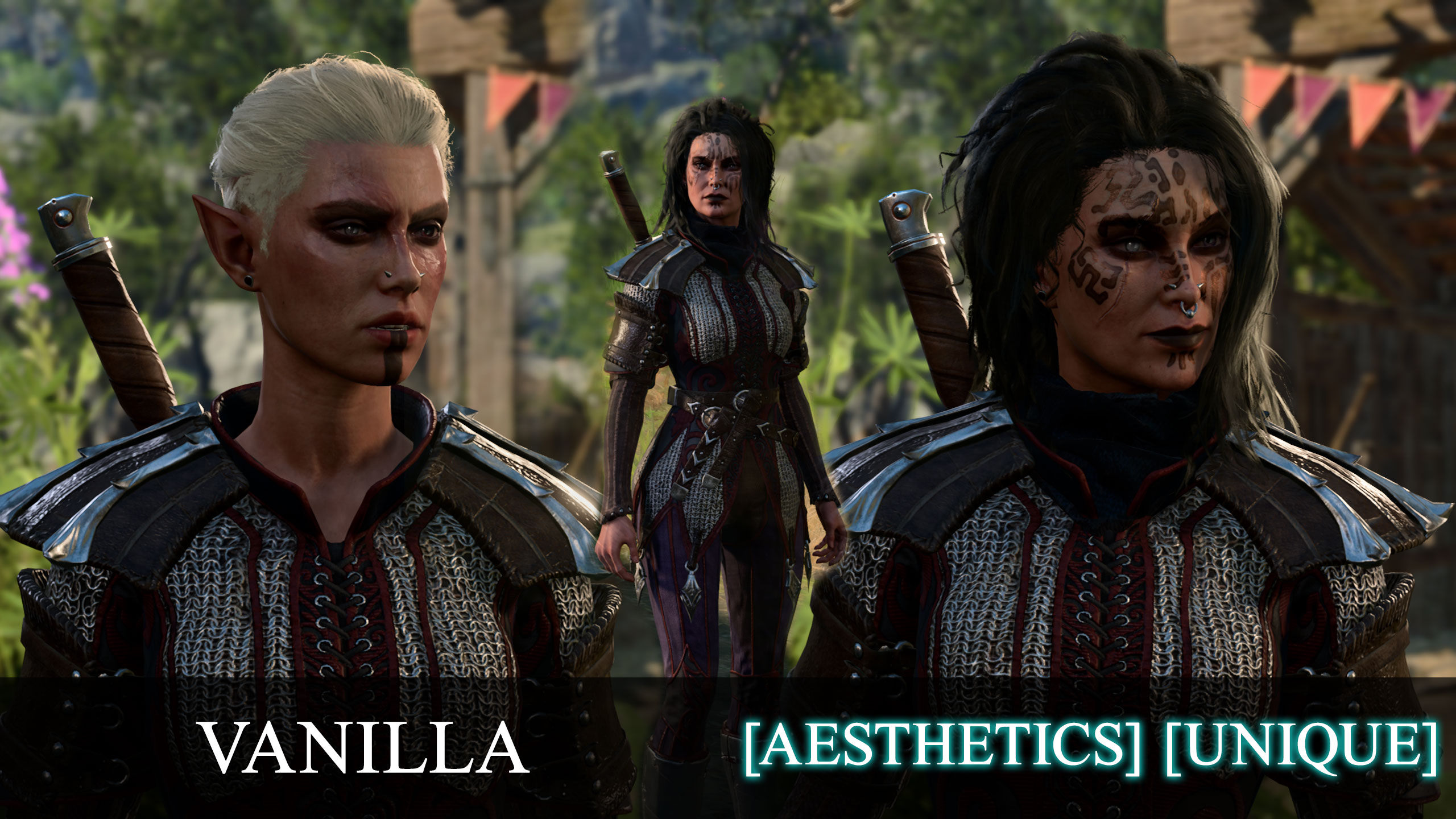
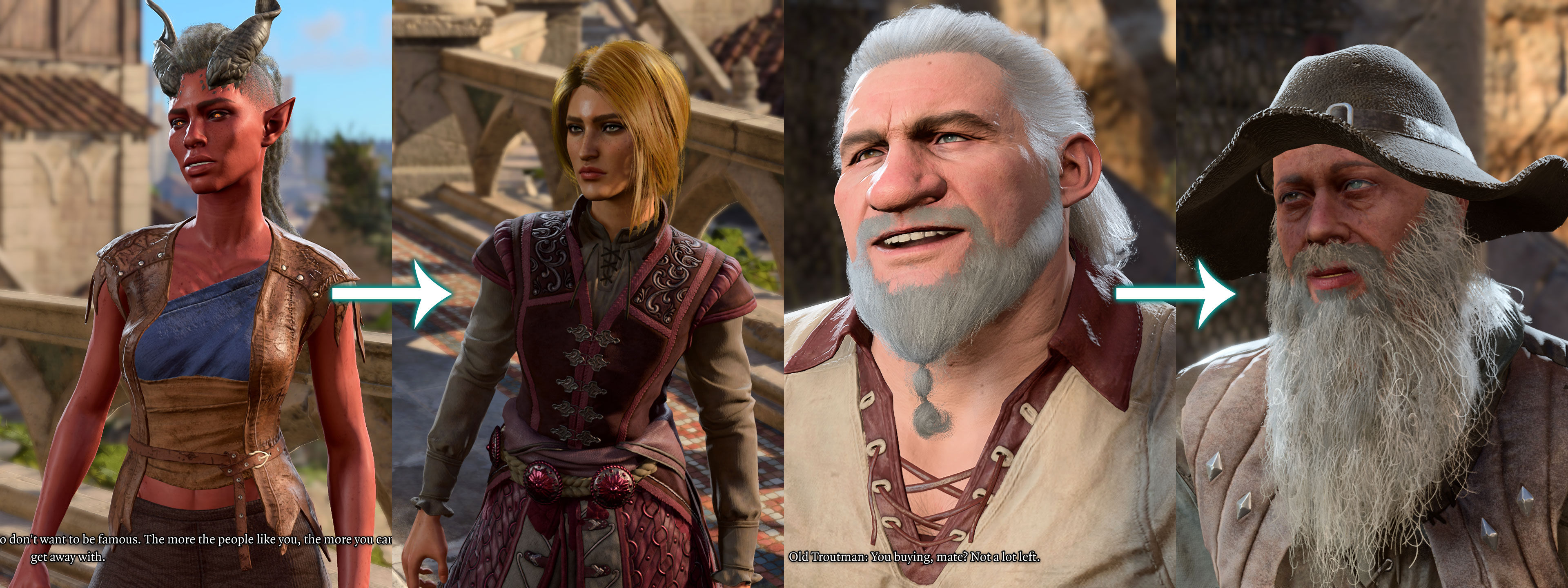
Sharran Overhaul
► More Screens
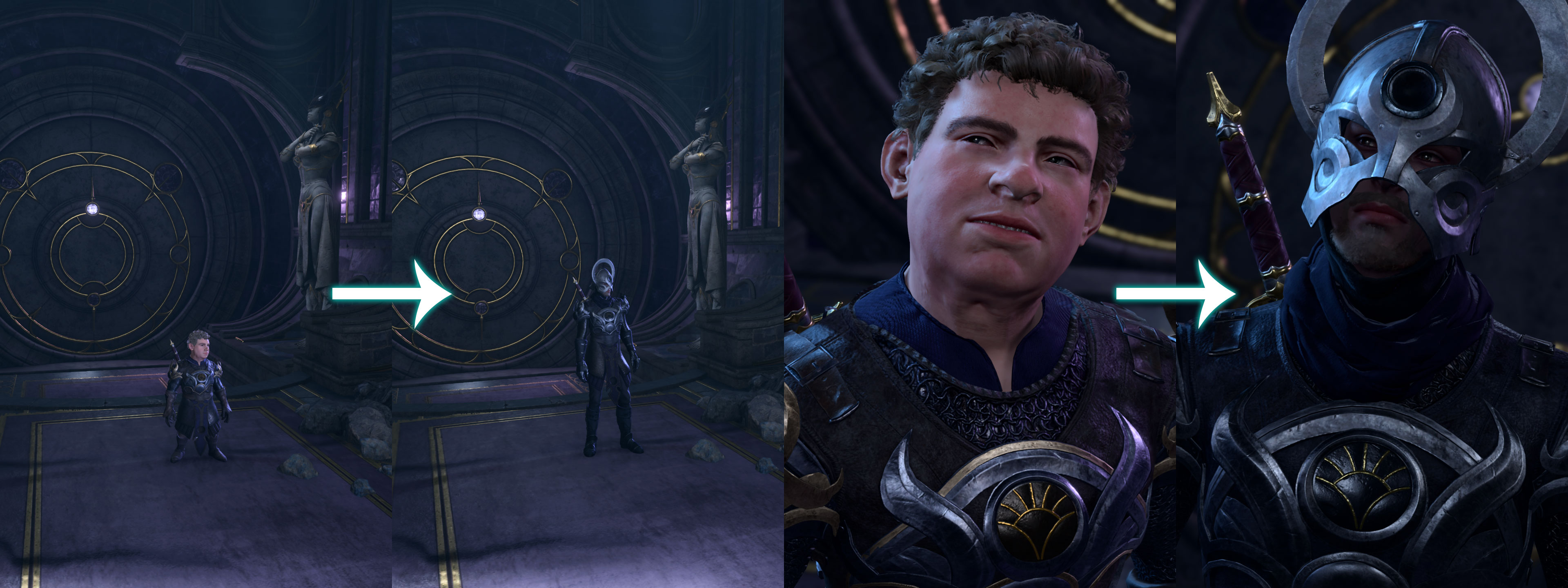
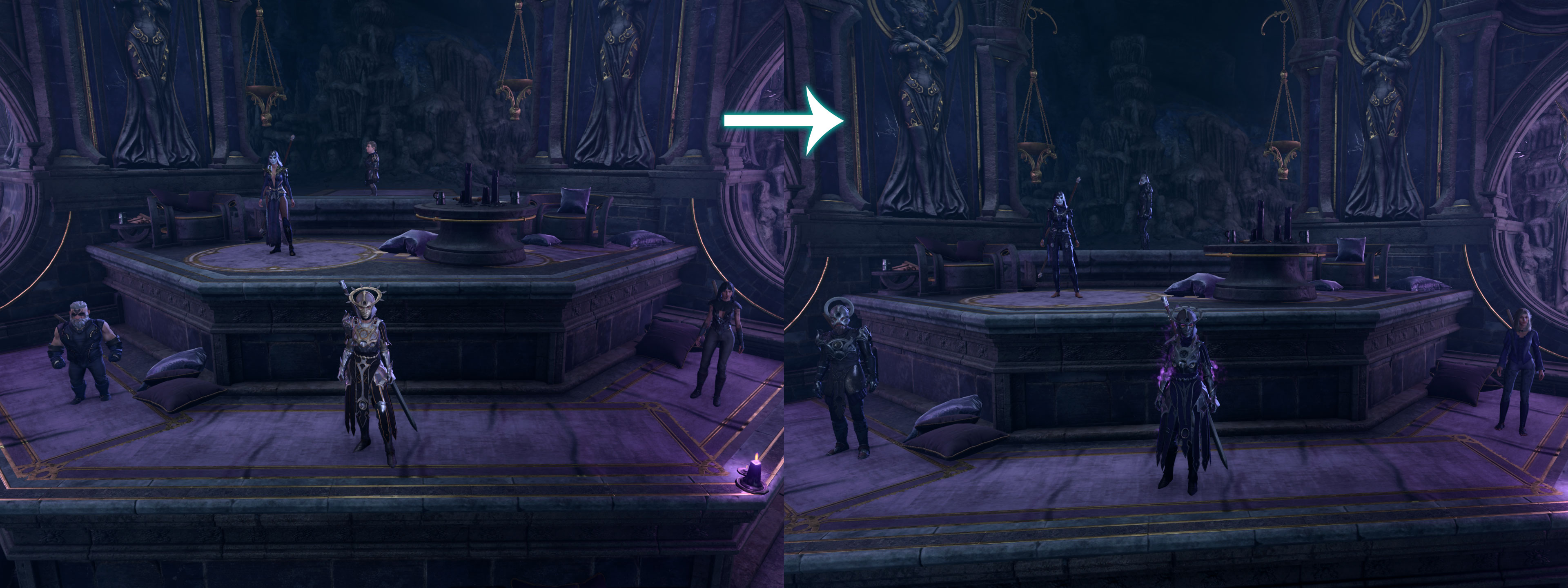
***** Queen Temple Overhaul
► More Screens
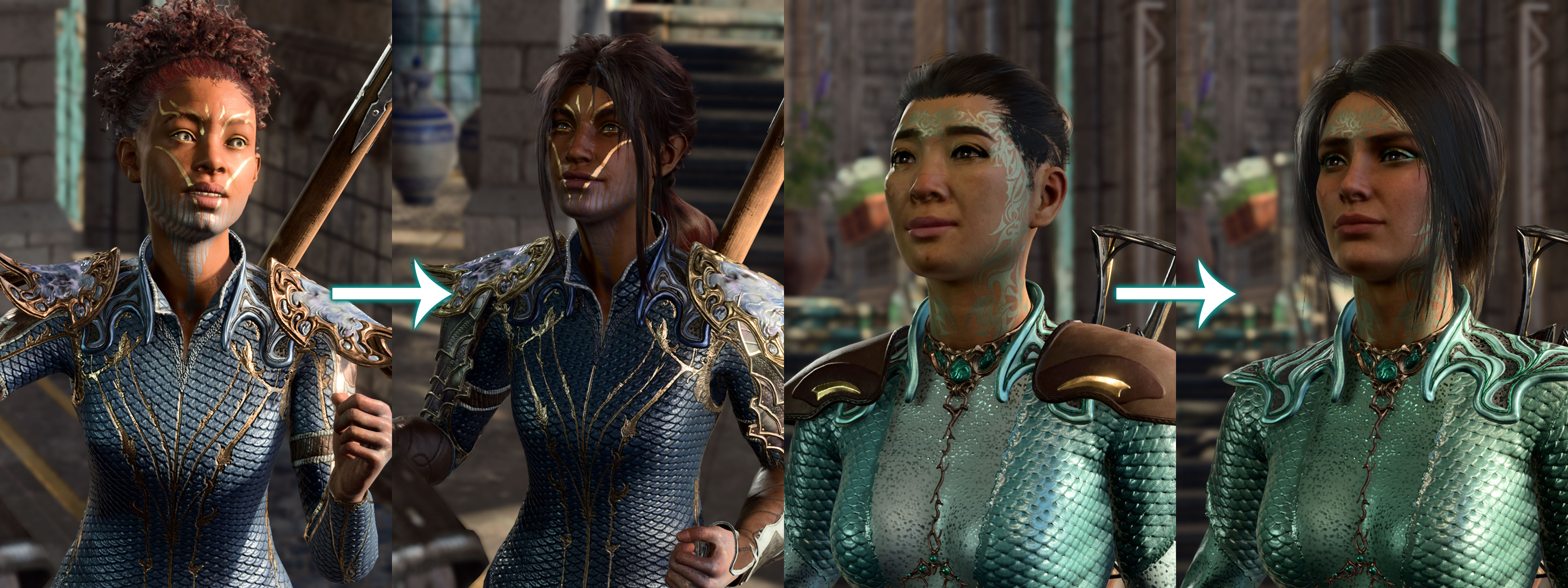
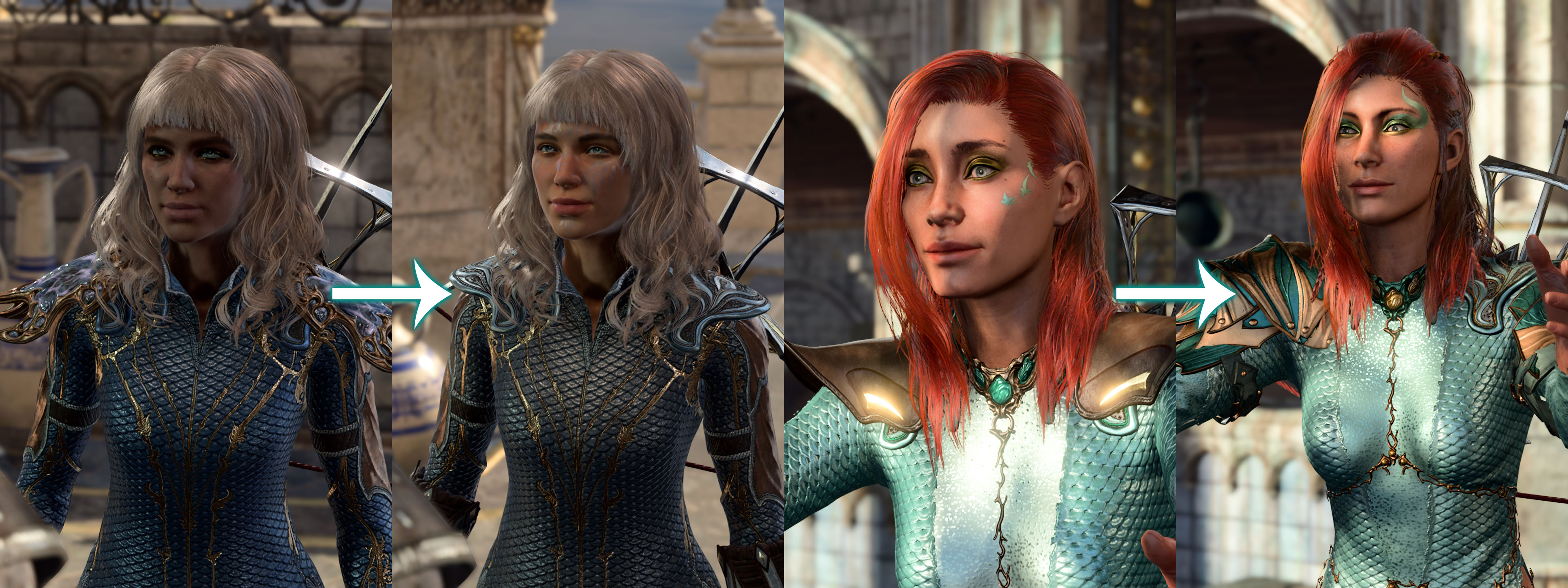
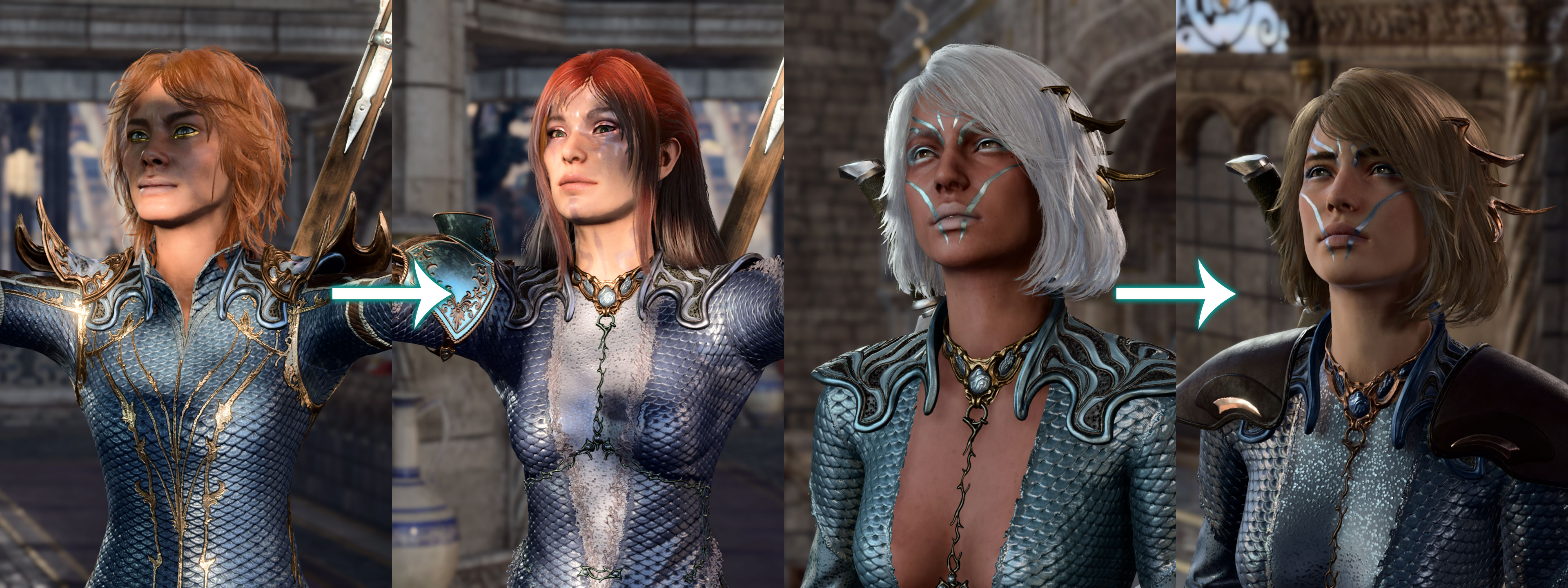
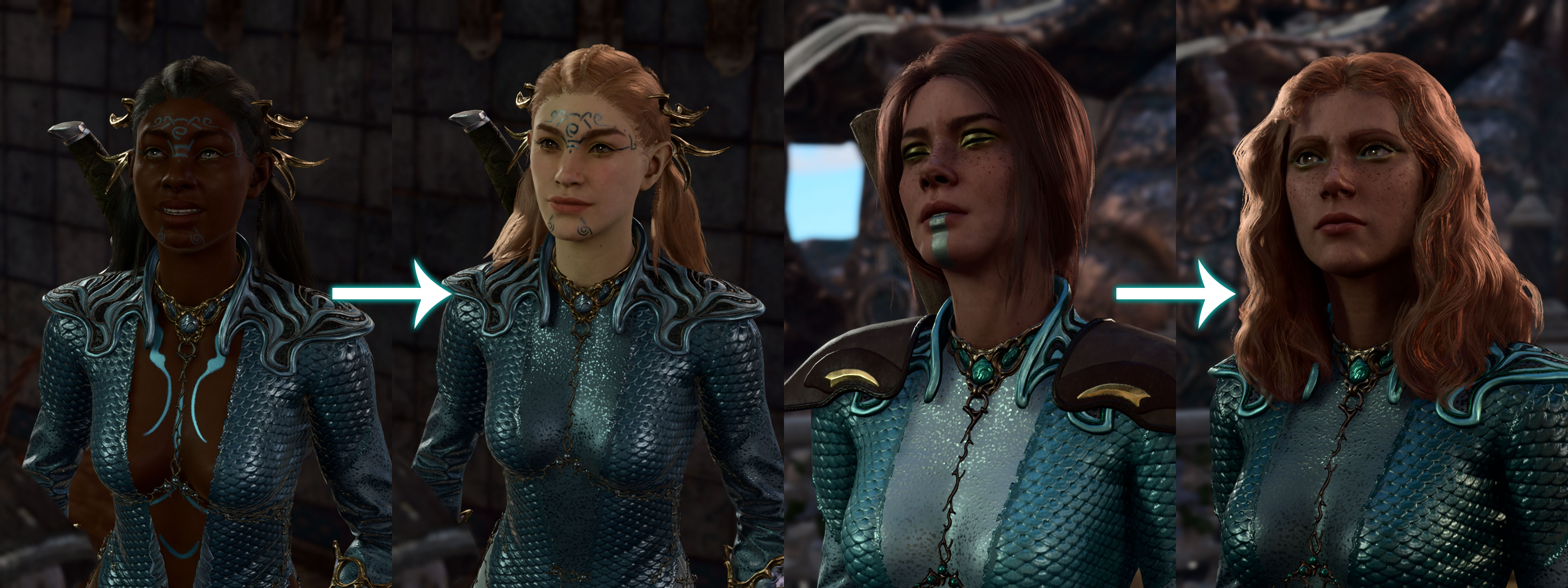
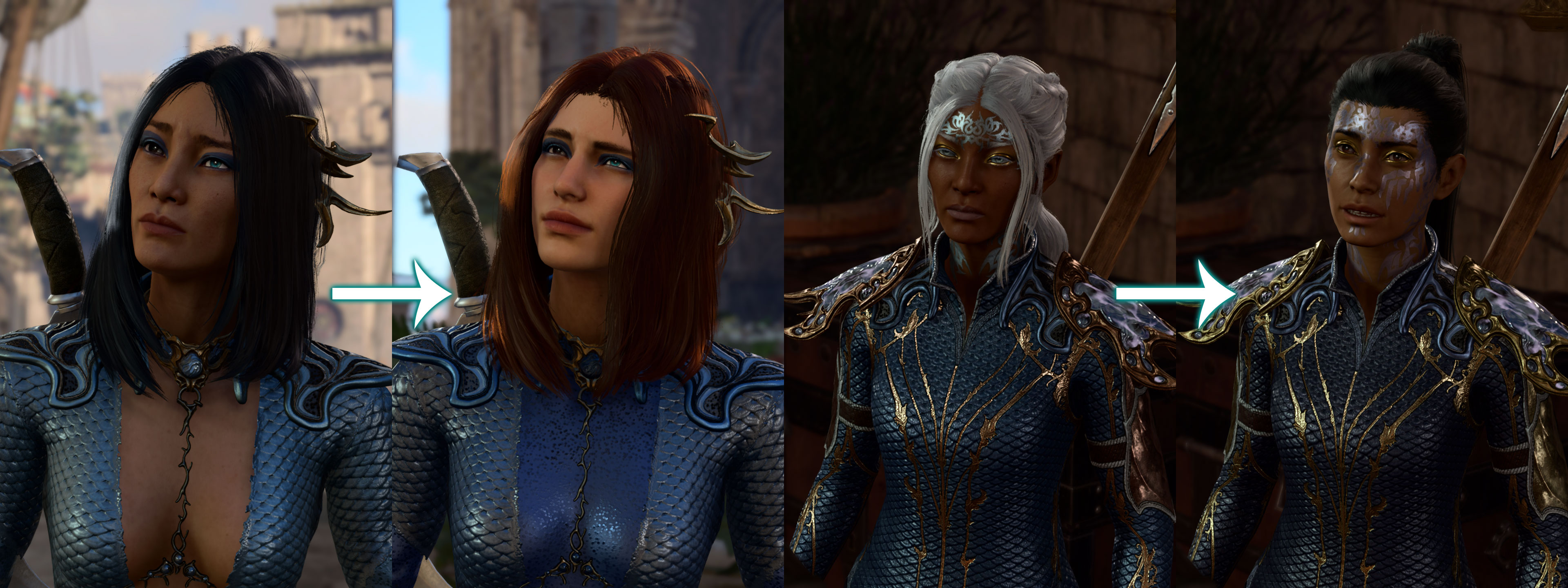
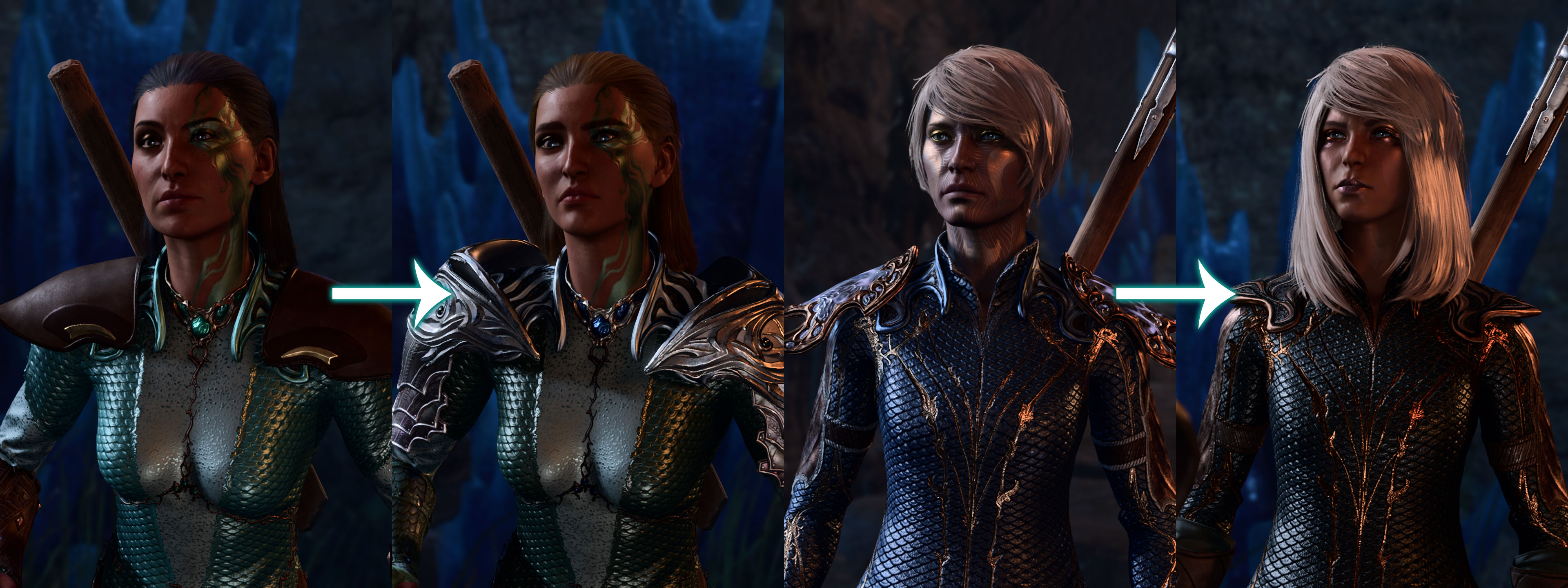
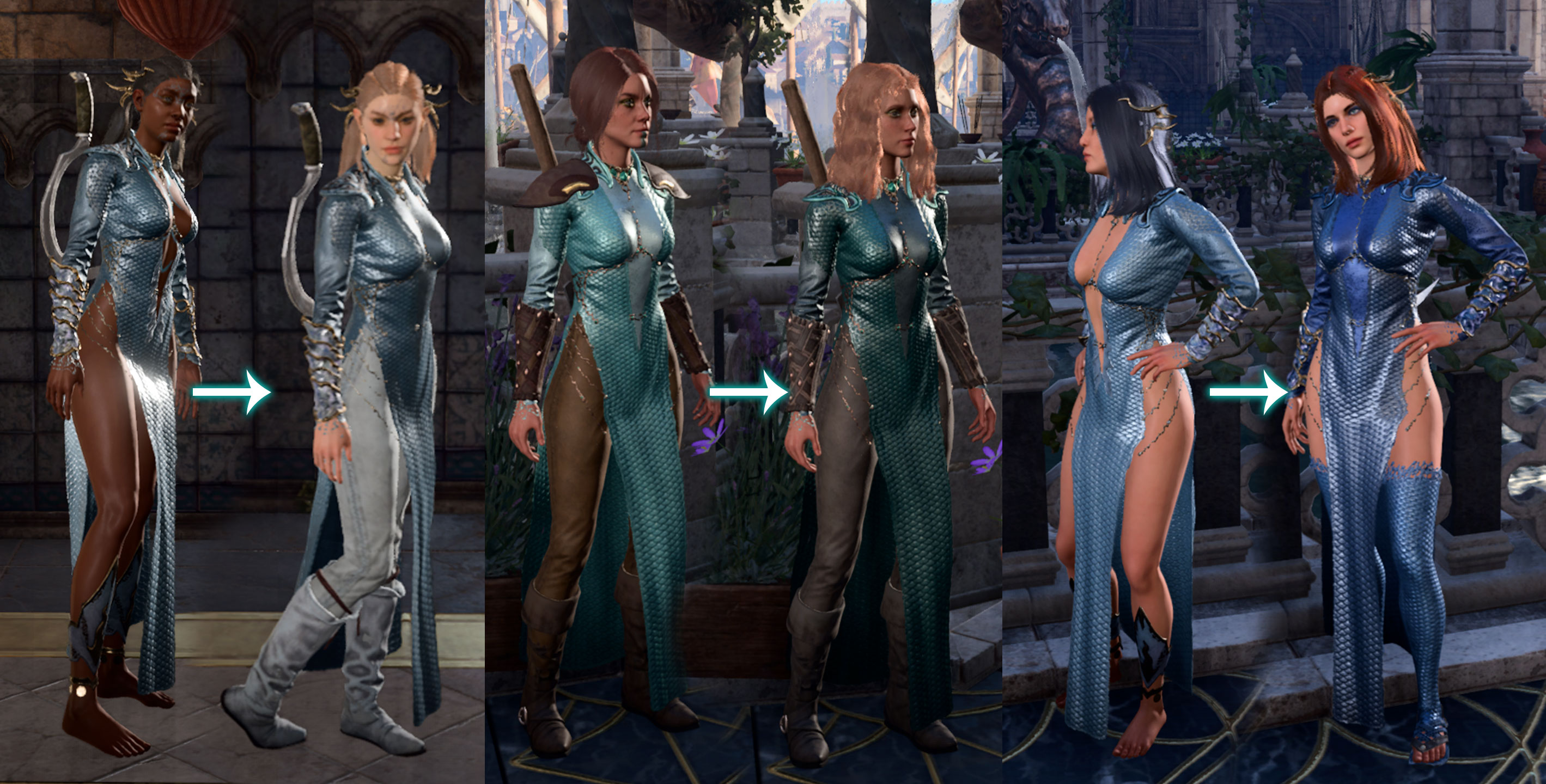
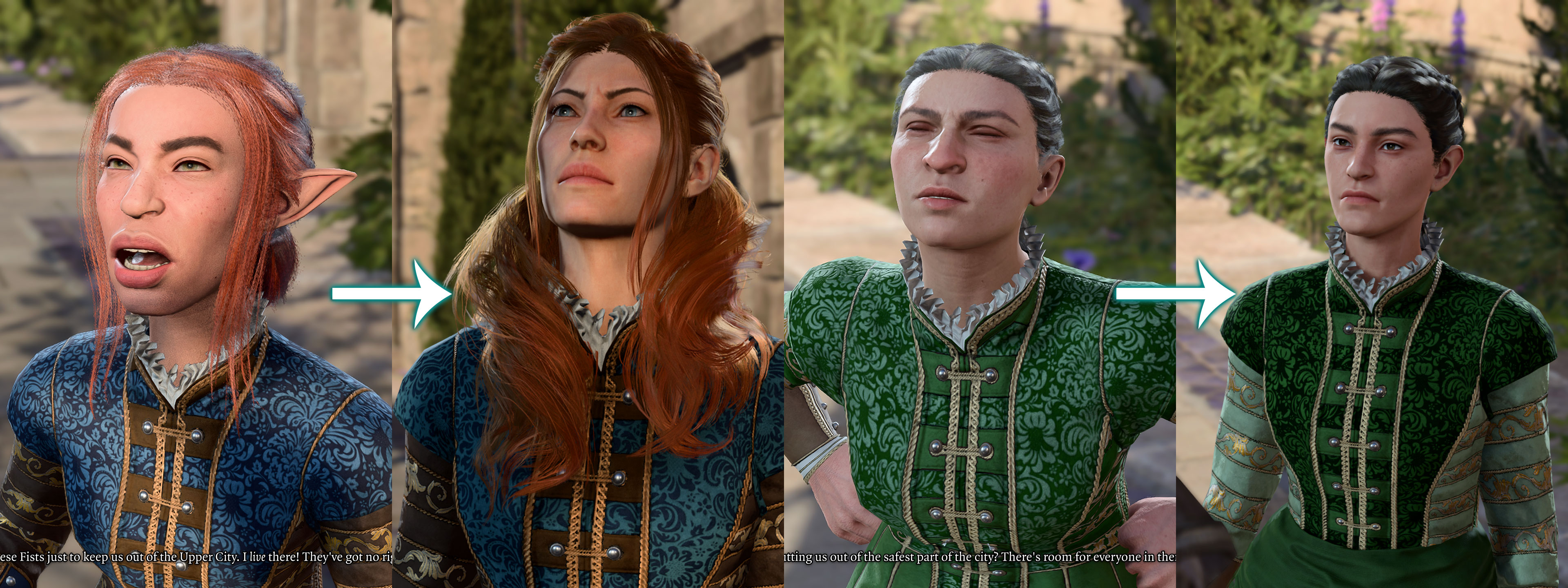
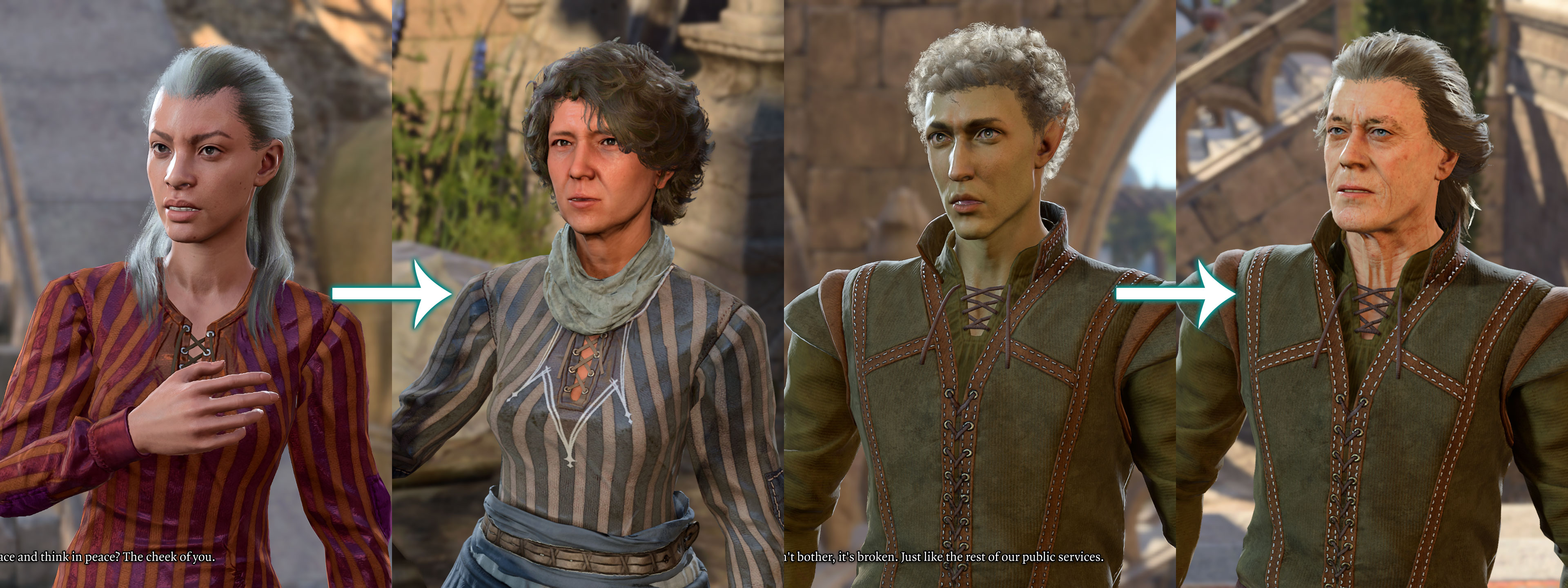
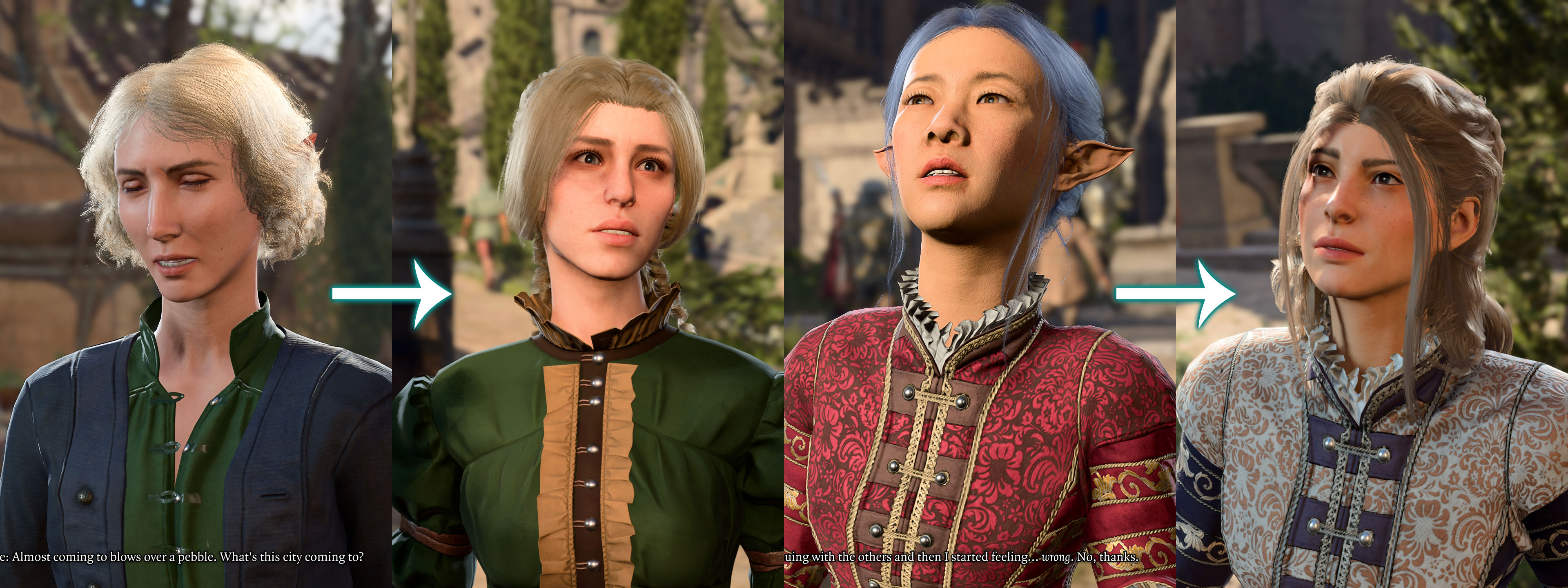
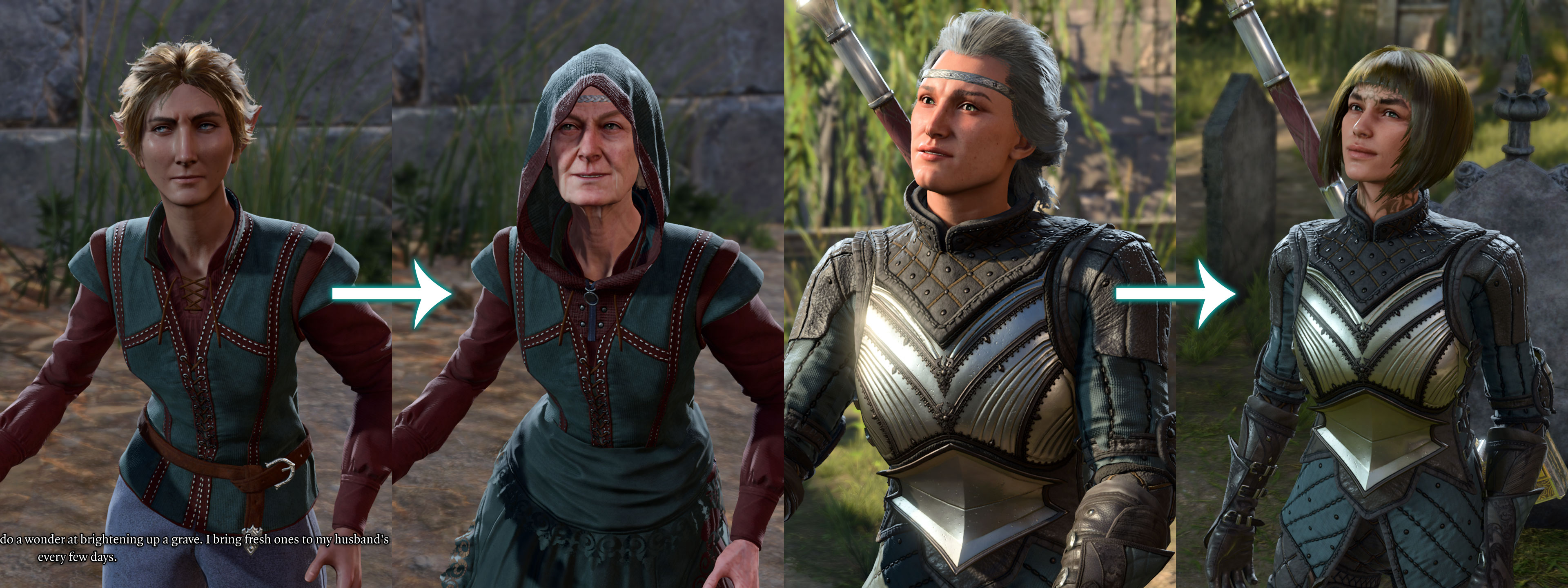
Lots of NPCs from Act 3 (BG city & Rivington)
► More Screens

Last edited by Silver on May 3rd, 2025, 00:47, edited 1 time in total.