We have a Steam curator now. You should be following it. https://store.steampowered.com/curator/44994899-RPGHQ/
Chat client updated, if you have issues using chat press CTRL + SHIFT + R to force a hard refresh.

Wylls of Toril 3.2 β€” Baldur's Gate 3

Looking for the download?
This mod's files are on ModHQ.
Go to mod page
Share things you've made or found for games here.

Moderator: Mod Janitor

Ignore Topic
User avatar
orinEsque
Posts: 4918
Joined: Oct 9, '23
Location: Dubai
Gender: Potato

Geolocation

Post by orinEsque »

Kowe wrote: ↑ February 18th, 2024, 18:00
First, while it concerns other topics, thank you very much for the Dignify and No Alphabets mods, Orin. They make the game more enjoyable and way more appropriate for a medieval fantasy story free from modern garbage.

Now, I have a few (tangential) questions concerning this mod, as a beginner modder. Maybe you or someone else here can answer them.

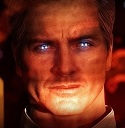
As Fesstorm offers a revision of Duke Ravengard alongside Wyll, which I have isolated for personal use from the other parts of this mod, is it possible to change the Duke's eye colour from what seems some brown-ish to some Blue one ? With tinkering with the ravengard.lsf.lsx file ? Can even other mods' eye modifications like Eye of the Beholder, Astralities, etc. be used in this context, given they should probably have some unique values to copy and paste into the lsx file ?

And if yes, does it extend to body and head imports too, like, let's say, Vemperen's Other Heads ?
In fact, is there any good guide somewhere where it shows how to properly edit appeance-related lsx files ? This would come in handy for other characters too.

And any clue how he made the Wyll and Duke Ravengard portraits like he did ? Having read your NPC Modding Help guide, the use of screenshots as DDS files is available. It fulfills its purpose, but looks out of place compared to this mod's portraits or the level-up base game ones. Using GIMP with the Alternative Portrait Backgrounds from Nexus is also kind of lackluster, while better than just using a resized screenshot.
On a similar note, has anyone figured out a way to extract portraits from Custom Characters in BG3 somehow ? Or how to access the Portrait Generation Room ?

Thanks in advance for any help.
Hi Kowe,
Welcome to HQ! Nice to another person interested in modding.
As Fesstorm offers a revision of Duke Ravengard alongside Wyll, which I have isolated for personal use from the other parts of this mod, is it possible to change the Duke's eye colour from what seems some brown-ish to some Blue one ? With tinkering with the ravengard.lsf.lsx file ? Can even other mods' eye modifications like Eye of the Beholder, Astralities, etc. be used in this context, given they should probably have some unique values to copy and paste into the lsx file ?
Easy way to change ravengard's eye color is to changing the UUID for the "MaterialPresetResource" under 06Eyes. If you can find the Eye preset UUID from those other mods, it should work fine. Same with Head etc.
Image


I'm actually writing a proper guide for changing NPCs on here.
viewtopic.php?t=1619-bg3-how-to-change-npc-visuals

It fulfills its purpose, but looks out of place compared to this mod's portraits or the level-up base game ones. Using GIMP with the Alternative Portrait Backgrounds from Nexus is also kind of lackluster, while better than just using a resized screenshot.
On a similar note, has anyone figured out a way to extract portraits from Custom Characters in BG3 somehow ? Or how to access the Portrait Generation Room ?
Ty6 figured this out earlier, there's discussion about this in BBA portrait mod. You use Ninja Ripper to get it I'd say check that thread out.
Last edited by orinEsque on February 18th, 2024, 19:52, edited 1 time in total.
Victors clap when others succeed; Losers feel every spotlight as a personal bleed.
User avatar
Kowe
Posts: 386
Joined: Feb 6, '24
Gender: Helicopter

Geolocation

Adventurer's Guild

Post by Kowe »

orinEsque wrote: ↑ February 18th, 2024, 19:51
Hi Kowe,
Welcome to HQ! Nice to another person interested in modding.
Thank you!
The more modders, the merrier. Although it will take a long while until I reach your expertise or that of other members.
orinEsque wrote: ↑ February 18th, 2024, 19:51
Easy way to change ravengard's eye color is to changing the UUID for the "MaterialPresetResource" under 06Eyes. If you can find the Eye preset UUID from those other mods, it should work fine. Same with Head etc.
Image

I'm actually writing a proper guide for changing NPCs on here.
viewtopic.php?t=1619-bg3-how-to-change-npc-visuals
Thank you for the help. It has worked, although with some effort.
I haven't used any UUID from a mod yet, need to look at it later for either Astralities or the one with the Blindness % option.
Having searched for base eye color UUIDs on the internet has been without results.
On the other hand, having searched through extracted packages, has been a success. The base eye colours can be found on, if anyone is interested, at:
Shared\Public\Shared\CharacterCreationPresets\CharacterCreationEyeColors
There are also some _merged.lsf files with UUIDs (when converted to lsx) for them under other sub-folders.
If no one has compiled a list of the original eye colors, I can do that. Same with Skin Colour.

orinEsque wrote: ↑ February 18th, 2024, 19:51
Ty6 figured this out earlier, there's discussion about this in BBA portrait mod. You use Ninja Ripper to get it I'd say check that thread out.
Oh, nice. From what I read from a post in that topic before, people on Discord figured out about some Portrait Generation Room. Unfortunate that Larian hasn't released any Screenshot Mode yet, and it seems one cannot teleport to that room by various means, e.g. Script Extender Console or Cheat Engine. Time to look into Ninja Ripper then.
User avatar
orinEsque
Posts: 4918
Joined: Oct 9, '23
Location: Dubai
Gender: Potato

Geolocation

Post by orinEsque »

Kowe wrote: ↑ February 18th, 2024, 23:35
orinEsque wrote: ↑ February 18th, 2024, 19:51
Hi Kowe,
Welcome to HQ! Nice to another person interested in modding.
Thank you!
The more modders, the merrier. Although it will take a long while until I reach your expertise or that of other members.
orinEsque wrote: ↑ February 18th, 2024, 19:51
Easy way to change ravengard's eye color is to changing the UUID for the "MaterialPresetResource" under 06Eyes. If you can find the Eye preset UUID from those other mods, it should work fine. Same with Head etc.
Image

I'm actually writing a proper guide for changing NPCs on here.
viewtopic.php?t=1619-bg3-how-to-change-npc-visuals
Thank you for the help. It has worked, although with some effort.
I haven't used any UUID from a mod yet, need to look at it later for either Astralities or the one with the Blindness % option.
Having searched for base eye color UUIDs on the internet has been without results.
On the other hand, having searched through extracted packages, has been a success. The base eye colours can be found on, if anyone is interested, at:
Shared\Public\Shared\CharacterCreationPresets\CharacterCreationEyeColors
There are also some _merged.lsf files with UUIDs (when converted to lsx) for them under other sub-folders.
If no one has compiled a list of the original eye colors, I can do that. Same with Skin Colour.

orinEsque wrote: ↑ February 18th, 2024, 19:51
Ty6 figured this out earlier, there's discussion about this in BBA portrait mod. You use Ninja Ripper to get it I'd say check that thread out.
Oh, nice. From what I read from a post in that topic before, people on Discord figured out about some Portrait Generation Room. Unfortunate that Larian hasn't released any Screenshot Mode yet, and it seems one cannot teleport to that room by various means, e.g. Script Extender Console or Cheat Engine. Time to look into Ninja Ripper then.
I am making cheatsheets (compiled version of Aesthetics) for my Guides. Posted 3d models and Animation so far. Working on the rest. I have one already made [a little outdated and half a jobbed], so I am polishing it before posting.
Victors clap when others succeed; Losers feel every spotlight as a personal bleed.
User avatar
GOW LIKE A BOSS
Posts: 115
Joined: Dec 6, '23

Geolocation

Post by GOW LIKE A BOSS »

@orinEsque (I deleted my last message because I fixed it after playing with the load order and realizing the Neverwinter has a blue eye by default (not brown)).

Any chance you could make a brown eye option? (Basically take the eye from the Chult version and make it applyable to any Wyll version)?
User avatar
orinEsque
Posts: 4918
Joined: Oct 9, '23
Location: Dubai
Gender: Potato

Geolocation

Post by orinEsque »

GOW LIKE A BOSS wrote: ↑ February 19th, 2024, 18:15
@orinEsque (I deleted my last message because I fixed it after playing with the load order and realizing the Neverwinter has a blue eye by default (not brown)).

Any chance you could make a brown eye option? (Basically take the eye from the Chult version and make it applyable to any Wyll version)?
If you got a github do feel free to ask Fesstrom. I'm busy with my own mods rn.
Last edited by orinEsque on February 19th, 2024, 18:37, edited 1 time in total.
Victors clap when others succeed; Losers feel every spotlight as a personal bleed.
User avatar
GOW LIKE A BOSS
Posts: 115
Joined: Dec 6, '23

Geolocation

Post by GOW LIKE A BOSS »

orinEsque wrote: ↑ February 19th, 2024, 18:20
GOW LIKE A BOSS wrote: ↑ February 19th, 2024, 18:15
@orinEsque (I deleted my last message because I fixed it after playing with the load order and realizing the Neverwinter has a blue eye by default (not brown)).

Any chance you could make a brown eye option? (Basically take the eye from the Chult version and make it applyable to any Wyll version)?
If you got a github do feel free to ask Fesstrom. I'm busy with my mods rn.
I don't, but I'll just deal with it :)
User avatar
Kowe
Posts: 386
Joined: Feb 6, '24
Gender: Helicopter

Geolocation

Adventurer's Guild

Post by Kowe »

GOW LIKE A BOSS wrote: ↑ February 19th, 2024, 18:15
@orinEsque (I deleted my last message because I fixed it after playing with the load order and realizing the Neverwinter has a blue eye by default (not brown)).

Any chance you could make a brown eye option? (Basically take the eye from the Chult version and make it applyable to any Wyll version)?
Which of the Main Files Wylls do you want to have their eye changed to brown ? Neverwinter, yes ? His left (without scar) ? And from an eye color mod or a base eye color ?
Should be doable by some changes to the lsf.lsx files. 06Eyes is easy to change for a character without Heterochromia, provided it is coded properly in the appropriate lsf.lsx file. Not sure how to deal with two separate eye colors yet. On the other hand, maybe some changes to eye_color.lsf.lsx can help.
I will see what I can do, but can't promise that it works.
User avatar
GOW LIKE A BOSS
Posts: 115
Joined: Dec 6, '23

Geolocation

Post by GOW LIKE A BOSS »

Kowe wrote: ↑ February 19th, 2024, 19:16
GOW LIKE A BOSS wrote: ↑ February 19th, 2024, 18:15
@orinEsque (I deleted my last message because I fixed it after playing with the load order and realizing the Neverwinter has a blue eye by default (not brown)).

Any chance you could make a brown eye option? (Basically take the eye from the Chult version and make it applyable to any Wyll version)?
Which of the Main Files Wylls do you want to have their eye changed to brown ? Neverwinter, yes ? His left (without scar) ? And from an eye color mod or a base eye color ?
Should be doable by some changes to the lsf.lsx files. 06Eyes is easy to change for a character without Heterochromia, provided it is coded properly in the appropriate lsf.lsx file. Not sure how to deal with two separate eye colors yet. On the other hand, maybe some changes to eye_color.lsf.lsx can help.
I will see what I can do, but can't promise that it works.
It wouldn't have to be coded just to Neverwinter, but if that's easier then that's the head I'd be using so it would be great! And yes, just his normal eye without the bloodstone in it. It wouldn't have to be a modded eye color; Brown 1 looks plenty good to me!

(I don't know if Wyll is coded for Heterochromia or if he just has normal eyes but the bloodstone eye "overrides" his normal right eye in the coding).
User avatar
Kowe
Posts: 386
Joined: Feb 6, '24
Gender: Helicopter

Geolocation

Adventurer's Guild

Post by Kowe »

GOW LIKE A BOSS wrote: ↑ February 19th, 2024, 19:44
Kowe wrote: ↑ February 19th, 2024, 19:16
GOW LIKE A BOSS wrote: ↑ February 19th, 2024, 18:15
@orinEsque (I deleted my last message because I fixed it after playing with the load order and realizing the Neverwinter has a blue eye by default (not brown)).

Any chance you could make a brown eye option? (Basically take the eye from the Chult version and make it applyable to any Wyll version)?
Which of the Main Files Wylls do you want to have their eye changed to brown ? Neverwinter, yes ? His left (without scar) ? And from an eye color mod or a base eye color ?
Should be doable by some changes to the lsf.lsx files. 06Eyes is easy to change for a character without Heterochromia, provided it is coded properly in the appropriate lsf.lsx file. Not sure how to deal with two separate eye colors yet. On the other hand, maybe some changes to eye_color.lsf.lsx can help.
I will see what I can do, but can't promise that it works.
It wouldn't have to be coded just to Neverwinter, but if that's easier then that's the head I'd be using so it would be great! And yes, just his normal eye without the bloodstone in it. It wouldn't have to be a modded eye color; Brown 1 looks plenty good to me!

(I don't know if Wyll is coded for Heterochromia or if he just has normal eyes but the bloodstone eye "overrides" his normal right eye in the coding).
@GOW LIKE A BOSS I figured it out, it seems. Used the BG3 Modder's Multitool for it.
There is a file in WyllofNeverwinter\Public\WyllofToril\Content\Character Editor Presets\Origin Presets\[PAK]_Wyll, called eye_color.lsf.lsx.
Of particular interest are lines 8 and 91. Line 8 is for the Bloodstone eye (right). Line 91 is for the other eye (left).
You take the UUID from the respective files which contain them. In this example, Natural Brown A (should be Brown 1 in the Character Creation Menu). It has the UUID d19b8c63-be63-4d2b-ac19-c602a2be2ab7. You paste it in line 91 and replace the previous UUID (a61edfc3-b80e-4b29-b6c0-929158605755) with it.
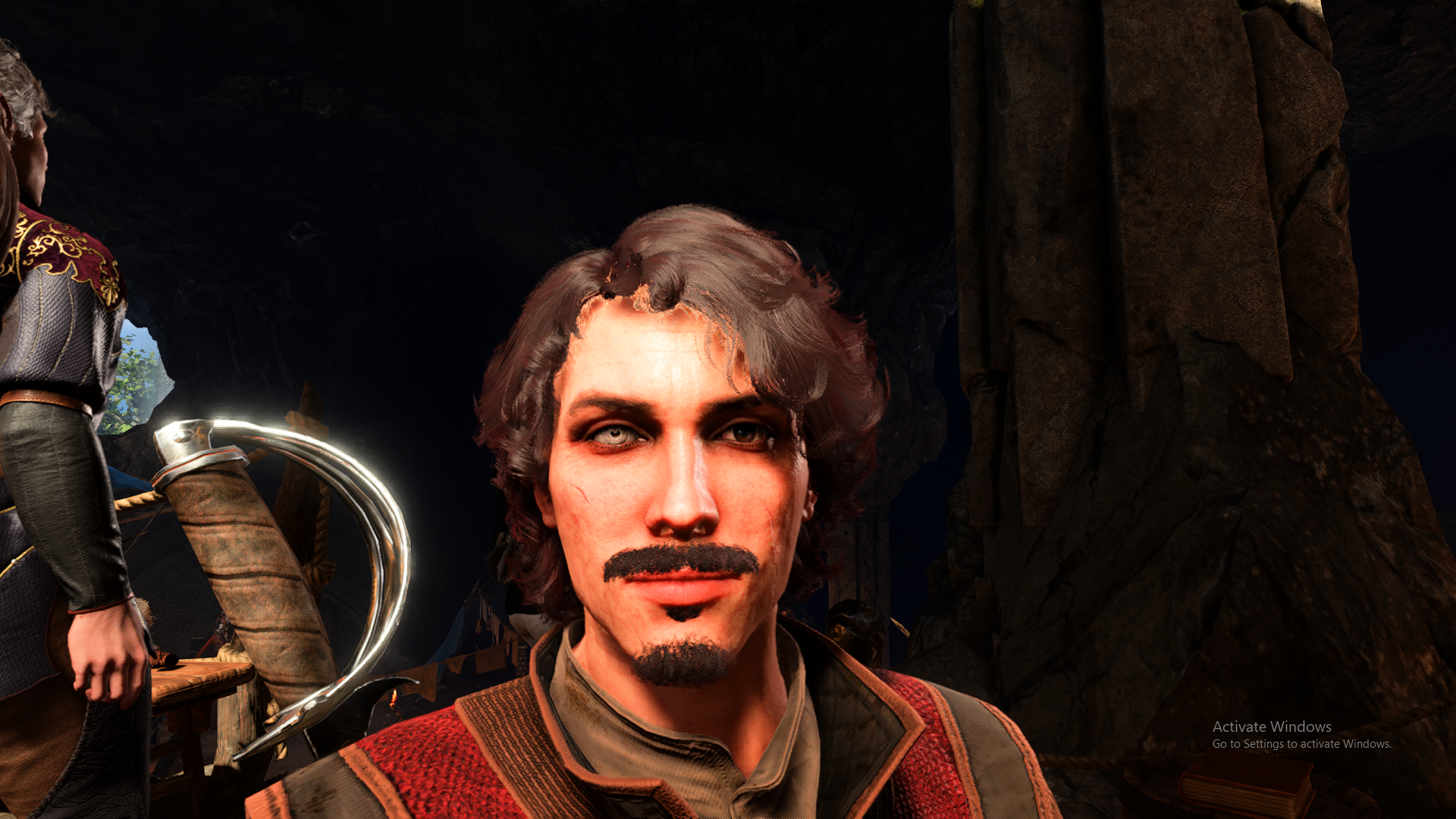
It has successfully replaced his eye colour as can be seen in the image.

Image

Not sure how it works with the use of the initial ID of a61edfc3-b80e-4b29-b6c0-929158605755 for the MaterialPresetResource IDs/values in other lsf.lsx files. Might conflict with this small change down the line or not. I haven't tested it comprehensively.
The Base Eye Colors can be found at Shared\Public\Shared\CharacterCreationPresets\CharacterCreationEyeColorsl.lsx.
With modded ones it isn't any different, just gotta find their UUIDs in the .lsx file under the Root Template folder, I think. Of course, the other mod has to be loaded first before this Wyll one can access it.
Last edited by Kowe on February 19th, 2024, 21:20, edited 2 times in total.
User avatar
GOW LIKE A BOSS
Posts: 115
Joined: Dec 6, '23

Geolocation

Post by GOW LIKE A BOSS »

Kowe wrote: ↑ February 19th, 2024, 21:14
GOW LIKE A BOSS wrote: ↑ February 19th, 2024, 19:44
Kowe wrote: ↑ February 19th, 2024, 19:16


Which of the Main Files Wylls do you want to have their eye changed to brown ? Neverwinter, yes ? His left (without scar) ? And from an eye color mod or a base eye color ?
Should be doable by some changes to the lsf.lsx files. 06Eyes is easy to change for a character without Heterochromia, provided it is coded properly in the appropriate lsf.lsx file. Not sure how to deal with two separate eye colors yet. On the other hand, maybe some changes to eye_color.lsf.lsx can help.
I will see what I can do, but can't promise that it works.
It wouldn't have to be coded just to Neverwinter, but if that's easier then that's the head I'd be using so it would be great! And yes, just his normal eye without the bloodstone in it. It wouldn't have to be a modded eye color; Brown 1 looks plenty good to me!

(I don't know if Wyll is coded for Heterochromia or if he just has normal eyes but the bloodstone eye "overrides" his normal right eye in the coding).
@GOW LIKE A BOSS I figured it out, it seems.
There is a file in WyllofNeverwinter\Public\WyllofToril\Content\Character Editor Presets\Origin Presets\[PAK]_Wyll, called eye_color.lsf.lsx.
Of particular interest are lines 8 and 91. Line 8 is for the Bloodstone eye (right). Line 91 is for the other eye (left).
You take the UUID from the respective files which contain them. In this example, Natural Brown A (should be Brown 1 in the Character Creation Menu). It has the UUID d19b8c63-be63-4d2b-ac19-c602a2be2ab7. You paste it in line 91 and replace the previous UUID (a61edfc3-b80e-4b29-b6c0-929158605755) with it.
It has successfully replaced his eye colour as can be seen in the image.

Image

Not sure how it works with the use of the initial ID of a61edfc3-b80e-4b29-b6c0-929158605755 for the MaterialPresetResource IDs/values in other lsf.lsx files. Might conflict with this small change down the line or not. I haven't tested it comprehensively.
The Base Eye Colors can be found at Shared\Public\Shared\CharacterCreationPresets\CharacterCreationEyeColorsl.lsx.
With modded ones it isn't any different, just gotta find their UUIDs in the .lsx file under the Root Template folder, I think. Of course, the other mod has to be loaded first before this Wyll one can access it.
Is there any way you could upload that as a pak file for downloading? I don't know how to edit those files..

If not that's ok, but I thought that's what you were going to be doing or I'd have told you ahead of time I won't be able to implement what you find :(
User avatar
Oyster Sauce
Site Moderator
Posts: 11293
Joined: Jun 2, '23

Geolocation

Adventurer's Guild

Post by Oyster Sauce »

Kowe wrote: ↑ February 19th, 2024, 21:14
GOW LIKE A BOSS wrote: ↑ February 19th, 2024, 19:44
Kowe wrote: ↑ February 19th, 2024, 19:16


Which of the Main Files Wylls do you want to have their eye changed to brown ? Neverwinter, yes ? His left (without scar) ? And from an eye color mod or a base eye color ?
Should be doable by some changes to the lsf.lsx files. 06Eyes is easy to change for a character without Heterochromia, provided it is coded properly in the appropriate lsf.lsx file. Not sure how to deal with two separate eye colors yet. On the other hand, maybe some changes to eye_color.lsf.lsx can help.
I will see what I can do, but can't promise that it works.
It wouldn't have to be coded just to Neverwinter, but if that's easier then that's the head I'd be using so it would be great! And yes, just his normal eye without the bloodstone in it. It wouldn't have to be a modded eye color; Brown 1 looks plenty good to me!

(I don't know if Wyll is coded for Heterochromia or if he just has normal eyes but the bloodstone eye "overrides" his normal right eye in the coding).
@GOW LIKE A BOSS I figured it out, it seems. Used the BG3 Modder's Multitool for it.
There is a file in WyllofNeverwinter\Public\WyllofToril\Content\Character Editor Presets\Origin Presets\[PAK]_Wyll, called eye_color.lsf.lsx.
Of particular interest are lines 8 and 91. Line 8 is for the Bloodstone eye (right). Line 91 is for the other eye (left).
You take the UUID from the respective files which contain them. In this example, Natural Brown A (should be Brown 1 in the Character Creation Menu). It has the UUID d19b8c63-be63-4d2b-ac19-c602a2be2ab7. You paste it in line 91 and replace the previous UUID (a61edfc3-b80e-4b29-b6c0-929158605755) with it.
It has successfully replaced his eye colour as can be seen in the image.

Image

Not sure how it works with the use of the initial ID of a61edfc3-b80e-4b29-b6c0-929158605755 for the MaterialPresetResource IDs/values in other lsf.lsx files. Might conflict with this small change down the line or not. I haven't tested it comprehensively.
The Base Eye Colors can be found at Shared\Public\Shared\CharacterCreationPresets\CharacterCreationEyeColorsl.lsx.
With modded ones it isn't any different, just gotta find their UUIDs in the .lsx file under the Root Template folder, I think. Of course, the other mod has to be loaded first before this Wyll one can access it.
https://github.com/massgravel/Microsoft ... on-Scripts
User avatar
orinEsque
Posts: 4918
Joined: Oct 9, '23
Location: Dubai
Gender: Potato

Geolocation

Post by orinEsque »

I'll save you some hard work and tell you beforehand his stoneeye is part of his 3D mesh. You gotta visit blender to give him his eye back.

Modding for beginners: viewforum.php?f=21-the-foundry
Last edited by orinEsque on February 19th, 2024, 21:25, edited 2 times in total.
Victors clap when others succeed; Losers feel every spotlight as a personal bleed.
User avatar
GOW LIKE A BOSS
Posts: 115
Joined: Dec 6, '23

Geolocation

Post by GOW LIKE A BOSS »

Honestly, this seems like a lot of work for just one eye color. I don't want to put you out @Kowe. I very much appreciate it, but unless you want a brown-eye Wyll too (or are using this as practice for your own modding skills) don't worry about it. I didn't realize it was that much work just to change an eye color.

I appreciate it though!
User avatar
Kowe
Posts: 386
Joined: Feb 6, '24
Gender: Helicopter

Geolocation

Adventurer's Guild

Post by Kowe »

GOW LIKE A BOSS wrote: ↑ February 19th, 2024, 21:31
Honestly, this seems like a lot of work for just one eye color. I don't want to put you out @Kowe. I very much appreciate it, but unless you want a brown-eye Wyll too (or are using this as practice for your own modding skills) don't worry about it. I didn't realize it was that much work just to change an eye color.

I appreciate it though!
You're welcome.
I initially thought you wanted to keep the Bloodstone Eye and just have his intact eye have a different color. Misread one of your previous posts.
As Orin wrote, it requires some more in-depth work with Blender to modify the eye. And being a Noob with Blender right now, I will revisit your request later on if no one else has fulfilled it by then. As a matter of practice for a future Female Wyll mod of mine too.
Will let you know should it have worked!
User avatar
GOW LIKE A BOSS
Posts: 115
Joined: Dec 6, '23

Geolocation

Post by GOW LIKE A BOSS »

Kowe wrote: ↑ February 19th, 2024, 23:06
GOW LIKE A BOSS wrote: ↑ February 19th, 2024, 21:31
Honestly, this seems like a lot of work for just one eye color. I don't want to put you out @Kowe. I very much appreciate it, but unless you want a brown-eye Wyll too (or are using this as practice for your own modding skills) don't worry about it. I didn't realize it was that much work just to change an eye color.

I appreciate it though!
I initially thought you wanted to keep the Bloodstone Eye and just have his intact eye have a different color. Misread one of your previous posts.
That is what I actually want lol. I think there was a miscommunication. I have a mod to change the Bloodstone Eye already, so I just wanted the regular eye brown (and the bloodstone eye left alone). That's why I was surprised when Orin said it required blender.
Last edited by GOW LIKE A BOSS on February 19th, 2024, 23:11, edited 1 time in total.
User avatar
GOW LIKE A BOSS
Posts: 115
Joined: Dec 6, '23

Geolocation

Post by GOW LIKE A BOSS »

On a separate issue, @orinEsque there seems to be a conflict between your beard additions on this mod and Lexo's Immersive Heads (viewtopic.php?t=1433-immersive-heads-2- ... r-s-gate-3)

When Immersive heads is in my load order, the new beard won't show up (no matter if the beard mod is at the top or bottom of my load order). Specifically, I am using the rambler long beard.
Last edited by GOW LIKE A BOSS on February 19th, 2024, 23:23, edited 1 time in total.
User avatar
Kowe
Posts: 386
Joined: Feb 6, '24
Gender: Helicopter

Geolocation

Adventurer's Guild

Post by Kowe »

@GOW LIKE A BOSS Haha, happens. Here you go, it is the modified PAK. Should any issues arise at some point, let me know and I will look at Fesstrom's code again. Small reminder, it is Wyll of Neverwinter with Brown Eye 1.
And he hopefully doesn't mind this small modification upload. Will delete it later, in case.
Hidden Content
This board requires you to be registered and logged-in to view hidden content.
Last edited by Kowe on February 19th, 2024, 23:35, edited 1 time in total.
User avatar
orinEsque
Posts: 4918
Joined: Oct 9, '23
Location: Dubai
Gender: Potato

Geolocation

Post by orinEsque »

Kowe wrote: ↑ February 19th, 2024, 23:33
@GOW LIKE A BOSS Haha, happens. Here you go, it is the modified PAK. Should any issues arise at some point, let me know and I will look at Fesstrom's code again. Small reminder, it is Wyll of Neverwinter with Brown Eye 1.
And he hopefully doesn't mind this small modification upload. Will delete it later, in case.
Hidden Content
This board requires you to be registered and logged-in to view hidden content.
Lol I'm sure he didn't ask Larian's permission before he modded their game lol.
Victors clap when others succeed; Losers feel every spotlight as a personal bleed.
User avatar
orinEsque
Posts: 4918
Joined: Oct 9, '23
Location: Dubai
Gender: Potato

Geolocation

Post by orinEsque »

GOW LIKE A BOSS wrote: ↑ February 19th, 2024, 23:22
On a separate issue, @orinEsque there seems to be a conflict between your beard additions on this mod and Lexo's Immersive Heads (viewtopic.php?t=1433-immersive-heads-2- ... r-s-gate-3)

When Immersive heads is in my load order, the new beard won't show up (no matter if the beard mod is at the top or bottom of my load order). Specifically, I am using the rambler long beard.
That is weird... I'll try and troubleshoot it with lexo.

Also i can restore Wylls eye. If no one else does it. I'll do it. My things to do list is quite long though :(.
Last edited by orinEsque on February 20th, 2024, 02:51, edited 3 times in total.
Victors clap when others succeed; Losers feel every spotlight as a personal bleed.
User avatar
GOW LIKE A BOSS
Posts: 115
Joined: Dec 6, '23

Geolocation

Post by GOW LIKE A BOSS »

Kowe wrote: ↑ February 19th, 2024, 23:33
@GOW LIKE A BOSS Haha, happens. Here you go, it is the modified PAK. Should any issues arise at some point, let me know and I will look at Fesstrom's code again. Small reminder, it is Wyll of Neverwinter with Brown Eye 1.
And he hopefully doesn't mind this small modification upload. Will delete it later, in case.
Hidden Content
This board requires you to be registered and logged-in to view hidden content.
Works great, thank you so much!
User avatar
GOW LIKE A BOSS
Posts: 115
Joined: Dec 6, '23

Geolocation

Post by GOW LIKE A BOSS »

orinEsque wrote: ↑ February 19th, 2024, 23:47
GOW LIKE A BOSS wrote: ↑ February 19th, 2024, 23:22
On a separate issue, @orinEsque there seems to be a conflict between your beard additions on this mod and Lexo's Immersive Heads (viewtopic.php?t=1433-immersive-heads-2- ... r-s-gate-3)

When Immersive heads is in my load order, the new beard won't show up (no matter if the beard mod is at the top or bottom of my load order). Specifically, I am using the rambler long beard.
That is weird... I'll try and troubleshoot it with lexo.

Also i can restore Wylls eye. If no one else does it. I'll do it. My things to do list is quite long though :(.
No need on the eye, @Kowe's version works! Thank you though!

Edit: I thought you were referring to the normal eye. If you are referring to making the stone eye normal feel free if that's what you're looking for (but just to be clear, I wasn't asking for that, so don't make it if you're just making it for me :D )
Last edited by GOW LIKE A BOSS on February 20th, 2024, 15:09, edited 1 time in total.
User avatar
GOW LIKE A BOSS
Posts: 115
Joined: Dec 6, '23

Geolocation

Post by GOW LIKE A BOSS »

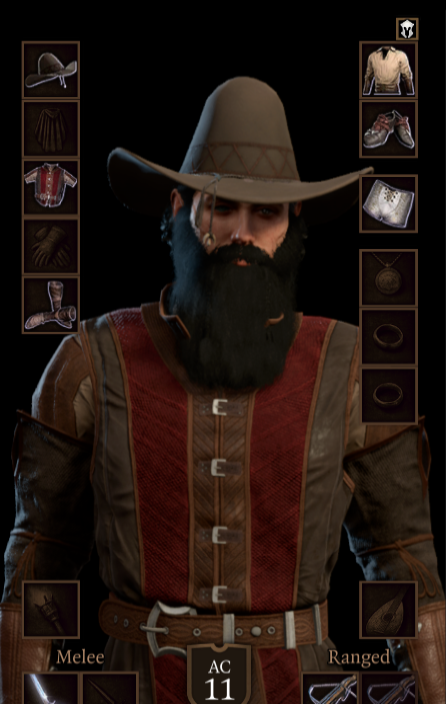
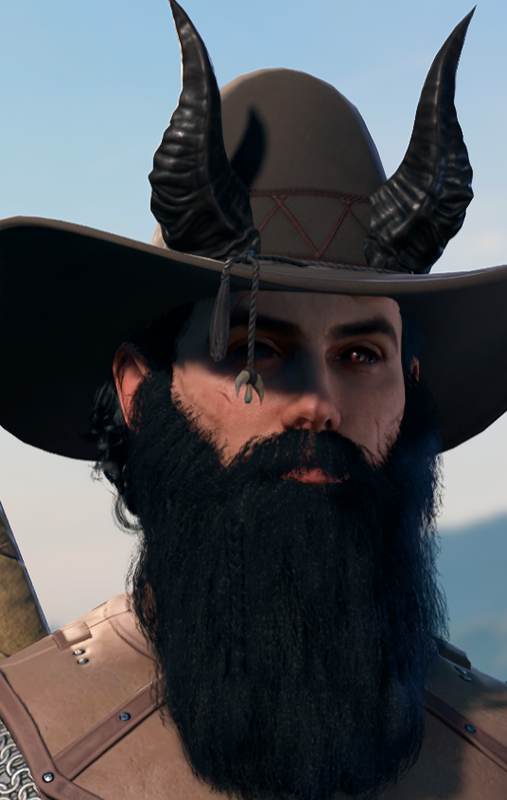
Now this is a Blade of Frontiers :D

The sheriff is in


Image
Last edited by GOW LIKE A BOSS on February 20th, 2024, 16:14, edited 1 time in total.
User avatar
Magick
Posts: 3133
Joined: Jan 29, '24
Location: USA
Gender: Potato

Geolocation

Adventurer's Guild

Post by Magick »

GOW LIKE A BOSS wrote: ↑ February 20th, 2024, 16:12
Now this is a Blade of Frontiers :D

The sheriff is in


Image
Somehow I'm never surprised at how all your characters look. The "face to a name" thing matches perfectly. :lol:
User avatar
orinEsque
Posts: 4918
Joined: Oct 9, '23
Location: Dubai
Gender: Potato

Geolocation

Post by orinEsque »

GOW LIKE A BOSS wrote: ↑ February 20th, 2024, 16:12
Now this is a Blade of Frontiers :D

The sheriff is in


Image
I didn't expect him to be used this way. But i like it!
Victors clap when others succeed; Losers feel every spotlight as a personal bleed.
User avatar
GOW LIKE A BOSS
Posts: 115
Joined: Dec 6, '23

Geolocation

Post by GOW LIKE A BOSS »

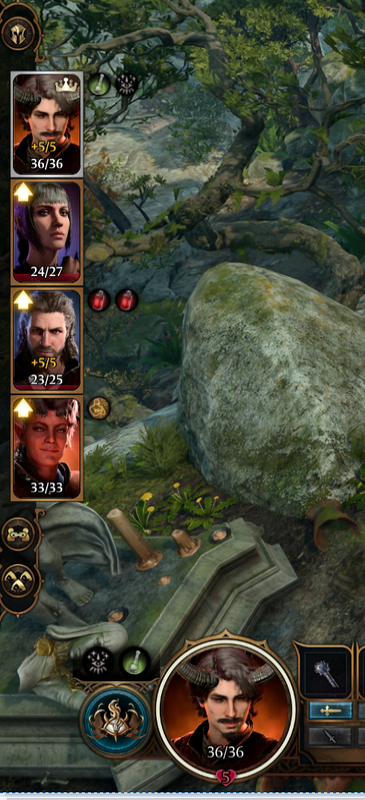
@orinEsque I've had a problem, hoping you can help. Ever since my Wyll didn't kill Karlach and Mizora turned him into a Devil, he's been hardlocked into the default profile pic. Leveling up isn't changing it, nor did resetting my character with Withers. Any idea how to fix it? It's a mild/moderate annoyance. It worked normally before I got turned into a devil (would change on level up to reflect new clothing)


Image
User avatar
orinEsque
Posts: 4918
Joined: Oct 9, '23
Location: Dubai
Gender: Potato

Geolocation

Post by orinEsque »

GOW LIKE A BOSS wrote: ↑ February 24th, 2024, 00:25
@orinEsque I've had a problem, hoping you can help. Ever since my Wyll didn't kill Karlach and Mizora turned him into a Devil, he's been hardlocked into the default profile pic. Leveling up isn't changing it, nor did resetting my character with Withers. Any idea how to fix it? It's a mild/moderate annoyance. It worked normally before I got turned into a devil (would change on level up to reflect new clothing)


Image
This is Larian's doing. Devil form wyll is hardcoded into the game and never changes on level up :(. I have tried before to fix this to no avail.
Last edited by orinEsque on February 24th, 2024, 01:02, edited 1 time in total.
Victors clap when others succeed; Losers feel every spotlight as a personal bleed.
User avatar
Mondain
Posts: 382
Joined: Dec 10, '23

Geolocation

Post by Mondain »

Solution is to kill karlach
User avatar
GOW LIKE A BOSS
Posts: 115
Joined: Dec 6, '23

Geolocation

Post by GOW LIKE A BOSS »

orinEsque wrote: ↑ February 24th, 2024, 01:02
GOW LIKE A BOSS wrote: ↑ February 24th, 2024, 00:25
@orinEsque I've had a problem, hoping you can help. Ever since my Wyll didn't kill Karlach and Mizora turned him into a Devil, he's been hardlocked into the default profile pic. Leveling up isn't changing it, nor did resetting my character with Withers. Any idea how to fix it? It's a mild/moderate annoyance. It worked normally before I got turned into a devil (would change on level up to reflect new clothing)


Image
This is Larian's doing. Devil form wyll is hardcoded into the game and never changes on level up :(. I have tried before to fix this to no avail.
Is there any way to make a mod with a custom portrait? Something like this?
Image
User avatar
orinEsque
Posts: 4918
Joined: Oct 9, '23
Location: Dubai
Gender: Potato

Geolocation

Post by orinEsque »

GOW LIKE A BOSS wrote: ↑ February 24th, 2024, 01:14
orinEsque wrote: ↑ February 24th, 2024, 01:02
GOW LIKE A BOSS wrote: ↑ February 24th, 2024, 00:25
@orinEsque I've had a problem, hoping you can help. Ever since my Wyll didn't kill Karlach and Mizora turned him into a Devil, he's been hardlocked into the default profile pic. Leveling up isn't changing it, nor did resetting my character with Withers. Any idea how to fix it? It's a mild/moderate annoyance. It worked normally before I got turned into a devil (would change on level up to reflect new clothing)


Image
This is Larian's doing. Devil form wyll is hardcoded into the game and never changes on level up :(. I have tried before to fix this to no avail.
Is there any way to make a mod with a custom portrait? Something like this?
Image
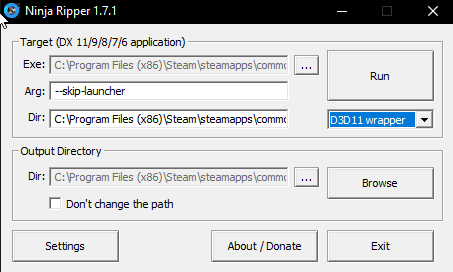
You can use Ninja Ripper 1.7.1
https://gamebanana.com/tools/5638

You use it to rip textures from the game. I use it to get portraits for characters
Image

One way I think you can do this is if you override human wylls appearance with devil wyll and start a new game. Game will generate a portrait for devil version of him. Then you can rip the portrait using Ninjaripper.

If you to unpack the mod, go to Public/Modname/Contents/[PAK]_CharacterVisuals/*.lsf.lsx <- open that and copy the appearance settings for ORIGIN_Wyll_Devil to ORIGIN_Wyll, while keeping his ID, Name, BaseVisuals and BodySetVisuals the same.

Tutorials to unpack files are here: viewtopic.php?t=1617-bg3-modding-bg3-getting-started
Last edited by orinEsque on February 24th, 2024, 01:38, edited 1 time in total.
Victors clap when others succeed; Losers feel every spotlight as a personal bleed.
User avatar
GOW LIKE A BOSS
Posts: 115
Joined: Dec 6, '23

Geolocation

Post by GOW LIKE A BOSS »

orinEsque wrote: ↑ February 24th, 2024, 01:38
GOW LIKE A BOSS wrote: ↑ February 24th, 2024, 01:14
orinEsque wrote: ↑ February 24th, 2024, 01:02

This is Larian's doing. Devil form wyll is hardcoded into the game and never changes on level up :(. I have tried before to fix this to no avail.
Is there any way to make a mod with a custom portrait? Something like this?
Image
You can use Ninja Ripper 1.7.1
https://gamebanana.com/tools/5638

You use it to rip textures from the game. I use it to get portraits for characters
Image

One way I think you can do this is if you override human wylls appearance with devil wyll and start a new game. Game will generate a portrait for devil version of him. Then you can rip the portrait using Ninjaripper.

If you to unpack the mod, go to Public/Modname/Contents/[PAK]_CharacterVisuals/*.lsf.lsx <- open that and copy the appearance settings for ORIGIN_Wyll_Devil to ORIGIN_Wyll, while keeping his ID, Name, BaseVisuals and BodySetVisuals the same.

Tutorials to unpack files are here: viewtopic.php?t=1617-bg3-modding-bg3-getting-started
I will try my best!

Me reading this :lol:
Image