Yes, putting all the NoAlphabets mods at the bottom of your list is a good idea.sngmnh wrote: ↑ January 21st, 2024, 00:11Thanks for answering.sngmnh wrote: ↑ January 20th, 2024, 12:06Hi,
The alphabet mafia is pleased to see you embark on the bg3 journey without alphabets.
Regarding your questions: you can go to the original post and search for FAQs and Recommendations [for answer regarding better aesthetics]
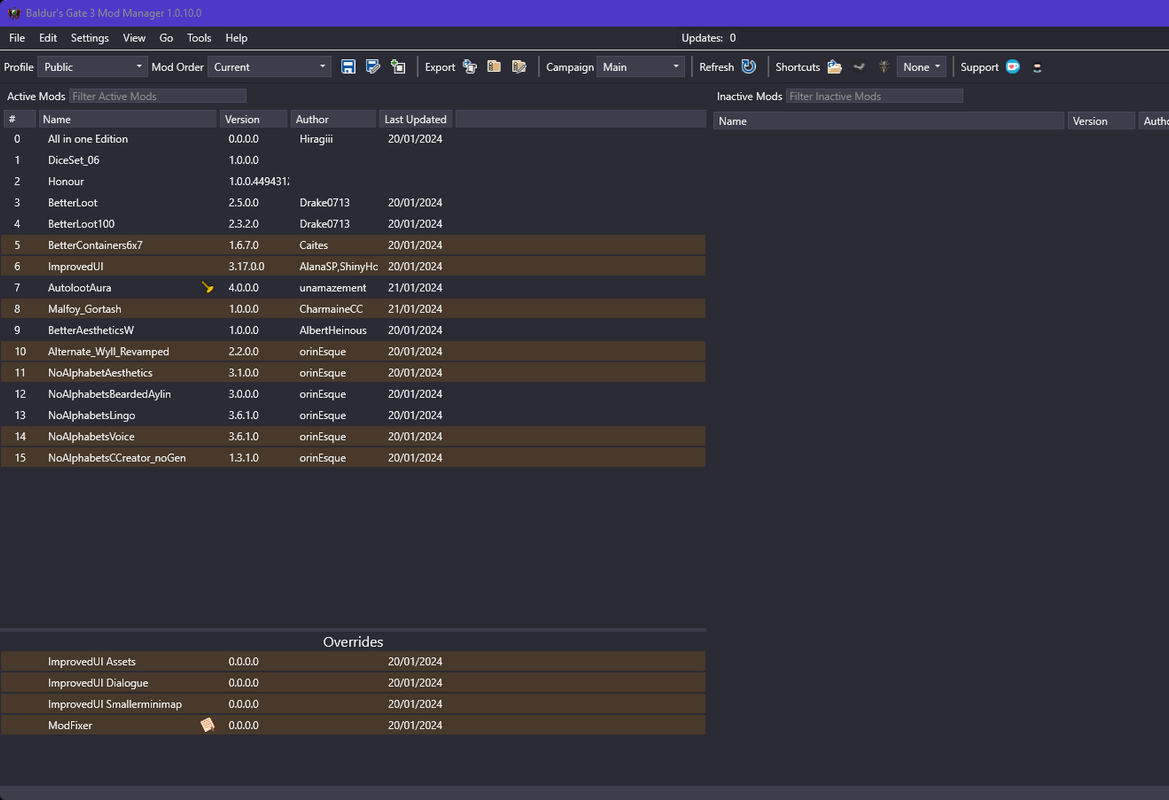
Search for "What mod order should I have?". You need to fix your mod order. Yours is incorrect > you give higher priority by putting your mod further down in BG3 Manager list.
I've put up my personal recommendation for mods in the FAQs now.
The override stuff down at the bottom. I can ignore it regardless right? Some mods gave me the option to allow them going in the order which I did.
The NoAlphabet should be further down I guess? So they can override every other mod?
I used nexus before for every mod on other games, that's why I asked. So far I played with this order and didn't crash, but since I didn't play the game without mods, I'm not sure if it is fully working and don't know if I switch the mods up after playing a couple of hours, if my game will still work without problems. I know that in skyrim e.g., the game/save gets ****** if you tinker with mods after playing for a while in a specific order or with specific mods for that particular save
I can assure you, changing orders of mods won't break your game. Leave the overrides at the bottom. It's not a big deal but the way you order your NoAlphabets mods: currently your game still has a genitals carousel and aylin has no beard outside of her prison. If these don't matter, leave them as they are. Otherwise follow the order I have shown in the screenshot.


 TOTAL GOBLIN DEATH!





 ).
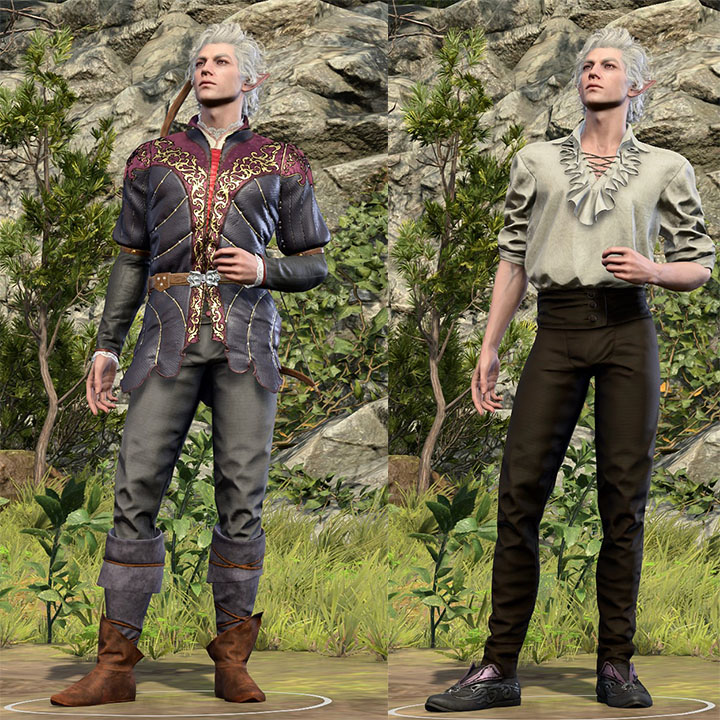
).








 , orinEsque and CheesusCrust are the ones that one fixed it out with their know-how, and the other put the matter onto the table, even for people like me that missed the whole picture, to see. I just asked for help after actively looking for what the issue with them might be, and being left with an even further sadness for how they are treating their characters. Astarion's whole story was made a mockery of with such things put on him, such people should have no place in working for games with a story deeper than a rain puddle.