World of Warcraft Forever introduces a lot of quality of life improvements to the Classic UI at the cost of some consistency and artistic quality. For the most part, you don't really need addons to play the game (never really did!) but there are a few annoyances that I like to fix with addons and I will catalog those here for the benefit of others. I will also include my UI layout and some setting options that I recommend.
UI Edit Mode
If others want to share their UI layouts I can add them here.
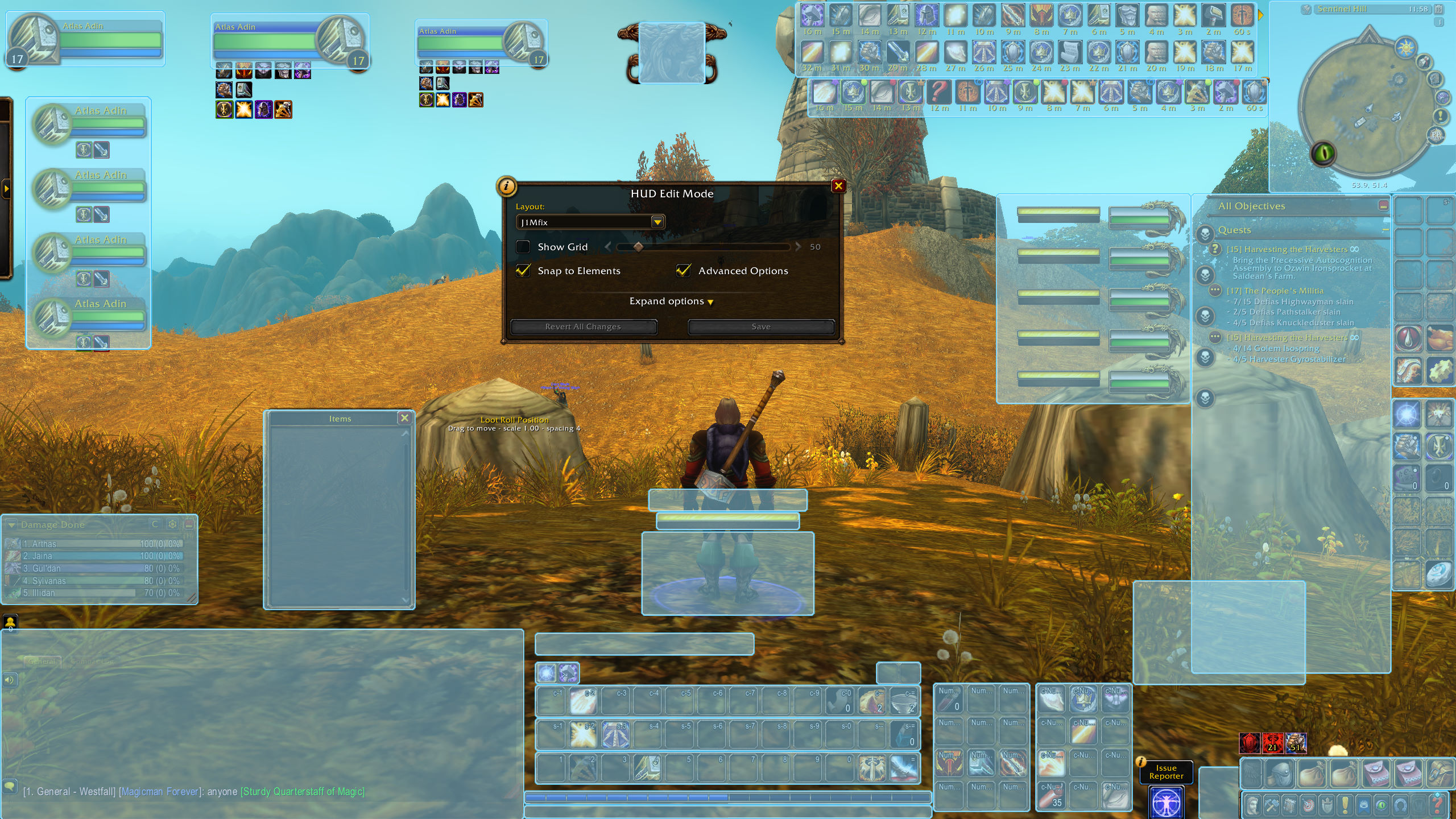
J1Mfix UI Layout
If you'd like to use my UI layout either verbatim or as a starting point, copy the string below and paste it into the import dialog.
Game Menu > Edit Mode > Layout dropdown > Import > Import Text
► Import string
(Use the select all button to make copying easier)
Code: Select all
5 0 59 0 0 0 7 7 UIParent 0.0 52.0 -1 ##$$%/&('%)$+$,$ 0 1 0 8 2 MainActionBar 0.0 4.0 -1 ##$$%/&('%(#,$ 0 2 0 8 2 MultiBarBottomLeft 0.0 4.0 -1 ##$$%/&('%(#,$ 0 3 0 1 1 UIParent 371.5 -1002.0 -1 ##$'%/&('%(#,$ 0 4 0 1 1 UIParent 521.5 -1002.0 -1 ##$'%/&('%(#,$ 0 5 0 2 8 MinimapCluster 0.0 -4.0 -1 #$$%%/&('%(#,$ 0 6 0 5 5 UIParent -2.0 -124.5 -1 #$$%%/&('%(#,$ 0 7 0 4 4 UIParent -971.7 0.0 -1 #$$'%/&('%(#,$ 0 10 0 6 0 MultiBarBottomRight 0.0 4.0 -1 ##$$&('% 0 11 0 6 0 MultiCastActionBarFrame 0.0 4.0 -1 ##$$&('%,# 0 12 0 8 2 MultiBarBottomRight 0.0 4.0 -1 ##$$&('% 1 -1 0 1 1 UIParent 0.0 -752.0 -1 ##$#%# 2 -1 0 1 1 UIParent 966.4 -2.0 -1 ##$#%(&( 3 0 0 3 3 UIParent -14.2 542.1 -1 $#3' 3 1 0 3 3 UIParent 285.8 539.1 -1 %#3' 3 2 0 3 3 UIParent 589.4 536.8 -1 %#&$3# 3 3 0 0 0 UIParent 39.5 -144.0 -1 '#(#)#-9.'/$1#3-5#6(7-7$8(9( 3 4 1 0 2 CompactRaidFrameManager 0.0 -5.0 -1 ,$-7.'/$0%1#2-3#5#6(7-7$8(9( 3 5 0 2 2 UIParent -390.0 -285.5 -1 &$*$3# 3 6 0 2 2 UIParent -392.0 -300.0 -1 -#.#/$4&5#6(7-7$8(9( 3 7 1 4 4 UIParent 0.0 0.0 -1 3# 4 -1 0 7 7 UIParent 0.0 452.0 -1 # 5 -1 0 4 4 UIParent 0.0 -240.7 -1 # 6 0 0 5 3 MinimapCluster -4.0 83.6 -1 ##$#%#&3(*)( 6 1 0 2 8 BuffFrame 0.0 -4.0 -1 ##$#%#'3(*)(-$ 6 2 1 1 1 UIParent 0.0 -25.0 -1 ##$#%$&.(()(+#,-,$ 7 -1 1 6 0 MainActionBar 0.0 5.0 -1 # 8 -1 0 3 3 UIParent 34.0 -475.5 -1 #*$*%$&x 9 -1 1 6 0 MainActionBar 0.0 5.0 -1 # 10 -1 0 1 4 UIParent -569.8 -2.0 -1 # 11 -1 0 3 5 MultiBarLeft 4.0 167.8 -1 # 12 -1 0 2 0 MultiBar5 -4.0 0.0 -1 #A$#%# 13 -1 0 7 7 UIParent 913.7 2.0 -1 ##$#%) 14 -1 0 6 0 MicroMenuContainer 0.0 4.0 -1 ##$#%( 15 0 0 8 2 SecondaryStatusTrackingBarContainer 0.0 4.0 -1 &# 15 1 0 7 7 UIParent 0.0 2.0 -1 &# 16 -1 0 8 6 MicroMenuContainer -4.0 0.0 -1 #( 17 -1 1 1 1 UIParent 0.0 -100.0 -1 ## 18 -1 0 2 8 DurabilityFrame 0.0 -4.0 -1 #- 19 -1 1 7 7 UIParent 0.0 0.0 -1 ## 20 0 0 4 4 UIParent -389.2 139.2 -1 ##$/%$&('%(-($)#+$,$-$ 20 1 0 0 0 UIParent 628.5 -401.8 -1 ##$*%$&('%(-($)#+$,$-$ 20 2 0 0 0 UIParent 628.5 -489.8 -1 ##$$%$&('((-($)#+#,$-$ 20 3 0 8 2 BagsBar 0.0 4.0 -1 #$$$%#&('#(#)#*#+#,$-$.U 21 -1 1 7 7 UIParent -410.0 380.0 -1 ##%#&#'((()#*-*$+#,&-#.#/(0#1# 22 0 1 8 7 UIParent -457.0 336.0 -1 #$$$%#&('((#)U*$+$,$-#.#/U0% 22 1 1 1 1 UIParent 0.0 -40.0 -1 &('()U*#+$ 22 2 1 1 1 UIParent 0.0 -90.0 -1 &('()U*#+$ 22 3 1 1 1 UIParent 0.0 -130.0 -1 &('()U*#+$ 23 -1 0 3 3 UIParent 2.0 -219.5 -1 ##$#%%&z'-(#)#+$,$-$.(/U 24 -1 1 1 1 UIParent 0.0 -182.0 -1 # 25 -1 0 6 0 MultiBarBottomRight 0.0 4.0 -1 # 26 0 0 1 1 UIParent -78.2 -28.3 -1 #$ 26 1 0 1 1 UIParent -85.9 -28.7 -1 #$ 27 -1 1 4 4 Minimap -68.0 -68.0 -1 #- 28 -1 1 4 4 UIParent 0.0 0.0 -1 #( 29 0 1 7 7 UIParent 0.0 450.0 -1 #($U%#&D&%'2($)$ 29 1 1 7 7 UIParent 0.0 425.0 -1 #($U%#&D&%'2($)$ 29 2 1 7 7 UIParent 0.0 400.0 -1 #($U%#&D&%'2($)$
 Cooldown Manager
► Cooldown Manager
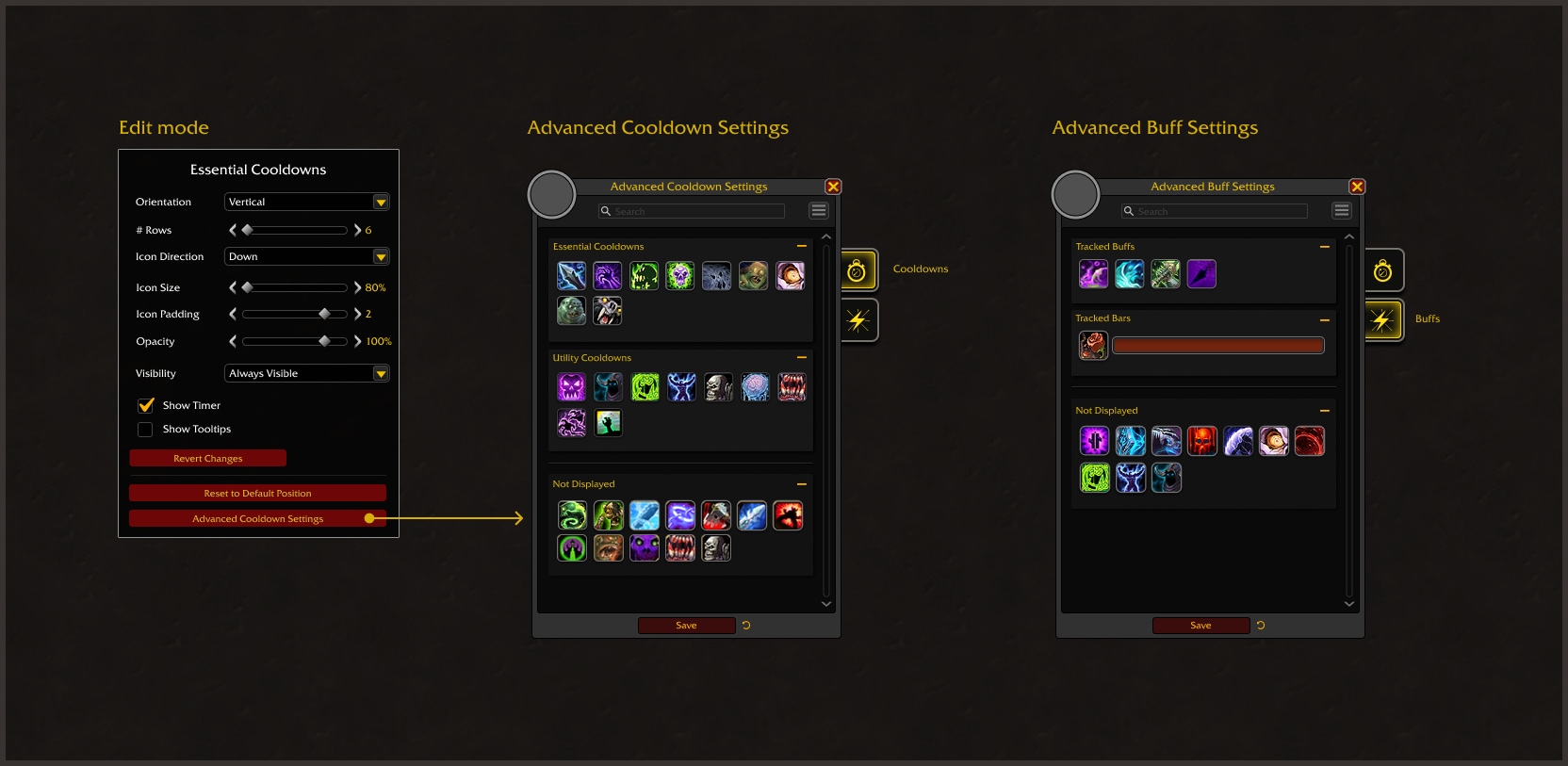
This feature replaces a good portion of what people used heavy addons for in the past, but as of beta is still a work in progress. Not all classes are supported yet. Should function with racial abilities if you want to test it out.
Game Menu > Options > Advanced Options > Enable Cooldown Manager
Configuration Settings
Settings that I recommend. Remember to LOG OUT after making settings changes. If you ALT-F4 or the game crashes, settings changes won't be retained.
Disable Bloom
► Disable Bloom
By default, WoW has a heavy bloom filter applied to it that helps it look better on ****** laptops. For the first time, this has been added to the graphics options so you don't need to use a console command to change it anymore.
Game Menu > Options > Graphics > Advanced > Bloom Intensity
► Damage Meter
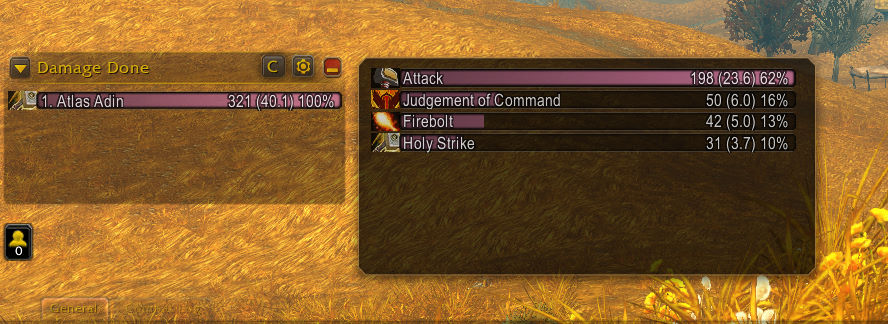
Optional. WoW now has a damage meter built in. It isn't advanced as the Details! addon, but is good enough in a lot of cases.
Game Menu > Options > Advanced Options > Enable Damage Meter
► Auto Loot
The single biggest quality of life increase. This will save you from clicking on each item you find to put it in your bags. By default, when you loot an enemy you will pick everything up. You can hold the auto loot key (usually SHIFT) when looting to loot an individual item.
Also choose a more sensible keybinding for auto run (R, mouse thumb button, etc). You'll be using this a lot.
Game Menu > Options > Controls > Auto Loot
Game Menu > Options > Action Bars > Keybindings > Auto Run
► Action Bars & Keybindings
I like to enable action bars 1-7. Don't forget to assign key bindings to some of your new action bar slots too. For example, SHIFT+1-9 or CTRL+1-9. I have a mouse with 12 thumb buttons on it so I configure that 3x4 grid of buttons to an action bar with a 3x4 layout so I can access them by position instead of memorization.
Game Menu > Options > Action Bars > Action Bar #
Game Menu > Options > Keybindings > Action Bar #
► Pings
Useful for grouping. Can be used to point at locations in the world. Tap to send a ping. Hold down to send a specific ping type.
Game Menu > Options > Ping System > Enable Ping
Game Menu > Options > Keybindings > Ping
Addons
Many things previously done by addons, such as the "sell junk" button, have been added to the default UI. These are the addons I still find useful. Addons can now be disabled or reloaded without logging out.
Game Menu > Addons > Reload UI
Addon Manager
Many people use an addon manager to simplify the installation and updating of addons. Whatever you do, avoid installing the Curseforge aka Overwolf addon manager. It is bloated spyware. My preference is a lightweight addon manager called WowUp. It used to be ad-free, but now to access the Curseforge repository, WowUp is required to run their ads. The ads are annoying but you only need to have WowUp running for a few minutes when you want to install or update addons.
WowUp with CurseForge
 Forever Quest Tint
► Forever Quest Tint
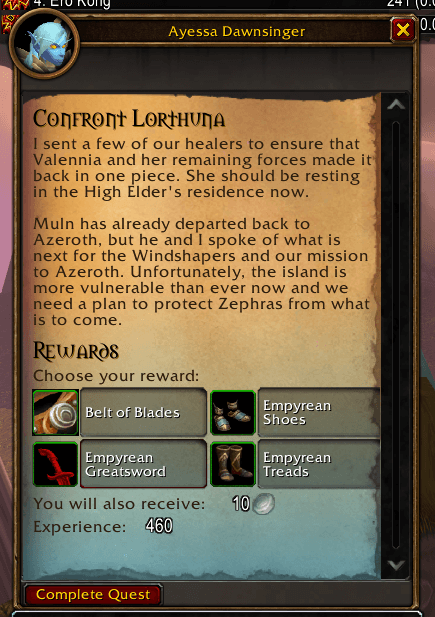
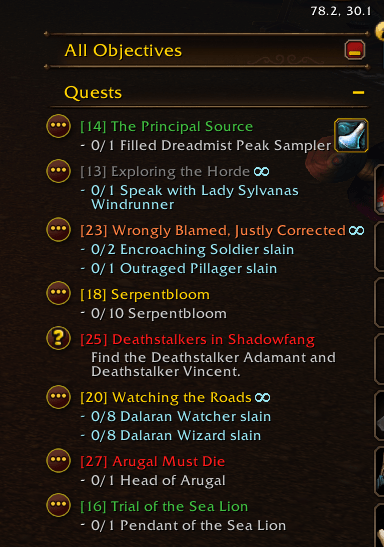
Applies a blue tint to quests that are new to WoW Forever, making it easier to identify which content is new.
Has various settings to adjust how obvious the markings are.
Curseforge link
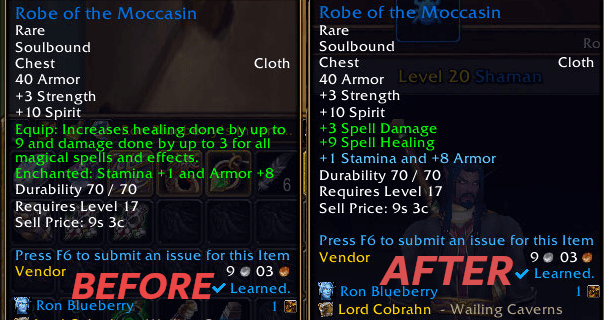
► Easy Green Stats
Reformats green text on items to be easier to read and compare. Blizzard should have done this a long time ago.
Can be controlled per-stat. Latest version also simplifies tooltips for scrolls, food, and other buffs.
Curseforge link
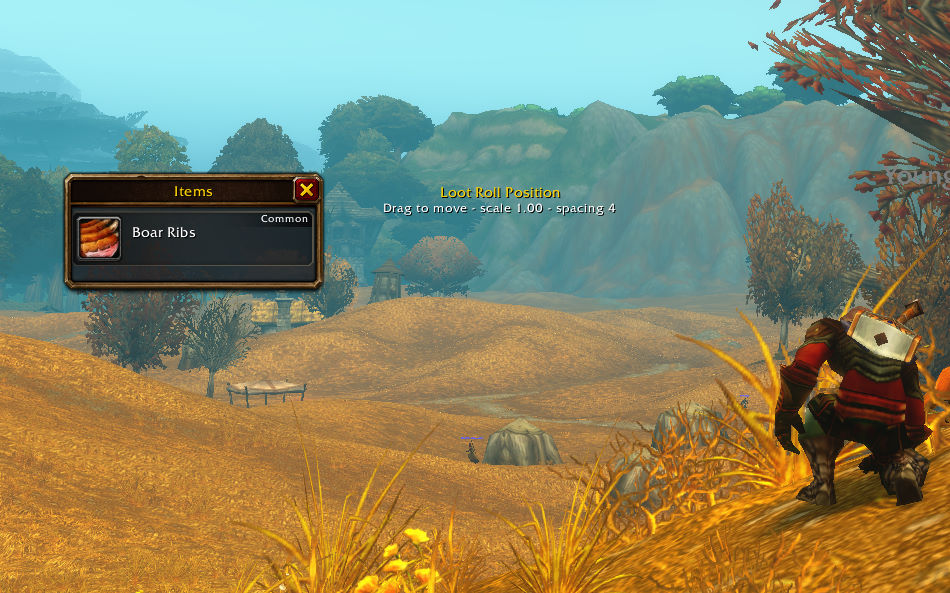
► Forever Loot Roll Mover
Allows the repositioning of where the loot roll window appears. By default it appears on top of where most people put their action bars and rolls can shift position if another roll is initiated.
Code: Select all
Use these console commands and drag the frame to adjust the location.

/flrm show
/flrm hide
/flrm help
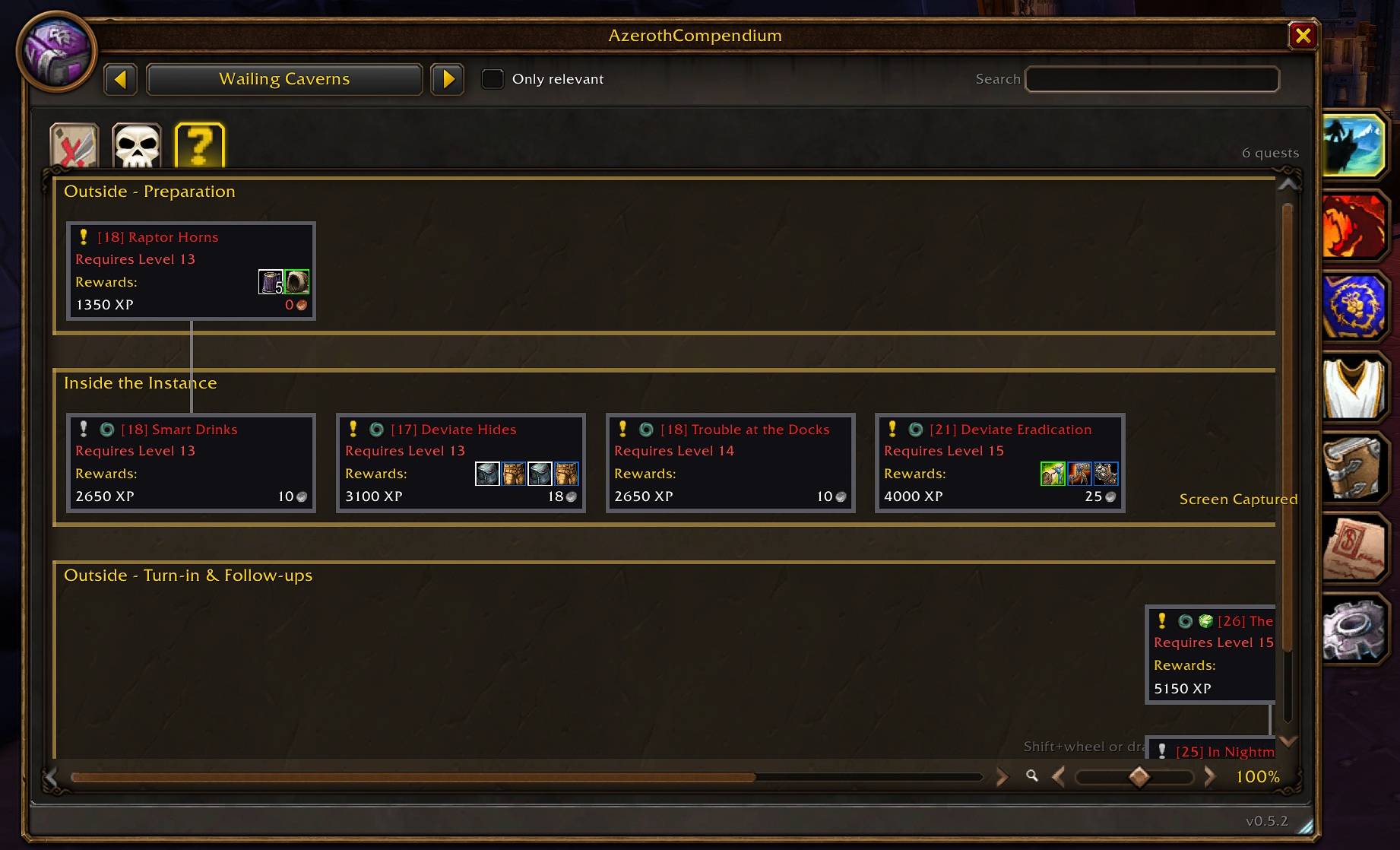
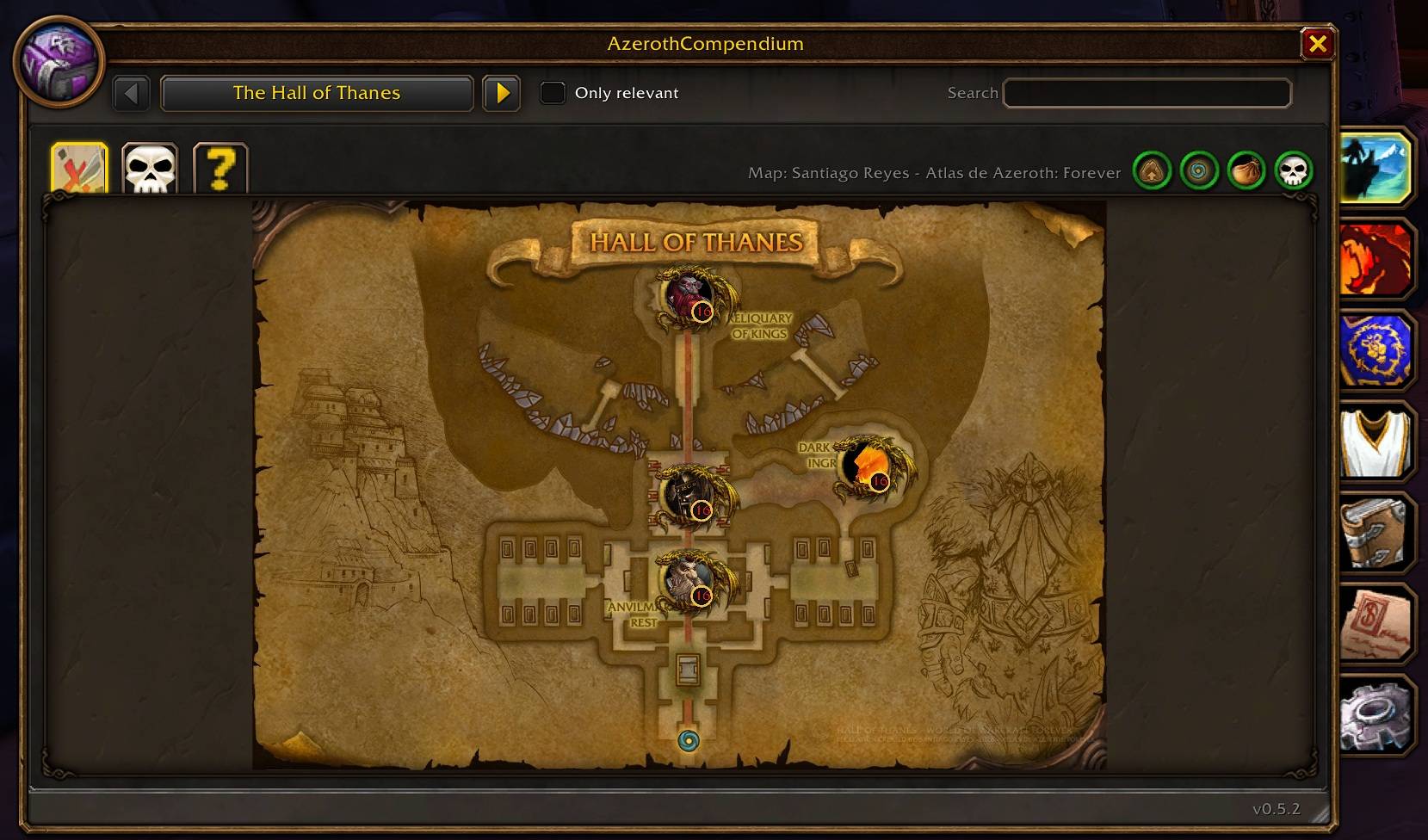
► Azeroth Compendium
This addon makes it easy to understand which quests and quest chains to start before entering a dungeon. It also lists which quests start in a dungeon. (WoW Forever boosted the XP from dungeon quests.) There are many similar addons, but I prefer the UI for this one.
Also includes maps of each dungeon, which are not available in the standard UI.
Curseforge link
► Spoken
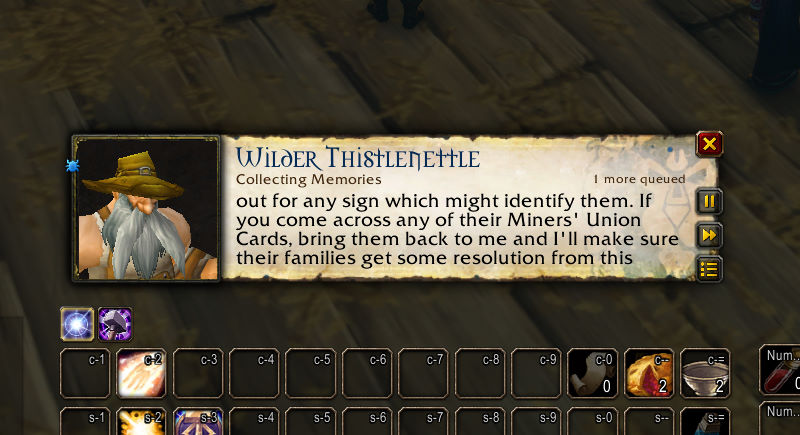
Voice lines for quests and gossip. Uses different voices for different characters. Queues multiple voice lines when accepting multiple quests. Pronounces certain words incorrectly ("Defias", "Lake"), but overall a nice enhancement. Especially if you weren't going to read the quest text anyway. Large download (1.5 GB), but small addon memory footprint. The voiceover window can be moved by dragging it. Other languages available.
Curseforge link: Base addon
Curseforge link: All English voice packs
► Open Map
Freely pan and zoom a unified map. If you continue to zoom in the map will switch from the stylized easy-to-read cartograph to a satellite map of the actual zone with more detail. Tools for adding markers or notes. Impressive performance and responsiveness.
There is an option to add fog of war to areas of the map you haven't visited yet if you don't want it completely revealed initially.
Curseforge link
Openmap Demo
► Baganator
Organize your stuff by category instead of by bag.
Curseforge link

► TrainerSpells by D4KiR
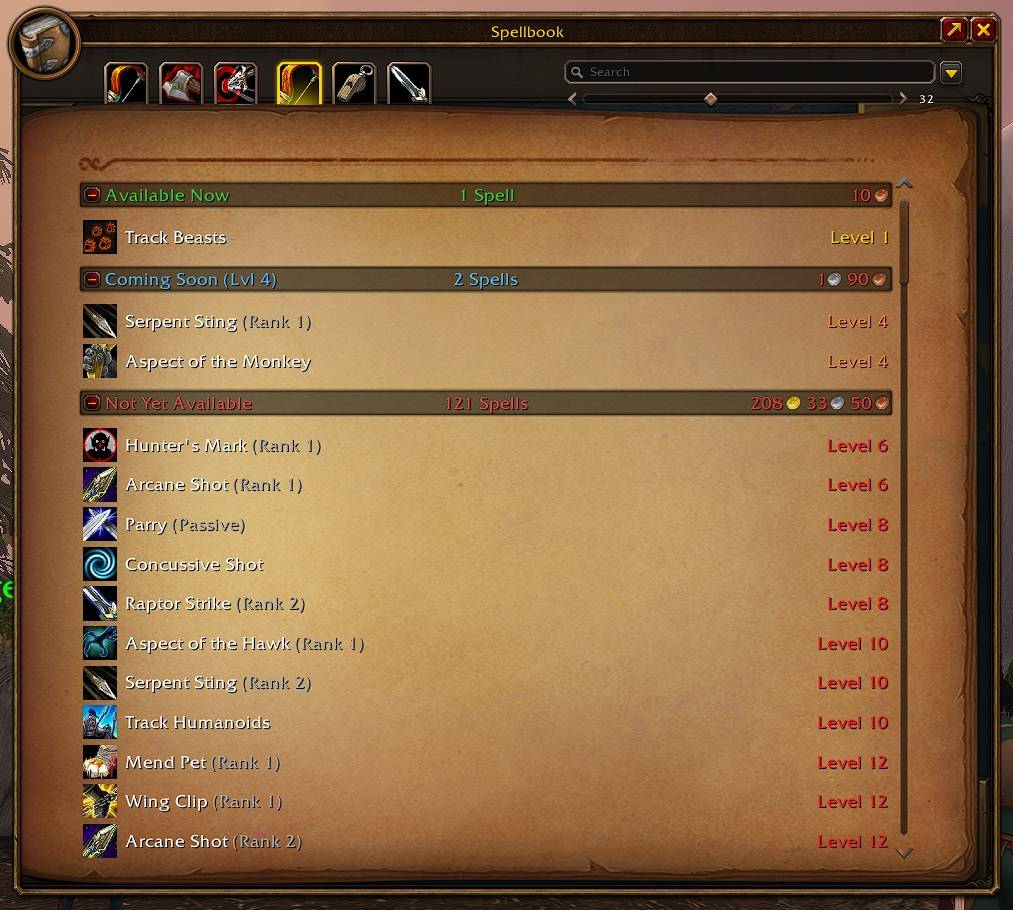
See which trainer upgrades are available/upcoming and how much they cost. Automatically upgrade the action bar when a new spell rank is learned.
Curseforge link
► Dialog Key - Numy Edition
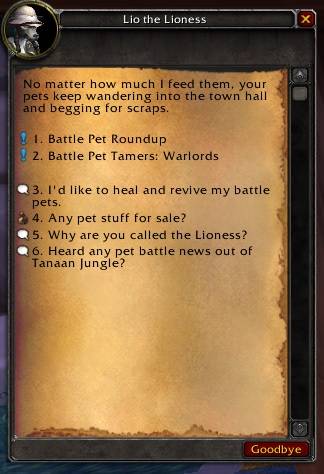
Use number keys or spacebar to interact with NPCs.
Curseforge link
► PP Forever
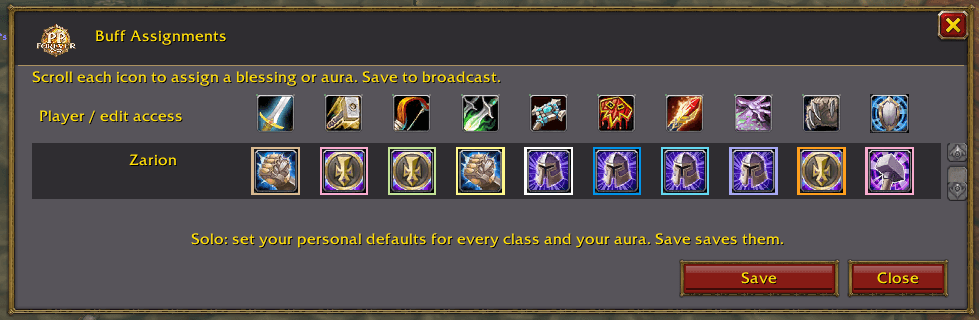
Track when you are missing an important buff. Most useful for Paladins. Has some support for Mages, Druids, and Priests. Spiritual successor of the Paladin Power addon that made it easier for paladins to coordinate which blessing to put on each class.
Several options for visuals/size.
Curseforge link
► Select
Not currently compatible with WoW Forever. Perhaps my favorite addon of all time. Helps organize and simplify action bars by collapsing similar low-frequency buttons into a single button. For example, all mage teleports or warlock pets on a single action bar slot.
Fully customizable via macros.
Curseforge link