We have a Steam curator now. You should be following it. https://store.steampowered.com/curator/44994899-RPGHQ/

Dead Drow in Druid Grove / Speak with the dead visual bug

Moderator: Mod Janitor

Ignore Topic
User avatar
Reichspepe
Posts: 1234
Joined: Sep 2, '23
Location: Prussia

Geolocation

Adventurer's Guild

Dead Drow in Druid Grove / Speak with the dead visual bug

Post by Reichspepe »

Image

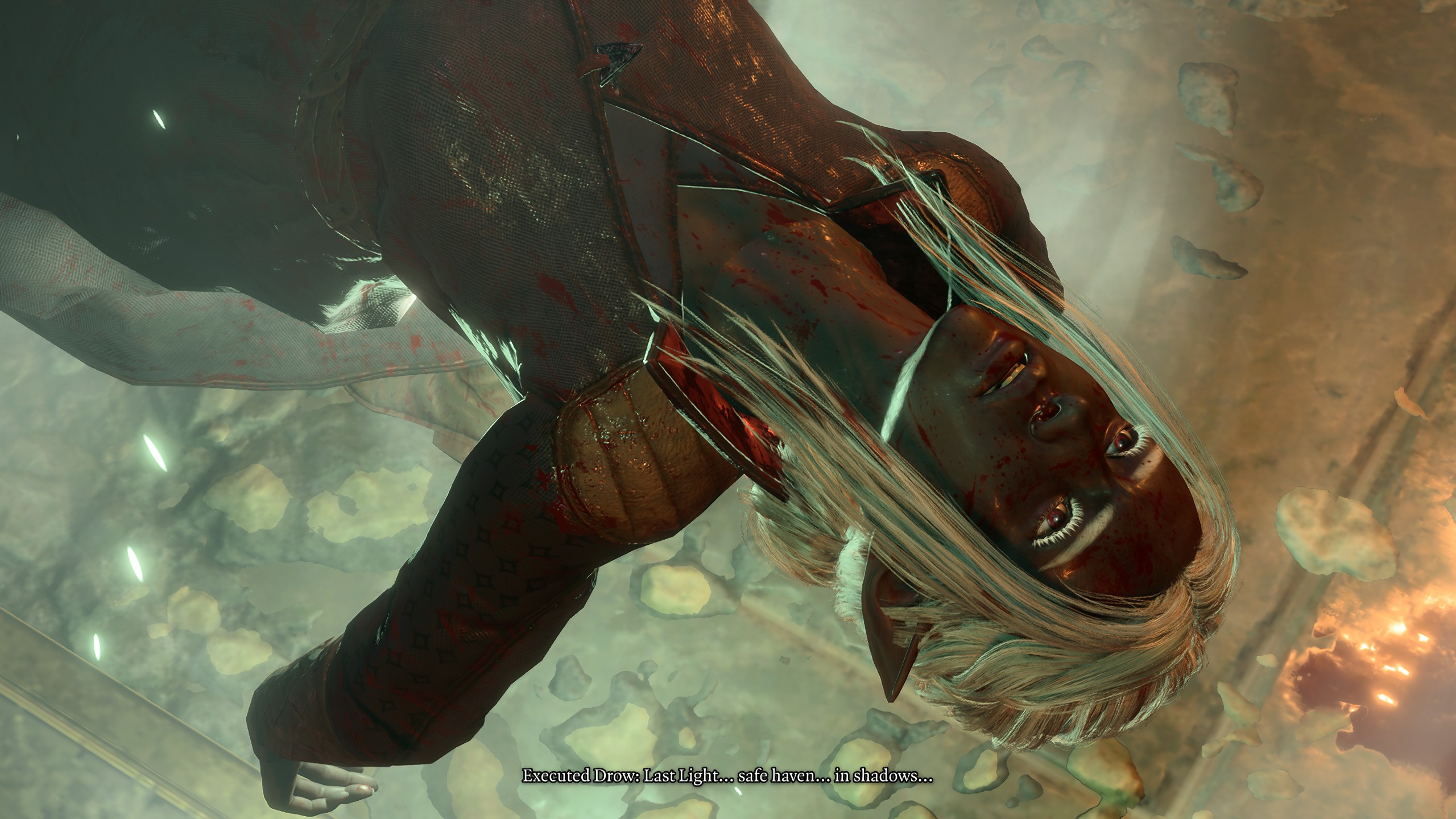
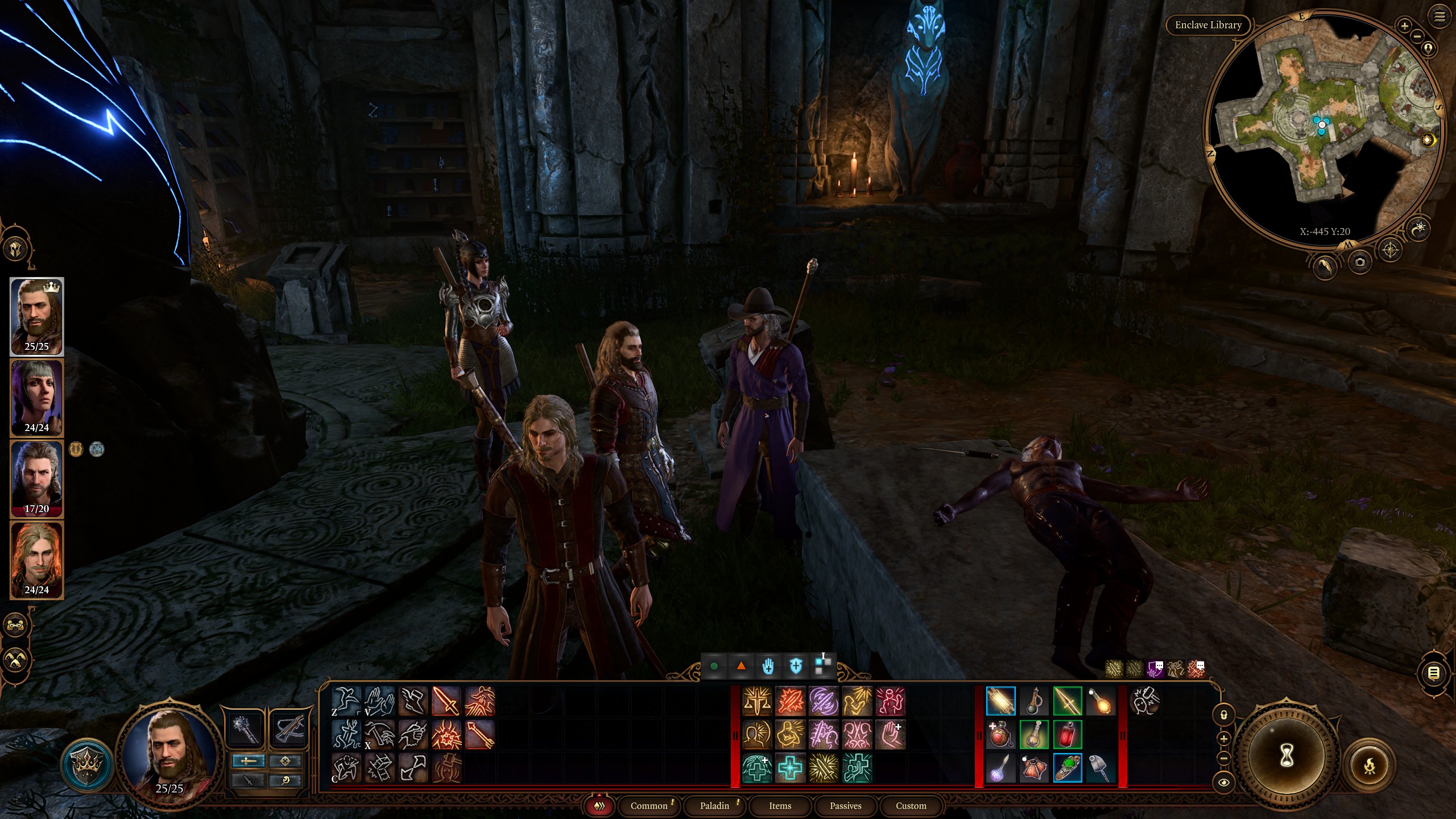
When talking to Nettie, the camera pans over and shows the dead drow, but he still looks like his vanilla version with paler skin and his ridiculous hair, while he normally now looks like above. Not that big of a deal, but it annoys an autist like me :scratch:

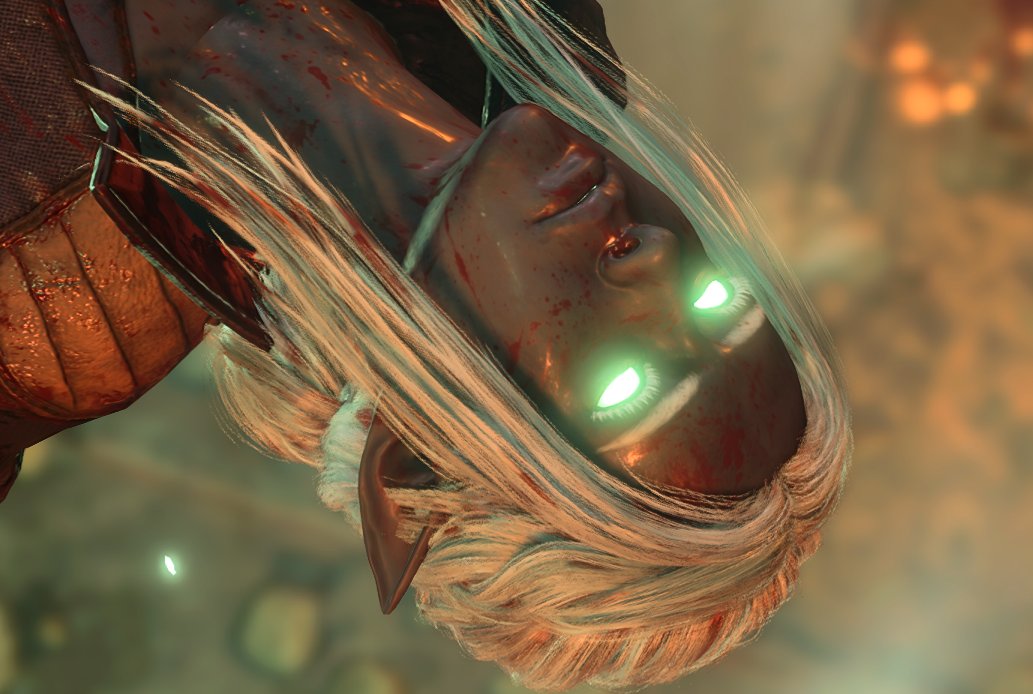
Also, I couldn't find it, but wasn't there talk about the Speak to the Dead not giving npcs glowing eyes while talking to them? I seem to recall that wasn't fixable with the changed npcs, but I wasn't sure, so I thought I'd ask this here.
Last edited by Reichspepe on December 31st, 2025, 20:48, edited 1 time in total.
:knight-cross:
User avatar
loregamer
Site Moderator
Posts: 5760
Joined: Dec 3, '23

Geolocation

Post by loregamer »

Reichspepe wrote: ↑ December 17th, 2025, 10:42
Image

When talking to Nettie, the camera pans over and shows the dead drow, but he still looks like his vanilla version with paler skin and his ridiculous hair, while he normally now looks like above. Not that big of a deal, but it annoys an autist like me :scratch:
Hmm, must be different in the timeline


Reichspepe wrote: ↑ December 17th, 2025, 10:42
Also, I couldn't find it, but wasn't there talk about the Speak to the Dead not giving npcs glowing eyes while talking to them? I seem to recall that wasn't fixable with the changed npcs, but I wasn't sure, so I thought I'd ask this here.
@ModdersHQ
Jingle Jangle Jingle
User avatar
Reichspepe
Posts: 1234
Joined: Sep 2, '23
Location: Prussia

Geolocation

Adventurer's Guild

Post by Reichspepe »

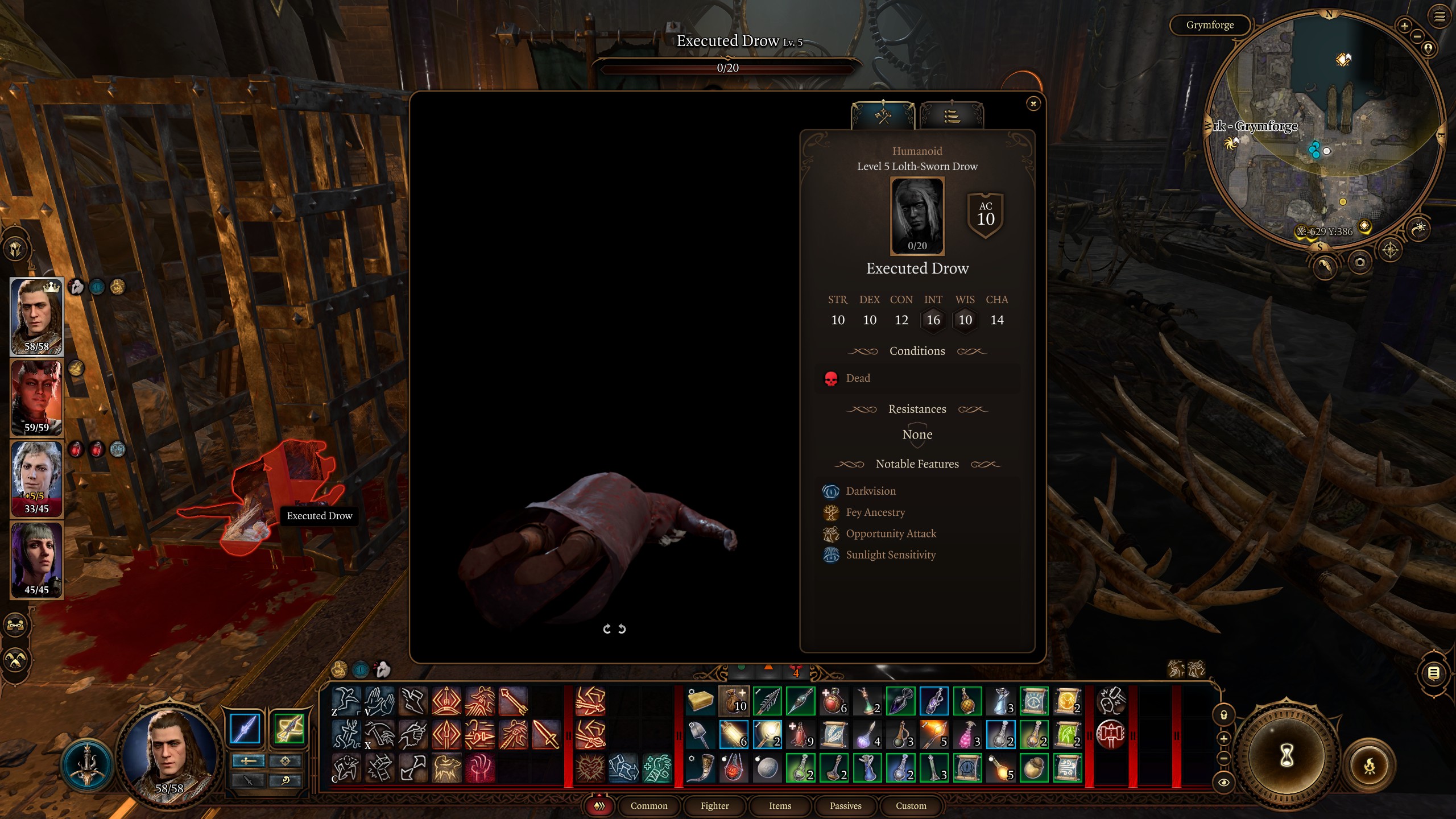
Same speak with the dead bug here in Grymforge

Image

Image
:knight-cross:
User avatar
loregamer
Site Moderator
Posts: 5760
Joined: Dec 3, '23

Geolocation

Post by loregamer »

Reichspepe wrote: ↑ December 31st, 2025, 20:49
Same speak with the dead bug here in Grymforge

Image

Image
Regarding this, ****** have made a fix without requiring timeline edits. It requires an early version of script extender, but I'll include it in RR Heads once SE update is done
Image
Jingle Jangle Jingle
User avatar
loregamer
Site Moderator
Posts: 5760
Joined: Dec 3, '23

Geolocation

Post by loregamer »

VFX Patcher added to RR Heads v3.1 @Reichspepe
ModdersHQ wrote: ↑ May 11th, 2026, 21:36
Image Image Image ► REALMS RESTORED ─ HEADS 3.1 ◄ Image Image Image
A fix for modded heads not getting visual effects during gameplay and cinematics.

► HEADS [v3.1]

─ Universal VFX Patcher

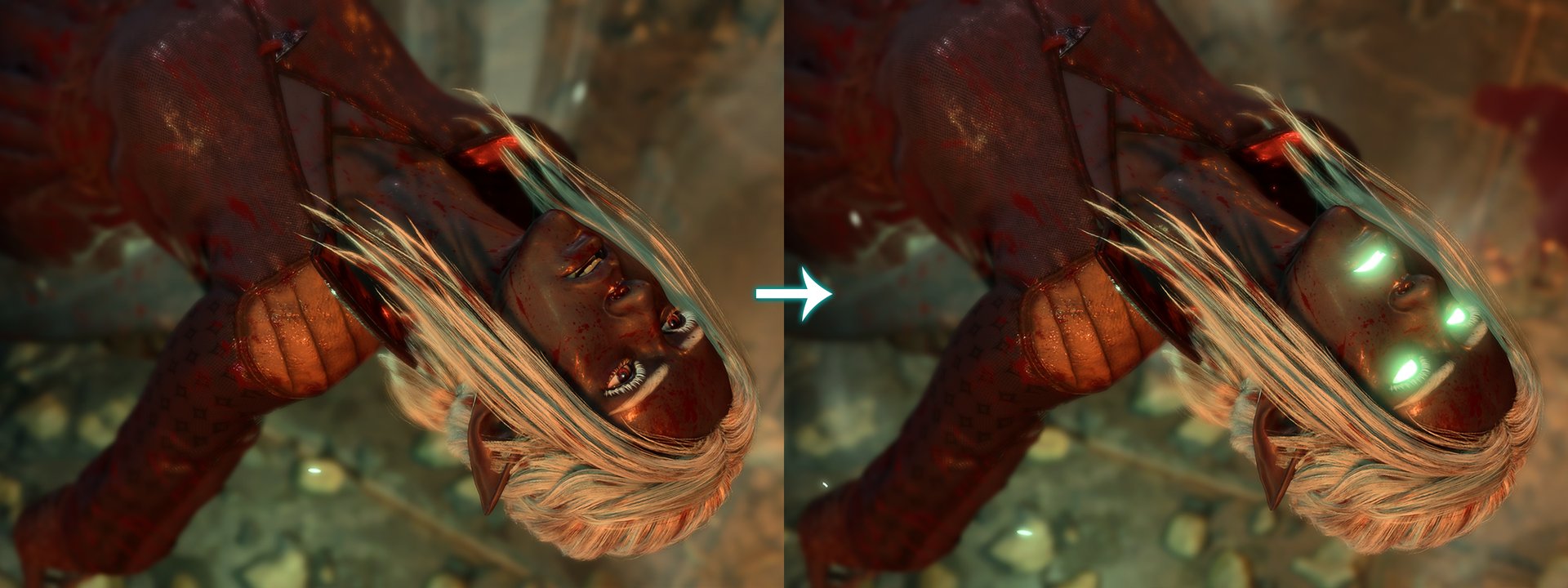
Custom heads have always had a problem ─ the game's VFX only knows about vanilla heads. That means the Speak with Dead eye and mouth glow, Astarion's vampire bite marks, blood on your face during Volo's eye surgery, the half-illithid transformation, Dark Urge eye glow, Oathbreaker corruption, the drunk face at the tiefling party ─ none of it shows up on modded heads. You'd cast Speak with Dead and just stare at a corpse with no glow. Very unimmersive!

This update adds a Script Extender patcher that fixes it. On load, it finds every modded head in your load order and patches them into the game's VFX system so they get the same effects as vanilla heads. No setup, no per-head patches ─ it just works. Also handles Dragonborn-specific effects separately so those don't break.

Works with any head mod, not just RR Heads.

Image


─ Script Extender v32 Required

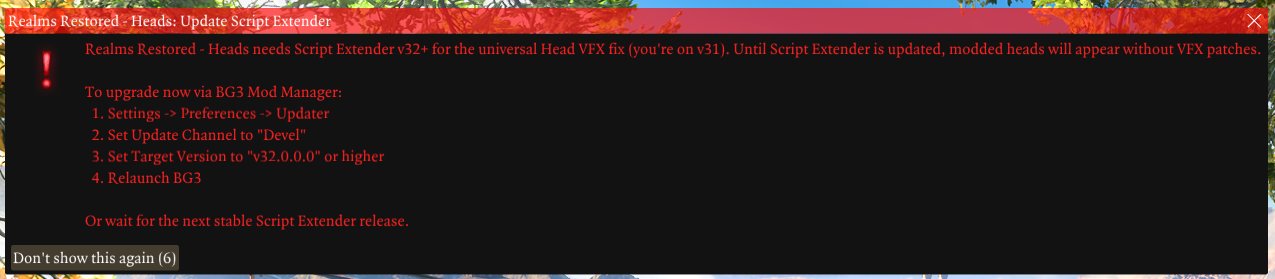
The VFX Patcher needs Script Extender v32 or newer. If you're on an older version, the mod will tell you ─ you'll get a popup at the main menu with instructions if you have Mod Configuration Menu installed.

Image

To upgrade via BG3 Mod Manager :
  1. Go to Settings → Preferences → Updater
  2. Set Update Channel to "Devel"
  3. Set Target Version to v32.0.0.0 or higher
  4. Relaunch BG3
Or just wait for the next stable Script Extender release if you're not in a rush ─ the rest of RR Heads works fine without it, you just won't get the VFX fix.


Jingle Jangle Jingle