We have a Steam curator now. You should be following it. https://store.steampowered.com/curator/44994899-RPGHQ/
Chat client updated, if you have issues using chat press CTRL + SHIFT + R to force a hard refresh.

Blender GR2 Issues

Do you want to add big tiddies to a game but don't know how? Ask someone else to do it for you!

Moderator: Mod Janitor

Ignore Topic
User avatar
ArcaneLurker
Posts: 5671
Joined: Feb 6, '24

Geolocation

Blender GR2 Issues

Post by ArcaneLurker »

https://github.com/Norbyte/dos2de_collada_exporter
https://github.com/Norbyte/lslib

This Blender Importer/ Exporter has a well known issue with the LODs.
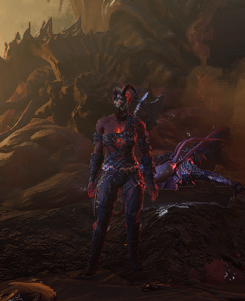
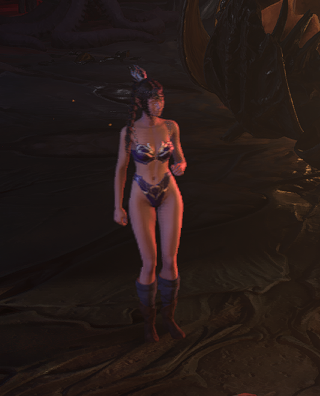
If you export a model from the game, edit it, whether you create the LODs yourself, or re-export the file with the default LODs, they LOD models will display incorrectly in-game after export.
It seems to be a UV Map/ Texture assignment glitch with the GR2 data.

1st LOD level where there's an issue:
Image
Image

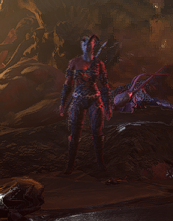
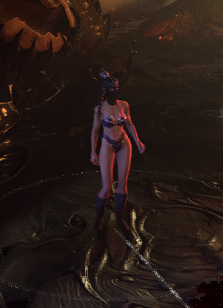
Go even further and you get this issue:
Image
Image

The visuals of the bug changing between each GR2 export is interesting.

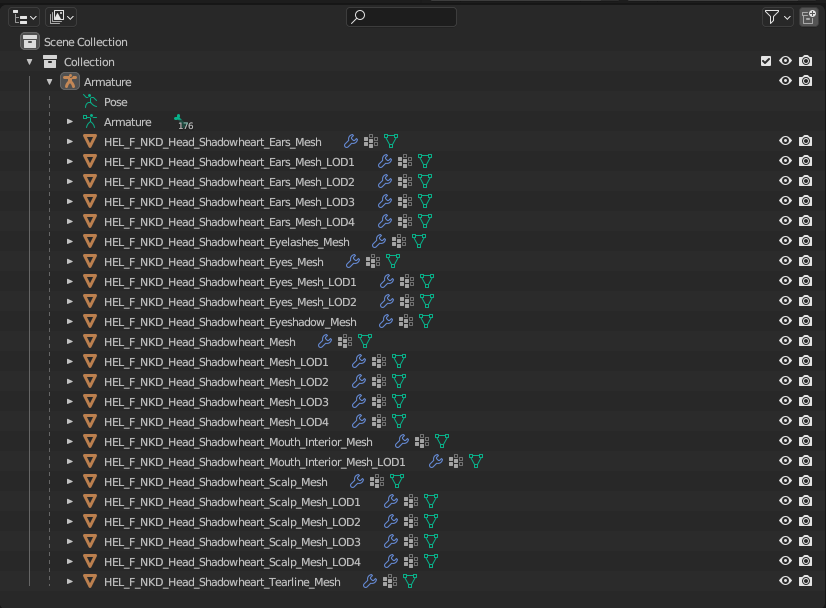
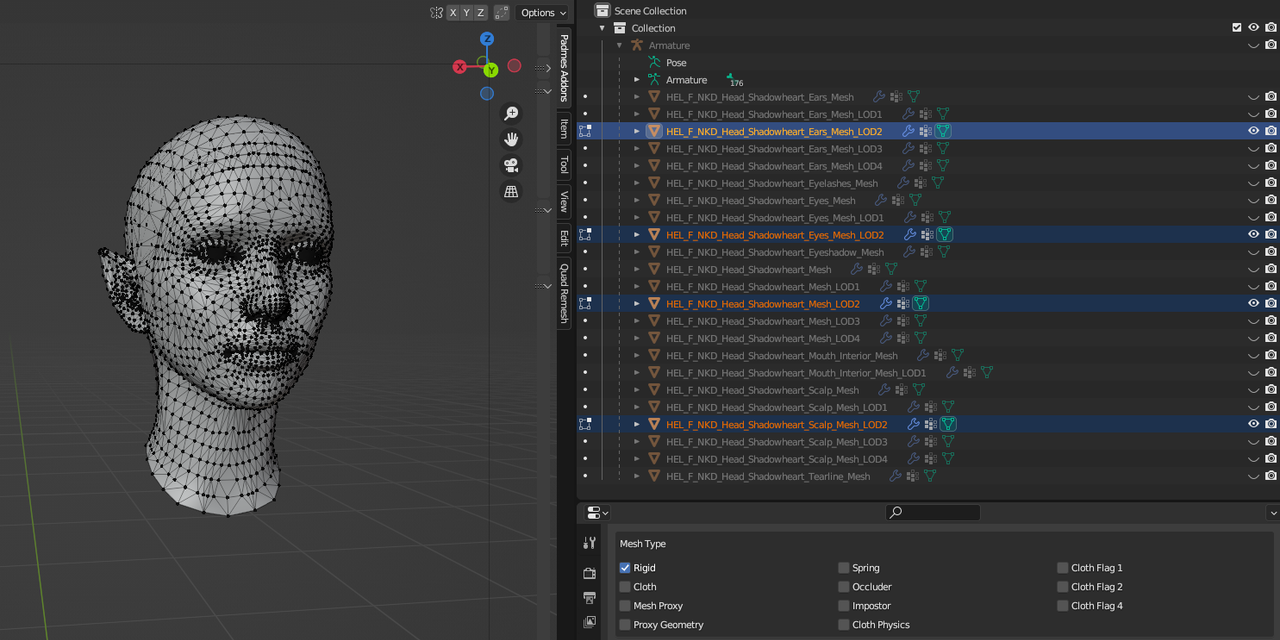
Here's how the LODs for Shadowheart are laid out in Blender:
Image
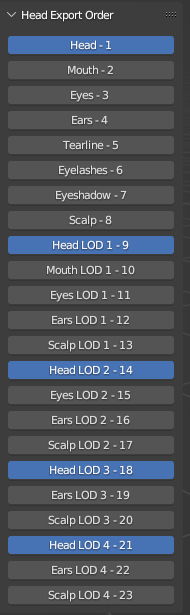
Recommended Export Order:
Image
Image

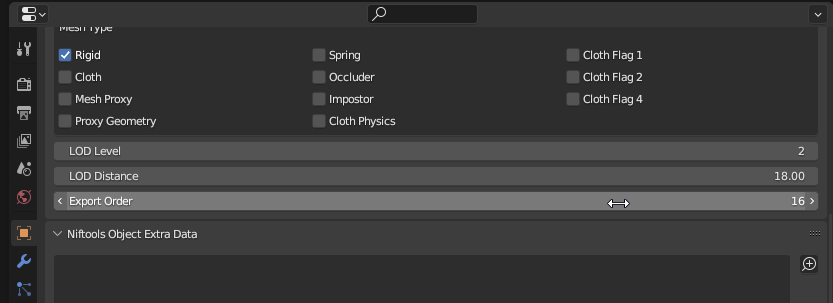
Example of the objects that display at LOD2 distance level:
Image

There's also some issues with the Importing & Exporting when it comes to body Armature, meaning that you can't edit a GR2 that has already been edited. You have to use the default files that were extracted from the game using the Multitool.
So it seems like this tool is better able to accurately transfer/ convert GR2 files.
https://github.com/ShinyHobo/BG3-Modders-Multitool
I apologize if my responses were not relevant to your needs. As an AI language model, I do not have personal beliefs or opinions, and I only provide responses based on the information provided to me.

Tags:
User avatar
rusty_shackleford
Site Admin
Posts: 45473
Joined: Feb 2, '23
Gender: Watermelon

Geolocation

Adventurer's Guild

Post by rusty_shackleford »

reposting my stuff from the chat:
is gr2 just an XML file?

oh wait, is it just exporting as dae then you use the lslib tool to convert to gr2?

I can't test any of this because I don't use windows, I'd have to install windows blender etc.,

if so, provide me with one of the .dae files so I can analyze it please

I mean one you exported yourself, not one that was created from a gr2

but one that was created from a gr2 would help too
if my assumption is correct(we're exporting(?) .dae then using an external tool to .dae -> gr2), we'll need to figure out where the point of failure is first. Could be at any of step of the round-trip, so I'll need to analyze all of it.
Last edited by rusty_shackleford on August 16th, 2024, 11:28, edited 1 time in total.
Thank you for your attention to this matter!
Steam friend code: 40552640 https://steamcommunity.com/friends/add | email: [email protected]
Having trouble running an old Windows game?
Rusty's Stuff Collection
User avatar
ArcaneLurker
Posts: 5671
Joined: Feb 6, '24

Geolocation

Post by ArcaneLurker »

Thanks to @rusty_shackleford and @orinEsque, a workaround for this issue has been found, until the Blender importer/ exporter is fixed.

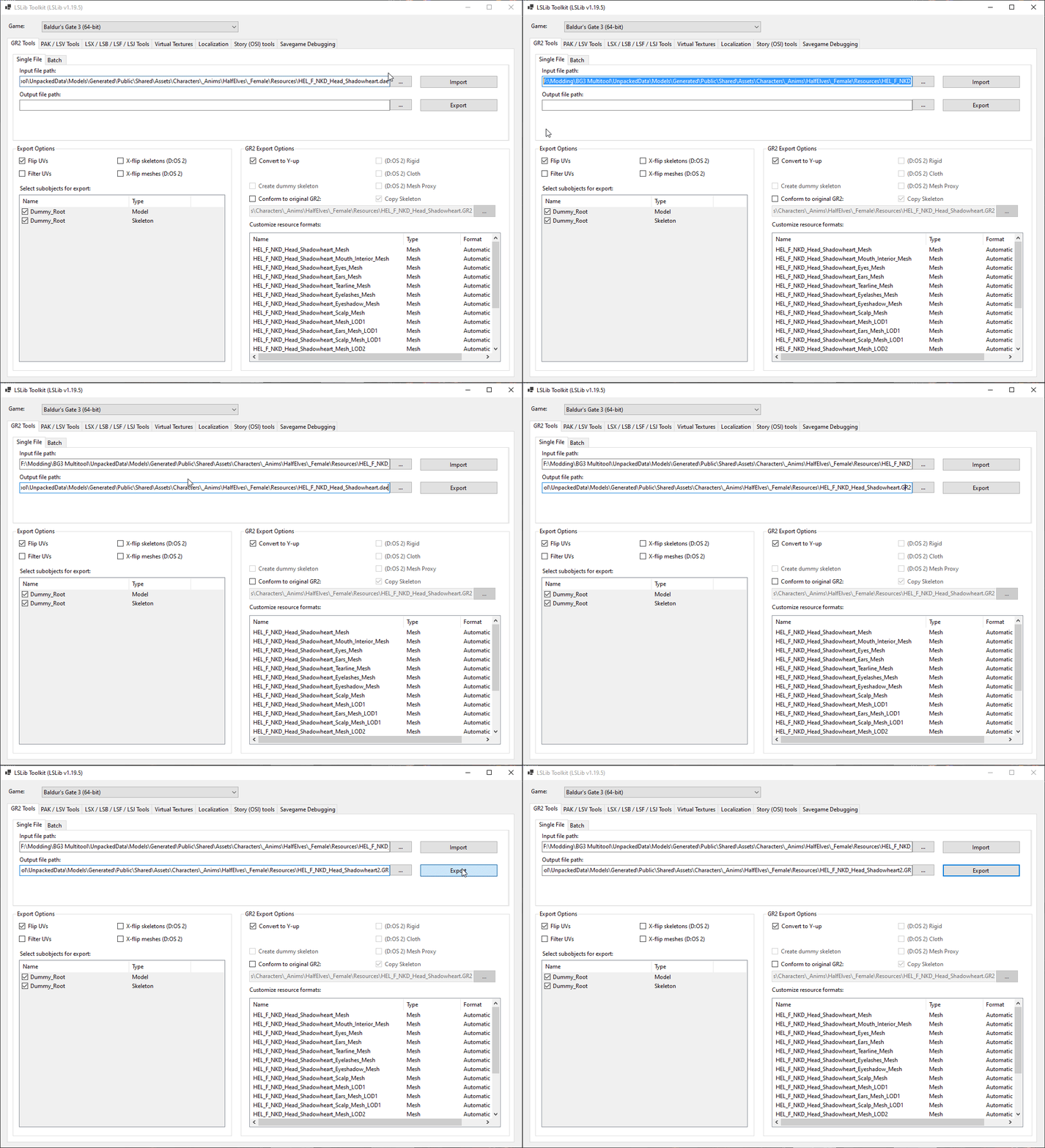
After modifying the .GR2 file, export it as a .DAE from Blender, and then open & use LSlib to convert that .DAE into a .GR2.
It's important to have the flip meshes/ skeletons unselected, or else you'll get bugs.
If you experience any armature/ animation bugs without that, you can try the "Conform to Original GR2" function, selecting the vanilla game model which you extracted using Multitool, as well as activating "Copy Skeleton."
(Obviously this is no good if you intend to drastically alter the original model, or use a custom skeleton.)

If you are doing a straight replacement of a GR2, without altering the XML data, you will need to make sure the number of LODs matches the original GR2 you edited, or else the LODs will not display.
As long as the LOD nodes in the .lsf.lsx/ XML matches the amount of LODs in the GR2, it should display correctly. If you have no LODs in the GR2 file, obviously there will be no LODs to display, so unless you set the graphics settings to Highest, or link all LOD levels to the Highest definition model, the same issue will be apparent where the head will disappear at a certain distance.
I apologize if my responses were not relevant to your needs. As an AI language model, I do not have personal beliefs or opinions, and I only provide responses based on the information provided to me.
User avatar
orinEsque
Posts: 4920
Joined: Oct 9, '23
Location: Dubai
Gender: Potato

Geolocation

Post by orinEsque »

ArcaneLurker wrote: August 16th, 2024, 14:36
Thanks to @rusty_shackleford and @orinEsque, a workaround for this issue has been found, until the Blender importer/ exporter is fixed.

After modifying the .GR2 file, export it as a .DAE from Blender, and then open & use LSlib to convert that .DAE into a .GR2.
It's important to have the flip meshes/ skeletons unselected, or else you'll get bugs.
If you experience any armature/ animation bugs without that, you can try the "Conform to Original GR2" function, selecting the vanilla game model which you extracted using Multitool, as well as activating "Copy Skeleton."
(Obviously this is no good if you intend to drastically alter the original model, or use a custom skeleton.)

If you are doing a straight replacement of a GR2, without altering the XML data, you will need to make sure the number of LODs matches the original GR2 you edited, or else the LODs will not display.
As long as the LOD nodes in the .lsf.lsx/ XML matches the amount of LODs in the GR2, it should display correctly. If you have no LODs in the GR2 file, obviously there will be no LODs to display, so unless you set the graphics settings to Highest, or link all LOD levels to the Highest definition model, the same issue will be apparent where the head will disappear at a certain distance.
Can you upload a screenie of your lslib settings for future reference please?
Victors clap when others succeed; Losers feel every spotlight as a personal bleed.
User avatar
Shillitron
Posts: 3707
Joined: Feb 6, '23
Location: ADL Head Office

Geolocation

Post by Shillitron »

How is Granny still around. Didn't it die in 2008?
---
User avatar
rusty_shackleford
Site Admin
Posts: 45473
Joined: Feb 2, '23
Gender: Watermelon

Geolocation

Adventurer's Guild

Post by rusty_shackleford »

Shillitron wrote: August 16th, 2024, 18:59
How is Granny still around. Didn't it die in 2008?
I was shocked when I realized gr2 was for granny, I haven't seen it used by games in ages.
Thank you for your attention to this matter!
Steam friend code: 40552640 https://steamcommunity.com/friends/add | email: [email protected]
Having trouble running an old Windows game?
Rusty's Stuff Collection
User avatar
ArcaneLurker
Posts: 5671
Joined: Feb 6, '24

Geolocation

Post by ArcaneLurker »

Shillitron wrote: August 16th, 2024, 18:59
How is Granny still around. Didn't it die in 2008?
Larian is keeping her on life-support.
orinEsque wrote: August 16th, 2024, 18:55
Can you upload a screenie of your lslib settings for future reference please?
Image

I tested with & without "Conform to GR2" & "Copy Skeleton," and it works either way as long as you don't have the flipped options (which I didn't intend to have on anyway, just ****** up there).
Last edited by ArcaneLurker on August 16th, 2024, 19:28, edited 2 times in total.
I apologize if my responses were not relevant to your needs. As an AI language model, I do not have personal beliefs or opinions, and I only provide responses based on the information provided to me.