


Hello,
I'm getting the bug where using any mod stops me from clicking on characters. The only way to talk to NPCs is to de-activate all mods in the Mod Manager. Is there some parameter I should set differently? I'm on Windows and my Launcher has DirectX 11 selected.
We have a Steam curator now. You should be following it. https://store.steampowered.com/curator/44994899-RPGHQ/
[Solved] Can't Click on Characters
Moderator: Mod Janitor
-
Polaris23

- Posts: 5
- Joined: Mar 23, '24
-
Geolocation
[Solved] Can't Click on Characters
Last edited by orinEsque on April 16th, 2024, 19:06, edited 1 time in total.
-
orinEsque

- Posts: 4917
- Joined: Oct 9, '23
- Location: Dubai
- Gender: Potato
-
Geolocation

Have you checked this?Polaris23 wrote: ↑ April 13th, 2024, 20:45Hello,
I'm getting the bug where using any mod stops me from clicking on characters. The only way to talk to NPCs is to de-activate all mods in the Mod Manager. Is there some parameter I should set differently? I'm on Windows and my Launcher has DirectX 11 selected.
viewtopic.php?t=1122-no-alphabets-4-4-1 ... leshooting
Last edited by orinEsque on April 13th, 2024, 21:18, edited 1 time in total.
Victors clap when others succeed; Losers feel every spotlight as a personal bleed.
-
Polaris23
- Posts: 5
- Joined: Mar 23, '24
-
Geolocation
Yes, the game is up to date, I'm using Direct X 12 and I installed .net. The mods worked a couple weeks ago, I think they broke when Larian published hotfix 24.orinEsque wrote: ↑ April 13th, 2024, 21:16Have you checked this?Polaris23 wrote: ↑ April 13th, 2024, 20:45Hello,
I'm getting the bug where using any mod stops me from clicking on characters. The only way to talk to NPCs is to de-activate all mods in the Mod Manager. Is there some parameter I should set differently? I'm on Windows and my Launcher has DirectX 11 selected.
viewtopic.php?t=1122-no-alphabets-4-4-1 ... leshooting
-
orinEsque
- Posts: 4917
- Joined: Oct 9, '23
- Location: Dubai
- Gender: Potato
-
Geolocation
Screenshot me your (1) your game version, (2) Your BG3 Mod managerPolaris23 wrote: ↑ April 13th, 2024, 21:51Yes, the game is up to date, I'm using Direct X 12 and I installed .net. The mods worked a couple weeks ago, I think they broke when Larian published hotfix 24.orinEsque wrote: ↑ April 13th, 2024, 21:16Have you checked this?Polaris23 wrote: ↑ April 13th, 2024, 20:45Hello,
I'm getting the bug where using any mod stops me from clicking on characters. The only way to talk to NPCs is to de-activate all mods in the Mod Manager. Is there some parameter I should set differently? I'm on Windows and my Launcher has DirectX 11 selected.
viewtopic.php?t=1122-no-alphabets-4-4-1 ... leshooting
Victors clap when others succeed; Losers feel every spotlight as a personal bleed.
-
Polaris23
- Posts: 5
- Joined: Mar 23, '24
-
Geolocation
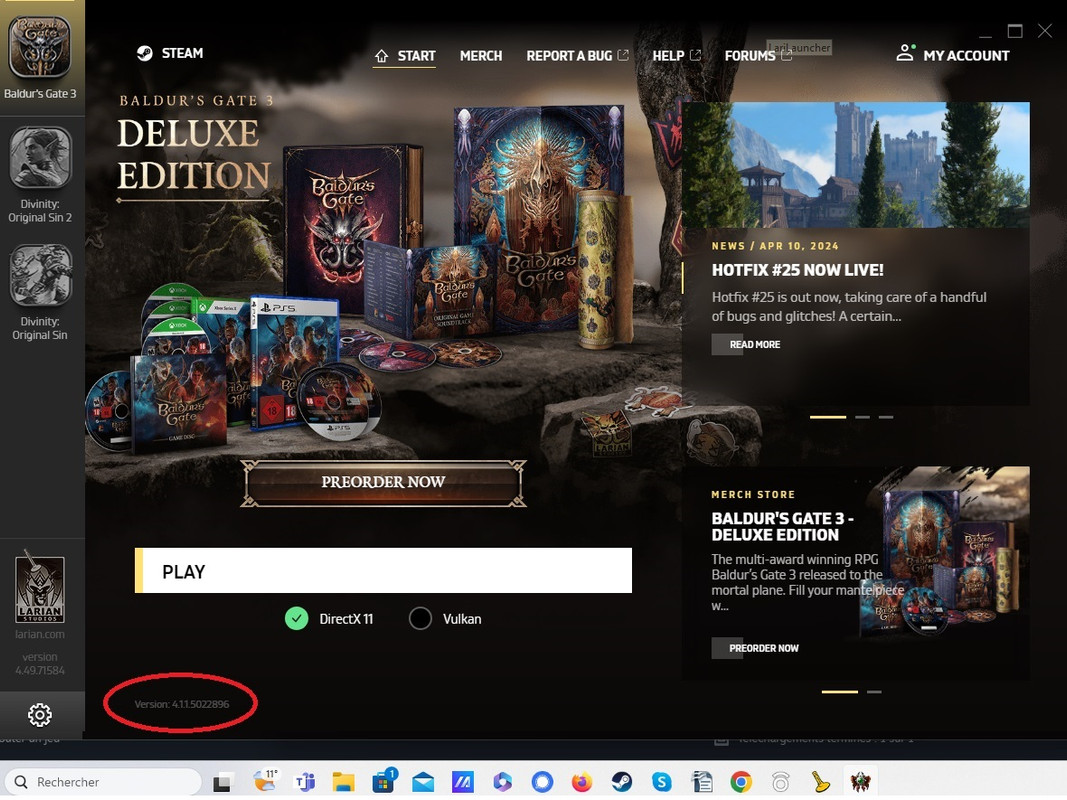
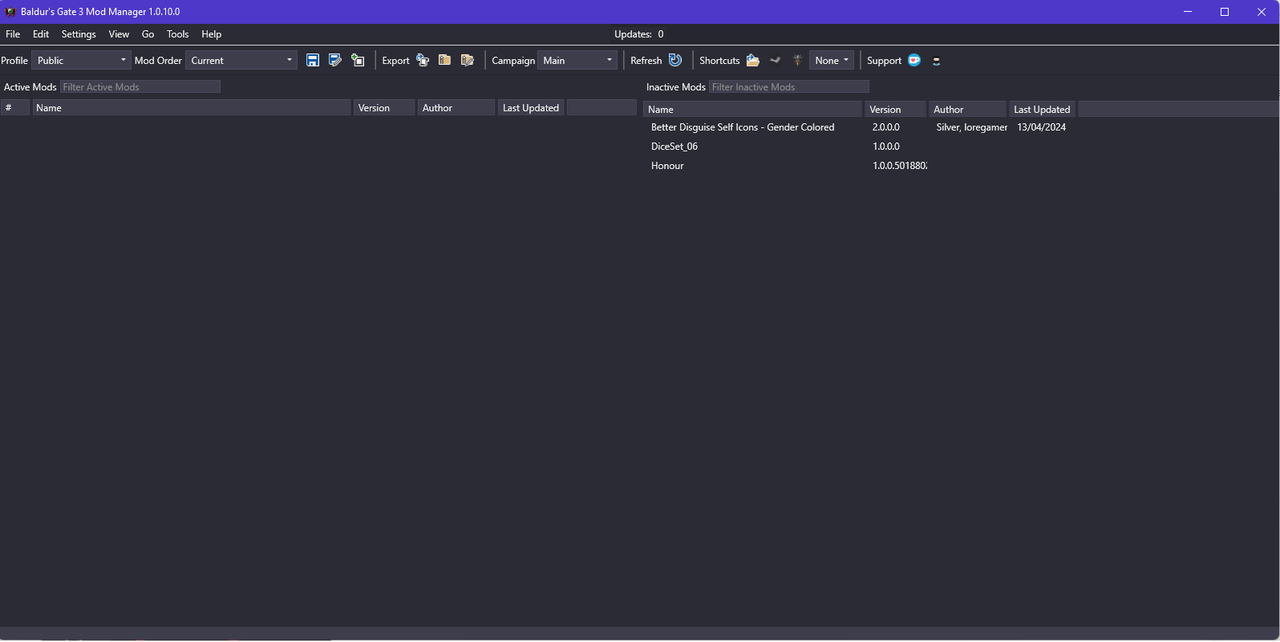
-
orinEsque
- Posts: 4917
- Joined: Oct 9, '23
- Location: Dubai
- Gender: Potato
-
Geolocation
You have no mod installed :S
Make sure you have mod fixer installed when you add a mod.
Make sure you have mod fixer installed when you add a mod.
Last edited by orinEsque on April 14th, 2024, 13:53, edited 1 time in total.
Victors clap when others succeed; Losers feel every spotlight as a personal bleed.
-
Polaris23
- Posts: 5
- Joined: Mar 23, '24
-
Geolocation
You see no mod on that screenshot because I had removed them to keep playing...
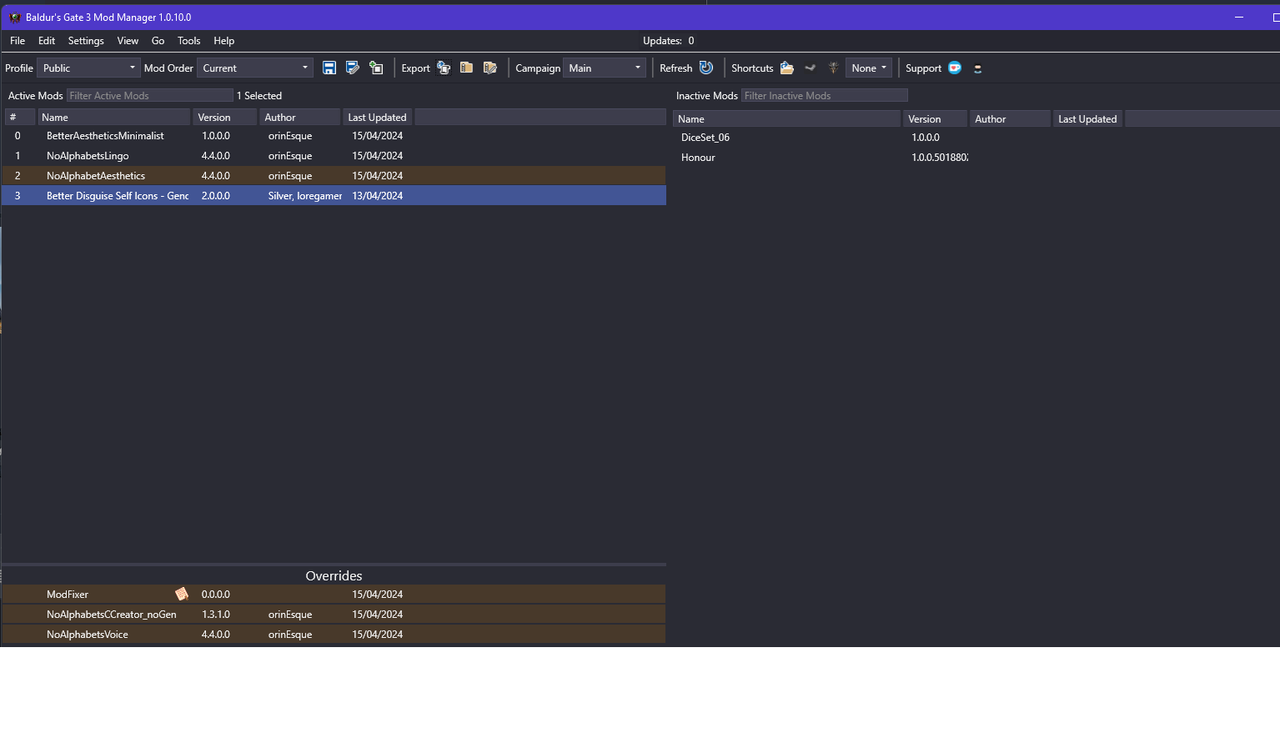
And now I have this error, which is new:
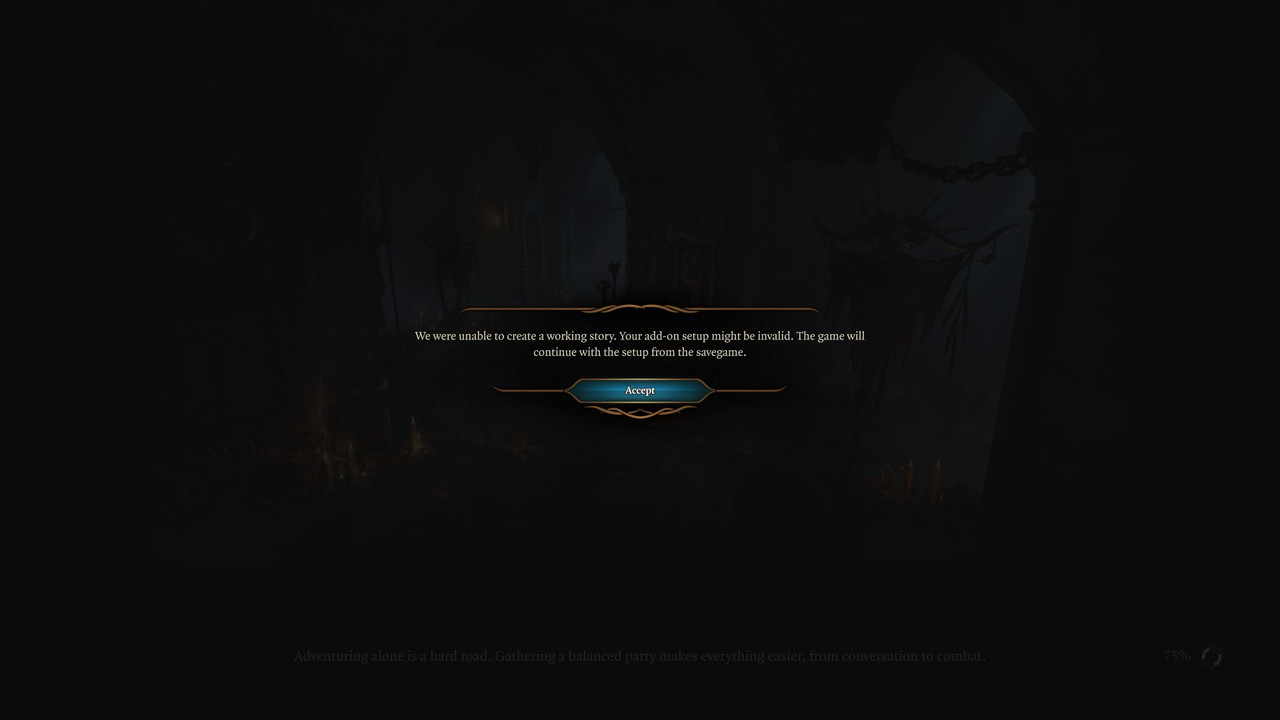
I didn't have ModFixer before, I have added it, resulting in this Mod Manager with everything back in:orinEsque wrote: ↑ April 14th, 2024, 13:25Make sure you have mod fixer installed when you add a mod.
And now I have this error, which is new:
Last edited by Polaris23 on April 15th, 2024, 19:09, edited 2 times in total.
-
orinEsque
- Posts: 4917
- Joined: Oct 9, '23
- Location: Dubai
- Gender: Potato
-
Geolocation
You can safely ignore that. I think your problem is solved now.Polaris23 wrote: ↑ April 15th, 2024, 19:02You see no mod on that screenshot because I had removed them to keep playing...
I didn't have ModFixer before, I have added it, resulting in this Mod Manager with everything back in:orinEsque wrote: ↑ April 14th, 2024, 13:25Make sure you have mod fixer installed when you add a mod.
And now I have this error, which is new:
Last edited by orinEsque on April 15th, 2024, 19:16, edited 1 time in total.
Victors clap when others succeed; Losers feel every spotlight as a personal bleed.