[align=center][img] MOD IMAGE URL HERE [/img][/align]


[hr]


[size=150][b][color=#FE545D] Overview [/color][/b][/size]
MOD DESCRIPTION HERE


[hr]


[size=150][b][color=#FE545D] Downloads [/color][/b][/size]
| Files | Version | Type | Description |
|-------|-----------|-------|---------------|
|[url=URL HERE] 📥 HYPERLINK TEXT HERE [/url] | FILE VERSION HERE | Main/Optional/Add-on | FILE DESCRIPTION HERE |
|[url=URL HERE] 📥 HYPERLINK TEXT HERE [/url] | FILE VERSION HERE | Main/Optional/Add-on | FILE DESCRIPTION HERE |
|[url=URL HERE] 📥 HYPERLINK TEXT HERE [/url] | FILE VERSION HERE | Main/Optional/Add-on | FILE DESCRIPTION HERE |
|[url=URL HERE] 📥 HYPERLINK TEXT HERE [/url] | FILE VERSION HERE | Main/Optional/Add-on | FILE DESCRIPTION HERE |


[hr]


[size=150][b][color=#FE545D] Installation Instructions [/color][/b][/size]
[list=1]
[*] Instruction Number 1
[*] Instruction Number 2
[*] Instruction Number 3
[/list]


[hr]


[size=150][b][color=#FE545D] Changelog [/color][/b][/size]
[spoiler]
[b]VERSION NUMBER HERE[/b]
[list]
[*] CHANGE HERE
[*] CHANGE HERE
[*] CHANGE HERE
[/list]

[b]VERSION NUMBER HERE[/b]
[list]
[*] CHANGE HERE
[*] CHANGE HERE
[*] CHANGE HERE
[/list]
[/spoiler]


[hr]


[size=150][b][color=#FE545D] To Do [/color][/b][/size]
[list]
[*] TO DO
[*] TO DO
[*] TO DO
[/list]


[hr]

[size=150][b][color=#FE545D] Reporting Bugs [/color][/b][/size]
To report any bugs, create a bug report in the Issues tab of this page.
[img]https://f.rpghq.org/rA5oDZbtz3TG.png?n=pasted-file.png[/img]


[hr]


[size=150][b][color=#FE545D]Credits[/color][/b][/size]
[list]
[*] CREDIT
[*] CREDIT
[*] CREDIT
[/list]


[hr]


[size=150][b][color=#FE545D] My Other Mods [/color][/b][/size]
[list]
[*] [url=MOD URL] MOD NAME [/url]
[*] [url=MOD URL] MOD NAME [/url]
[*] [url=MOD URL] MOD NAME [/url]
[*] [url=MOD URL] MOD NAME [/url]
[*] [url=MOD URL] MOD NAME [/url]
[/list]


[hr]
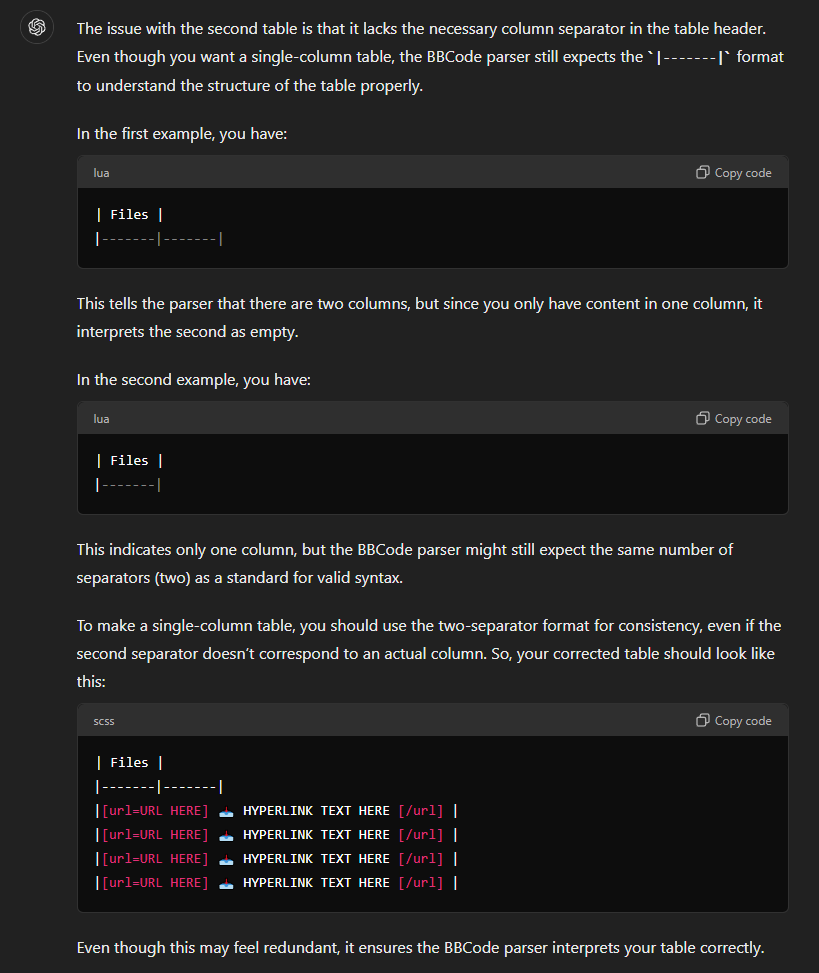
| Files |
|-------|-------|
|[url=URL HERE] 📥 HYPERLINK TEXT HERE [/url] |
|[url=URL HERE] 📥 HYPERLINK TEXT HERE [/url] |
|[url=URL HERE] 📥 HYPERLINK TEXT HERE [/url] |
|[url=URL HERE] 📥 HYPERLINK TEXT HERE [/url] |
| Files |
|-------|-------|
|[url=URL HERE] 📥 HYPERLINK TEXT HERE [/url] |
|[url=URL HERE] 📥 HYPERLINK TEXT HERE [/url] |
|[url=URL HERE] 📥 HYPERLINK TEXT HERE [/url] |
|[url=URL HERE] 📥 HYPERLINK TEXT HERE [/url] |
| Files |
|-------|-------|
|[url=URL HERE] 📥 HYPERLINK TEXT HERE [/url] |
|[url=URL HERE] 📥 HYPERLINK TEXT HERE [/url] |
|[url=URL HERE] 📥 HYPERLINK TEXT HERE [/url] |
|[url=URL HERE] 📥 HYPERLINK TEXT HERE [/url] |
[table]
[tr][th]Files[/th][/tr]
[tr][td][url=URL HERE] 📥 HYPERLINK TEXT HERE [/url][/td][/tr]
[tr][td][url=URL HERE] 📥 HYPERLINK TEXT HERE [/url][/td][/tr]
[tr][td][url=URL HERE] 📥 HYPERLINK TEXT HERE [/url][/td][/tr]
[tr][td][url=URL HERE] 📥 HYPERLINK TEXT HERE [/url][/td][/tr]
[/table]
Last edited by loregamer on August 11th, 2024, 19:53, edited 1 time in total.
Thank you for posting this. It's been very useful.
I'm working on a mod that is actually 20 mods, as in, there is no main mod per se, just 20 little mods as individual file downloads. However, I ran into an issue with the download link - I don't want to use it, I just want to use a file list. I saw that No Alphabets has this, I think, but I don't know how they did it. How should I format the mod so that I don't need to put a single mod link url for vault in the mod's description?
Thank you for posting this. It's been very useful.
I'm working on a mod that is actually 20 mods, as in, there is no main mod per se, just 20 little mods as individual file downloads. However, I ran into an issue with the download link - I don't want to use it, I just want to use a file list. I saw that No Alphabets has this, I think, but I don't know how they did it. How should I format the mod so that I don't need to put a single mod link url for vault in the mod's description?
is what's set as the download link for Realms Restored. I wrote a script for Rusty that hides the download box if "viewtopic" is in the mod download url
Last edited by loregamer on November 23rd, 2025, 01:31, edited 1 time in total.
Not required, but here's a mod submission template incase you guys wanna use it for your mod descriptions @Mystear @ImpCityAngel @Hank Hill @WrongThinker
Welcome, here's an optional bbcode template for you @N7Kopper
I'm mostly just copying the authors descriptions from the source I'm getting the mods from. I want essential mods for GW2 to be preserved and not locked behind some discord server. I'm also uploading from ModHQ so I didn't know there even was a forum for a bit lol.
Last edited by Tku on March 11th, 2026, 05:05, edited 1 time in total.
I'm mostly just copying the authors descriptions from the source I'm getting the mods from. I want essential mods for GW2 to be preserved and not locked behind some discord server. I'm also uploading from ModHQ so I didn't know there even was a forum for a bit lol.
You don't have to use the template if you don't want to.
I'm just stating the facts.
Question is are you going to gargle the truth or swallow?
Totally optional but here's a mod description format @enisey
For future description updates, you'll have to do it from the forum currently instead of on mods.rpghq.org: posting.php?mode=edit&p=360599
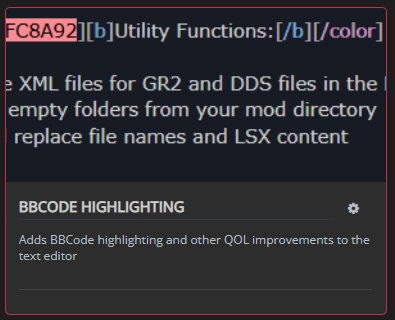
And here's a link to my userscript manager so you can install BBCode Highlighting: Forum Userscripts
I was going to use the template, but I didn't have the download links or anything prior to the submission so it seemed like a chicken and egg problem. Was going to edit afterwards, will do that later. Thank you!





 HYPERLINK TEXT HERE