We have a Steam curator now. You should be following it. https://store.steampowered.com/curator/44994899-RPGHQ/
Chat client updated, if you have issues using chat press CTRL + SHIFT + R to force a hard refresh.

HQBox — Portable Old Windows Emulator

No RPG elements? It probably goes here!
Ignore Topic
User avatar
rusty_shackleford
Site Admin
Posts: 45473
Joined: Feb 2, '23
Gender: Watermelon

Geolocation

Adventurer's Guild

HQBox — Portable Old Windows Emulator

Post by rusty_shackleford »

There's a class of games released after the DOS era that are either impossible or very difficult to get running on a modern system. Wine can alleviate this somewhat, but you will still often encounter some issues.

Enter, the HQBox!

Version 1.0.1 download: https://f.rpghq.org/nGqFNzNI0E3B.zip?n=HQBox_101.zip
► Old Versions

How to use it:

Windows: Extract, double click the 86Box.exe executable in the directory.
Linux: navigate to the directory on the command line, run 86Box. For Arch Linux, it's in the AUR.
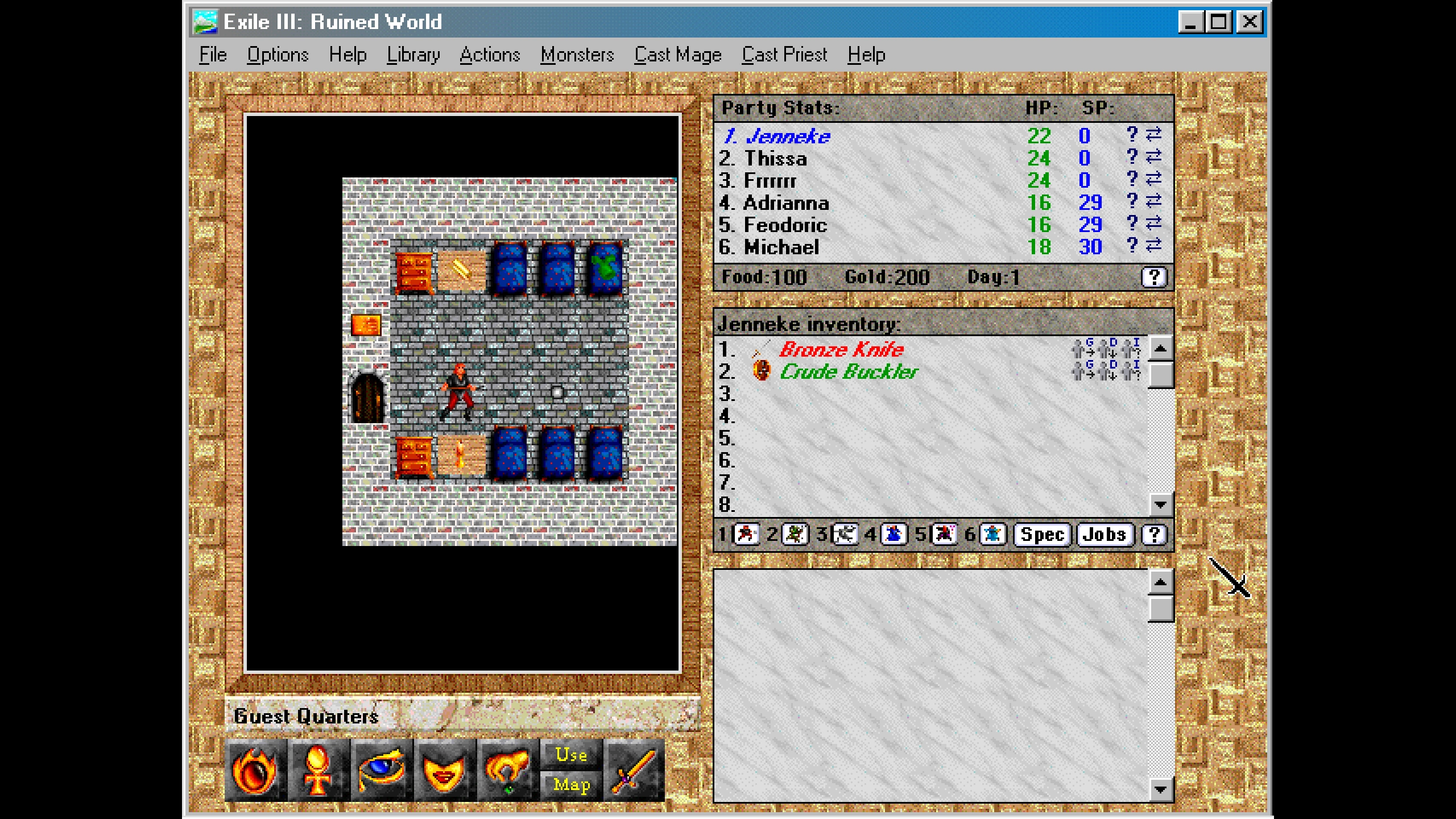

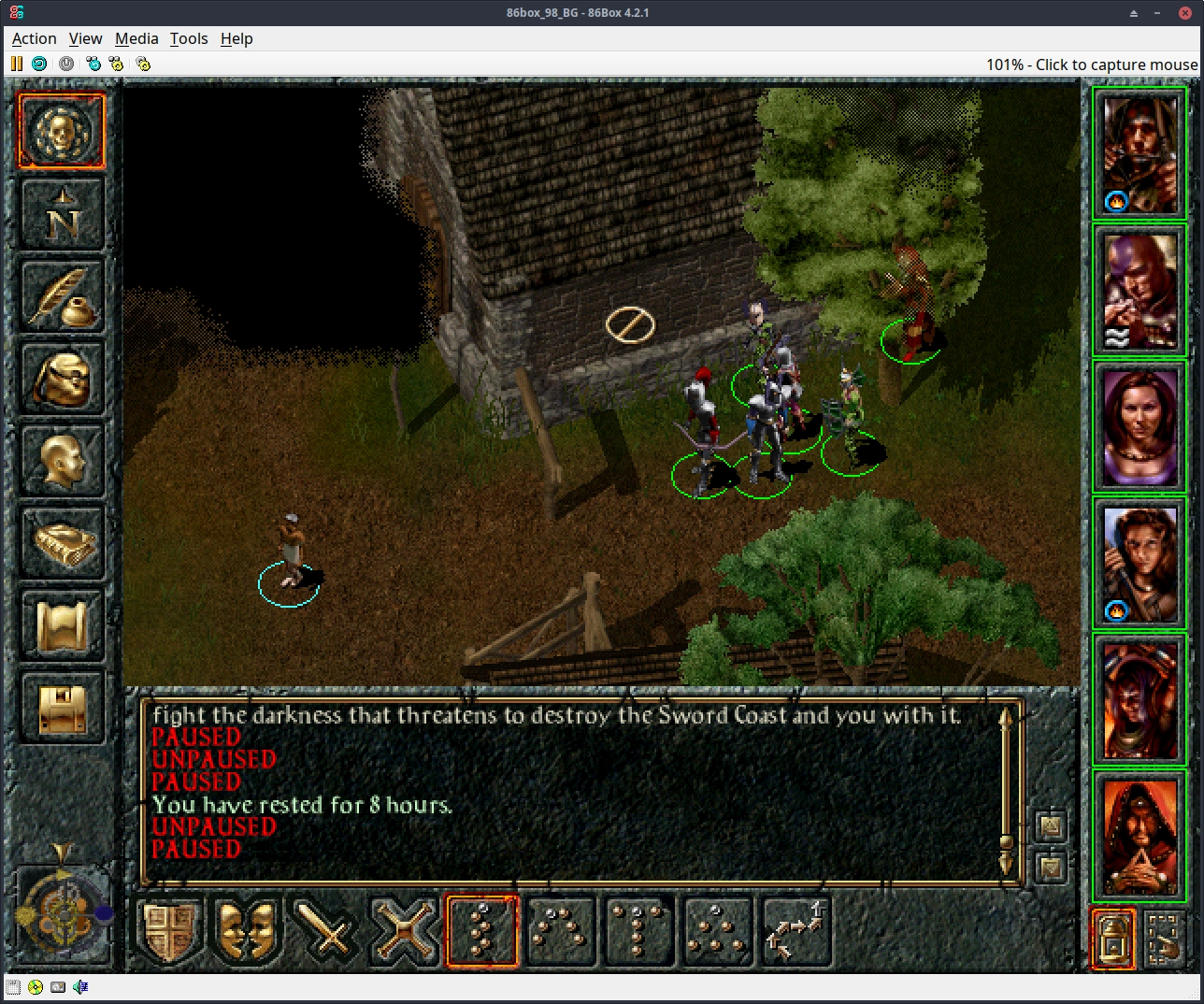
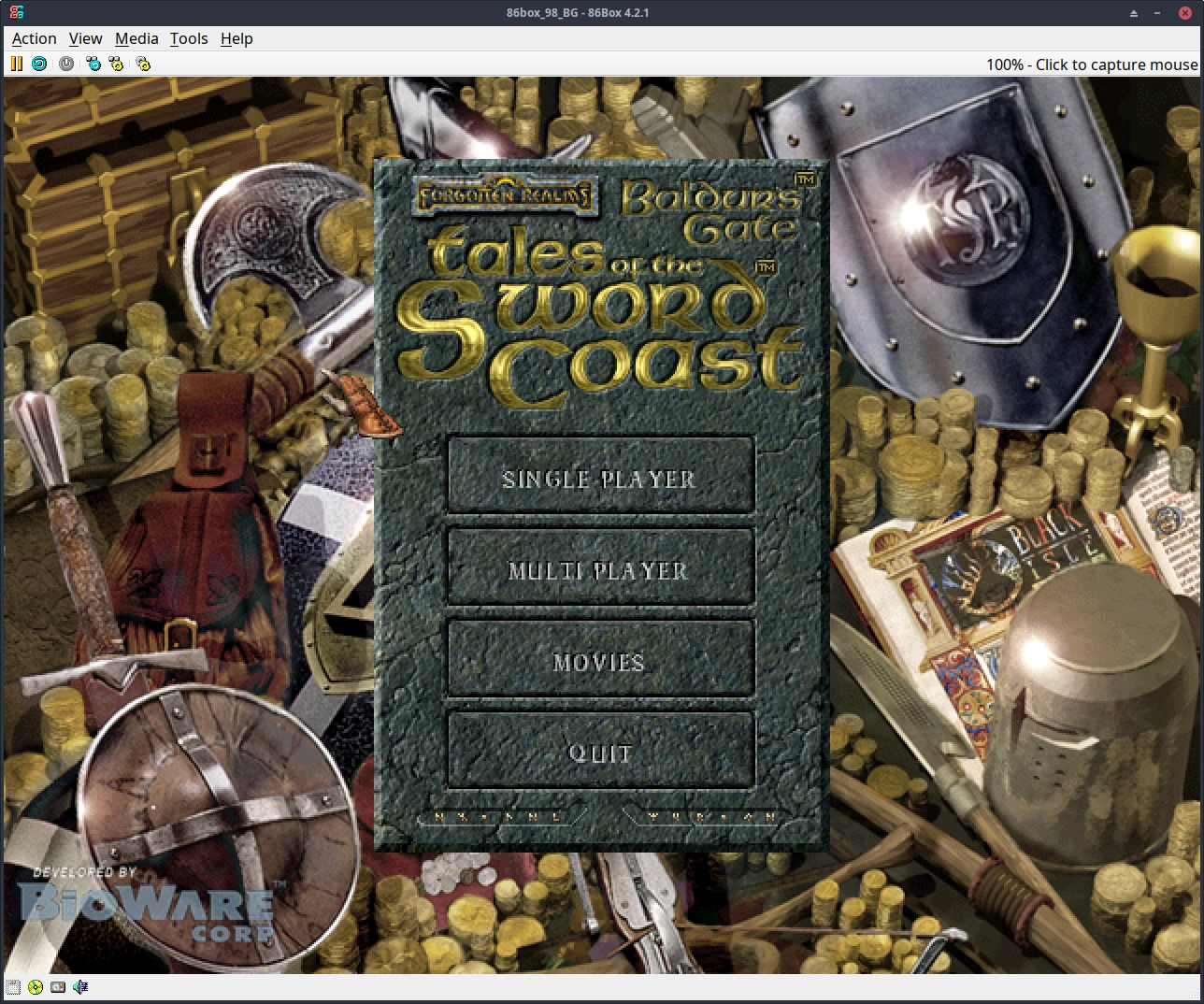
Image Image Image

What is it?

HQBox is a portable Windows 98 emulator based on 86Box. 86Box differs from DOSBox in that it emulates the underlying hardware instead of performing high level emulation, leading to a much more accurate(but slower) result. Another downside is that it is much more difficult to setup, which I've taken care of for you by providing the HQBox!

Windows 98 was chosen as it was still based upon DOS, and many late era DOS games can also be run, along with Windows 3.1 games, 9x games, etc., It supports both 16bit and 32bit executables, unlike modern Windows OSes.

The PC itself uses a Pentium II at 166hz. I'll need to do some more experimenting/reading to see if there's a more performant machine/CPU combination.
It has all drivers installed, SoundBlaster AWE32, it uses an emulated MT32 for midi instead of Windows (awful) default midi output.

FAQ:
What is the shared folder for?
You can mount directories from the host as a shared 'CD', these are READ ONLY. You can use it to transfer files from the host to the VM. If the shared directory isn't updating, it means you need to eject it and remount it from the Media toolbar dropdown.
My cursor gets stuck when I return to the emulator!
Try pressing ctrl or alt a few times, sometimes they're stuck. Just move your cursor to the left until it's unstuck.
How do I move files from the emulator to my PC?
TODO. A later version of the HQBox will support this, I'm currently investigating setting up a shared networked folder.
For now, with the emulator FULLY SHUTDOWN, you should be able to open the disk image using 7zip's GUI. That is, the Win98.vhd file in the directory of the emulator. The emulator >>MUST<< be shutdown.
How do I fullscreen?
Ctrl+Alt+PageUp to fullscreen, Ctrl+Alt+PageDown to leave fullscreen. By default, it's setup to be aspect ratio correct.
What does it come with?
Just Exile III.


Let me know if you have any issues, please!

† — By downloading and using this I am assuming you have a VALID Windows 98 SE license as I do. Please do not download it if you do not! This is for people who OWN Windows 98 SE.

Last edited by rusty_shackleford on January 31st, 2025, 19:33, edited 4 times in total.
Thank you for your attention to this matter!
Steam friend code: 40552640 https://steamcommunity.com/friends/add | email: [email protected]
Having trouble running an old Windows game?
Rusty's Stuff Collection
User avatar
Oyster Sauce
Site Moderator
Posts: 11295
Joined: Jun 2, '23

Geolocation

Adventurer's Guild

Post by Oyster Sauce »

Can I share this with DoomWorld?
User avatar
rusty_shackleford
Site Admin
Posts: 45473
Joined: Feb 2, '23
Gender: Watermelon

Geolocation

Adventurer's Guild

Post by rusty_shackleford »

Oyster Sauce wrote: January 11th, 2025, 17:08
Can I share this with DoomWorld?
I don't care what you guys do with it, but I have no idea how it would run games that are meant to be 3D accelerated, I didn't test.
Thank you for your attention to this matter!
Steam friend code: 40552640 https://steamcommunity.com/friends/add | email: [email protected]
Having trouble running an old Windows game?
Rusty's Stuff Collection
User avatar
rusty_shackleford
Site Admin
Posts: 45473
Joined: Feb 2, '23
Gender: Watermelon

Geolocation

Adventurer's Guild

Post by rusty_shackleford »

rusty_shackleford wrote: January 11th, 2025, 16:59
How do I move files from the emulator to my PC?
TODO. A later version of the HQBox will support this, I'm currently investigating setting up a shared networked folder.
FWIW, as a temporary workaround, 7zip should be able to open up vhd files.
Shut the emulator down, close the program, and open the Win98.vhd (the harddrive for the emulator) with 7zip to extract what you need.
Thank you for your attention to this matter!
Steam friend code: 40552640 https://steamcommunity.com/friends/add | email: [email protected]
Having trouble running an old Windows game?
Rusty's Stuff Collection
User avatar
Tweed
Turtle
Turtle
Posts: 6837
Joined: Feb 2, '23

Geolocation

Adventurer's Guild

Post by Tweed »

Oyster Sauce wrote: January 11th, 2025, 17:08
Can I share this with TroonWorld?
Oyster confirmed transperson of color.
User avatar
rusty_shackleford
Site Admin
Posts: 45473
Joined: Feb 2, '23
Gender: Watermelon

Geolocation

Adventurer's Guild

Post by rusty_shackleford »

Looked into migrating this to Dosbox-X, which is a fork of Dosbox explicitly meant to support Windows 9x. Main reason is performance, but I ran into a lot of issues tbh.
Thank you for your attention to this matter!
Steam friend code: 40552640 https://steamcommunity.com/friends/add | email: [email protected]
Having trouble running an old Windows game?
Rusty's Stuff Collection
User avatar
rusty_shackleford
Site Admin
Posts: 45473
Joined: Feb 2, '23
Gender: Watermelon

Geolocation

Adventurer's Guild

Post by rusty_shackleford »

Poked around with the various GPUs, it appears it offloads Voodoo emulation onto separate threads so I'll probably update it to use that. I also hacked in 1280x720 support to the Voodoo driver, I should probably add 960x540 support too for 1080p integer scaling, along with 854x480(roughly 1/3rd of 1440p)
Thank you for your attention to this matter!
Steam friend code: 40552640 https://steamcommunity.com/friends/add | email: [email protected]
Having trouble running an old Windows game?
Rusty's Stuff Collection
User avatar
Tweed
Turtle
Turtle
Posts: 6837
Joined: Feb 2, '23

Geolocation

Adventurer's Guild

Post by Tweed »

For 3.x games you might want to look at Staging. It's the other fork that gets active updates.
User avatar
rusty_shackleford
Site Admin
Posts: 45473
Joined: Feb 2, '23
Gender: Watermelon

Geolocation

Adventurer's Guild

Post by rusty_shackleford »

Tweed wrote: January 12th, 2025, 18:43
For 3.x games you might want to look at Staging. It's the other fork that gets active updates.
I suspect(?) most 3.x games will run fine with this.
Thank you for your attention to this matter!
Steam friend code: 40552640 https://steamcommunity.com/friends/add | email: [email protected]
Having trouble running an old Windows game?
Rusty's Stuff Collection
User avatar
Dorateen
Turtle
Turtle
Posts: 199
Joined: Sep 29, '23

Geolocation

Adventurer's Guild

Post by Dorateen »

I recently picked up a new HP Windows 10 laptop, and gave this a try. The program works, but I seem to a have a little mouse lag once Windows 98 is running, and while playing Exile III. Any thoughts?
User avatar
rusty_shackleford
Site Admin
Posts: 45473
Joined: Feb 2, '23
Gender: Watermelon

Geolocation

Adventurer's Guild

Post by rusty_shackleford »

Dorateen wrote: January 13th, 2025, 23:03
I recently picked up a new HP Windows 10 laptop, and gave this a try. The program works, but I seem to a have a little mouse lag once Windows 98 is running, and while playing Exile III. Any thoughts?
Can you tell me what % it says it's running at? You can see it near the top right in the Baldur's Gate screenshots in the OP
Thank you for your attention to this matter!
Steam friend code: 40552640 https://steamcommunity.com/friends/add | email: [email protected]
Having trouble running an old Windows game?
Rusty's Stuff Collection
User avatar
Dorateen
Turtle
Turtle
Posts: 199
Joined: Sep 29, '23

Geolocation

Adventurer's Guild

Post by Dorateen »

rusty_shackleford wrote: January 13th, 2025, 23:10
Dorateen wrote: January 13th, 2025, 23:03
I recently picked up a new HP Windows 10 laptop, and gave this a try. The program works, but I seem to a have a little mouse lag once Windows 98 is running, and while playing Exile III. Any thoughts?
Can you tell me what % it says it's running at? You can see it near the top right in the Baldur's Gate screenshots in the OP
I'm getting between 44 to 55%
User avatar
GhostCow
Turtle
Turtle
Posts: 3259
Joined: Feb 3, '23
Gender: Dinosaur

Geolocation

Post by GhostCow »

Does 3d acceleration work? If I could use this to play some of my favorite glide games like interstate '76, that would be amazing. 166mhz might be too fast for that game though. I know it doesn't work right at more modern speeds and I had a p90 or a 486 back when I used to play it. Not sure which.
☆HQ Defense Force☆
User avatar
rusty_shackleford
Site Admin
Posts: 45473
Joined: Feb 2, '23
Gender: Watermelon

Geolocation

Adventurer's Guild

Post by rusty_shackleford »

Dorateen wrote: January 13th, 2025, 23:19
rusty_shackleford wrote: January 13th, 2025, 23:10
Dorateen wrote: January 13th, 2025, 23:03
I recently picked up a new HP Windows 10 laptop, and gave this a try. The program works, but I seem to a have a little mouse lag once Windows 98 is running, and while playing Exile III. Any thoughts?
Can you tell me what % it says it's running at? You can see it near the top right in the Baldur's Gate screenshots in the OP
I'm getting between 44 to 55%
Right, that's likely the issue, I'll need to look into seeing what I can do to optimize it for weaker PCs.
At worst, I might have to make a Dosbox-X version as 86Box has rather hefty performance requirements.
Thank you for your attention to this matter!
Steam friend code: 40552640 https://steamcommunity.com/friends/add | email: [email protected]
Having trouble running an old Windows game?
Rusty's Stuff Collection
User avatar
rusty_shackleford
Site Admin
Posts: 45473
Joined: Feb 2, '23
Gender: Watermelon

Geolocation

Adventurer's Guild

Post by rusty_shackleford »

GhostCow wrote: January 13th, 2025, 23:28
Does 3d acceleration work? If I could use this to play some of my favorite glide games like interstate '76, that would be amazing. 166mhz might be too fast for that game though. I know it doesn't work right at more modern speeds and I had a p90 or a 486 back when I used to play it. Not sure which.
I don't know. I suspect a new version using the Voodoo card would definitely help, however. I'll download Interstate '76 for testing tho.
Thank you for your attention to this matter!
Steam friend code: 40552640 https://steamcommunity.com/friends/add | email: [email protected]
Having trouble running an old Windows game?
Rusty's Stuff Collection
User avatar
Tangerine
Posts: 3595
Joined: Dec 1, '24

Geolocation

Adventurer's Guild

Post by Tangerine »

The Win98 system sounds are really taking me back.
User avatar
rusty_shackleford
Site Admin
Posts: 45473
Joined: Feb 2, '23
Gender: Watermelon

Geolocation

Adventurer's Guild

Post by rusty_shackleford »

Sorry for taking so long. Can you guys let me know how this runs?
@Dorateen @Kalarion

https://f.rpghq.org/nGqFNzNI0E3B.zip?n=HQBox_101.zip
Thank you for your attention to this matter!
Steam friend code: 40552640 https://steamcommunity.com/friends/add | email: [email protected]
Having trouble running an old Windows game?
Rusty's Stuff Collection
User avatar
rusty_shackleford
Site Admin
Posts: 45473
Joined: Feb 2, '23
Gender: Watermelon

Geolocation

Adventurer's Guild

Post by rusty_shackleford »

Temporary workaround for getting files out of the emulator, you can open the image file using 7zip:
rusty_shackleford wrote: January 11th, 2025, 16:59
How do I move files from the emulator to my PC?
TODO. A later version of the HQBox will support this, I'm currently investigating setting up a shared networked folder.
For now, with the emulator FULLY SHUTDOWN, you should be able to open the disk image using 7zip's GUI. That is, the Win98.vhd file in the directory of the emulator. The emulator >>MUST<< be shutdown.
Thank you for your attention to this matter!
Steam friend code: 40552640 https://steamcommunity.com/friends/add | email: [email protected]
Having trouble running an old Windows game?
Rusty's Stuff Collection
User avatar
rusty_shackleford
Site Admin
Posts: 45473
Joined: Feb 2, '23
Gender: Watermelon

Geolocation

Adventurer's Guild

Post by rusty_shackleford »

Note that GOG versions of games won't work, if you want to play old games you'll need to actually find the original installers. archive.org tends to be a good place for this.

GhostCow wrote: January 13th, 2025, 23:28
Does 3d acceleration work? If I could use this to play some of my favorite glide games like interstate '76, that would be amazing. 166mhz might be too fast for that game though. I know it doesn't work right at more modern speeds and I had a p90 or a 486 back when I used to play it. Not sure which.
Seemed to work, but I had no idea how to steer the car.
HQBox_101 Interstate76 - 86Box 4.2.1_001.webp
GOG seems to have a version that probably runs fine on modern PCs I'd imagine tho? Unless it's just a poor dosbox wrapper :scratch:
You do not have the required permissions to view the files attached to this post.
Thank you for your attention to this matter!
Steam friend code: 40552640 https://steamcommunity.com/friends/add | email: [email protected]
Having trouble running an old Windows game?
Rusty's Stuff Collection
User avatar
Kalarion
Turtle
Turtle
Posts: 2163
Joined: Feb 2, '23

Geolocation

Adventurer's Guild

Post by Kalarion »

rusty_shackleford wrote: January 31st, 2025, 06:25
Sorry for taking so long. Can you guys let me know how this runs?
@Dorateen @Kalarion

https://f.rpghq.org/nGqFNzNI0E3B.zip?n=HQBox_101.zip
Much improved. I'll need to figure out how to scale the display (at 1x the viewport is tiny, at 1.5x there's weird artifacting, and at 2x it becomes too tall for my monitor). Performance is hugely enhanced. I'll probably port my Dosbox save file over to HQ Box at this point :D

Edit - spelling error
Last edited by Kalarion on January 31st, 2025, 15:34, edited 1 time in total.
. wrote:
Kalarion did this a lot better you know.
User avatar
gerey
Turtle
Turtle
Posts: 3200
Joined: Feb 2, '23

Geolocation

Adventurer's Guild

Post by gerey »

rusty_shackleford wrote: January 31st, 2025, 06:48
GOG seems to have a version that probably runs fine on modern PCs I'd imagine tho?
Not really, or at least it didn't last time I tried to play it. That was a few years ago, mind you.

It worked fine on my machine, barring the occasional crash, but whether it works or not for people was basically down to luck, since nobody could really figure out the underlaying issue.

Has anyone tried MechWarrior 2 with this?
Last edited by gerey on January 31st, 2025, 15:03, edited 2 times in total.
User avatar
Dorateen
Turtle
Turtle
Posts: 199
Joined: Sep 29, '23

Geolocation

Adventurer's Guild

Post by Dorateen »

Kalarion wrote: January 31st, 2025, 14:29
rusty_shackleford wrote: January 31st, 2025, 06:25
Sorry for taking so long. Can you guys let me know how this runs?
@Dorateen @Kalarion

https://f.rpghq.org/nGqFNzNI0E3B.zip?n=HQBox_101.zip
Much improved... Performance is hugely enhanced.
Agree, this is much better.
User avatar
rusty_shackleford
Site Admin
Posts: 45473
Joined: Feb 2, '23
Gender: Watermelon

Geolocation

Adventurer's Guild

Post by rusty_shackleford »

Kalarion wrote: January 31st, 2025, 14:29
I'll need to figure out how to scale the display (at 1x the viewport is tiny, at 1.5x there's weird artifacting, and at 2x it becomes too tall for my monitor).
Adjust the resolution of the Win98 install itself to something <= 2x your monitor's resolution. That is, right click on the desktop and change the resolution as usual.
Last edited by rusty_shackleford on February 1st, 2025, 02:38, edited 1 time in total.
Thank you for your attention to this matter!
Steam friend code: 40552640 https://steamcommunity.com/friends/add | email: [email protected]
Having trouble running an old Windows game?
Rusty's Stuff Collection
User avatar
Kalarion
Turtle
Turtle
Posts: 2163
Joined: Feb 2, '23

Geolocation

Adventurer's Guild

Post by Kalarion »

Sometimes (a lot of the time) HQBox will double-play sounds. But not like one right after the other. More like two instances of the same sound get queued up and then start within like half a second of each other.

It's hard to describe, but (1) it sounds bad and (2) I think it might affect its performance.

@Dorateen have you run into this at all with the latest version?
. wrote:
Kalarion did this a lot better you know.
User avatar
Dorateen
Turtle
Turtle
Posts: 199
Joined: Sep 29, '23

Geolocation

Adventurer's Guild

Post by Dorateen »

I did not notice that yet, but I haven’t gotten too far in Exile.
User avatar
J1M
Turtle
Turtle
Posts: 5068
Joined: Feb 15, '23

Geolocation

Adventurer's Guild

Post by J1M »

rusty_shackleford wrote: January 13th, 2025, 23:45
Dorateen wrote: January 13th, 2025, 23:19
rusty_shackleford wrote: January 13th, 2025, 23:10


Can you tell me what % it says it's running at? You can see it near the top right in the Baldur's Gate screenshots in the OP
I'm getting between 44 to 55%
Right, that's likely the issue, I'll need to look into seeing what I can do to optimize it for weaker PCs.
At worst, I might have to make a Dosbox-X version as 86Box has rather hefty performance requirements.
I know this is partially due to me being accustomed to my mouse on a 144 Hz monitor, but I also find the mouse movement frustrating for Exile 3. I am using a desktop with good hardware and I haven't seen the emulation percentage dip below 100%.

Any possible way to up the polling rate in HQbox or use a mouse position from the other OS (Win10)?