Page 1 of 1
Image Alpha Help
Posted: August 3rd, 2024, 05:56
by Darkestfantasy
Does anyone know how to edit the alpha of a game character asset? I'm trying to port over the
HR EDI mod from Mass Effect 3 into Mass Effect Legendary Edition (and post it on here). I've tried following guides and everything but I can't get it to work properly. The body is more faded looking, which the original mod is pretty HD. I've determined that it's a .spec issue, which controls overlay. If anyone could help out, it would be very much appreciated. I've heard it can easily be fixed in Photoshop, but when I try, it doesn't work.
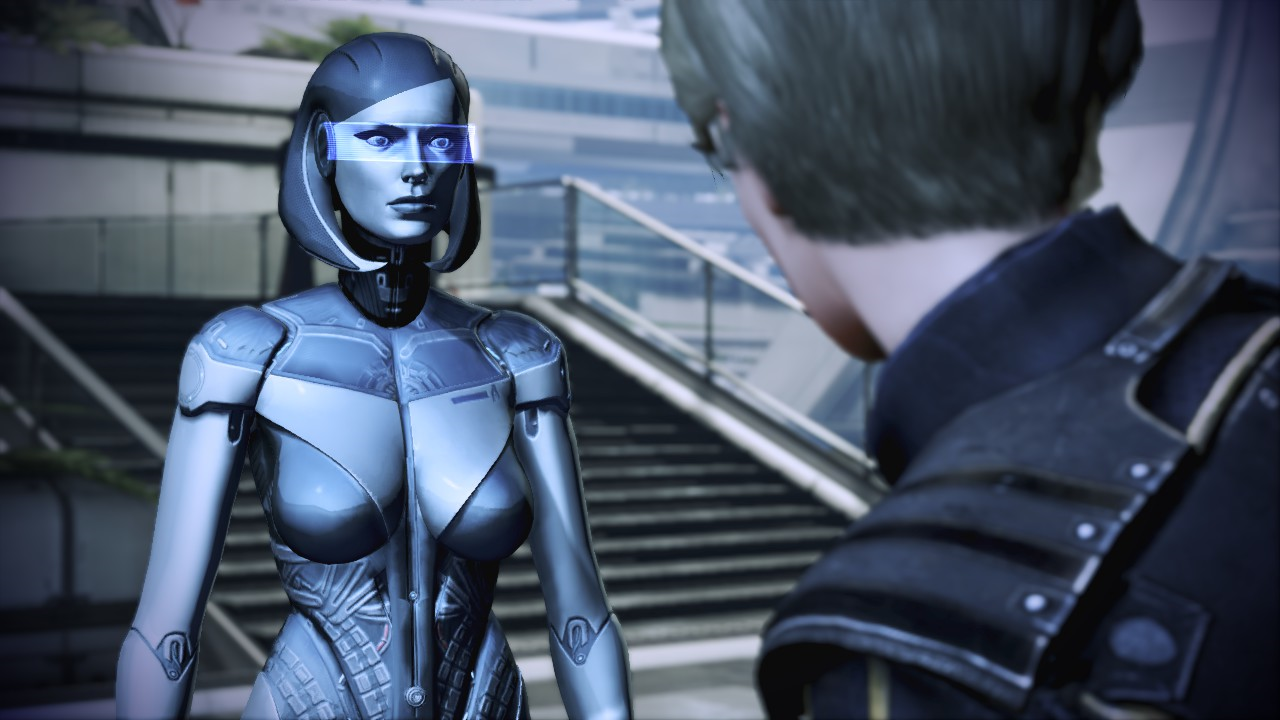
Yes, it looks a little different from the mod pictures, but that's because I edited it to fit the vanilla assets, as it was originally made for a custom mesh that can't be used in the Legendary Edition. The visor is another mod.
Image Alpha Help
Posted: August 3rd, 2024, 06:08
by Darkestfantasy
I now realize I might've posted this in the wrong section. I meant to add it to Mod Development page
Image Alpha Help
Posted: August 3rd, 2024, 06:13
by WhiteShark
I've moved it to The Foundry, which is where user WIP stuff goes.
Image Alpha Help
Posted: August 3rd, 2024, 06:15
by Darkestfantasy
Image Alpha Help
Posted: August 3rd, 2024, 06:17
by rusty_shackleford
Are you sure this is right? ME3 would have been pre-PBR materials being popular in gamedev, so if I had to guess, .spec would be a
specular map which controls the specular highlight in the blinn-phong shading model.
I've never made any mods for the ME games so I may be wrong.
Image Alpha Help
Posted: August 3rd, 2024, 06:20
by Darkestfantasy
rusty_shackleford wrote: ↑
August 3rd, 2024, 06:17
Are you sure this is right? ME3 would have been pre-PBR materials being popular in gamedev, so if I had to guess, .spec would be a specular map which controls the specular highlight in the blinn-phong shading model.
I've never made any mods for the ME games so I may be wrong.
At least with this mod, it's an overlay. I'm still very new to modding ME, and I've only done ones for MELE. I wouldn't even know how to make mods for the original trilogy, which I don't even own on PC
Image Alpha Help
Posted: August 3rd, 2024, 06:22
by rusty_shackleford
Darkestfantasy wrote: ↑
August 3rd, 2024, 06:20
rusty_shackleford wrote: ↑
August 3rd, 2024, 06:17
Are you sure this is right? ME3 would have been pre-PBR materials being popular in gamedev, so if I had to guess, .spec would be a specular map which controls the specular highlight in the blinn-phong shading model.
I've never made any mods for the ME games so I may be wrong.
At least with this mod, it's an overlay. I'm still very new to modding ME, and I've only done ones for MELE. I wouldn't even know how to make mods for the original trilogy, which I don't even own on PC
Might want to see if you can find any information on differences between MELE and ME3 with regards to mods, then. They might have changed something which breaks it.
Image Alpha Help
Posted: August 3rd, 2024, 06:22
by Darkestfantasy
This is what it looked like before I edited it to fit the vanilla assets. I thought it was quite distracting
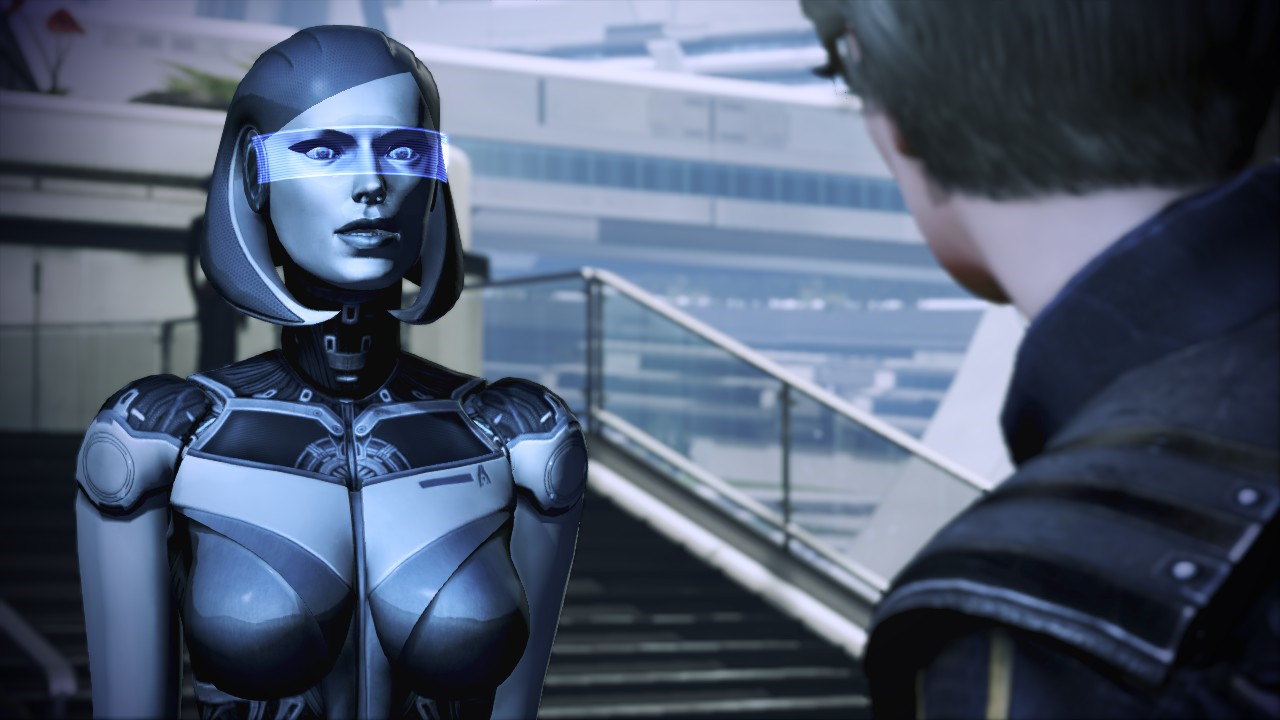
Image Alpha Help
Posted: August 3rd, 2024, 06:26
by Darkestfantasy
rusty_shackleford wrote: ↑
August 3rd, 2024, 06:22
Might want to see if you can find any information on differences between MELE and ME3 with regards to mods, then. They might have changed something which breaks it.
I know that installing mods for MELE is a lot easier because the mods are either DLC or mem, while for the original trilogy you had to use Texmod and other things. I did manage to make it work without the mesh, the only problem is the specular layer. I'm online friends with a modder who has fixed stuff for me before with the alpha of mod textures, but I can't ask for her help with this one. I don't wanna risk her finding out that it was for this site, which she might disagree with and then get me banned from Nexus. I don't want that to happen unnecessarily
Image Alpha Help
Posted: August 3rd, 2024, 06:34
by rusty_shackleford
Darkestfantasy wrote: ↑
August 3rd, 2024, 06:26
rusty_shackleford wrote: ↑
August 3rd, 2024, 06:22
Might want to see if you can find any information on differences between MELE and ME3 with regards to mods, then. They might have changed something which breaks it.
I know that installing mods for MELE is a lot easier because the mods are either DLC or mem, while for the original trilogy you had to use Texmod and other things. I did manage to make it work without the mesh, the only problem is the specular layer. I'm online friends with a modder who has fixed stuff for me before with the alpha of mod textures, but I can't ask for her help with this one. I don't wanna risk her finding out that it was for this site, which she might disagree with and then get me banned from Nexus. I don't want that to happen unnecessarily
Is it possible that the .spec is a packed texture and it only relies on one channel to control the overlay? I'd try flooding one channel with white and the rest with black, going through all the channels to see if it does anything.
Image Alpha Help
Posted: August 3rd, 2024, 06:36
by Darkestfantasy
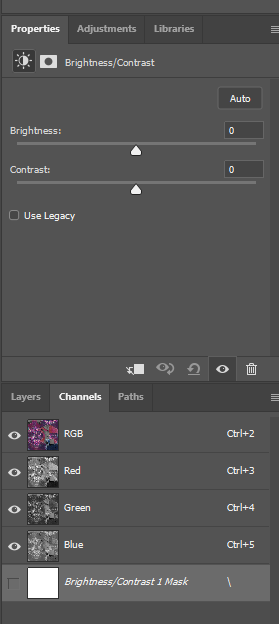
This was for another mod that I needed help with the .spec. It's split up like this. The last channel was added while experimenting. RGB, Red, Green, and Blue are the default ones. Sometimes there's an Alpha layer but the HR EDI .spec doesn't have one. From what I saw, Blue is treated like the alpha layer sometimes
Image Alpha Help
Posted: August 3rd, 2024, 06:50
by Darkestfantasy
rusty_shackleford wrote: ↑
August 3rd, 2024, 06:34
Is it possible that the .spec is a packed texture and it only relies on one channel to control the overlay? I'd try flooding one channel with white and the rest with black, going through all the channels to see if it does anything.
I might see what happens when I turn the Blue channel black. I could post the .spec files (for the mod and the original texture) if you would like to try a crack at it yourself. Might be better than trying to translate things to me.
Image Alpha Help
Posted: August 4th, 2024, 13:05
by J1M
Agree flooding the channels to experiment with what they do is a good idea, but would recommend the use of a different color since some pixel shaders intentionally do nothing when set to white/black.
Image Alpha Help
Posted: August 4th, 2024, 17:06
by Darkestfantasy
I already know what the problem is, I just have no clue how to fix it. The problem is with the alpha channel (known as the blue channel in photoshop apparently). When I try to fix it, I get nowhere. I've changed the colors and it didn't get me any closer to where I needed to be. If I change the color to a lighter color, it gets me closer to where I need to be but it's faded looking, but when I try to make it darker to fix it, it makes the texture too bright in-game. I really wanna post this but I can't do it on my own and I'm getting tired of just guessing.
Image Alpha Help
Posted: August 4th, 2024, 21:17
by WhiteShark
I don't know the first thing about this, but you may as well upload it here now just in case someone happens along with the photoshop skills to figure it out.
Image Alpha Help
Posted: August 4th, 2024, 22:47
by Darkestfantasy
.spec from original mod
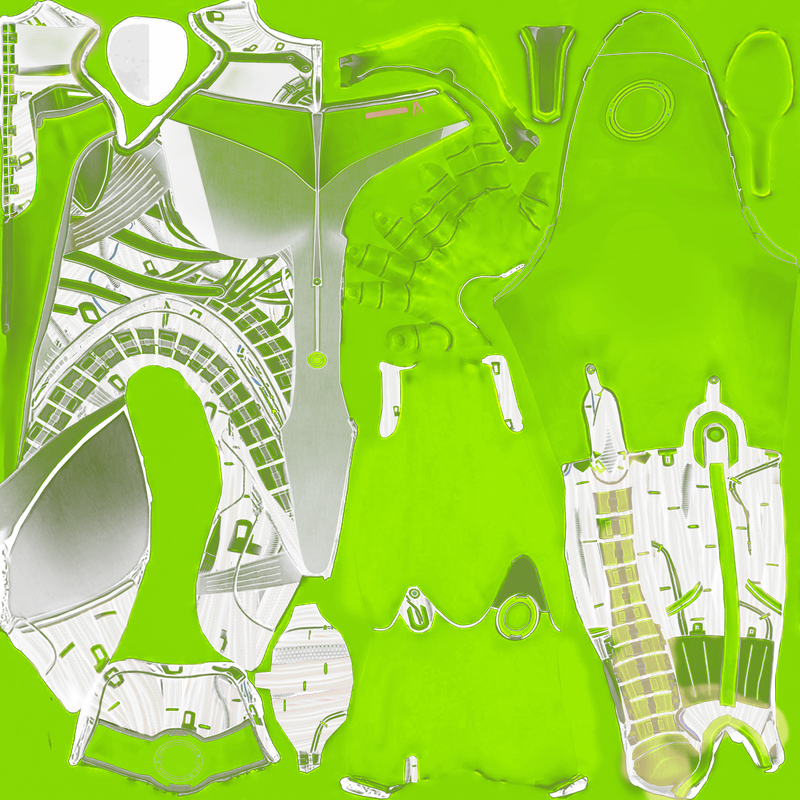
.spec from my attempt to fix it for the edits I made
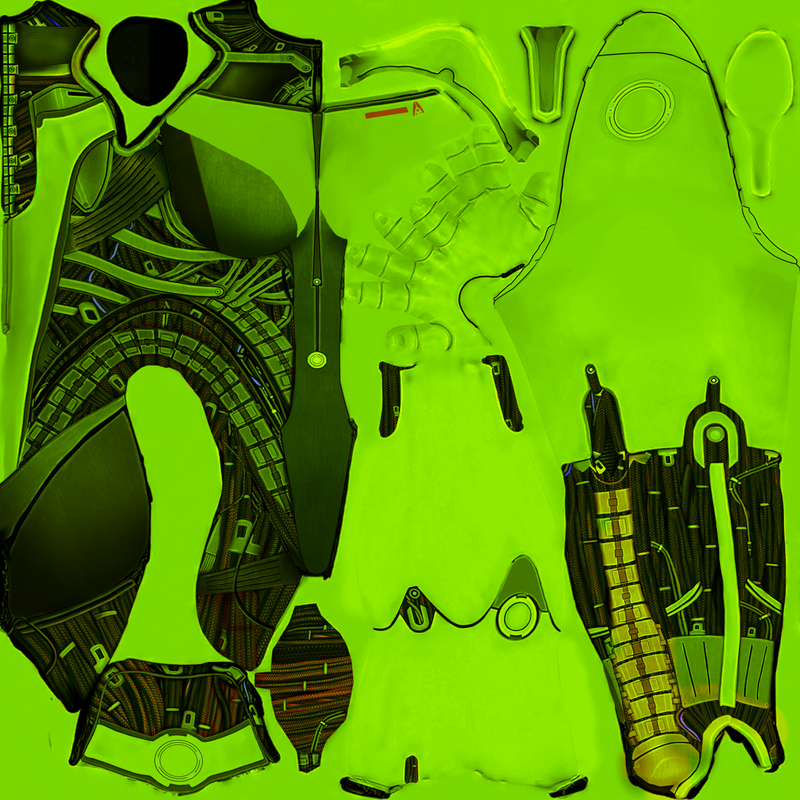
.spec from the vanilla game
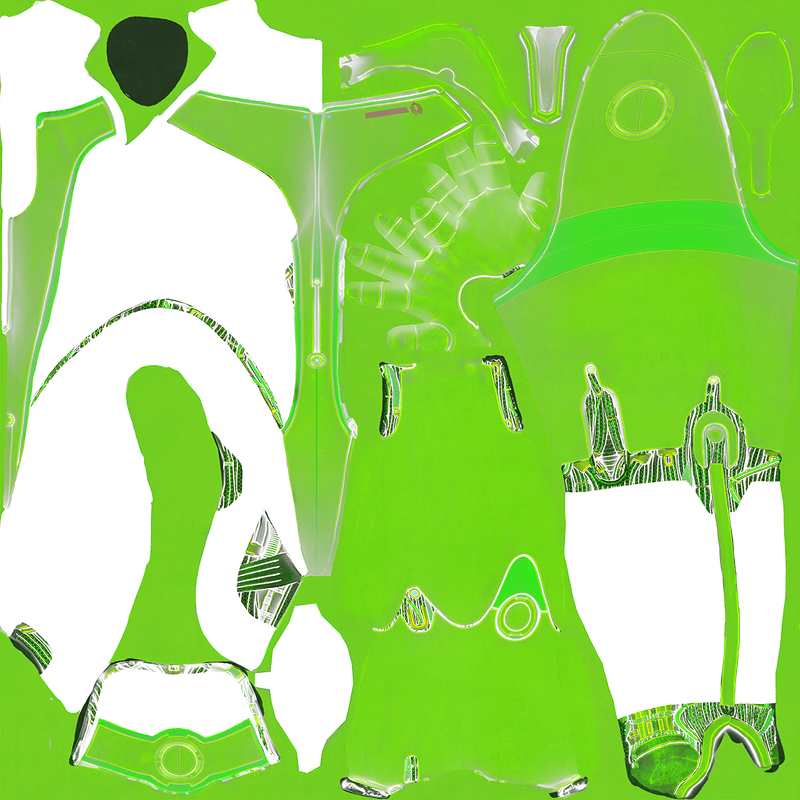
Image Alpha Help
Posted: August 13th, 2024, 09:40
by Darkestfantasy
@WhiteShark @rusty_shackleford I managed to get it working! Just had to watch this video
So freaking relieved...
