We have a Steam curator now. You should be following it. https://store.steampowered.com/curator/44994899-RPGHQ/
Chat client updated, if you have issues using chat press CTRL + SHIFT + R to force a hard refresh.

Alternate Wyll Revamped 2.4 β€” Baldur's Gate 3

Looking for the download?
This mod's files are on ModHQ.
Go to mod page
Share things you've made or found for games here.

Moderator: Mod Janitor

Ignore Topic
User avatar
Tipfy
Posts: 374
Joined: Nov 16, '23

Geolocation

Post by Tipfy »

@orinEsque

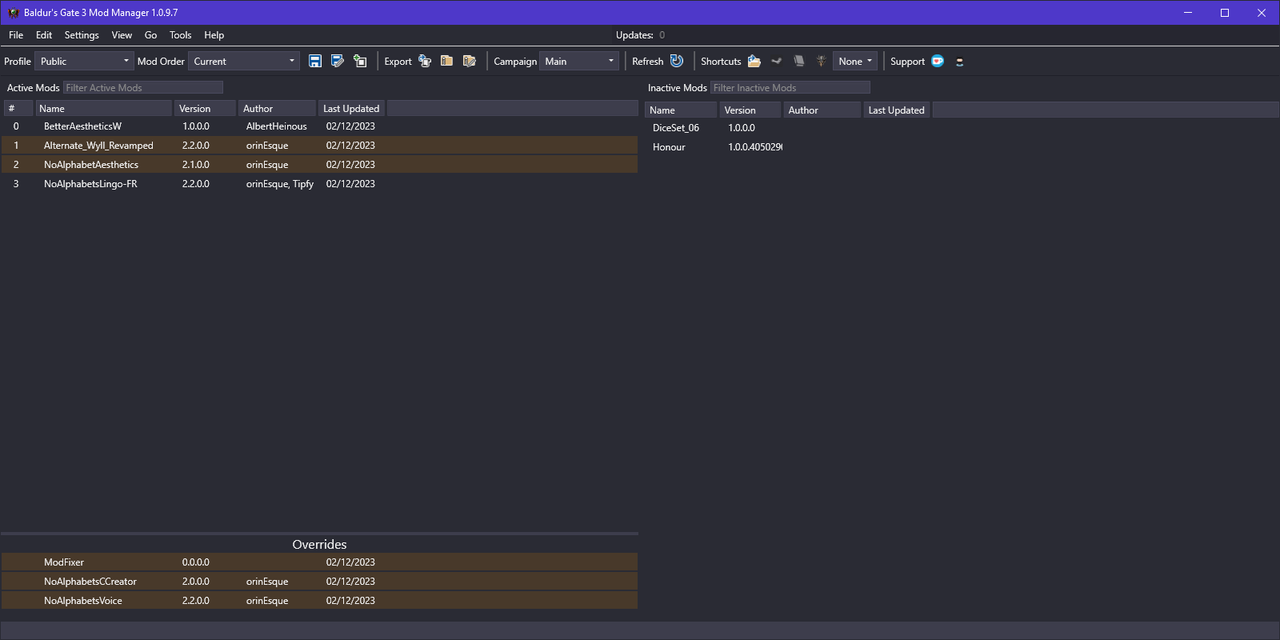
I manually placed the pak in Mods folder than used the mod manager.

I have try on my on-going save to interact and talk to NPCs, visited the grove to check some of replaced ones and it worked too.
I also have try a new game and there was no dummy instead of character creation so i assume it's all good.
Image
Last edited by Tipfy on December 2nd, 2023, 22:16, edited 2 times in total.
We are the servants of ModHQ, weilders of the modding tools, the woke mind virus will not avail you, HR fodders !

User avatar
orinEsque
Posts: 4918
Joined: Oct 9, '23
Location: Dubai
Gender: Potato

Geolocation

Post by orinEsque »

Tipfy wrote: ↑ December 2nd, 2023, 22:06
@orinEsque

I manually placed the pak in Mods folder than used the mod manager.

I have try on my on-going save to interact and talk to NPCs, visited the grove to check some of replaced ones and it worked too.
I also have try a new game and there was no dummy instead of character creation so i assume it's all good.
Image
Thanks! Where is your mods folder located? Did you have to do anything special for the BG3 mod manager settings?
Victors clap when others succeed; Losers feel every spotlight as a personal bleed.
User avatar
Tipfy
Posts: 374
Joined: Nov 16, '23

Geolocation

Post by Tipfy »

For the .pak;
C:\Users\"Username"\AppData\Local\Larian Studios\Baldur's Gate 3\Mods

For the modsettings.lsx;
C:\Users\"Username"\AppData\Local\Larian Studios\Baldur's Gate 3\PlayerProfiles\Public

For the mod manager i simply launched it, dragged the mod i wanted from right to left, than i used "save order" through the "file" tab.
We are the servants of ModHQ, weilders of the modding tools, the woke mind virus will not avail you, HR fodders !
User avatar
orinEsque
Posts: 4918
Joined: Oct 9, '23
Location: Dubai
Gender: Potato

Geolocation

Post by orinEsque »

Tipfy wrote: ↑ December 2nd, 2023, 22:27
For the .pak;
C:\Users\"Username"\AppData\Local\Larian Studios\Baldur's Gate 3\Mods

For the modsettings.lsx;
C:\Users\"Username"\AppData\Local\Larian Studios\Baldur's Gate 3\PlayerProfiles\Public

For the mod manager i simply launched it, dragged the mod i wanted from right to left, than i used "save order" through the "file" tab.
Thanks very much! its hard to debug stuff when you can't try it yourself :D
Victors clap when others succeed; Losers feel every spotlight as a personal bleed.
User avatar
Cretin
Posts: 36
Joined: Sep 18, '23

Geolocation

Post by Cretin »

So I tried again with just the wyll mod and it broke my chargen, bunch of naked dudes standing around in the middle of nowhere
User avatar
orinEsque
Posts: 4918
Joined: Oct 9, '23
Location: Dubai
Gender: Potato

Geolocation

Post by orinEsque »

Cretin wrote: ↑ December 2nd, 2023, 22:59
So I tried again with just the wyll mod and it broke my chargen, bunch of naked dudes standing around in the middle of nowhere
The strange thing is, in this mod, there is no code whatsoever that affects anyone other than Wyll. I think something is broken in another part of your game. You might want to do a clean reinstallation, that worked for at least 2 people on this forum.
Victors clap when others succeed; Losers feel every spotlight as a personal bleed.
User avatar
Tipfy
Posts: 374
Joined: Nov 16, '23

Geolocation

Post by Tipfy »

orinEsque wrote: ↑ December 2nd, 2023, 23:02
You might want to do a clean reinstallation
I read somewhere people reccomending not doing the update but getting the game from scratch for this patch.

Maybe it's a bug, maybe it's the patch being too big, i do not know, but it worked for me. Hope it will for you as well.
Last edited by Tipfy on December 2nd, 2023, 23:08, edited 1 time in total.
We are the servants of ModHQ, weilders of the modding tools, the woke mind virus will not avail you, HR fodders !

User avatar
Cretin
Posts: 36
Joined: Sep 18, '23

Geolocation

Post by Cretin »

orinEsque wrote: ↑ December 2nd, 2023, 23:02
Cretin wrote: ↑ December 2nd, 2023, 22:59
So I tried again with just the wyll mod and it broke my chargen, bunch of naked dudes standing around in the middle of nowhere
The strange thing is, in this mod, there is no code whatsoever that affects anyone other than Wyll. I think something is broken in another part of your game. You might want to do a clean reinstallation, that worked for at least 2 people on this forum.
I was just thinking this too. I think we might have stumbled upon the issue.

I had BG3 previously installed on my PC from a pirated version - presumably based on steam API. I suspect @Greybeard might have done the same??
User avatar
orinEsque
Posts: 4918
Joined: Oct 9, '23
Location: Dubai
Gender: Potato

Geolocation

Post by orinEsque »

Cretin wrote: ↑ December 2nd, 2023, 23:08
orinEsque wrote: ↑ December 2nd, 2023, 23:02
Cretin wrote: ↑ December 2nd, 2023, 22:59
So I tried again with just the wyll mod and it broke my chargen, bunch of naked dudes standing around in the middle of nowhere
The strange thing is, in this mod, there is no code whatsoever that affects anyone other than Wyll. I think something is broken in another part of your game. You might want to do a clean reinstallation, that worked for at least 2 people on this forum.
I was just thinking this too. I think we might have stumbled upon the issue.

I had BG3 previously installed on my PC from a pirated version - presumably based on steam API. I suspect @Greybeard might have done the same??
That does sound like the issue :D. Do make sure to completely uninstall. Then delete any remaining files in your appdata/larian etc.
Victors clap when others succeed; Losers feel every spotlight as a personal bleed.
User avatar
Tipfy
Posts: 374
Joined: Nov 16, '23

Geolocation

Post by Tipfy »

The mods should work fine with pirated version. But it is recommended to re-install entirely the game instead of just updating with a patch as big as this one.
Removing the appdata file should not matter since it update once you launch the game, if i am correct. (But maybe you should, just to be sure since you have an issue)
Last edited by Tipfy on December 2nd, 2023, 23:36, edited 2 times in total.
We are the servants of ModHQ, weilders of the modding tools, the woke mind virus will not avail you, HR fodders !
User avatar
Greybeard
Posts: 27
Joined: Dec 2, '23

Geolocation

Post by Greybeard »

orinEsque wrote: ↑ December 2nd, 2023, 23:12
Cretin wrote: ↑ December 2nd, 2023, 23:08
orinEsque wrote: ↑ December 2nd, 2023, 23:02


The strange thing is, in this mod, there is no code whatsoever that affects anyone other than Wyll. I think something is broken in another part of your game. You might want to do a clean reinstallation, that worked for at least 2 people on this forum.
I was just thinking this too. I think we might have stumbled upon the issue.

I had BG3 previously installed on my PC from a pirated version - presumably based on steam API. I suspect @Greybeard might have done the same??
That does sound like the issue :D. Do make sure to completely uninstall. Then delete any remaining files in your appdata/larian etc.
No pirated version in here before.
User avatar
Greybeard
Posts: 27
Joined: Dec 2, '23

Geolocation

Post by Greybeard »

Cretin wrote: ↑ December 2nd, 2023, 22:59
So I tried again with just the wyll mod and it broke my chargen, bunch of naked dudes standing around in the middle of nowhere
I had that same issue when i tried it with mod manager... Legion of naked guys.
User avatar
Greybeard
Posts: 27
Joined: Dec 2, '23

Geolocation

Post by Greybeard »

Tipfy wrote: ↑ December 2nd, 2023, 21:51
@Cretin @Greybeard

I too have a GOG version. here is my mod folder and .lsx, including the mods;

Alternate Wyll Revamped
Better Aesthetic W
NoAlphabet Aesthetic-Voice-Lingo-CCreator
ModFixer

Let me know if it work.

Edit; here is the correct link, the previous one had the french lingo, english this time ; https://f.rpghq.org/7NloQ8Xqi9qa.rar?n= ... l work.rar
I used your files, mods to the mods folder and i did overwrite modsettings.lsx, Seems to be working! White Wyll in character generation. Is it normal that the game says like this, We were unable to create working story. Your add on setup might be invalid. The game will continue with the story from the main adventure, accept.
User avatar
orinEsque
Posts: 4918
Joined: Oct 9, '23
Location: Dubai
Gender: Potato

Geolocation

Post by orinEsque »

Greybeard wrote: ↑ December 3rd, 2023, 03:44
Tipfy wrote: ↑ December 2nd, 2023, 21:51

White Wyll in character generation. Is it normal that the game says like this, We were unable to create working story. Your add on setup might be invalid. The game will continue with the story from the main adventure, accept.
When you start character creation with mods? Yep! You get this message. We're all waiting for larian to give proper mod support instead of spamming us with stupid messages. Enjoy your lore friendly copy of baldur's gate ;P
Last edited by orinEsque on December 3rd, 2023, 03:50, edited 4 times in total.
Victors clap when others succeed; Losers feel every spotlight as a personal bleed.
User avatar
Greybeard
Posts: 27
Joined: Dec 2, '23

Geolocation

Post by Greybeard »

orinEsque wrote: ↑ December 3rd, 2023, 03:48
Greybeard wrote: ↑ December 3rd, 2023, 03:44
Tipfy wrote: ↑ December 2nd, 2023, 21:51

White Wyll in character generation. Is it normal that the game says like this, We were unable to create working story. Your add on setup might be invalid. The game will continue with the story from the main adventure, accept.
When you start character creation with mods? Yep! You get this message. We're all waiting for larian to give proper mod support instead of spamming us with stupid messages. Enjoy your lore friendly copy of baldur's gate ;P
Thank you and Tipfy for all the help :salute: :bounce:
User avatar
Cretin
Posts: 36
Joined: Sep 18, '23

Geolocation

Post by Cretin »

ok so I did a complete wipe, fresh install, ran game, quit, installed mod manager, extracted mods to bg3 mod manager folder, then ran mod manager and imported and enabled them one by one, exported order to game, launched game, new game..... legion of naked guys in the middle of nowhere. I'm going to try a manual install ala greybeard.
User avatar
Cretin
Posts: 36
Joined: Sep 18, '23

Geolocation

Post by Cretin »

manually installed @Tipfy files and then launched through mod manager and... its working!!!

Image
User avatar
Tipfy
Posts: 374
Joined: Nov 16, '23

Geolocation

Post by Tipfy »

Greybeard wrote: ↑ December 3rd, 2023, 03:44
We were unable to create working story. Your add on setup might be invalid. The game will continue with the story from the main adventure, accept.
Don't worry about that, the only thing happening is that the "amount of time played" displayed on your save preview is reset to 0, as if it was a new game.
It may also reset the tutorials pop-up, it happened to me.
Last edited by Tipfy on December 3rd, 2023, 13:07, edited 1 time in total.
We are the servants of ModHQ, weilders of the modding tools, the woke mind virus will not avail you, HR fodders !
User avatar
Nessa
Posts: 524
Joined: Dec 3, '23

Geolocation

Post by Nessa »

And... another great mod going into my "absolutely must have" mod section. :salute:
User avatar
Tipfy
Posts: 374
Joined: Nov 16, '23

Geolocation

Post by Tipfy »

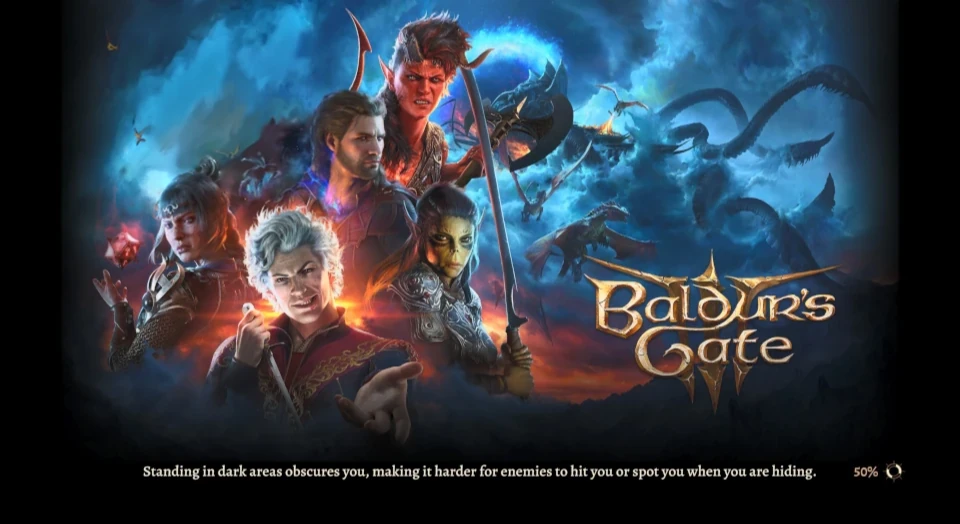
If you wish to push to the extra-miles here is a thing you missed about Wyll, the menu screen.

I just saw a mod that put Karlach to the opening Splash & Loading Screen. I suppose if you check this mod you may find how to tweak wyll on it as well if at all possible.

Here is the mod ; https://www.nexusmods.com/baldursgate3/mods/4722
We are the servants of ModHQ, weilders of the modding tools, the woke mind virus will not avail you, HR fodders !
User avatar
orinEsque
Posts: 4918
Joined: Oct 9, '23
Location: Dubai
Gender: Potato

Geolocation

Post by orinEsque »

Tipfy wrote: ↑ December 3rd, 2023, 20:16
If you wish to push to the extra-miles here is a thing you missed about Wyll, the menu screen.

I just saw a mod that put Karlach to the opening Splash & Loading Screen. I suppose if you check this mod you may find how to tweak wyll on it as well if at all possible.

Here is the mod ; https://www.nexusmods.com/baldursgate3/mods/4722
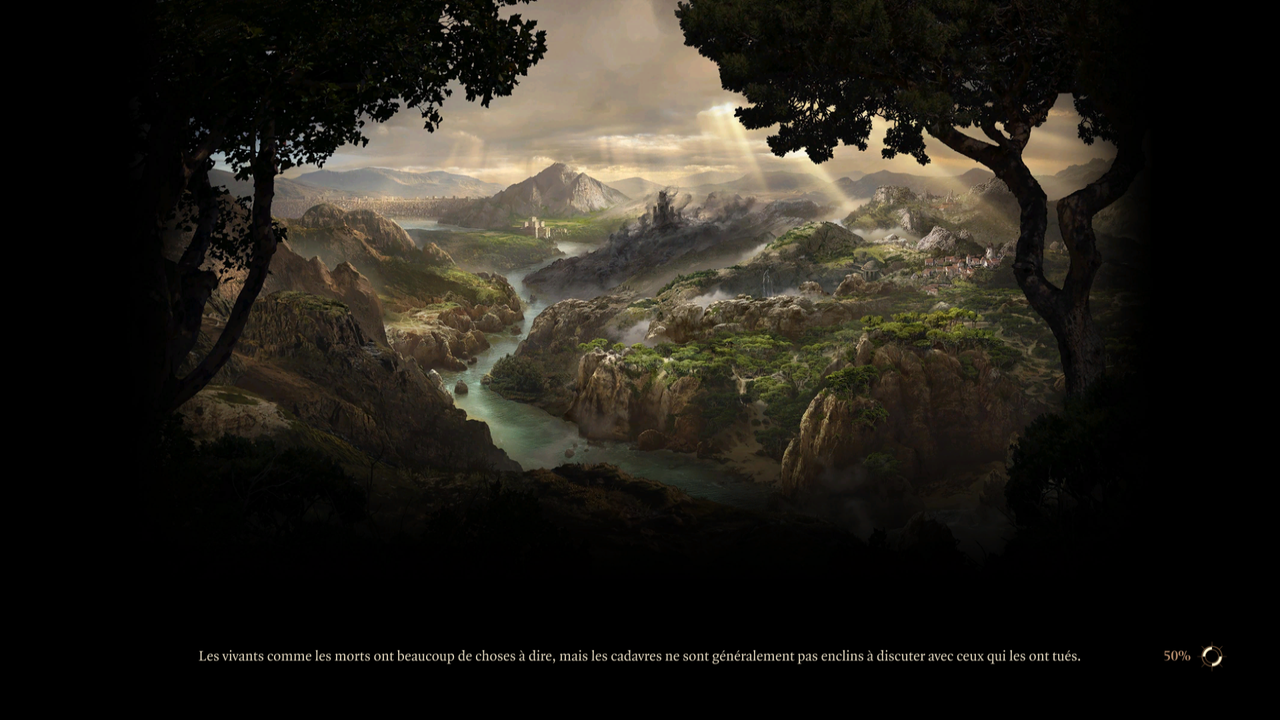
I don't mind original Wyll on there. But I hate the loading screen itself. I much preferred the landscape stuff they had before.

What do you think, shall I replace it with one of the other landscape arts?
Victors clap when others succeed; Losers feel every spotlight as a personal bleed.
User avatar
Tipfy
Posts: 374
Joined: Nov 16, '23

Geolocation

Post by Tipfy »

I had the same idea, i am currently looking in google image for wallpapers / Fanart or whatever to put in it's place but without much luck in my founds.
We are the servants of ModHQ, weilders of the modding tools, the woke mind virus will not avail you, HR fodders !
User avatar
rusty_shackleford
Site Admin
Posts: 45449
Joined: Feb 2, '23
Gender: Watermelon

Geolocation

Adventurer's Guild

Post by rusty_shackleford »

Just do the obvious thing
Image
Thank you for your attention to this matter!
Steam friend code: 40552640 https://steamcommunity.com/friends/add | email: [email protected]
Having trouble running an old Windows game?
Rusty's Stuff Collection
User avatar
Tipfy
Posts: 374
Joined: Nov 16, '23

Geolocation

Post by Tipfy »

That will do just fine, do you have a link to share @rusty_shackleford ?

If you are the one who did it, can you put karlach in the place of wyll, she's in front of the ship*
Last edited by Tipfy on December 3rd, 2023, 21:13, edited 1 time in total.
We are the servants of ModHQ, weilders of the modding tools, the woke mind virus will not avail you, HR fodders !
User avatar
orinEsque
Posts: 4918
Joined: Oct 9, '23
Location: Dubai
Gender: Potato

Geolocation

Post by orinEsque »

rusty_shackleford wrote: ↑ December 3rd, 2023, 21:04
Just do the obvious thing
Image
I'm serious I hate that splash screen as it is. Looks like a ****** movie poster.
Victors clap when others succeed; Losers feel every spotlight as a personal bleed.
User avatar
Tipfy
Posts: 374
Joined: Nov 16, '23

Geolocation

Post by Tipfy »

orinEsque wrote: ↑ December 3rd, 2023, 21:15
Looks like a ****** movie poster.


I looked for a version of it without the logo and characters, i only found one that is missing half the bottom and part of the top of it...
Here it is if i can't find the full version i'll try and make a dds of it to replace ;
https://staticdelivery.nexusmods.com/mo ... 718030.jpg
Last edited by Tipfy on December 3rd, 2023, 21:20, edited 1 time in total.
We are the servants of ModHQ, weilders of the modding tools, the woke mind virus will not avail you, HR fodders !

User avatar
rusty_shackleford
Site Admin
Posts: 45449
Joined: Feb 2, '23
Gender: Watermelon

Geolocation

Adventurer's Guild

Post by rusty_shackleford »

Tipfy wrote: ↑ December 3rd, 2023, 21:08
That will do just fine, do you have a link to share @rusty_shackleford ?

If you are the one who did it, can you put karlach in the place of wyll, she's in front of the ship*
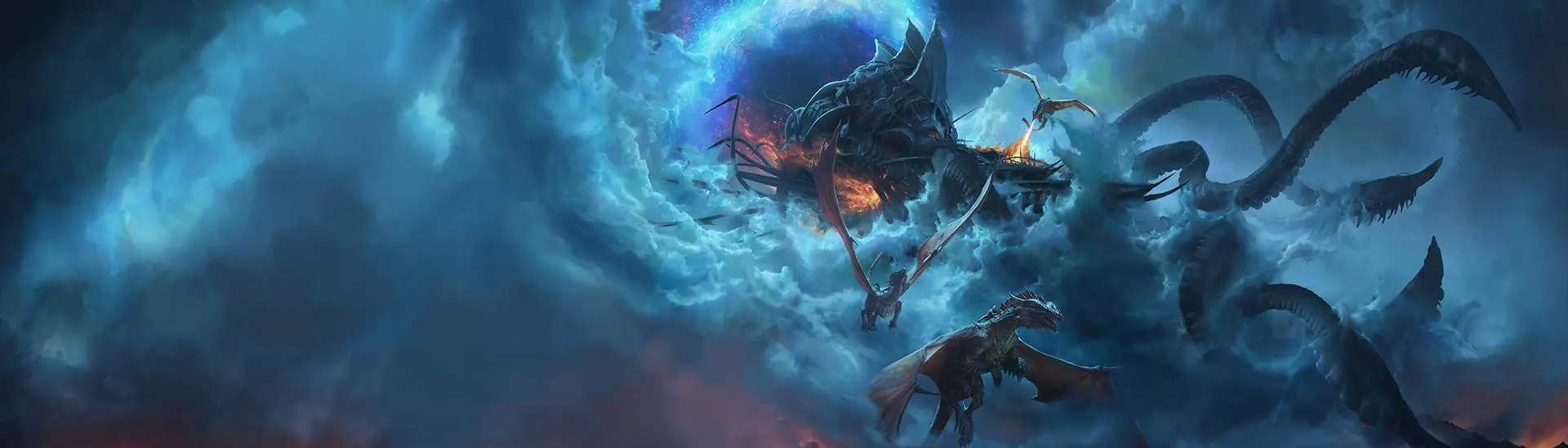
I just did a quick outpainting with stable-diffusion because I hate wyll :Inspector:
Thank you for your attention to this matter!
Steam friend code: 40552640 https://steamcommunity.com/friends/add | email: [email protected]
Having trouble running an old Windows game?
Rusty's Stuff Collection
User avatar
Tipfy
Posts: 374
Joined: Nov 16, '23

Geolocation

Post by Tipfy »

That thing confuse me i can't seem to get something non-blurry or weird looking
We are the servants of ModHQ, weilders of the modding tools, the woke mind virus will not avail you, HR fodders !
User avatar
Tipfy
Posts: 374
Joined: Nov 16, '23

Geolocation

Post by Tipfy »

@orinEsque

Put it on your modpage as a bonus mod if you want. https://f.rpghq.org/lsRKR8EWo83N.rar?n= ... placer.rar

It now look like this;

Image

Edit, this is best quality i found. If you know where to find it in game files use it instead, it will probably gonna be of slightly better quality.
Last edited by Tipfy on December 3rd, 2023, 23:43, edited 1 time in total.
We are the servants of ModHQ, weilders of the modding tools, the woke mind virus will not avail you, HR fodders !
User avatar
loregamer
Site Moderator
Posts: 5060
Joined: Dec 3, '23

Geolocation

Post by loregamer »

Non-baldie Duke Revengard when?
Jingle Jangle Jingle