We have a Steam curator now. You should be following it. https://store.steampowered.com/curator/44994899-RPGHQ/

Speculative R&D: Game Controllers

No RPG elements? It probably goes here!
Ignore Topic
User avatar
aweigh
Turtle
Turtle
Posts: 3080
Joined: Feb 2, '23

Geolocation

Post by aweigh »

someone made homebrew software for calibrating the center point of playstation 4 and playstation 5 controllers:


Note that the ps2 and ps3 did this automatically, with the ps2 even having it built into the controller's firmware. Sony removed it for ps4 and ps5.

2nd note: Microsoft recently shipped an update for Xbox which allows doing this calibration officially (i.e. you're using a MS-made app to do it).

3rd note: this doesn't mean it fixes all stick drift, only drift caused by the center point being lost which is actually most of it. However if the actual carbon film inside the potentiometers is damaged as happens through wear and tear then simple calibration will not be enough. Obviously this is still incredibly handy to have.

EDIT: Forgot to mention that perhaps more importantly than center point calibration this software also allows dialing in the maximum RANGE of the stick deflection output, so that you get 100% movement range in every direction.

For those who might not be aware, when I say center point I mean that a good controller should look like this:
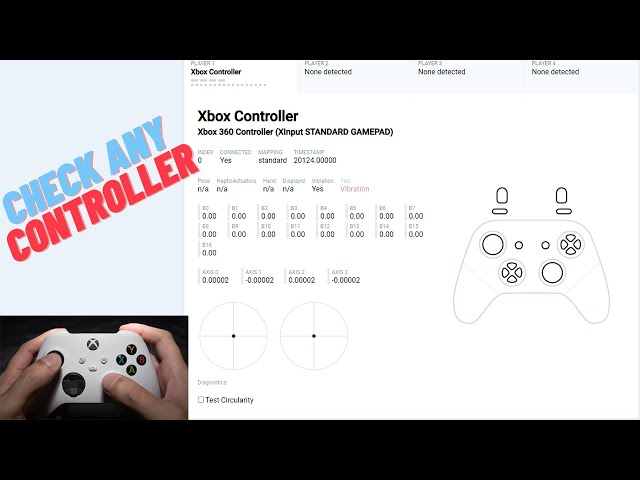
Image

See how the dots are perfectly centered? If they move off-center they might look something like this instead:
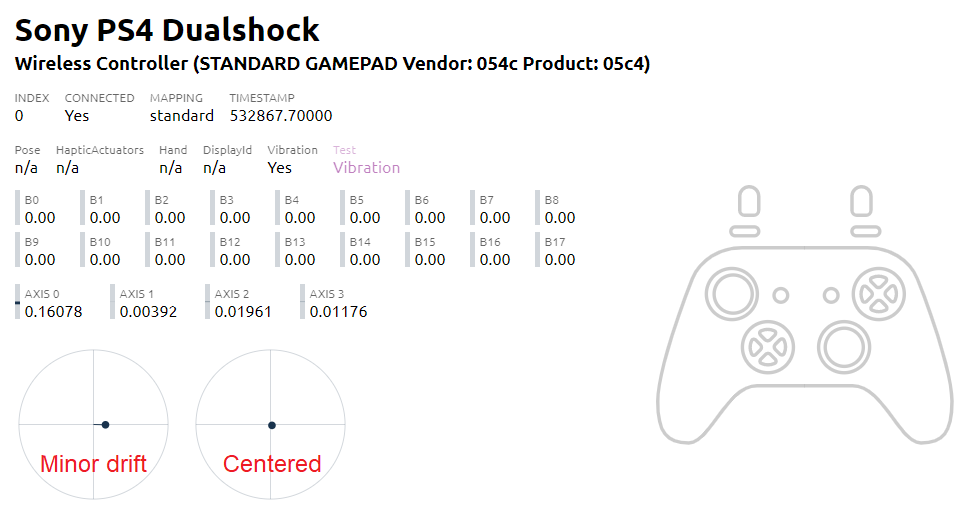
Image
Final note: even though it may not seem like it considering how much people talk about this online, drift is still actually pretty rare. I own dozens of controllers and have actually NEVER had a single controller start drifting on me with one specific exception: a faulty Razer Wolverine Ultimate controller I bought from GameStop a few years ago which came off-center out of the box. Other than that instance I've actually never had a controller drift on me, which is also why I'm not actually that big of a proponent for hall effect sticks. I mean yeah, of course I welcome new tech (or old tech in this case, Dreamcast controller had hall effect sensors), I just don't think they're THAT important.

Anyway, nice to have this program at least. Oh also, the more expensive 3rd party controllers (like Flydigi stuff) have this kind of calibration in the manufacturer software. I've never needed to use it but wanted to mention it.

Last edited by aweigh on June 3rd, 2024, 01:19, edited 3 times in total.
User avatar
aweigh
Turtle
Turtle
Posts: 3080
Joined: Feb 2, '23

Geolocation

Post by aweigh »

just found out about this guy, ordered a custom controller from him. here's a video he posted to show off his custom mechanical buttons:

User avatar
1998
Posts: 2949
Joined: Jun 23, '23
Location: Beregost

Geolocation

Adventurer's Guild

Post by 1998 »

aweigh wrote: June 3rd, 2024, 01:39
just found out about this guy, ordered a custom controller from him. here's a video he posted to show off his custom mechanical buttons:

I mean they look (sound) great. Would love to try them out but no way I am paying that.

My Reviews
Somnus [Not Recommended]
New Arc Line [Early Access] [Informational]
Passageway of the Ancients [Not Recommended]
Beyond Galaxyland [Recommended]
Old School RPG [Informational]
SKALD: The Black Priory [Recommended]

My Steam
38123774
User avatar
aweigh
Turtle
Turtle
Posts: 3080
Joined: Feb 2, '23

Geolocation

Post by aweigh »

User avatar
Irenaeus
Posts: 10950
Joined: Sep 29, '23

Geolocation

Post by Irenaeus »

Image
User avatar
Jordy
Posts: 4639
Joined: Dec 5, '23
Location: The Past

Geolocation

Post by Jordy »

Do you need to hide this when your friends come round?
User avatar
rusty_shackleford
Site Admin
Posts: 46440
Joined: Feb 2, '23
Gender: Watermelon

Geolocation

Adventurer's Guild

Post by rusty_shackleford »

they should start making keyboards with analog sensitivity on the keys
Thank you for your attention to this matter!
Steam friend code: 40552640 https://steamcommunity.com/friends/add | email: [email protected]
Having trouble running an old Windows game?
Rusty's Stuff Collection
User avatar
zuli
Posts: 1
Joined: Aug 25, '24

Geolocation

Post by zuli »

@aweigh

Im thinkin about getting the apex 4 and was wondering about a couple of things

How do the paddles feel to you. I mainly play fps and have am elite series 2. Wondering how the paddles compare.

What kontrol freaks do u recommend. On the elite i just used the tall stick. So im not really sure. Also id assume the apex 4 uses xbox control freaks but just wonderin.
User avatar
J1M
Turtle
Turtle
Posts: 5216
Joined: Feb 15, '23

Geolocation

Adventurer's Guild

Post by J1M »

rusty_shackleford wrote: August 8th, 2024, 05:36
they should start making keyboards with analog sensitivity on the keys
Make them mechanical too, so each step in sensitivity produces another click. :lol:
User avatar
aweigh
Turtle
Turtle
Posts: 3080
Joined: Feb 2, '23

Geolocation

Post by aweigh »

zuli wrote: August 25th, 2024, 13:29
@aweigh

Im thinkin about getting the apex 4 and was wondering about a couple of things

How do the paddles feel to you. I mainly play fps and have am elite series 2. Wondering how the paddles compare.

What kontrol freaks do u recommend. On the elite i just used the tall stick. So im not really sure. Also id assume the apex 4 uses xbox control freaks but just wonderin.
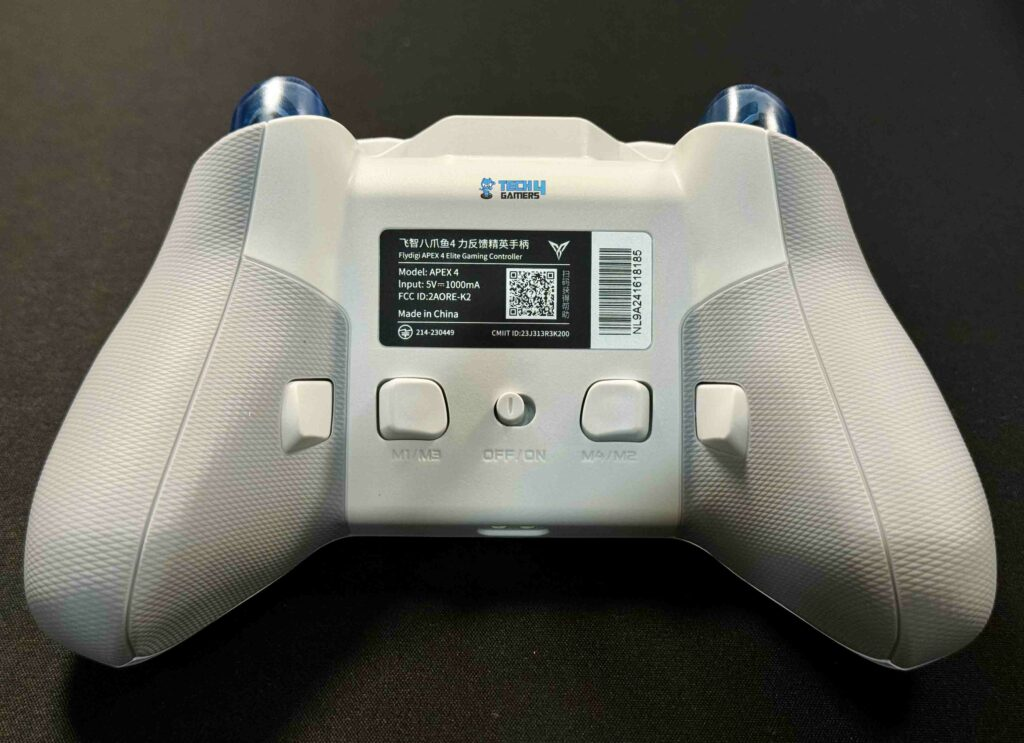
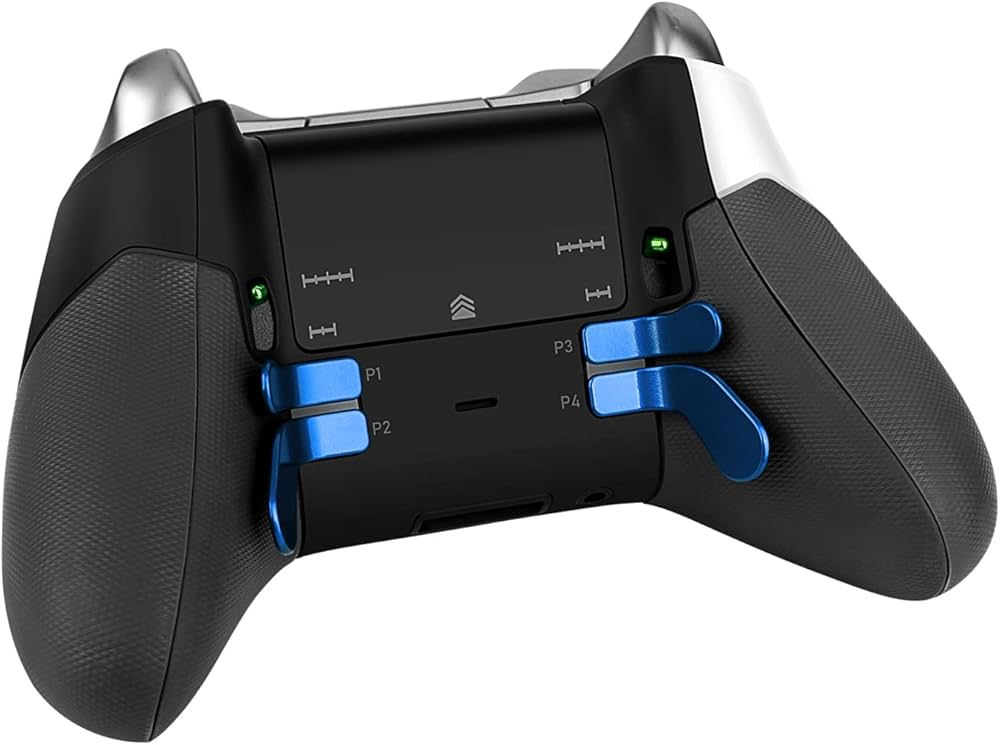
Well, the first detail we need to sort out is the Apex 4 has back buttons, not paddles. Personally I prefer back buttons myself, as I find paddles constantly get in the way of my fingers as I grip the controller.

Image
Image

Note the difference? So if you're wondering why this matters, some key differences:

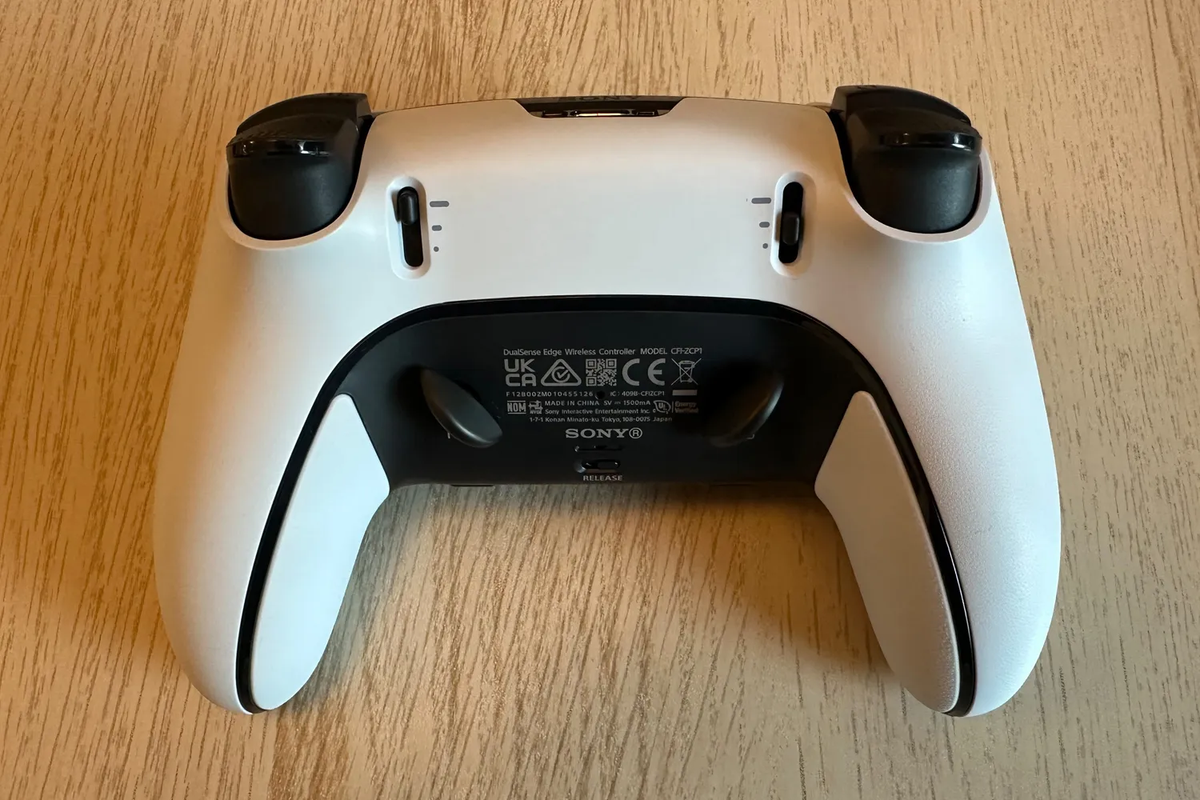
- With the Elite 2 design you can have all a finger resting on top of each paddle at the exact same time, i.e. your middle and ring fingers resting on top of the respective paddles. The trade-off is that this design, combined with the size of the paddles, will constantly feel like it's getting in the way of your hands. This is subjective, some people like it, for me it's a huge negative. This is also why the sony dualsense Edge comes with the optional half-dome "paddles", they're more out of the way (it also comes with 2 regular hockey-stick paddles).

Image

- Apex 4 back button design aligns them all in a horizontal row. This means you can't really rest fingers on all 4 at the exact same time, only 2 at a time, but functionally this doesn't mean anything. There is *never* a situation where you NEED to press 4 back buttons at the same time. It will simply never come up, especially since the most basic and most common usage for these buttons is simply to mirror the face buttons.

As for how they feel? They feel ******* great! I love the flydigi back button design. They're extremely easy to press while staying out of the way of your normal hand grip, and they're of a high quality as well (don't feel cheap). I own several flydigi controllers and have never had a single problem with any of them. I really recommend the Apex 4, it is by far the most "premium" controller you can get besides the dualsense Edge, hard to say which of the two wins that contest.

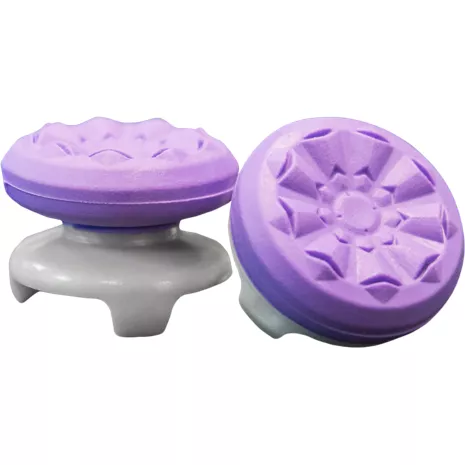
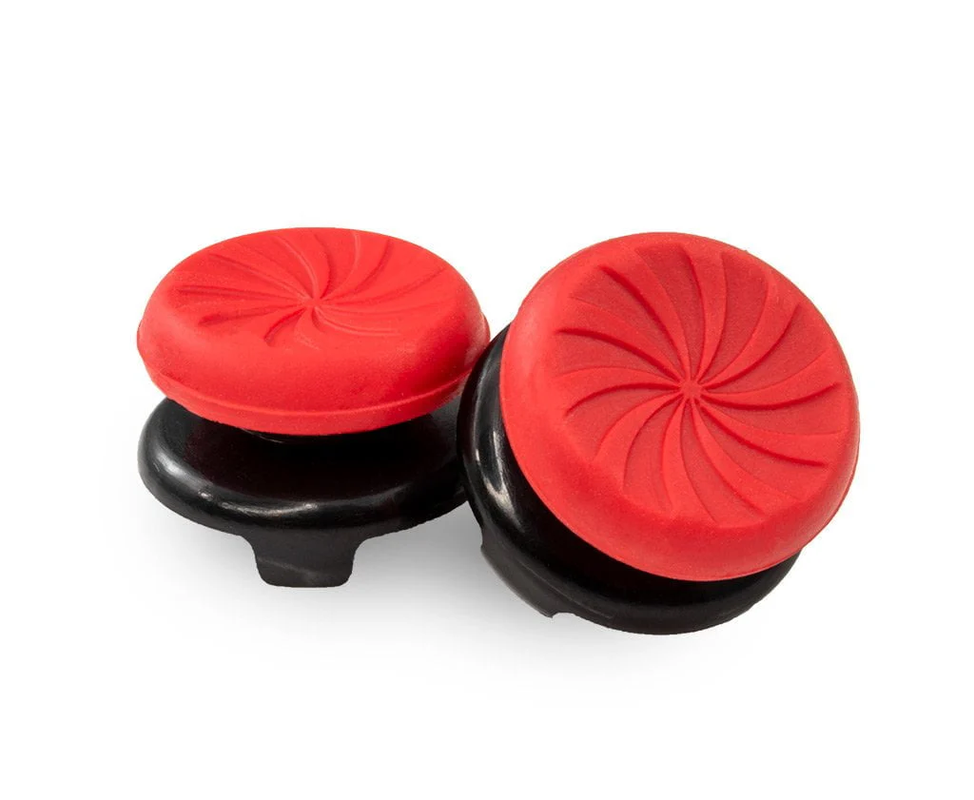
As for which KontrolFreeks i recommend i recommend these two designs:

Be sure to get KF's sized for PS5 controllers for using them on flydigi, otherwise the Xbox KFs will be too small and won't fit

1st place choice: KF Galaxy
Image

Galaxy design is simply the best. Insane grip and amazing concave design, just doesn't get any better than this.

2nd place choice: KF Inferno
Image

Inferno is also concave but it's a simpler design than the Galaxy. Some people prefer that. These two designs are the best, there's really no reason to waste time with the others.
Last edited by aweigh on August 25th, 2024, 15:00, edited 1 time in total.
User avatar
aweigh
Turtle
Turtle
Posts: 3080
Joined: Feb 2, '23

Geolocation

Post by aweigh »

Oh, also another nice benefit of the flydigi Apex 4 is that the flydigi software lets you bind keyboard keys as unique inputs to the back buttons without extra hassle.

(along with lots of other stuff).

That alone cinches the deal for some people as it's incredibly useful. Normally this can't be done on XINPUT controllers.
User avatar
bloodedhunter
Posts: 167
Joined: May 24, '24

Geolocation

Post by bloodedhunter »

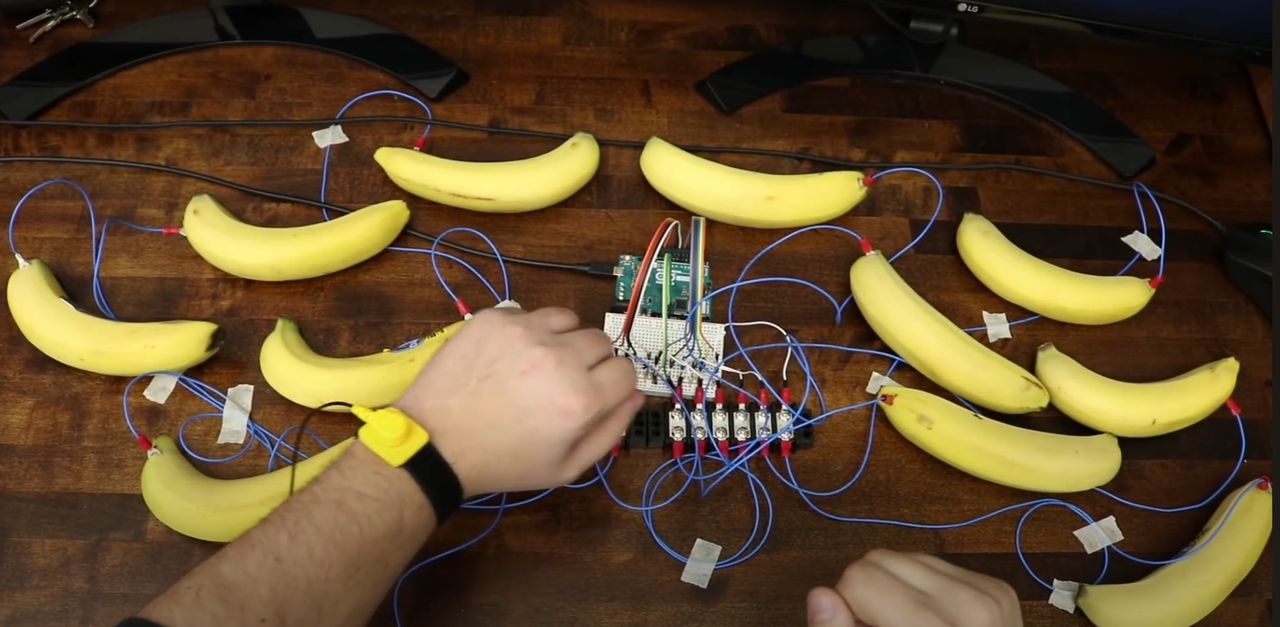
Reject plastic. Return to Monke.


Image
I'm just a simple man, trying to make my way in the universe.
User avatar
Rand
Posts: 6779
Joined: Sep 4, '23
Location: On my last legs

Geolocation

Adventurer's Guild

Post by Rand »

rusty_shackleford wrote: August 8th, 2024, 05:36
they should start making keyboards with analog sensitivity on the keys
It's been done.
I forget what company, but they have switches that do just that.
You may as well not bother replying to my posts if it's to argue anything except concrete facts or your personal opinion. I still probably won't see it.

Reject your retarded-wing political programming and learn to think.
If you can.
User avatar
Oyster Sauce
Site Moderator
Posts: 11592
Joined: Jun 2, '23

Geolocation

Adventurer's Guild

Post by Oyster Sauce »


@Nemain weird timing
User avatar
DagothGeas5
Posts: 2590
Joined: Dec 13, '23

Geolocation

Adventurer's Guild

Post by DagothGeas5 »

I am even more confused, what is the difference between a gamepad and a controller?
The ones I use have the sticks at the bottom and the pads at the sides, is it just a configuration type?
- Here to show my support for normal gaming.

Thank you for existing! :bounce:
User avatar
Oyster Sauce
Site Moderator
Posts: 11592
Joined: Jun 2, '23

Geolocation

Adventurer's Guild

Post by Oyster Sauce »

DagothGeas5 wrote: September 22nd, 2024, 20:16
I am even more confused, what is the difference between a gamepad and a controller?
If you're 40+ they're gamepads. If you're under 40 they're controllers.
User avatar
rusty_shackleford
Site Admin
Posts: 46440
Joined: Feb 2, '23
Gender: Watermelon

Geolocation

Adventurer's Guild

Post by rusty_shackleford »

joysticks
Thank you for your attention to this matter!
Steam friend code: 40552640 https://steamcommunity.com/friends/add | email: [email protected]
Having trouble running an old Windows game?
Rusty's Stuff Collection
User avatar
rusty_shackleford
Site Admin
Posts: 46440
Joined: Feb 2, '23
Gender: Watermelon

Geolocation

Adventurer's Guild

Post by rusty_shackleford »

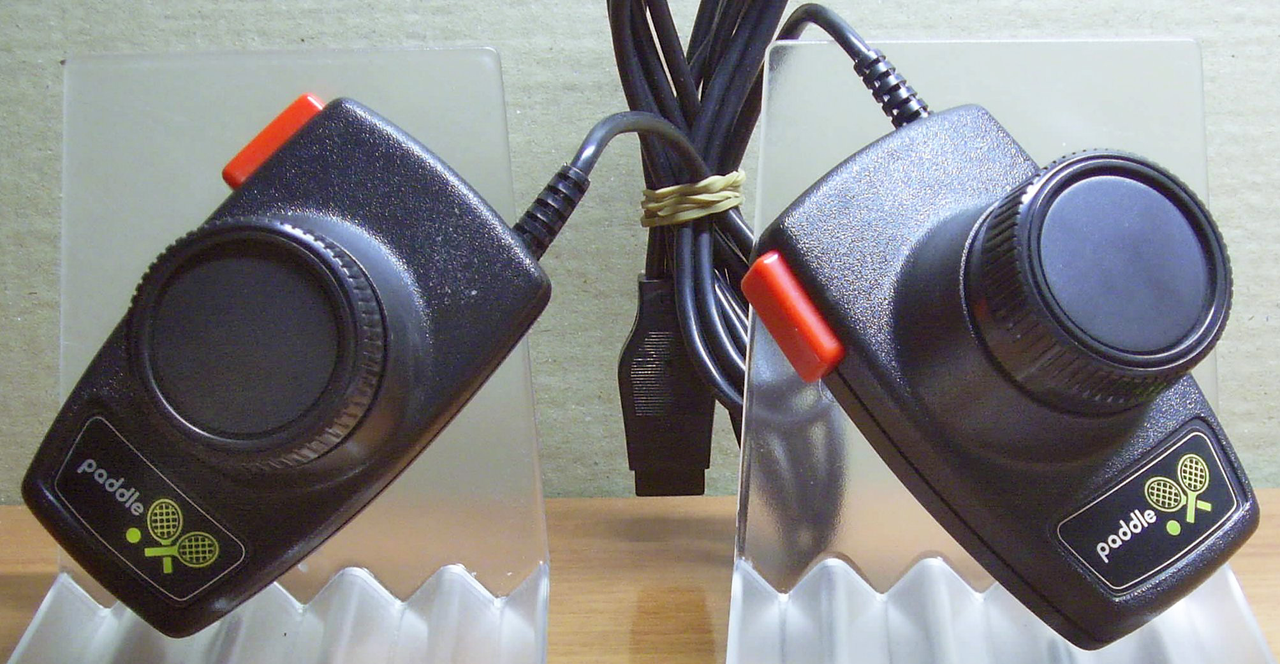
as we called them back in my day, gotta get out the ol' paddles
Thank you for your attention to this matter!
Steam friend code: 40552640 https://steamcommunity.com/friends/add | email: [email protected]
Having trouble running an old Windows game?
Rusty's Stuff Collection
User avatar
DagothGeas5
Posts: 2590
Joined: Dec 13, '23

Geolocation

Adventurer's Guild

Post by DagothGeas5 »

Oyster Sauce wrote: September 22nd, 2024, 20:21
DagothGeas5 wrote: September 22nd, 2024, 20:16
I am even more confused, what is the difference between a gamepad and a controller?
If you're 40+ they're gamepads. If you're under 40 they're controllers.
I see XD Thank you!
- Here to show my support for normal gaming.

Thank you for existing! :bounce:
User avatar
Rand
Posts: 6779
Joined: Sep 4, '23
Location: On my last legs

Geolocation

Adventurer's Guild

Post by Rand »

No, these are paddles. Literally. That's what Atari called them.
Image
Last edited by Rand on September 22nd, 2024, 21:01, edited 1 time in total.
You may as well not bother replying to my posts if it's to argue anything except concrete facts or your personal opinion. I still probably won't see it.
Reject your retarded-wing political programming and learn to think.
If you can.
User avatar
rusty_shackleford
Site Admin
Posts: 46440
Joined: Feb 2, '23
Gender: Watermelon

Geolocation

Adventurer's Guild

Post by rusty_shackleford »

Rand wrote: September 22nd, 2024, 21:00
No, these are paddles. Literally. That's what Atari called them.
Image
This ****** stole my paddles
Thank you for your attention to this matter!
Steam friend code: 40552640 https://steamcommunity.com/friends/add | email: [email protected]
Having trouble running an old Windows game?
Rusty's Stuff Collection
User avatar
Rand
Posts: 6779
Joined: Sep 4, '23
Location: On my last legs

Geolocation

Adventurer's Guild

Post by Rand »

Rand wrote: September 22nd, 2024, 21:00
No, these are paddles. Literally. That's what Atari called them.
Image
rusty_shackleford wrote: September 22nd, 2024, 21:02
This ****** stole my paddles
Don't worry. I'm not an actual ****** so I won't steal your bike, run over your toddler son, or eat your cat.
Last edited by Rand on September 22nd, 2024, 21:06, edited 1 time in total.
You may as well not bother replying to my posts if it's to argue anything except concrete facts or your personal opinion. I still probably won't see it.
Reject your retarded-wing political programming and learn to think.
If you can.
Nemain
Posts: 44
Joined: May 27, '24
Location: fuck this gay earth

Geolocation

Post by Nemain »

Oyster Sauce wrote: September 22nd, 2024, 19:55


@Nemain weird timing
Can't say I'm fond of anything having to do with soldering stuff. Going to stick with buying the 8bitdo.
DagothGeas5 wrote: September 22nd, 2024, 20:16
I am even more confused, what is the difference between a gamepad and a controller?
They're synonyms. Mean the same thing.
fuck this gay earth
User avatar
GhostCow
Turtle
Turtle
Posts: 3304
Joined: Feb 3, '23
Gender: Dinosaur

Geolocation

Post by GhostCow »

Oyster Sauce wrote: September 22nd, 2024, 19:55


@Nemain weird timing
This isn't even worth doing on PC imo. The first party gamepads just suck. I was happy to be done with my PS5 gamepad and it's **** battery life to something cheaper and better in every way with a 20 hour battery life. 30+ if you stick some eneloops in there.
☆HQ Defense Force☆
User avatar
WhiteShark
Site Moderator
Posts: 5056
Joined: Feb 2, '23

Geolocation

Adventurer's Guild

Post by WhiteShark »

rusty_shackleford wrote: July 17th, 2023, 00:38
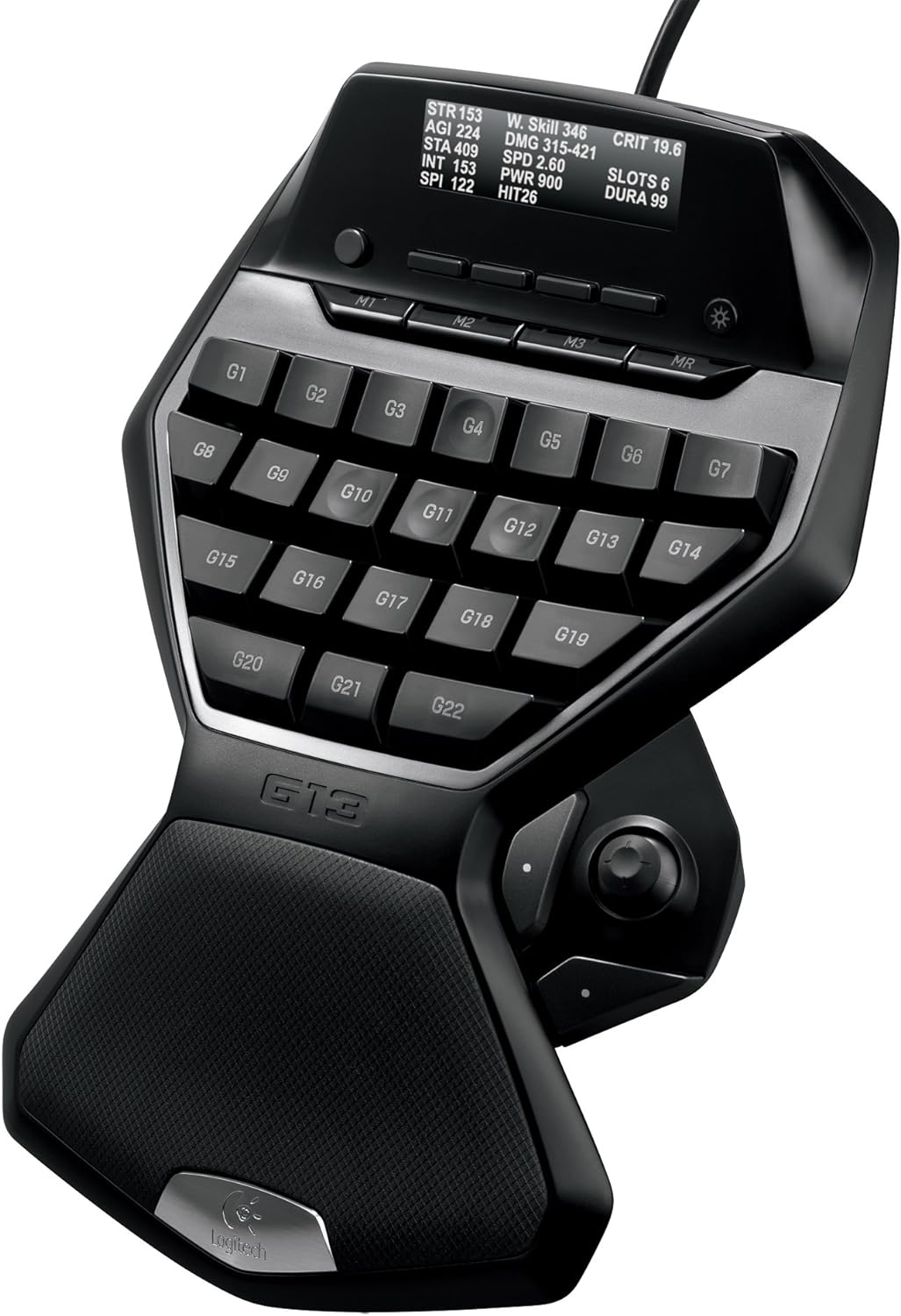
plan on picking up one of those razer gaming keypads, I don't like razer but nobody else makes them and I want to try one out.
https://www.razer.com/gaming-keypads/razer-tartarus-v2
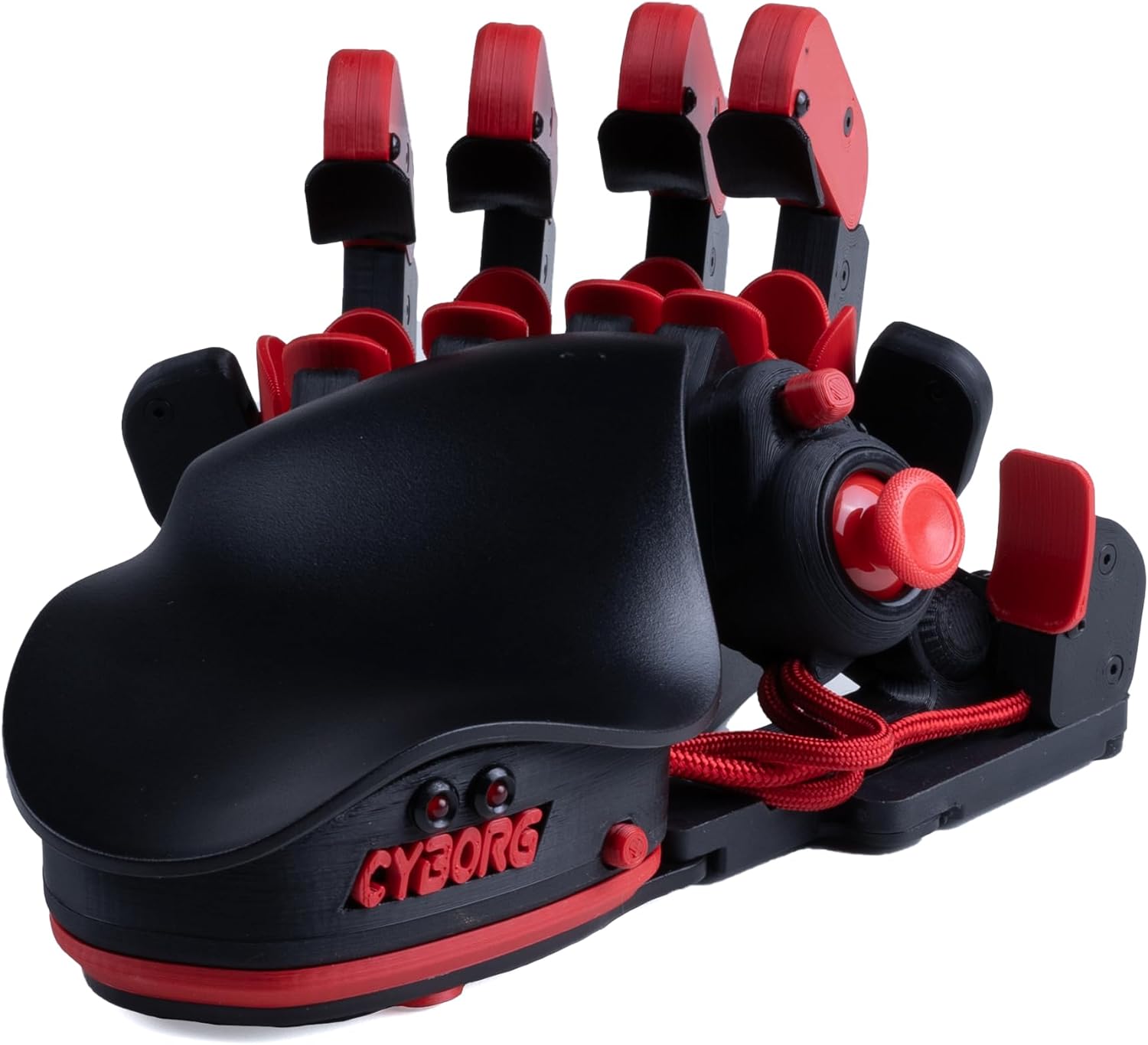
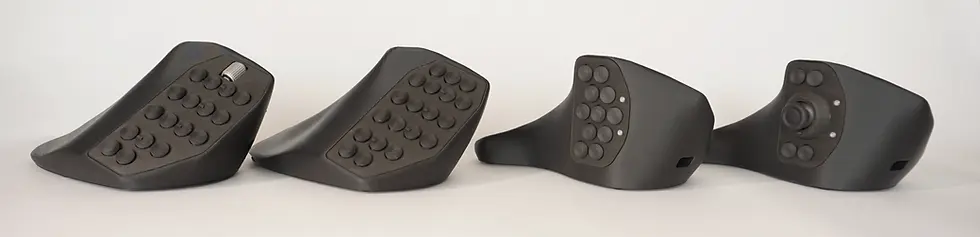
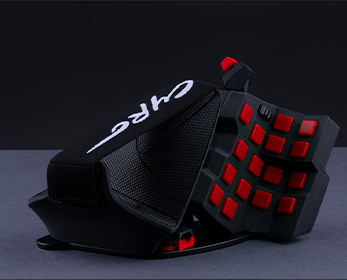
Just remembered this post while thinking about how nice having an analog stick and more buttons on my left hand would be. Decided to look into it and found that there are also these:

Image
https://store.azeron.eu/azeron-keypads#keypad=cyborg_II

Image
https://stores.horiusa.com/tactical-*** ... ows-11-10/

Image
This one is apparently not produced anymore, sadly.
Last edited by WhiteShark on October 28th, 2024, 13:38, edited 1 time in total.
User avatar
WhiteShark
Site Moderator
Posts: 5056
Joined: Feb 2, '23

Geolocation

Adventurer's Guild

Post by WhiteShark »

Also this weird thing:

Image
https://www.lynxware.org/
User avatar
Statesman
Posts: 980
Joined: Apr 7, '24

Geolocation

Adventurer's Guild

Post by Statesman »

WhiteShark wrote: October 28th, 2024, 13:38
Just remembered this post while thinking about how nice having an analog stick and more buttons on my left hand would be. Decided to look into it and found that there are also these:
Image
https://store.azeron.eu/azeron-keypads#keypad=cyborg_II
I really want to try one those out, but between the price and the muscle memory training required to even start using it correctly . . . it is a hard purchase to justify. Specially when it is very likely to end up as an expensive desktop ornament.
User avatar
WhiteShark
Site Moderator
Posts: 5056
Joined: Feb 2, '23

Geolocation

Adventurer's Guild

Post by WhiteShark »

Statesman wrote: October 28th, 2024, 22:07
WhiteShark wrote: October 28th, 2024, 13:38
Just remembered this post while thinking about how nice having an analog stick and more buttons on my left hand would be. Decided to look into it and found that there are also these:
Image
https://store.azeron.eu/azeron-keypads#keypad=cyborg_II
I really want to try one those out, but between the price and the muscle memory training required to even start using it correctly . . . it is a hard purchase to justify. Specially when it is very likely to end up as an expensive desktop ornament.
The price is a problem, for sure. This video talks about its uses and advantages, particularly in regards to FPS games, and he said that using it for movement feels very natural:


Here's his list of pros and cons from the video description:
pinguefy wrote:
good:
it is highly adjustable and has a billion screws on the underside for making it fit your anatomy.
all of the buttons are accessible and you have a ton of binds to work with.
the software is intuitive and allows you to store two profiles on the keypad for quick switching.
the build quality is solid considering it's all plastic
the learning curve is not that steep for how strange the device looks.
there’s some modding potential with their modular-ish design. kovaak 3d printed notches for wavedashing angles LOL. also good for replacement parts.
the azeron uses microswitches, like ones you’d find in a mouse. they are VERY easy to press, but have a bit of pre/post travel.
for things like doom eternal’s dash, it’s freeing to be able to dash at exact angles without requiring mouse movement.
a lot of people have the complaint that an analog stick will never be as fast at changing directions as WASD. it’s true in a literal sense, but in practice, i have never once felt like my dodge was limited by my thumb’s speed and the only game where strafing that fast makes sense is OW. i recently also learned of a feature where you are able to press a button to invert the direction of your stick. as in: hold right, your character moves right. press the bind, you move left. release the bind, you move right. this negates the downside of analog movement and can let you strafe spam similarly to nulls.

bad:
there are a good amount of games that do not support simultaneous input like apex.
this device is very tall. i have a stack of towels i use to elevate my arm, but if i don’t use it, it creates some serious wrist discomfort.
some buttons are easier to reach than others. this is definitely made worse by my small hands, but there are some buttons i have never pressed because i’d have make large movements to reach them. for things you want to be pressing in combat, it’s rough.
my stick performance deteriorated over time quite a lot, it’s noticeably worse than other controllers now. natural for how long it’s been and i think you can replace it fairly easily.
the 180 bind could technically be used for counterstrafing but i can't imagine it being as consistent as keyboard.
certain techs like gdashing in gundam became inconsistent with the azeron, as any stick input while you're meant to have no movement keys pressed would kill the momentum.
User avatar
rusty_shackleford
Site Admin
Posts: 46440
Joined: Feb 2, '23
Gender: Watermelon

Geolocation

Adventurer's Guild

Post by rusty_shackleford »

The cyborg mouse looks like it would be much harder to adjust to than the tartarus. Besides, I already own an MMO mouse and I can't switch because buttons.
Thank you for your attention to this matter!
Steam friend code: 40552640 https://steamcommunity.com/friends/add | email: [email protected]
Having trouble running an old Windows game?
Rusty's Stuff Collection
User avatar
WhiteShark
Site Moderator
Posts: 5056
Joined: Feb 2, '23

Geolocation

Adventurer's Guild

Post by WhiteShark »

rusty_shackleford wrote: October 29th, 2024, 20:11
The cyborg mouse looks like it would be much harder to adjust to than the tartarus. Besides, I already own an MMO mouse and I can't switch because buttons.
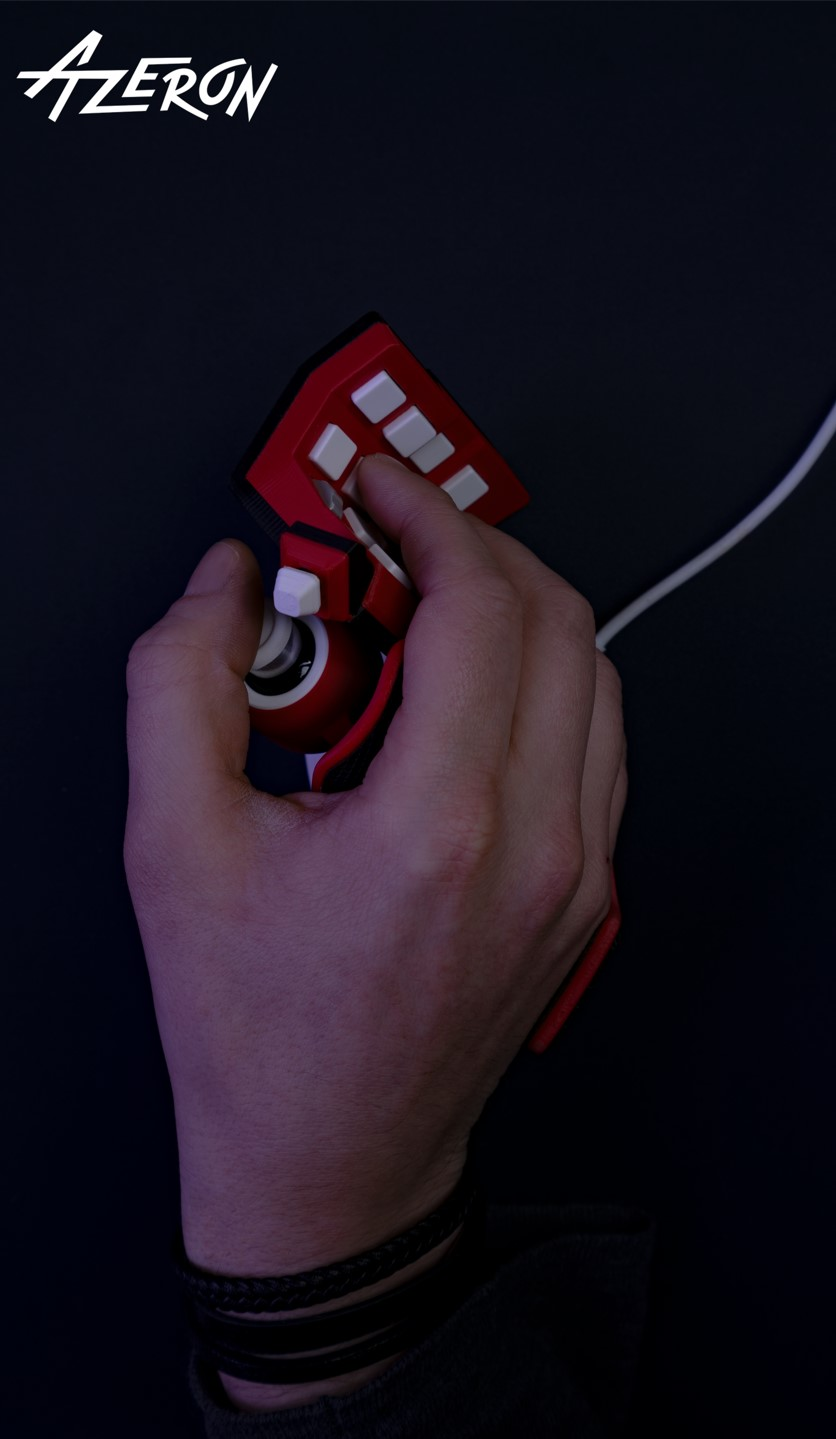
The Cyborg isn't a mouse. It's the same thing as the Tartarus, except it has a real analog stick (Tartarus' is only four directions) and more buttons. You use it with your left hand. Azeron also has the Cyro, though, which is a mouse with lots of buttons and an analog stick:

Image
Image

Apparently it's meant to enable entirely one-handed gaming, but there's no reason you couldn't use it in conjunction with anything else.