


Does that method work most of the time?yahtzee6 wrote: ↑ March 17th, 2026, 21:19
HD2mod fagmins are ******* pathetic. Hoping no bad evil racist modders look on page 2 for the "gatekept information"
We have a Steam curator now. You should be following it. https://store.steampowered.com/curator/44994899-RPGHQ/
[Helldivers 2] Updating outdated mods
Moderator: Mod Janitor
-
Kellian

- Posts: 7
- Joined: Mar 12, '26
- Gender: Dinosaur
-
Geolocation
-
yahtzee6

- Posts: 26
- Joined: Jul 16, '25
-
Geolocation
"Most of the time" yesKellian wrote: ↑ March 21st, 2026, 16:29Does that method work most of the time?yahtzee6 wrote: ↑ March 17th, 2026, 21:19
HD2mod fagmins are ******* pathetic. Hoping no bad evil racist modders look on page 2 for the "gatekept information"
But since none of these modfags follow the same method or mod the same thing, there's some **** you cant fix right away.
Usually there will be hints on their descriptions like "lean body only" and you could expect the other parts of the armor are going to be ******.
Ive had to use the racist SDK repatcher and the method I listed in tandem once
I only care about guns anyway, and thats 99% of the time fixable, and thats enough to scare these losers

-
Nessa

- Posts: 524
- Joined: Dec 3, '23
-
Geolocation
What the literal hell did I just read!? Normally I'd resign most modders to padded cells, but these people need eradication.yahtzee6 wrote: ↑ March 17th, 2026, 21:19
HD2mod fagmins are ******* pathetic. Hoping no bad evil racist modders look on page 2 for the "gatekept information"

And yeah that's why I left that den of filth. Updating armor/gun/or swapping armors is a relatively simple process detailed in some of the tutorials around here. Ugh, I don't have a cuss word strong enough in English for these gay freaks.
-
rusty_shackleford

- Site Admin
- Posts: 45469
- Joined: Feb 2, '23
- Gender: Watermelon
-
Geolocation
Adventurer's Guild


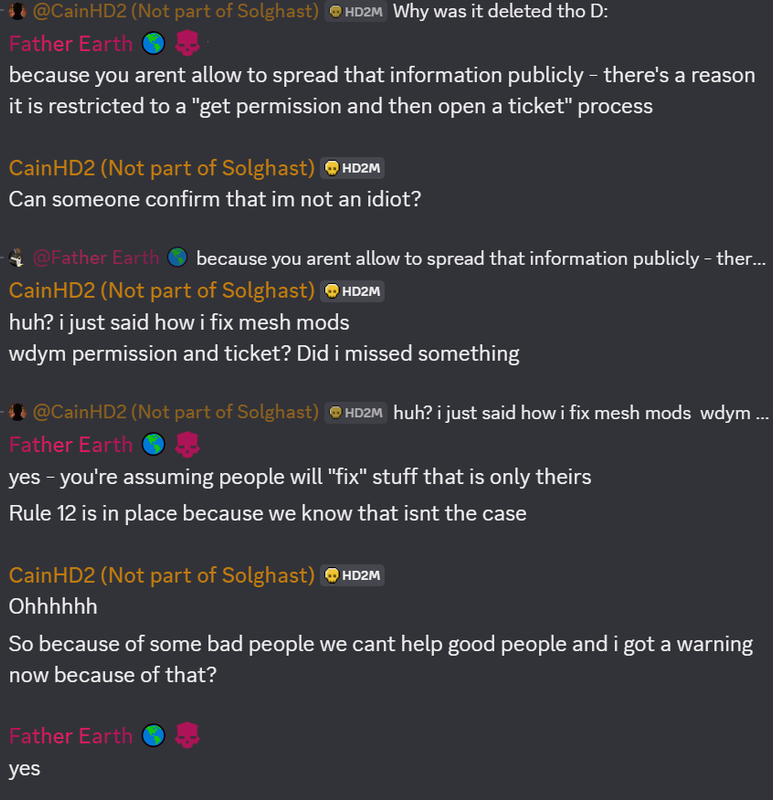
"rule 12" for a modding chatroom

Thank you for your attention to this matter!
Steam friend code: 40552640 https://steamcommunity.com/friends/add | email: [email protected]
Having trouble running an old Windows game?
Rusty's Stuff Collection
Steam friend code: 40552640 https://steamcommunity.com/friends/add | email: [email protected]
Having trouble running an old Windows game?
Rusty's Stuff Collection
-
loregamer

- Site Moderator
- Posts: 5065
- Joined: Dec 3, '23
-
Geolocation


Can someone test out this version of Helldivers 2 Blender Addon (for racists only)? I just synced with upstream
 v3.0-preview
Edit: fixed link
 v3.0-preview
Edit: fixed link
Last edited by loregamer on March 24th, 2026, 15:41, edited 2 times in total.
Jingle Jangle Jingle
-
Nessa
- Posts: 524
- Joined: Dec 3, '23
-
Geolocation
I just used it to make another few mod updates and I have to say everything works except now I'm a racist.
So all good.
So all good.
-
Tollestoi202

- Posts: 4
- Joined: May 1, '26
-
Geolocation
Could someone help me update the Dina-202 mod for the Jaguar armor? I tried following the guide with the updated community SDK (3.0), but when I put the updated patch files onto the Dina-202 Jaguar folder to overwrite the old files, the armor still looks the same, with only shoulderpads added.

-
loregamer
- Site Moderator
- Posts: 5065
- Joined: Dec 3, '23
-
Geolocation
@Nessa girl armor update neededTollestoi202 wrote: ↑ May 1st, 2026, 16:42Could someone help me update the Dina-202 mod for the Jaguar armor? I tried following the guide with the updated community SDK (3.0), but when I put the updated patch files onto the Dina-202 Jaguar folder to overwrite the old files, the armor still looks the same, with only shoulderpads added.
Jingle Jangle Jingle
-
Tollestoi202
- Posts: 4
- Joined: May 1, '26
-
Geolocation
If it can help diagnose what I did wrong, here is the patched files I got after hitting "Export Patch" in blender:
https://drive.google.com/file/d/1rWmGDR ... sp=sharing
https://drive.google.com/file/d/1rWmGDR ... sp=sharing
-
Tollestoi202
- Posts: 4
- Joined: May 1, '26
-
Geolocation
I tried doing it from scratch again today and it's still the same result.  (
(
(-
Kellian
- Posts: 7
- Joined: Mar 12, '26
- Gender: Dinosaur
-
Geolocation
Fat ******* *** on this one, dear lord. Here you go man.Tollestoi202 wrote: ↑ May 3rd, 2026, 02:18I tried doing it from scratch again today and it's still the same result.
-
Tollestoi202
- Posts: 4
- Joined: May 1, '26
-
Geolocation
OMG. Thank you! How did you manage to update the mod? I tried following the steps in the tutorial but I just can't seem to make it work. :<Kellian wrote: ↑ May 6th, 2026, 18:34Fat ******* *** on this one, dear lord. Here you go man.Tollestoi202 wrote: ↑ May 3rd, 2026, 02:18I tried doing it from scratch again today and it's still the same result.
-
Kellian
- Posts: 7
- Joined: Mar 12, '26
- Gender: Dinosaur
-
Geolocation
Just the old manual method from the OG tutorial thread for the SDK. If that doesn't work, you can try repatching the units first, cleaning up the deformities that might spawn (giant shapes like spheres and cubes), and then using that model to apply it to the armor sets, same old method. One thing I still don't understand is how I can replace other armor sets instead of the one the mod replaces. There's another way of doing it, far easier but has a higher failure rate, and that's through the tooncord unit repatcher (its on github). Unit RepatcherTollestoi202 wrote: ↑ May 7th, 2026, 04:12OMG. Thank you! How did you manage to update the mod? I tried following the steps in the tutorial but I just can't seem to make it work. :<Kellian wrote: ↑ May 6th, 2026, 18:34Fat ******* *** on this one, dear lord. Here you go man.Tollestoi202 wrote: ↑ May 3rd, 2026, 02:18I tried doing it from scratch again today and it's still the same result.
Off topic: If anyone knows why this appears when I try to patch a mod, I'd appreciate it since it never lets me patch it without issues or glitches in-game.
You do not have the required permissions to view the files attached to this post.
Last edited by Kellian on May 7th, 2026, 09:17, edited 1 time in total.
-
loregamer
- Site Moderator
- Posts: 5065
- Joined: Dec 3, '23
-
Geolocation
Hi, I'm the one who made the racist fork. I didn't add auto-repatching for units that were using swaps yet. These won't cleanly repatch, but I made it so when you manually import them, it gives that warning. I think they still require importing, resolving through that popup and allowing the un-swap process to happen, and re-saving manually.Kellian wrote: ↑ May 7th, 2026, 08:29Off topic: If anyone knows why this appears when I try to patch a mod, I'd appreciate it since it never lets me patch it without issues or glitches in-game.
Interesting that there's another repatch tool on Github. There are three different ways to repatch I guess? Lmao, just gotta gamble on which works for each mod I guess?
Last edited by loregamer on May 7th, 2026, 16:32, edited 1 time in total.
Jingle Jangle Jingle
-
yahtzee6
- Posts: 26
- Joined: Jul 16, '25
-
Geolocation
How to FIX MOST AUDIO MODS
Assuming you have all the audio tools from the HD2fagmod server set up
1. Extract audio mod in folder someplace accessible
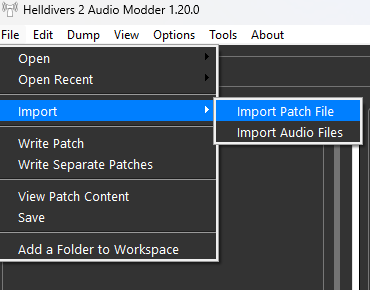
2. [File], then [IMPORT], then [IMPORT PATCH FILE]
3. Write patch
I will have to say this wont work for every single thing because Arrowhead is full of Swedish ******* that keep renaming their own assets but it will work for most mods made in the recent updates. You will just have to find out yourself
Assuming you have all the audio tools from the HD2fagmod server set up
1. Extract audio mod in folder someplace accessible
2. [File], then [IMPORT], then [IMPORT PATCH FILE]
3. Write patch
I will have to say this wont work for every single thing because Arrowhead is full of Swedish ******* that keep renaming their own assets but it will work for most mods made in the recent updates. You will just have to find out yourself
-
yahtzee6
- Posts: 26
- Joined: Jul 16, '25
-
Geolocation
How to redownload hidden mods
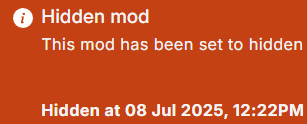
Hate seeing this? We have a method
1. Enter the hidden mod's link to https://web.archive.org/

2. Look for the snapshot of it (Saved 1 Time - date)
3. Click on the date, which will bring you to the modpage of that time

4. Click "Download: Manual" (red)
5. WebArchive will give you a new address link that has the "file_ID" (in green)
6. Take that new address and enter it, you will get an archived file to download
I figured that if it worked for a mod hidden a year ago, it should work for most.
Edit: Depends on if the archiver took a snapshot of the page, since some worked and some didnt. Happy hunting
Hate seeing this? We have a method
1. Enter the hidden mod's link to https://web.archive.org/
2. Look for the snapshot of it (Saved 1 Time - date)
3. Click on the date, which will bring you to the modpage of that time
4. Click "Download: Manual" (red)
5. WebArchive will give you a new address link that has the "file_ID" (in green)
6. Take that new address and enter it, you will get an archived file to download
I figured that if it worked for a mod hidden a year ago, it should work for most.
Edit: Depends on if the archiver took a snapshot of the page, since some worked and some didnt. Happy hunting
Last edited by yahtzee6 on May 27th, 2026, 05:57, edited 3 times in total.