Page 1 of 2
[Solved] Can't speak to NPCs
Posted: February 26th, 2024, 04:31
by Reeb
Hello, this mod saved this game for me. Problem is when I load the mod I can't speak to any characters. I saw this in the troubleshooting saying I forgot .net but I have downloaded it and still can't speak to anyone unless I turn off the mod. Please help me be able to finish this game.
FIXME
Posted: February 26th, 2024, 12:03
by orinEsque
Reeb wrote: ↑
February 26th, 2024, 04:31
Hello, this mod saved this game for me. Problem is when I load the mod I can't speak to any characters. I saw this in the troubleshooting saying I forgot .net but I have downloaded it and still can't speak to anyone unless I turn off the mod. Please help me be able to finish this game.
Hi Reeb, could you send me screenshots of your mod manager and tell me your game version?
I need a few more tidbits of info, check here :
viewtopic.php?t=1266-read-first-how-to- ... ort-ticket
Can't speak to NPCs
Posted: February 26th, 2024, 17:14
by Reeb
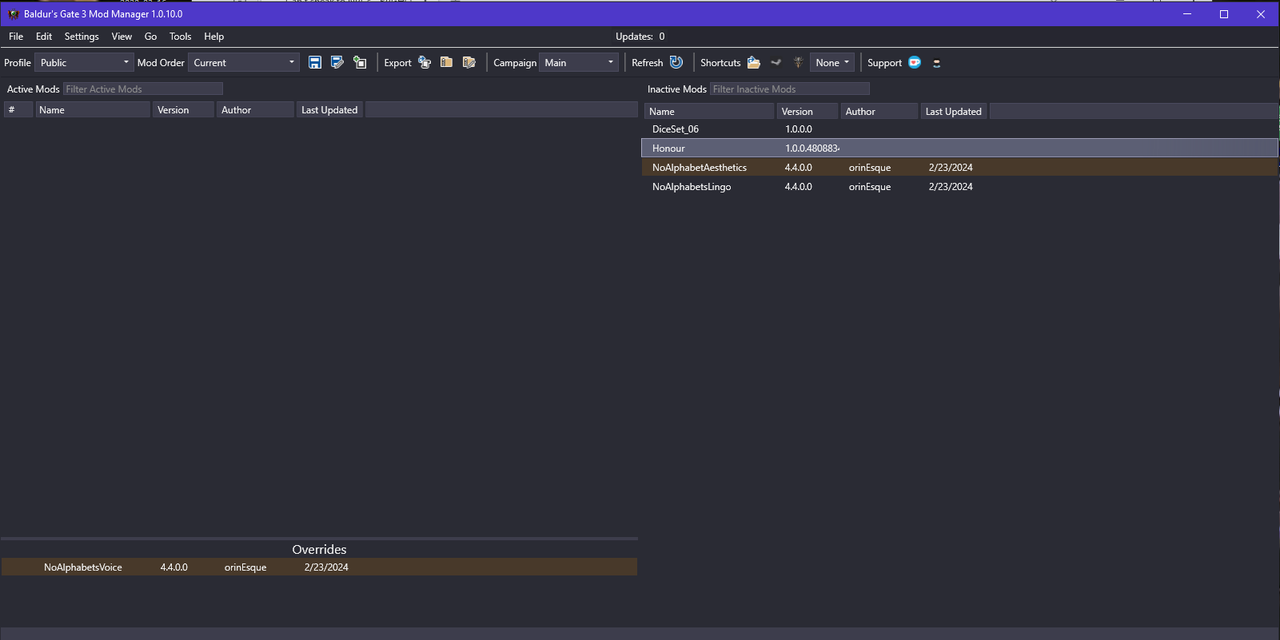
I am using the most current steam version of bg3 since it auto updates
Can't speak to NPCs
Posted: February 26th, 2024, 17:22
by Goblin_Hammer
You need to move them to the left so they'll be active and remember the bottom is the highest priority but do not move diceset or the Honour, leave them where they are.
Can't speak to NPCs
Posted: February 26th, 2024, 17:23
by orinEsque
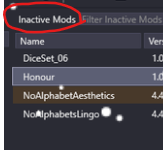
What Goblin hammer said. And make sure to "Export Order". before starting the game
Can't speak to NPCs
Posted: February 26th, 2024, 18:08
by Reeb
yes i had them activated but i couldnt speak to any npcs and i had them exported but i turned them off since they werent working. if i turn them on it does nothing when i try to talk.
Can't speak to NPCs
Posted: February 26th, 2024, 18:18
by Goblin_Hammer
I'm not sure, but I think the mod fixer is required, and I don't see it in your mod list. So that might be the problem.
https://www.nexusmods.com/baldursgate3/ ... ?tab=files
Can't speak to NPCs
Posted: February 27th, 2024, 00:15
by Reeb
I downloaded the modfixer but I am not sure I have it set up properly since I don't see it appearing anywhere. I did the manual download and put the extracted .pack file in the the steam bg3 mods folder but saw nothing happen. I also put it in the folder with the aesthetics and lingo mod on my desktop and I still can't speak to anyone.
Can't speak to NPCs
Posted: February 27th, 2024, 00:17
by orinEsque
Reeb wrote: ↑
February 27th, 2024, 00:15
I downloaded the modfixer but I am not sure I have it set up properly since I don't see it appearing anywhere. I did the manual download and put the extracted .pack file in the the steam bg3 mods folder but saw nothing happen. I also put it in the folder with the aesthetics and lingo mod on my desktop and I still can't speak to anyone.
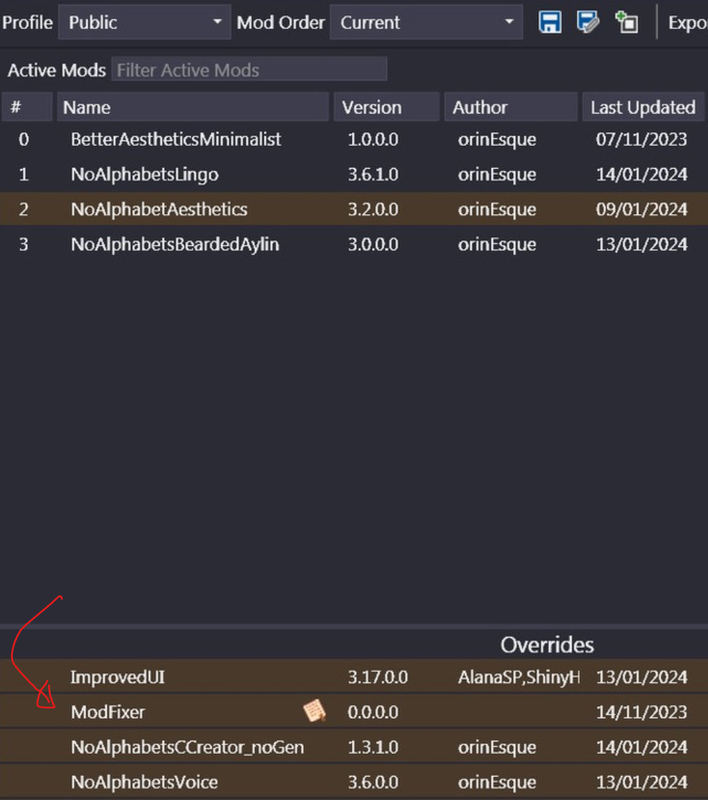
It should go in your override in the left-bottom.
Can't speak to NPCs
Posted: February 27th, 2024, 01:16
by Reeb
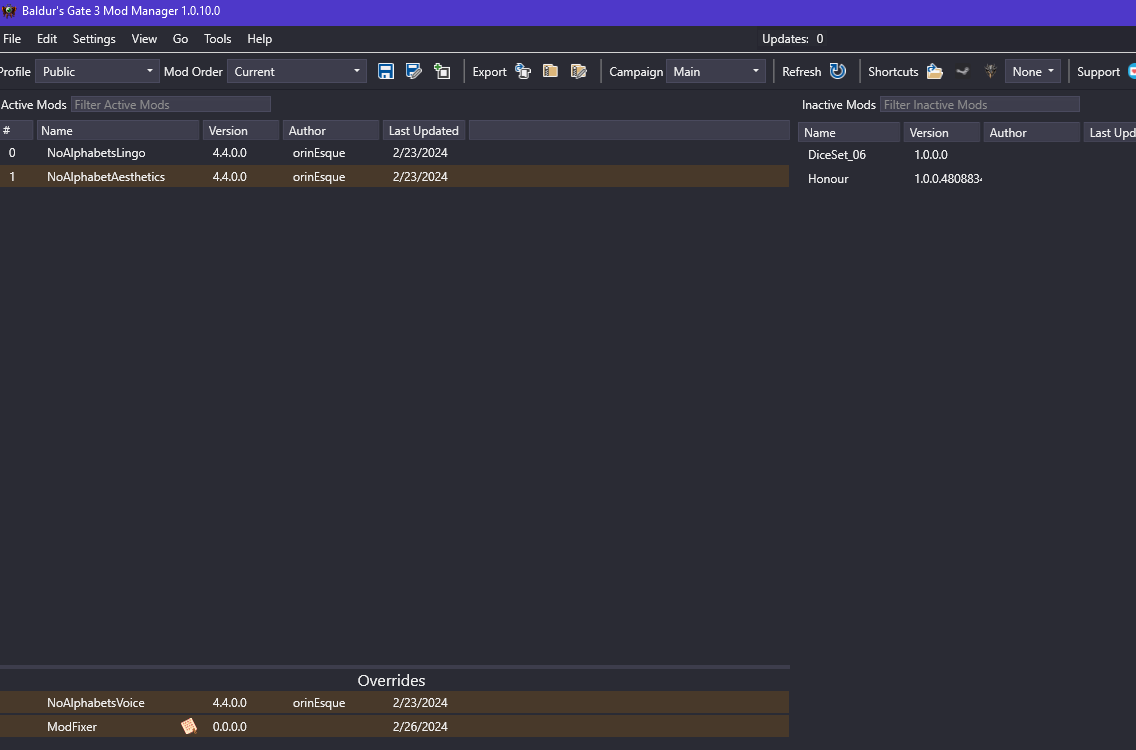
Ok i have it set up like this, modfixer is appearing, but i still cant speak to anybody in game
Can't speak to NPCs
Posted: February 27th, 2024, 15:13
by orinEsque
Can't speak to NPCs
Posted: February 27th, 2024, 15:24
by Reeb
Yes the bg3 launcher when I open with steam has dx11 selected by default. The launcher doesn't come up when I start the game from the mod manager though but I assume it still defaults to dx11
Can't speak to NPCs
Posted: February 27th, 2024, 15:26
by orinEsque
Reeb wrote: ↑
February 27th, 2024, 15:24
Yes the bg3 launcher when I open with steam has dx11 selected by default. The launcher doesn't come up when I start the game from the mod manager though but I assume it still defaults to dx11
The save game that you are loading did you save it with other mods activated initially?
Can't speak to NPCs
Posted: February 27th, 2024, 15:46
by Reeb
I had never used a mod on bg3 before trying this one. At first I only had the voice override active because I didn't realize I had to export to game the lingo and aesthetics. Once I realized the appearances of certain NPCs had not changed I exported and found I couldn't speak to NPCs. So the only thing affecting the save would be the voice override
Can't speak to NPCs
Posted: February 27th, 2024, 15:47
by Reeb
I also had the dice and honour exported when I was trying to export the other ones but don't think I saved with them active
Can't speak to NPCs
Posted: February 27th, 2024, 15:53
by orinEsque
Reeb wrote: ↑
February 27th, 2024, 15:47
I also had the dice and honour exported when I was trying to export the other ones but don't think I saved with them active
Hmmn can your try using Vortex instead of bg3mm ?
Can't speak to NPCs
Posted: February 27th, 2024, 18:00
by Reeb
I have now tried vortex and it is the same issue. Can't speak to companions or fast travel but I can pick up items on the ground after a quick test
Can't speak to NPCs
Posted: February 27th, 2024, 18:05
by orinEsque
Reeb wrote: ↑
February 27th, 2024, 18:00
I have now tried vortex and it is the same issue. Can't speak to companions or fast travel but I can pick up items on the ground after a quick test
hmm you never installed script extender I assume?
If not try installing it.
Usually all these issues you are having are related to not installing .NET or mod fixer
Not sure what else this could be.
Can't speak to NPCs
Posted: February 27th, 2024, 18:08
by Reeb
No I didn't think it was necessary for just this right?
Can't speak to NPCs
Posted: February 27th, 2024, 18:10
by orinEsque
Yeah it's not necessary. Which is making me wonder wth is going on....
Could you check your settings and make sure the application directories are accurate?
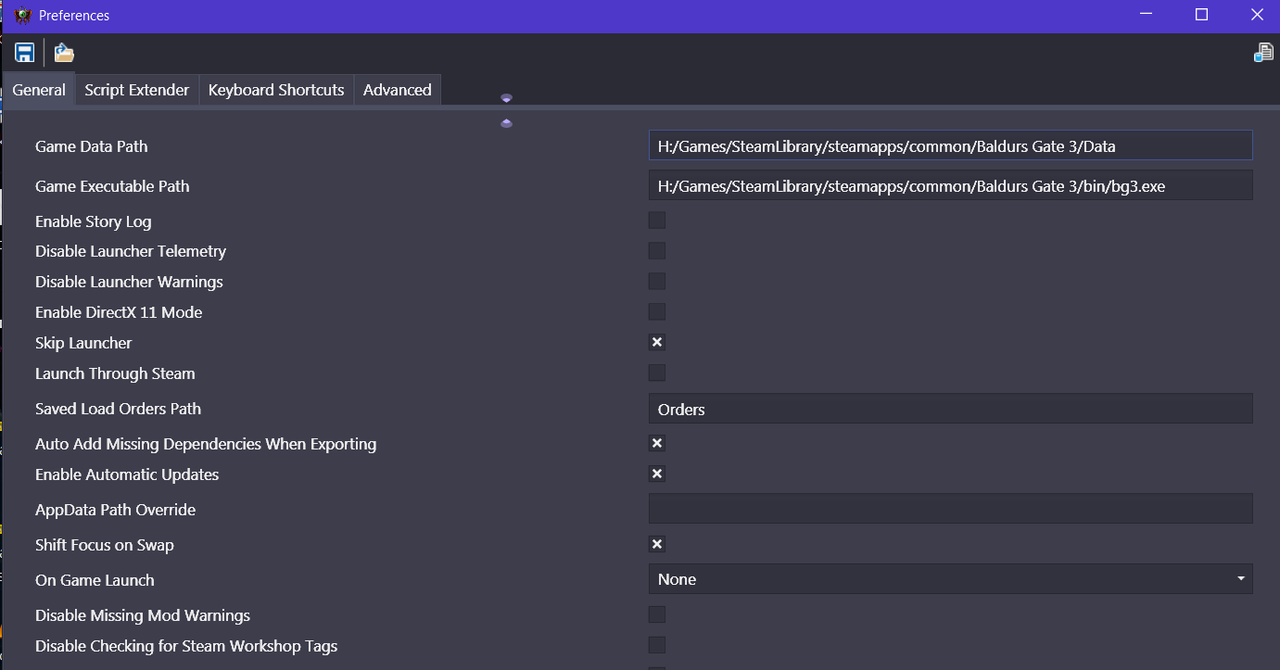
Can't speak to NPCs
Posted: February 27th, 2024, 18:19
by Reeb
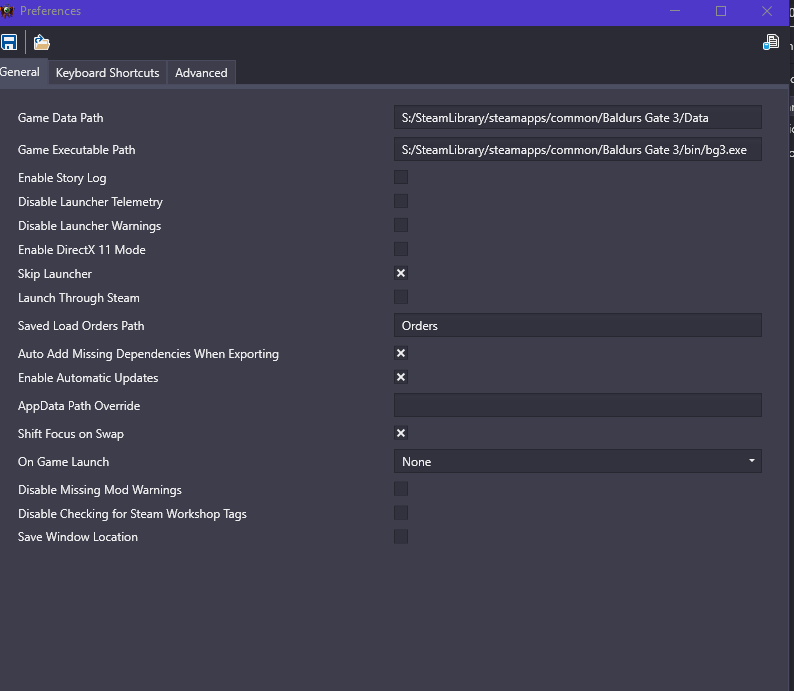
looks good to me
Can't speak to NPCs
Posted: February 27th, 2024, 18:28
by orinEsque
hmmm only thing I have different from you, is that I have script extender installed :/
Can you try a fresh game/ different save? Maybe it's a savegame issue :S
Can't speak to NPCs
Posted: February 27th, 2024, 18:35
by Reeb
I try to start a new game with the the mods and it says "we were unable to create a working story. Your addon setup might be invalid. The game will continue with the story from your main adventure."
Can't speak to NPCs
Posted: February 27th, 2024, 18:42
by Reeb
Interestingly it does let me actually start with an origin character and speak to laezel at the start of the game. Also if I load one of my earliest still existing saves it gives the same warning but then loads and I can speak to the companions.
I always have terrible luck with modding like this which is why I don't use them much lol
Can't speak to NPCs
Posted: February 27th, 2024, 19:00
by orinEsque
Reeb wrote: ↑
February 27th, 2024, 18:42
Interestingly it does let me actually start with an origin character and speak to laezel at the start of the game. Also if I load one of my earliest still existing saves it gives the same warning but then loads and I can speak to the companions.
I always have terrible luck with modding like this which is why I don't use them much lol
PM me that save of yours that isn't working.
Can't speak to NPCs
Posted: February 27th, 2024, 20:06
by Reeb
Can you pm me how to send a save file?
Can't speak to NPCs
Posted: February 27th, 2024, 20:12
by orinEsque
I'll put this here for reference.
1. Go to: C:\Users\YOURUSERNAME\AppData\Local\Larian Studios\Baldur's Gate 3\PlayerProfiles\Public\Savegames\Story
2. Zip your save game and upload to google drive or somewhere and send link.
Can't speak to NPCs
Posted: February 27th, 2024, 21:44
by orinEsque
Tried your new save. It won't even load for me. :S permanent on 0%. Try loading an earlier save. This one seems to be corrupt.
Can't speak to NPCs
Posted: February 28th, 2024, 00:31
by Reeb
Huh, well loading a different save worked. Mod is functioning. I do still get the error message when I load a save but it works anyways. Thank you!
Can't speak to NPCs
Posted: February 28th, 2024, 01:09
by orinEsque
Reeb wrote: ↑
February 28th, 2024, 00:31
Huh, well loading a different save worked. Mod is functioning. I do still get the error message when I load a save but it works anyways. Thank you!
you get that message if you have scriptextender installed
If you install improvedUI, you won't get this message
